nexus-windows-antigravity 3.0.0__tar.gz
This diff represents the content of publicly available package versions that have been released to one of the supported registries. The information contained in this diff is provided for informational purposes only and reflects changes between package versions as they appear in their respective public registries.
- nexus_windows_antigravity-3.0.0/.gitignore +20 -0
- nexus_windows_antigravity-3.0.0/CHANGELOG.md +215 -0
- nexus_windows_antigravity-3.0.0/LICENSE +21 -0
- nexus_windows_antigravity-3.0.0/PKG-INFO +237 -0
- nexus_windows_antigravity-3.0.0/README.md +208 -0
- nexus_windows_antigravity-3.0.0/client/agent_guard.py +233 -0
- nexus_windows_antigravity-3.0.0/client/busy_indicator.py +383 -0
- nexus_windows_antigravity-3.0.0/client/busy_logo.png +0 -0
- nexus_windows_antigravity-3.0.0/client/cdp_wheel.py +516 -0
- nexus_windows_antigravity-3.0.0/client/computer_client.py +6309 -0
- nexus_windows_antigravity-3.0.0/client/computer_logger.py +84 -0
- nexus_windows_antigravity-3.0.0/client/emergency_stop.py +214 -0
- nexus_windows_antigravity-3.0.0/client/foreground_lock.py +186 -0
- nexus_windows_antigravity-3.0.0/client/garde-fous.json +176 -0
- nexus_windows_antigravity-3.0.0/client/garde_fous.py +448 -0
- nexus_windows_antigravity-3.0.0/client/journal_commun.py +164 -0
- nexus_windows_antigravity-3.0.0/client/launch.py +21 -0
- nexus_windows_antigravity-3.0.0/client/mcp_server.py +729 -0
- nexus_windows_antigravity-3.0.0/client/physical_input.py +344 -0
- nexus_windows_antigravity-3.0.0/client/uia_fast.py +332 -0
- nexus_windows_antigravity-3.0.0/client/uia_scroll.py +190 -0
- nexus_windows_antigravity-3.0.0/client/win32_controls.py +910 -0
- nexus_windows_antigravity-3.0.0/pyproject.toml +81 -0
- nexus_windows_antigravity-3.0.0/server.json +40 -0
- nexus_windows_antigravity-3.0.0/tests/bench_gemini_task.py +345 -0
- nexus_windows_antigravity-3.0.0/tests/conftest.py +70 -0
- nexus_windows_antigravity-3.0.0/tests/desktop_fixtures.py +235 -0
- nexus_windows_antigravity-3.0.0/tests/live_computer_validation.py +864 -0
- nexus_windows_antigravity-3.0.0/tests/test_accord_computer.py +277 -0
- nexus_windows_antigravity-3.0.0/tests/test_banc_commun.py +81 -0
- nexus_windows_antigravity-3.0.0/tests/test_busy_indicator.py +97 -0
- nexus_windows_antigravity-3.0.0/tests/test_cdp_wheel.py +514 -0
- nexus_windows_antigravity-3.0.0/tests/test_computer.py +760 -0
- nexus_windows_antigravity-3.0.0/tests/test_confirmation_2_8.py +447 -0
- nexus_windows_antigravity-3.0.0/tests/test_desktop_sota.py +1162 -0
- nexus_windows_antigravity-3.0.0/tests/test_garde_fous_commun.py +46 -0
- nexus_windows_antigravity-3.0.0/tests/test_gemini_harness.py +533 -0
- nexus_windows_antigravity-3.0.0/tests/test_hardening.py +421 -0
- nexus_windows_antigravity-3.0.0/tests/test_passe2.py +147 -0
- nexus_windows_antigravity-3.0.0/tests/test_revue_2026_10_17.py +756 -0
- nexus_windows_antigravity-3.0.0/tests/test_revue_agy_2026_10_17.py +343 -0
- nexus_windows_antigravity-3.0.0/tests/test_startup.py +47 -0
- nexus_windows_antigravity-3.0.0/tests/test_uia_scroll.py +103 -0
- nexus_windows_antigravity-3.0.0/uv.lock +987 -0
|
@@ -0,0 +1,20 @@
|
|
|
1
|
+
# Python
|
|
2
|
+
__pycache__/
|
|
3
|
+
*.py[cod]
|
|
4
|
+
*$py.class
|
|
5
|
+
*.log
|
|
6
|
+
.venv/
|
|
7
|
+
|
|
8
|
+
# Windows / OS
|
|
9
|
+
Thumbs.db
|
|
10
|
+
ehthumbs.db
|
|
11
|
+
Desktop.ini
|
|
12
|
+
.DS_Store
|
|
13
|
+
|
|
14
|
+
# Backups
|
|
15
|
+
*.bak
|
|
16
|
+
*.tmp
|
|
17
|
+
|
|
18
|
+
# Development caches (normally stored outside OneDrive by test.ps1)
|
|
19
|
+
.pytest_cache/
|
|
20
|
+
.ruff_cache/
|
|
@@ -0,0 +1,215 @@
|
|
|
1
|
+
# Changelog
|
|
2
|
+
|
|
3
|
+
All notable changes to this project are documented in this file.
|
|
4
|
+
The format is based on [Keep a Changelog](https://keepachangelog.com/en/1.1.0/), and versions follow
|
|
5
|
+
[Semantic Versioning](https://semver.org/spec/v2.0.0.html).
|
|
6
|
+
|
|
7
|
+
This is the public changelog of NexusWindows for Antigravity: it lists the changes that matter to someone using the
|
|
8
|
+
MCP server. Versions up to 2.5.0 were published here under the name "Antigravity Computer Use"; see the git history.
|
|
9
|
+
|
|
10
|
+
## [Unreleased]
|
|
11
|
+
|
|
12
|
+
## [3.0.0] - 2026-10-23 — One-command install, common tool names
|
|
13
|
+
|
|
14
|
+
The three NexusWindows tools (Claude, Codex, Antigravity) move to 3.0.0 together: one-command install from a package
|
|
15
|
+
registry, the same five tool names (`windows`, `look`, `act`, `launch`, `window`), the same step outcomes
|
|
16
|
+
(✓ verified, = already done, ~ unknown, ✗ failed or refused), and from now on one version number for the family.
|
|
17
|
+
|
|
18
|
+
### Added
|
|
19
|
+
- PyPI package `nexus-windows-antigravity`: `uvx --python 3.14 nexus-windows-antigravity` in Antigravity's
|
|
20
|
+
`mcp_config.json`, no clone needed; published by Trusted Publishing, then to the official MCP registry.
|
|
21
|
+
- The server announces its title and version at initialization.
|
|
22
|
+
|
|
23
|
+
### Changed
|
|
24
|
+
- Listed tools renamed `windows`, `look`, `act`, `launch` (`app`) and `window` (`action="close"`), like the other two
|
|
25
|
+
tools; the former names (`computer_look`, `computer_act`, `computer_open_path`, `computer_close_window`...) stay
|
|
26
|
+
callable, unlisted.
|
|
27
|
+
- Python 3.11 or later (Pillow 13 requires it); Pillow 13.0.0.
|
|
28
|
+
|
|
29
|
+
### Fixed
|
|
30
|
+
- `computer.log` no longer records the expected or observed text of a failed batch, nor typed text quoted by a step
|
|
31
|
+
error: only their length (the reply to the agent keeps them). Screenshots are pruned after each write (at most 50,
|
|
32
|
+
previously 51) and at server start.
|
|
33
|
+
|
|
34
|
+
## [2.11.0] - 2026-10-23 — Background input recipes, common journal, stop on unknown outcome
|
|
35
|
+
|
|
36
|
+
### Added
|
|
37
|
+
- Common journal shared by the three NexusWindows tools (Claude, Codex, Antigravity): every action call (opening,
|
|
38
|
+
closing, scrolling, dragging, refusals, stops, confirmations) writes one line per batch step to
|
|
39
|
+
`%LOCALAPPDATA%\NexusJournal\windows\antigravity\` (or `NEXUS_JOURNAL_HOME`), `~` when the effect was not read
|
|
40
|
+
back. It never contains screen text.
|
|
41
|
+
- Coordinate clicks and the mouse wheel in the background in Win32 and WinForms: messages posted to the deepest child
|
|
42
|
+
under the point (foreground, cursor and clipboard untouched). Sent once, never replayed with the real mouse.
|
|
43
|
+
Coordinate clicks are also posted in covered Chromium/Electron windows.
|
|
44
|
+
- Ctrl/Shift shortcuts in the background in Win32 and WinForms: keys posted with a simulated keyboard state on the
|
|
45
|
+
target's thread only, restored once the target has processed them (Ctrl+S never becomes S); Alt is refused.
|
|
46
|
+
- Right-click and double-click in Win32 and WinForms posted at the element's centre: a WinForms context menu opens
|
|
47
|
+
without touching the foreground, and its command is then picked by label.
|
|
48
|
+
- Single-line fields in Chromium/Electron set in the background through UI Automation Value (input events fired);
|
|
49
|
+
never for multi-line fields or rich editors, which UI Automation cannot tell apart.
|
|
50
|
+
- Chromium/Electron without real activation: `<select>` picked by typing its label, appending to rich editors and
|
|
51
|
+
multi-line fields, keys and Ctrl shortcuts. Focus is taken and proved just before sending; never with a
|
|
52
|
+
validating Enter or a line break.
|
|
53
|
+
- Covered Chromium/Electron windows publish their accessibility changes before each read: fields and the options of
|
|
54
|
+
an open list are no longer missing.
|
|
55
|
+
- Mouse wheel in the background in Chrome, Edge and Electron through the window's own DevTools port. Nothing is sent
|
|
56
|
+
unless the port belongs to the window's exact process, the page is proved to be the one shown in that window and
|
|
57
|
+
exactly one render surface matches its viewport; one input event only, an unacknowledged one is an unknown outcome,
|
|
58
|
+
never replayed. New dependency: `websocket-client`.
|
|
59
|
+
- Mouse wheel at a point in WPF, UWP and WinUI (which ignore posted wheel messages) by semantic scrolling
|
|
60
|
+
(ScrollPattern) of the smallest scrollable container under the point; ambiguity refuses, a real end (0/100 %) sends
|
|
61
|
+
nothing, and the position read back decides whether it is verified.
|
|
62
|
+
|
|
63
|
+
### Fixed
|
|
64
|
+
- `computer_act` stops a batch as soon as a step stays unverified, before sending the next action: a
|
|
65
|
+
validation can no longer follow a click whose effect is unknown. No automatic replay; the result is
|
|
66
|
+
`unverified`, `success: None`, and says the rest was not sent. A true `expect`, an already-satisfied state or a
|
|
67
|
+
verified wait still lets the batch go on.
|
|
68
|
+
- A step whose control was already in the wanted state no longer keeps the `already` mark when its final
|
|
69
|
+
postcondition is unreadable or false: it reports `~` or `✗` and the batch stops.
|
|
70
|
+
- Partial send (one message posted, then a refusal) is an unknown outcome: never a physical fallback or a second
|
|
71
|
+
technique on top of it.
|
|
72
|
+
- WinForms push buttons: `BN_CLICKED` is posted first (a synchronous UI Automation Invoke blocked on a modal dialog
|
|
73
|
+
and the fallback opened it twice); after an unverified `BN_CLICKED`, no second technique.
|
|
74
|
+
- List items outside Win32/WinForms are selected by UI Automation Select only (Invoke then Select selected twice in
|
|
75
|
+
Electron); a Chromium item still read as unselected afterwards is an unknown outcome, never a physical click on top.
|
|
76
|
+
- Posted double-clicks and right-clicks are verified only by structural evidence (title, application windows, size);
|
|
77
|
+
a selection made by the first click no longer passes for a verified double-click. Window size is proved by its
|
|
78
|
+
rectangle, never by comparing two screenshots.
|
|
79
|
+
- Posted clicks in windows that are not DPI-aware (or system-DPI-aware) are converted to logical pixels: at 125 %, a
|
|
80
|
+
double-click on a WinForms list landed one row too low.
|
|
81
|
+
- A posted double-click on a covered WinForms control is refused before sending; the real mouse takes over only when
|
|
82
|
+
`foreground=true` is allowed.
|
|
83
|
+
- Physical wheel is proved by the scroll position read back from the targeted container, never by the window title
|
|
84
|
+
or the tree; without a readable container the outcome is unverified.
|
|
85
|
+
- DevTools wheel recognises tabbed Edge titles ("page - Profile 1 – Microsoft Edge").
|
|
86
|
+
- `computer_open_path` resolves a bare program name (`notepad.exe`, `mspaint`) like Start > Run (PATH including Store
|
|
87
|
+
aliases, then App Paths) instead of answering "path not found".
|
|
88
|
+
- Text targets: an editable ComboBox and its same-named child Edit (the "File name:" box of Open/Save dialogs) are no
|
|
89
|
+
longer ambiguous; the text goes to the Edit.
|
|
90
|
+
- `computer_close_window` reports a closed window as verified (`✓`) when it is destroyed, or was visible and is now
|
|
91
|
+
hidden; the wait is 2 s for UWP apps. A lost COM reply stays `~`, and `WM_CLOSE` is never replayed.
|
|
92
|
+
- The foreground is given back by the window that holds it, never taken from a window the user has just chosen.
|
|
93
|
+
- Emergency stop: the remaining time is now capped at the 120 s hold (floating-point rounding could report
|
|
94
|
+
120.00000000000003 s).
|
|
95
|
+
|
|
96
|
+
### Changed
|
|
97
|
+
- "Agent at work" indicator: the breathing halo is gone; only the logo spins, with its drop shadow.
|
|
98
|
+
- Checked on the common bench of the three NexusWindows tools (Claude, Codex, Antigravity): canvas click, wheel and
|
|
99
|
+
Ctrl+K in Win32/WinForms now pass, and double actions are gone.
|
|
100
|
+
- Development tools and CI actions updated: ruff 0.17.1, pyright 1.1.414, `actions/checkout` v7.0.1,
|
|
101
|
+
`astral-sh/setup-uv` v10.3.0 (pinned by hash).
|
|
102
|
+
|
|
103
|
+
## [2.10.0] - 2026-10-20 — "Agent at work" indicator
|
|
104
|
+
|
|
105
|
+
### Added
|
|
106
|
+
- While an action runs (`computer_act`, opening, closing, focusing and the action aliases; never the reads), a logo
|
|
107
|
+
spins on itself in the bottom-right corner of the driven window's screen with a breathing blue halo, and goes away
|
|
108
|
+
1.6 s after the last action. Always on top, borderless, click-through, never activated, absent from the taskbar,
|
|
109
|
+
excluded from screen captures. `NEXUS_WINDOWS_INDICATOR=0` turns it off.
|
|
110
|
+
|
|
111
|
+
## [2.9.0] - 2026-10-20 — Exact-action consent, visual fallback, hardened supply chain
|
|
112
|
+
|
|
113
|
+
### Added
|
|
114
|
+
|
|
115
|
+
- **Consent bound to the exact action** for outward gestures (paying, sending, publishing, transferring, calling):
|
|
116
|
+
besides `confirm: true`, a single-use `accord` token (10 minutes) returned by the first refusal, which describes
|
|
117
|
+
the exact action. It binds the tool, the gesture, the target, the actual contents of the window's editable fields
|
|
118
|
+
(read again at execution, passwords excluded) and the window; any change voids it. Also covers validation keys
|
|
119
|
+
(Enter, Ctrl+Enter, Space, Alt shortcuts), coordinate clicks and `type_text(submit=True)`. Local destructive
|
|
120
|
+
actions (permanent deletion, formatting, uninstalling, resetting) keep `confirm: true` alone.
|
|
121
|
+
- **Visual fallback**: `target` accepts coordinates (`"@150,200"`, `"150, 200"`, `"coords:150,200"`) and Gemini
|
|
122
|
+
boxes (`"[ymin, xmin, ymax, xmax]"`, `"box_2d:[...]"`); a step whose label is missing from the UI Automation
|
|
123
|
+
tree falls back to its coordinates; `computer_look` says when a window exposes no UI Automation element.
|
|
124
|
+
- Blind paste guard: a batch may not chain a paste (Ctrl+V) and a validation; the pasted text is read back first.
|
|
125
|
+
- OpenSSF Scorecard workflow and badge; Dependabot for GitHub Actions and uv (7-day cooldown); GitHub Actions
|
|
126
|
+
pinned by commit SHA without persisted credentials (zizmor clean).
|
|
127
|
+
- Every MCP tool has a readable `title` in its annotations, next to its four hints.
|
|
128
|
+
- The server starts and lists its tools outside Windows (as MCP directories such as Glama check it, in a Linux
|
|
129
|
+
container); there, each tool call answers that Windows is required. Windows-only dependencies (`comtypes`,
|
|
130
|
+
`uiautomation`) are installed on Windows only.
|
|
131
|
+
- GitHub Actions: `test.ps1` on Windows and the startup test on Linux, with a Tests badge; `glama.json`.
|
|
132
|
+
- README: Privacy section.
|
|
133
|
+
- README: demo (animated WebP, GIF fallback) recorded with this server's own `computer_act` on neutral test
|
|
134
|
+
windows: one batch of five steps in a window behind another, the user's window untouched.
|
|
135
|
+
|
|
136
|
+
### Changed
|
|
137
|
+
|
|
138
|
+
- Repository renamed to `pironjulien/NexusWindows-Antigravity`; GitHub redirects the old address.
|
|
139
|
+
- Shared guard-rail policy updated (nexus-shared 6d82bbb): erasing, resetting or formatting the whole device now
|
|
140
|
+
needs confirmation too; "erase everything" counts only on a reset screen.
|
|
141
|
+
- Shared guard-rail policy updated (same file as the Claude, Codex and Android editions): calling ("appeler",
|
|
142
|
+
"call") now needs `confirm: true` too.
|
|
143
|
+
- `SECURITY.md`: private vulnerability reporting.
|
|
144
|
+
|
|
145
|
+
## [2.8.2] - 2026-10-18
|
|
146
|
+
|
|
147
|
+
### Changed
|
|
148
|
+
- The guard-rail lists (protected surfaces, password managers, confirmation patterns, payment and formatting
|
|
149
|
+
contexts, action and non-action roles) are read from a policy file shared with NexusWindows for Claude
|
|
150
|
+
(`client/garde-fous.json`, read by `client/garde_fous.py`) instead of being hard-coded. Behaviour unchanged,
|
|
151
|
+
checked value by value against 2.8.1. If the policy cannot be read, the server refuses to start.
|
|
152
|
+
- Repository renamed to `antigravity-windows-computer-use` and README rewritten as NexusWindows for Antigravity.
|
|
153
|
+
|
|
154
|
+
## [2.8.1] - 2026-10-18
|
|
155
|
+
|
|
156
|
+
### Added
|
|
157
|
+
- Password managers (KeePass, KeePassXC, Bitwarden, 1Password, Dashlane, NordPass, RoboForm, LastPass, matched by
|
|
158
|
+
process prefix) are hard-blocked: never looked at, read through UI Automation, captured or driven. A full-screen
|
|
159
|
+
capture is refused while one of them is shown.
|
|
160
|
+
- Making a repository public needs confirmation ("Make public", "Change to public", "Rendre public"...).
|
|
161
|
+
- An explicit order from the user counts as confirmation (`confirm: true` directly); only the agent's own initiative
|
|
162
|
+
asks first.
|
|
163
|
+
|
|
164
|
+
## [2.8.0] - 2026-10-18
|
|
165
|
+
|
|
166
|
+
### Fixed
|
|
167
|
+
- Enter, Space and `submit` no longer get around confirmation: a key is judged on what it would trigger (default
|
|
168
|
+
button of the window, focused button, send button next to the field; Ctrl+Enter: any action button of the window;
|
|
169
|
+
Alt+letter: the button or menu of that access key). Shift+Enter and Alt+Enter stay free.
|
|
170
|
+
- A coordinate click outside any UI Automation control is checked against the short text read under the point
|
|
171
|
+
before the real mouse is used.
|
|
172
|
+
|
|
173
|
+
### Added
|
|
174
|
+
- More irreversible actions under confirmation: uninstall, format a drive, reset, factory reset, cancel a
|
|
175
|
+
subscription, delete or close an account, erase data.
|
|
176
|
+
- Generic verbs judged by the window title: validate/confirm/OK in a payment or money-transfer window, start/OK in a
|
|
177
|
+
format dialog.
|
|
178
|
+
- MCP tool annotations (`readOnlyHint`, `destructiveHint`, `idempotentHint`, `openWorldHint`).
|
|
179
|
+
|
|
180
|
+
### Changed
|
|
181
|
+
- MCP SDK 1.30 → 2.3.0; `comtypes` declared as a dependency.
|
|
182
|
+
- The UI Automation read also returns the access key and the keyboard focus, in the same round trip.
|
|
183
|
+
|
|
184
|
+
## [2.7.0] - 2026-10-17
|
|
185
|
+
|
|
186
|
+
### Changed
|
|
187
|
+
- Autonomy first: banking and finance applications, password fields (filled, masked value never read back),
|
|
188
|
+
Chrome/Edge (with a note that a browser bridge is more reliable for the web) and any existing path in
|
|
189
|
+
`computer_open_path` are allowed. The sign-in screen, lock screen and UAC prompt stay refused.
|
|
190
|
+
- Confirmation limited to actions that reach a third party or cost money (pay, buy, order, transfer money, send,
|
|
191
|
+
publish, delete permanently, empty the trash), in one list (`CONFIRM_PATTERNS`).
|
|
192
|
+
- `NEXUS_AGY_CONFIRM=off` in the MCP server environment turns confirmation off (default: on).
|
|
193
|
+
- Windows activation protocols (`ms-settings:`, `shell:`) open through `computer_open_path`; web addresses are
|
|
194
|
+
refused with a pointer to a browser tool.
|
|
195
|
+
|
|
196
|
+
## Earlier changes since 2.5.0 (2026-10-14 to 2026-10-17)
|
|
197
|
+
|
|
198
|
+
### Added
|
|
199
|
+
- Five listed MCP tools (`computer_list_windows`, `computer_look`, `computer_act`, `computer_open_path`,
|
|
200
|
+
`computer_close_window`); the older tool names stay callable as unlisted aliases.
|
|
201
|
+
- Designed for Gemini: one-line `next` in every reply, compact look (one line per element), WebP image of the window
|
|
202
|
+
when an effect was not read back, refusal of a batch resent unchanged without a new look.
|
|
203
|
+
- Background techniques per UI family: direct Win32 messages, UI Automation read in one cross-process round trip,
|
|
204
|
+
posted keys in Win32, WinForms and WPF; real input only as a fallback with `foreground=True`.
|
|
205
|
+
- Read-back after every action (`verified`), postconditions (`expect`), `check`, `uncheck`, `select` and `menu`
|
|
206
|
+
steps.
|
|
207
|
+
- The user's physical input detected through Raw Input: pause before real input, stop if the user takes over.
|
|
208
|
+
- Shared foreground token and emergency stop (Ctrl+Alt+Shift+Esc) with the other desktop agents of the PC.
|
|
209
|
+
- Guards in the code: named window required, ambiguous labels refused with the candidates, foreground read back
|
|
210
|
+
before every `SendInput`, clipboard saved and restored.
|
|
211
|
+
|
|
212
|
+
### Removed
|
|
213
|
+
- The Chrome browser bridge, moved to its own project, NexusBrowser
|
|
214
|
+
([chrome-computer-use](https://github.com/pironjulien/chrome-computer-use)).
|
|
215
|
+
- The floating companion window and the former multi-adapter layout of 2.5.0.
|
|
@@ -0,0 +1,21 @@
|
|
|
1
|
+
MIT License
|
|
2
|
+
|
|
3
|
+
Copyright (c) 2026 Julien Piron (https://julienpiron.fr)
|
|
4
|
+
|
|
5
|
+
Permission is hereby granted, free of charge, to any person obtaining a copy
|
|
6
|
+
of this software and associated documentation files (the "Software"), to deal
|
|
7
|
+
in the Software without restriction, including without limitation the rights
|
|
8
|
+
to use, copy, modify, merge, publish, distribute, sublicense, and/or sell
|
|
9
|
+
copies of the Software, and to permit persons to whom the Software is
|
|
10
|
+
furnished to do so, subject to the following conditions:
|
|
11
|
+
|
|
12
|
+
The above copyright notice and this permission notice shall be included in all
|
|
13
|
+
copies or substantial portions of the Software.
|
|
14
|
+
|
|
15
|
+
THE SOFTWARE IS PROVIDED "AS IS", WITHOUT WARRANTY OF ANY KIND, EXPRESS OR
|
|
16
|
+
IMPLIED, INCLUDING BUT NOT LIMITED TO THE WARRANTIES OF MERCHANTABILITY,
|
|
17
|
+
FITNESS FOR A PARTICULAR PURPOSE AND NONINFRINGEMENT. IN NO EVENT SHALL THE
|
|
18
|
+
AUTHORS OR COPYRIGHT HOLDERS BE LIABLE FOR ANY CLAIM, DAMAGES OR OTHER
|
|
19
|
+
LIABILITY, WHETHER IN AN ACTION OF CONTRACT, TORT OR OTHERWISE, ARISING FROM,
|
|
20
|
+
OUT OF OR IN CONNECTION WITH THE SOFTWARE OR THE USE OR OTHER DEALINGS IN THE
|
|
21
|
+
SOFTWARE.
|
|
@@ -0,0 +1,237 @@
|
|
|
1
|
+
Metadata-Version: 2.5
|
|
2
|
+
Name: nexus-windows-antigravity
|
|
3
|
+
Version: 3.0.0
|
|
4
|
+
Summary: NexusWindows for Antigravity: Windows computer use in the background for Google Antigravity (MCP server).
|
|
5
|
+
Project-URL: Homepage, https://julienpiron.fr/nexuswindows/antigravity/
|
|
6
|
+
Project-URL: Repository, https://github.com/pironjulien/NexusWindows-Antigravity
|
|
7
|
+
Project-URL: Changelog, https://github.com/pironjulien/NexusWindows-Antigravity/blob/main/CHANGELOG.md
|
|
8
|
+
Project-URL: Issues, https://github.com/pironjulien/NexusWindows-Antigravity/issues
|
|
9
|
+
Author: Julien Piron
|
|
10
|
+
License-Expression: MIT
|
|
11
|
+
License-File: LICENSE
|
|
12
|
+
Keywords: antigravity,computer-use,gemini,mcp,model-context-protocol,ui-automation,windows
|
|
13
|
+
Classifier: Development Status :: 5 - Production/Stable
|
|
14
|
+
Classifier: Environment :: Win32 (MS Windows)
|
|
15
|
+
Classifier: Intended Audience :: Developers
|
|
16
|
+
Classifier: Operating System :: Microsoft :: Windows :: Windows 10
|
|
17
|
+
Classifier: Operating System :: Microsoft :: Windows :: Windows 11
|
|
18
|
+
Classifier: Programming Language :: Python :: 3
|
|
19
|
+
Classifier: Topic :: Desktop Environment
|
|
20
|
+
Classifier: Topic :: Software Development :: Testing
|
|
21
|
+
Requires-Python: >=3.11
|
|
22
|
+
Requires-Dist: comtypes<2,>=1.4.17; sys_platform == 'win32'
|
|
23
|
+
Requires-Dist: mcp<3,>=2.3.0
|
|
24
|
+
Requires-Dist: mss<11,>=9.0
|
|
25
|
+
Requires-Dist: pillow<14,>=13.0.0
|
|
26
|
+
Requires-Dist: uiautomation<3,>=2.0; sys_platform == 'win32'
|
|
27
|
+
Requires-Dist: websocket-client<2,>=1.8
|
|
28
|
+
Description-Content-Type: text/markdown
|
|
29
|
+
|
|
30
|
+
# NexusWindows for Antigravity
|
|
31
|
+
|
|
32
|
+
<!-- mcp-name: io.github.pironjulien/nexus-windows-antigravity -->
|
|
33
|
+
|
|
34
|
+
[](https://github.com/pironjulien/NexusWindows-Antigravity/releases)
|
|
35
|
+
[](https://github.com/pironjulien/NexusWindows-Antigravity/actions/workflows/tests.yml)
|
|
36
|
+
[](https://scorecard.dev/viewer/?uri=github.com/pironjulien/NexusWindows-Antigravity)
|
|
37
|
+
[](https://github.com/pironjulien/NexusWindows-Antigravity/blob/main/LICENSE)
|
|
38
|
+
[](https://pypi.org/project/nexus-windows-antigravity/)
|
|
39
|
+
[](https://github.com/pironjulien/NexusWindows-Antigravity/blob/main/pyproject.toml)
|
|
40
|
+
[](https://modelcontextprotocol.io)
|
|
41
|
+
[](#install)
|
|
42
|
+
|
|
43
|
+
[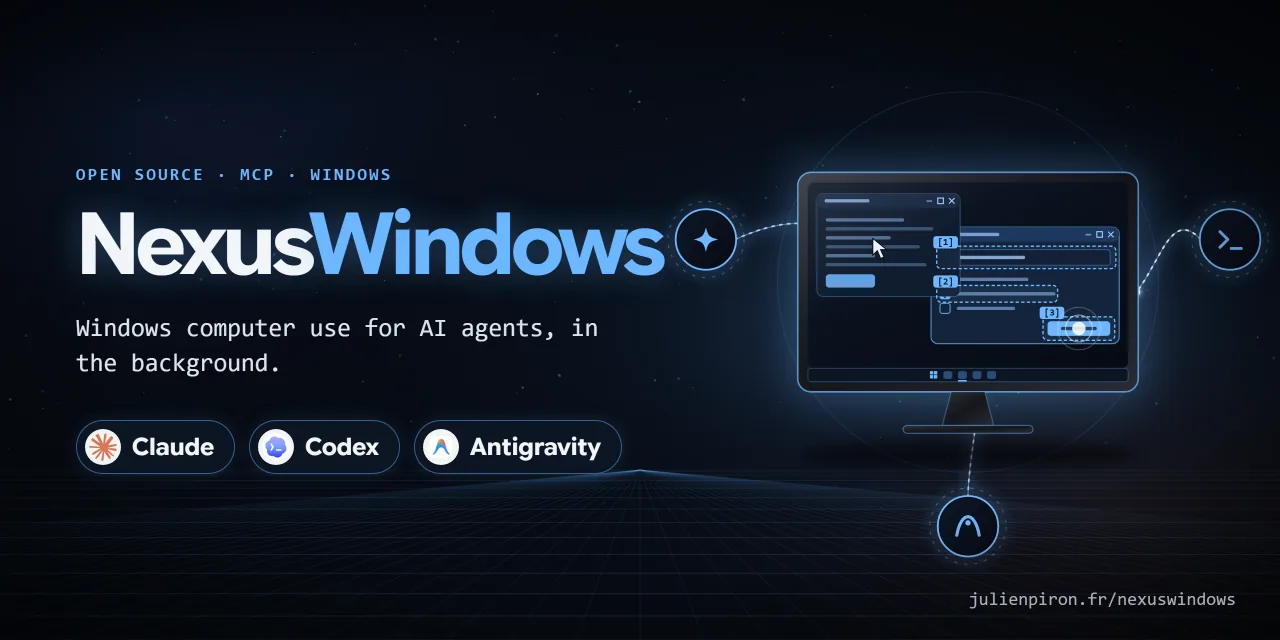](https://julienpiron.fr/nexuswindows/)
|
|
44
|
+
|
|
45
|
+

|
|
46
|
+
|
|
47
|
+
**Windows computer use for Antigravity, in the background.** An MCP server (`nexus-computer`) that lets Google
|
|
48
|
+
Antigravity (Gemini) see and operate Windows desktop applications while the user keeps their mouse, keyboard and
|
|
49
|
+
foreground window. Built for a fast model: one look, then one batch of steps with label targets, and every reply
|
|
50
|
+
says what to do next.
|
|
51
|
+
|
|
52
|
+
Version 3.0.0 · Windows 10/11 · Python 3.11+ · MIT licence
|
|
53
|
+
|
|
54
|
+
Part of the Nexus family: [NexusWindows](https://julienpiron.fr/nexuswindows/)
|
|
55
|
+
([Claude](https://github.com/pironjulien/NexusWindows-Claude) ·
|
|
56
|
+
[Codex](https://github.com/pironjulien/NexusWindows-Codex) ·
|
|
57
|
+
[Antigravity](https://github.com/pironjulien/NexusWindows-Antigravity)),
|
|
58
|
+
[NexusBrowser](https://julienpiron.fr/nexusbrowser/) ([repo](https://github.com/pironjulien/NexusBrowser)),
|
|
59
|
+
[NexusAndroid](https://julienpiron.fr/nexusandroid/) ([repo](https://github.com/pironjulien/NexusAndroid)).
|
|
60
|
+
Project page: [julienpiron.fr/nexuswindows](https://julienpiron.fr/nexuswindows/).
|
|
61
|
+
|
|
62
|
+
## Why
|
|
63
|
+
|
|
64
|
+
Screenshot-and-click computer use moves the real cursor and brings windows to the front, so the person at the PC has
|
|
65
|
+
to stop working while the agent acts. Most Windows applications can be driven without that: native controls accept
|
|
66
|
+
window messages and modern frameworks expose UI Automation. This server acts in the background first, reads the
|
|
67
|
+
effect back, and only falls back to the real mouse or keyboard when the step allows it (`foreground=True`).
|
|
68
|
+
|
|
69
|
+
## NexusWindows family
|
|
70
|
+
|
|
71
|
+
Three MCP servers, one per agent, built separately because each model needs its tools shaped for it, with the same
|
|
72
|
+
promise: the user keeps their mouse, keyboard and foreground window, and every action is read back.
|
|
73
|
+
|
|
74
|
+
| | Claude | Codex | Antigravity |
|
|
75
|
+
|---|---|---|---|
|
|
76
|
+
| Install | `uvx --python 3.14 nexus-windows` | `npx -y nexus-windows-codex` | `uvx --python 3.14 nexus-windows-antigravity` |
|
|
77
|
+
| Package | [PyPI](https://pypi.org/project/nexus-windows/) | [npm](https://www.npmjs.com/package/nexus-windows-codex) | [PyPI](https://pypi.org/project/nexus-windows-antigravity/) |
|
|
78
|
+
| Tools | `windows` `look` `act` `launch` `window`, plus `notifications` and `logs` | `windows` `look` `act` `launch` `window` | `windows` `look` `act` `launch` `window` |
|
|
79
|
+
| Repository | [NexusWindows-Claude](https://github.com/pironjulien/NexusWindows-Claude) | [NexusWindows-Codex](https://github.com/pironjulien/NexusWindows-Codex) | [NexusWindows-Antigravity](https://github.com/pironjulien/NexusWindows-Antigravity) |
|
|
80
|
+
|
|
81
|
+
Every step reports ✓ verified, = already done, ~ unknown (never replayed) or ✗ failed or refused. The three share the
|
|
82
|
+
guardrail policy, the foreground token, the emergency stop (Ctrl+Alt+Shift+Esc), a common journal format and a common
|
|
83
|
+
bench.
|
|
84
|
+
|
|
85
|
+
## Installation
|
|
86
|
+
|
|
87
|
+
Requirements: Windows 10 or 11, [uv](https://docs.astral.sh/uv/) (`winget install astral-sh.uv`).
|
|
88
|
+
|
|
89
|
+
From [PyPI](https://pypi.org/project/nexus-windows-antigravity/), no clone needed: declare the server in
|
|
90
|
+
Antigravity's `mcp_config.json` (`%USERPROFILE%\.gemini\config\mcp_config.json`):
|
|
91
|
+
|
|
92
|
+
```json
|
|
93
|
+
{
|
|
94
|
+
"mcpServers": {
|
|
95
|
+
"nexus-computer": {
|
|
96
|
+
"command": "uvx",
|
|
97
|
+
"args": ["--python", "3.14", "nexus-windows-antigravity"],
|
|
98
|
+
"env": { "PYTHONUTF8": "1" }
|
|
99
|
+
}
|
|
100
|
+
}
|
|
101
|
+
}
|
|
102
|
+
```
|
|
103
|
+
|
|
104
|
+
The agent guide that teaches Antigravity the five tools is
|
|
105
|
+
[`SKILL.md`](https://github.com/pironjulien/NexusWindows-Antigravity/blob/main/plugins/nexus-computer/skills/nexus-computer/SKILL.md): copy the
|
|
106
|
+
`plugins/nexus-computer` folder into Antigravity's plugins to install it with the server.
|
|
107
|
+
|
|
108
|
+
From a clone (development), with PowerShell 7:
|
|
109
|
+
|
|
110
|
+
```powershell
|
|
111
|
+
git clone https://github.com/pironjulien/NexusWindows-Antigravity.git
|
|
112
|
+
cd NexusWindows-Antigravity
|
|
113
|
+
pwsh -NoProfile -File install.ps1
|
|
114
|
+
```
|
|
115
|
+
|
|
116
|
+
The Python environment, logs and screenshots then live in `%USERPROFILE%\.nexusagy` (outside the clone), and the
|
|
117
|
+
server is declared with `"command": "pwsh"`, `"args": ["-NoProfile", "-File",
|
|
118
|
+
"C:/path/to/NexusWindows-Antigravity/scripts/start-computer-mcp.ps1"]`.
|
|
119
|
+
|
|
120
|
+
## Tools
|
|
121
|
+
|
|
122
|
+
Five listed MCP tools, named like the other NexusWindows tools (Claude, Codex); the older names (`look`,
|
|
123
|
+
`computer_act`, `computer_click`...) stay callable as unlisted aliases.
|
|
124
|
+
|
|
125
|
+
| Tool | Purpose |
|
|
126
|
+
| --- | --- |
|
|
127
|
+
| `windows` | Application windows (`by_app=true`: grouped by application) |
|
|
128
|
+
| `look` | One line per element `[N] role « name » = « value » states @x,y`, plus an image, without bringing the window forward |
|
|
129
|
+
| `act` | Several steps in one call (click, type, check, uncheck, select, menu, keys...), each read back: ✓ = ~ ✗ |
|
|
130
|
+
| `launch` | Open an application, document, folder, script or shortcut; the opening is read back |
|
|
131
|
+
| `window` | `action="close"`: close a window (UI Automation, then `WM_CLOSE`) |
|
|
132
|
+
|
|
133
|
+
Tool descriptions and replies are in French; tool and parameter names are in English.
|
|
134
|
+
|
|
135
|
+
## What it does
|
|
136
|
+
|
|
137
|
+
- **Designed for Gemini**: golden rule *look, then act in one batch with label targets*; every action reply carries
|
|
138
|
+
a one-line `next` (✓ done · = already done, do not redo · ~ effect not seen, look at the attached image · ✗ failure,
|
|
139
|
+
cause and what to try) and, when the effect was not read back, a compact WebP image (≤ 1280 px) of the window. A
|
|
140
|
+
batch identical to one sent in the last 10 s on the same window without a `look` in between is
|
|
141
|
+
**refused** (`repeat=true` forces it).
|
|
142
|
+
- **Background first, even with `foreground=True`**: a `box_2d` or (x, y) target is mapped to the element under the
|
|
143
|
+
point in the window's own UI Automation tree (covered windows included) and handled like a label target; a click on
|
|
144
|
+
a text field *retains* it, so `type` without target, `ctrl+a`, `ctrl+v` and erase keys become background writes
|
|
145
|
+
read back; plain keys are posted (`WM_KEYDOWN`/`WM_KEYUP`) in Win32, WinForms and WPF. Real mouse and keyboard only
|
|
146
|
+
as a fallback with `foreground=True`; otherwise an explicit refusal (`needs_foreground`) and nothing is sent.
|
|
147
|
+
- **Per UI family**: Win32 → direct messages (`BN_CLICKED`, `BM_SETCHECK`, `EM_REPLACESEL`, `CB_SETCURSEL` /
|
|
148
|
+
`LB_SETCURSEL` with their notifications, menu `WM_COMMAND`); WinForms → UI Automation then messages; WPF, UWP,
|
|
149
|
+
Chromium → UI Automation only. Never UI Automation Invoke on a Win32 button (its proxy activates the window) nor
|
|
150
|
+
Select on a Win32 list (silent).
|
|
151
|
+
- **One cross-process read**: the window-scoped UI Automation tree is read in one round trip
|
|
152
|
+
(`IUIAutomationCacheRequest` + `BuildCache`, `AutoSetFocus = False`). A truncated or failed read is reported
|
|
153
|
+
(`uia.status`, `warning`), never a silent empty list.
|
|
154
|
+
- **Read-back after every action**: `verified` true/false/None from a real read (field value, check state,
|
|
155
|
+
selection, focused element, window title, image); `success` is never true on "command sent" alone. Steps accept a
|
|
156
|
+
postcondition `expect` (already true: step skipped with `already: true`; false after: step failed).
|
|
157
|
+
A batch stops at the first failed or unverified step, before sending the next action, with no automatic replay.
|
|
158
|
+
A verified postcondition establishes the effect and allows the batch to continue; an unknown effect requires
|
|
159
|
+
observation before preparing the remaining steps.
|
|
160
|
+
- **The user's physical input via Raw Input** (injected input ignored): wait for a pause before any real mouse or
|
|
161
|
+
keyboard action, and stop at the next checkpoint if the user touches keyboard or mouse (`interrupted_by_user`).
|
|
162
|
+
- **Guards in the code, not only in the instructions**: the window is always named (never the foreground one by
|
|
163
|
+
default, ambiguous titles refused with the candidates); an ambiguous label is refused with the candidates; the
|
|
164
|
+
target window is read back in the foreground right before every `SendInput`; password managers (KeePass,
|
|
165
|
+
KeePassXC, Bitwarden, 1Password, Dashlane, NordPass, RoboForm, LastPass) are never looked at, captured or driven;
|
|
166
|
+
the sign-in screen, lock screen and UAC prompt are refused. An action labelled pay, buy, order, transfer money,
|
|
167
|
+
send, publish, delete permanently, uninstall, format, reset, cancel a subscription, erase data or make a repository
|
|
168
|
+
public needs `confirm: true` on the step, and so does any key, `submit` or coordinate click that would trigger one.
|
|
169
|
+
`NEXUS_AGY_CONFIRM=off` in the MCP server environment turns confirmation off entirely (default: on).
|
|
170
|
+
- **Clipboard**: saved in all its formats and restored; the text put there is excluded from Win+V history and cloud
|
|
171
|
+
clipboard. Used only as a last resort for typing (multi-line or more than 300 characters).
|
|
172
|
+
- **Agent at work**: while an action runs (`act`, opening, closing, focusing and the action aliases; never
|
|
173
|
+
the reads), a small logo spins on itself in the bottom-right corner of the driven window's screen, like a game
|
|
174
|
+
loading screen, with a breathing blue halo, and goes away 1.6 s after the last action. Always on top, borderless,
|
|
175
|
+
click-through, never activated, absent from the taskbar and excluded from screen captures (`busy_indicator.py`).
|
|
176
|
+
`NEXUS_WINDOWS_INDICATOR=0` turns it off.
|
|
177
|
+
- **Shared with the other desktop agents of the PC**: foreground token (`%USERPROFILE%\.nexus\foreground.lock`) and
|
|
178
|
+
emergency stop (Ctrl+Alt+Shift+Esc, `%USERPROFILE%\.nexus\stop`), the same file protocols as
|
|
179
|
+
[NexusWindows for Claude](https://github.com/pironjulien/NexusWindows-Claude#working-alongside-other-agents).
|
|
180
|
+
|
|
181
|
+
## Architecture
|
|
182
|
+
|
|
183
|
+
| Path | Role |
|
|
184
|
+
| --- | --- |
|
|
185
|
+
| `client/mcp_server.py` | MCP server `nexus-computer` (stdio), started by `scripts/start-computer-mcp.ps1` |
|
|
186
|
+
| `client/computer_client.py` | Windows engine: windows, UI Automation, Win32 messages, capture, actions and read-back |
|
|
187
|
+
| `client/uia_fast.py`, `client/win32_controls.py` | One-round-trip UI Automation reads, native control messages |
|
|
188
|
+
| `client/physical_input.py`, `client/agent_guard.py`, `client/emergency_stop.py` | The user's presence (Raw Input), batch guard, shared emergency stop |
|
|
189
|
+
| `client/foreground_lock.py`, `client/garde_fous.py`, `client/garde-fous.json` | Shared foreground token and guard-rail policy, common to the author's desktop agents (also used by NexusWindows for Claude). Vendored in the public copy; in the author's setup they live in a sibling `shared` folder |
|
|
190
|
+
| `plugins/nexus-computer/` | Antigravity plugin and the agent guide (`SKILL.md`) |
|
|
191
|
+
| `tests/` | Unit tests (pytest) and the real desktop validation |
|
|
192
|
+
|
|
193
|
+
## Privacy
|
|
194
|
+
|
|
195
|
+
NexusWindows for Antigravity runs entirely on your PC. It has no account, no telemetry, no analytics and makes no
|
|
196
|
+
network requests of its own.
|
|
197
|
+
|
|
198
|
+
- **What it reads**: window titles, the accessibility tree and window images of the applications the agent works
|
|
199
|
+
in, only when a tool is called. Password managers are neither read nor driven.
|
|
200
|
+
- **Where it goes**: tool results are returned to Antigravity, which may send them to Google under its own privacy
|
|
201
|
+
policy; this server sends nothing anywhere else.
|
|
202
|
+
- **What it stores**, under `~/.nexusagy/`: the Python environment (clone install only; `uvx` keeps its own in the
|
|
203
|
+
uv cache), an action log `computer.log` (action, method,
|
|
204
|
+
window, duration, outcome and short details such as a target label, coordinates, key names, a menu path or the
|
|
205
|
+
number of characters typed, never the typed or expected text; rotated at 5 MB, three backups) and screenshots (at
|
|
206
|
+
most 50 after each capture; those older than 24 hours are purged at the next capture and at server start, so a
|
|
207
|
+
stopped server can leave its last screenshots until it starts again). Under `~/.nexus/`: the shared foreground token and emergency-stop state.
|
|
208
|
+
Under `%LOCALAPPDATA%\NexusJournal\windows\antigravity\` (or `NEXUS_JOURNAL_HOME`): a short monthly JSONL journal,
|
|
209
|
+
in the same format as the other NexusWindows tools (app executable name, action, technique, outcome, duration,
|
|
210
|
+
whether the foreground was used, and the first words of an error, cut before any quote, colon or bracket); never
|
|
211
|
+
typed text, screen text, labels, titles or paths. The server never deletes it.
|
|
212
|
+
- **Removing it**: remove the server from Antigravity's MCP settings, then delete `~/.nexusagy/` (and
|
|
213
|
+
`%LOCALAPPDATA%\NexusJournal`).
|
|
214
|
+
|
|
215
|
+
Questions or concerns: open an issue on this repository.
|
|
216
|
+
|
|
217
|
+
## Limits
|
|
218
|
+
|
|
219
|
+
- Windows only. Tool descriptions, replies and code comments are in French.
|
|
220
|
+
- In the background, keyboard input is refused in UWP/WinUI, Firefox and Tk, and Ctrl/Alt shortcuts in WPF;
|
|
221
|
+
Chromium/Electron receives keys, shortcuts and typing through a simulated activation, checked by read-back (`~` if
|
|
222
|
+
nothing changes). For web pages, [NexusBrowser](https://github.com/pironjulien/NexusBrowser) is more reliable.
|
|
223
|
+
- An effect with nothing readable stays `~` (not verified).
|
|
224
|
+
|
|
225
|
+
## Development
|
|
226
|
+
|
|
227
|
+
```powershell
|
|
228
|
+
pwsh -NoProfile -File test.ps1 # offline: ruff, Pyright, pytest
|
|
229
|
+
pwsh -NoProfile -File test.ps1 -Full # plus the real desktop validation on its own Win32, WinForms and WPF windows
|
|
230
|
+
```
|
|
231
|
+
|
|
232
|
+
The real validation shows its test windows without activation and closes them at the end; real mouse and keyboard
|
|
233
|
+
checks run only when the PC has been idle for 120 s, otherwise they are reported as skipped.
|
|
234
|
+
|
|
235
|
+
## Licence
|
|
236
|
+
|
|
237
|
+
MIT, see [LICENSE](https://github.com/pironjulien/NexusWindows-Antigravity/blob/main/LICENSE). Copyright (c) 2026 Julien Piron.
|