mlx-code 0.0.6__tar.gz → 0.0.8__tar.gz
This diff represents the content of publicly available package versions that have been released to one of the supported registries. The information contained in this diff is provided for informational purposes only and reflects changes between package versions as they appear in their respective public registries.
- mlx_code-0.0.8/PKG-INFO +557 -0
- mlx_code-0.0.8/README.md +528 -0
- mlx_code-0.0.8/mlx_code/__init__.py +4 -0
- mlx_code-0.0.8/mlx_code/ledger.py +192 -0
- {mlx_code-0.0.6 → mlx_code-0.0.8}/mlx_code/log.py +66 -15
- {mlx_code-0.0.6 → mlx_code-0.0.8}/mlx_code/main.py +158 -96
- {mlx_code-0.0.6 → mlx_code-0.0.8}/mlx_code/pie.py +413 -542
- mlx_code-0.0.8/mlx_code/symgraph.py +483 -0
- mlx_code-0.0.8/mlx_code.egg-info/PKG-INFO +557 -0
- {mlx_code-0.0.6 → mlx_code-0.0.8}/mlx_code.egg-info/SOURCES.txt +1 -0
- {mlx_code-0.0.6 → mlx_code-0.0.8}/mlx_code.egg-info/entry_points.txt +0 -1
- mlx_code-0.0.8/mlx_code.egg-info/requires.txt +7 -0
- {mlx_code-0.0.6 → mlx_code-0.0.8}/setup.py +6 -3
- mlx_code-0.0.6/PKG-INFO +0 -274
- mlx_code-0.0.6/README.md +0 -248
- mlx_code-0.0.6/mlx_code/__init__.py +0 -4
- mlx_code-0.0.6/mlx_code/symgraph.py +0 -419
- mlx_code-0.0.6/mlx_code.egg-info/PKG-INFO +0 -274
- mlx_code-0.0.6/mlx_code.egg-info/requires.txt +0 -4
- {mlx_code-0.0.6 → mlx_code-0.0.8}/LICENSE +0 -0
- {mlx_code-0.0.6 → mlx_code-0.0.8}/mlx_code.egg-info/dependency_links.txt +0 -0
- {mlx_code-0.0.6 → mlx_code-0.0.8}/mlx_code.egg-info/top_level.txt +0 -0
- {mlx_code-0.0.6 → mlx_code-0.0.8}/setup.cfg +0 -0
mlx_code-0.0.8/PKG-INFO
ADDED
|
@@ -0,0 +1,557 @@
|
|
|
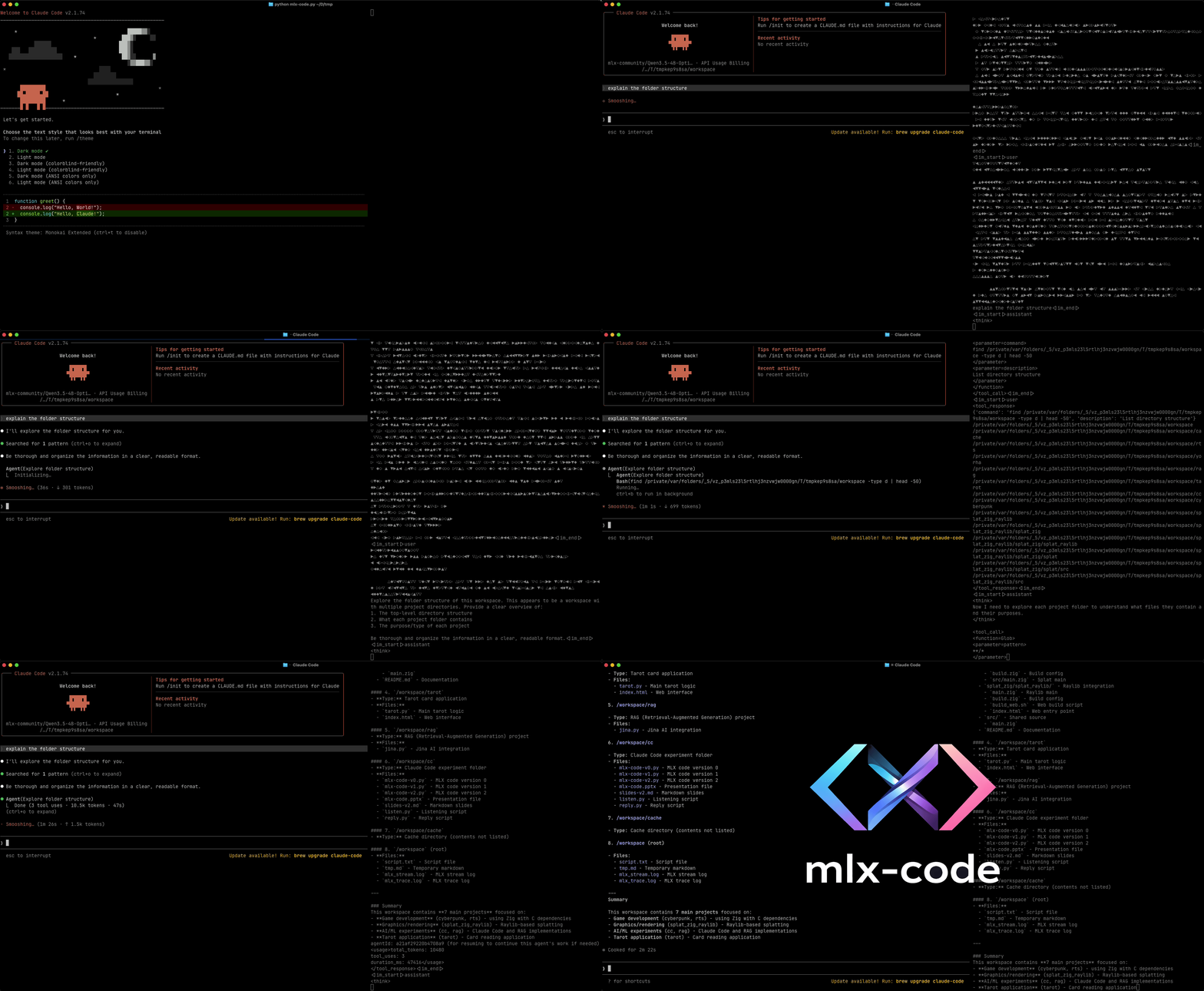
1
|
+
Metadata-Version: 2.4
|
|
2
|
+
Name: mlx-code
|
|
3
|
+
Version: 0.0.8
|
|
4
|
+
Summary: Coding Agent for Mac
|
|
5
|
+
Home-page: https://github.com/JosefAlbers/mlx-code
|
|
6
|
+
Author: J Joe
|
|
7
|
+
Author-email: albersj66@gmail.com
|
|
8
|
+
License: Apache-2.0
|
|
9
|
+
Requires-Python: >=3.12.8
|
|
10
|
+
Description-Content-Type: text/markdown
|
|
11
|
+
License-File: LICENSE
|
|
12
|
+
Requires-Dist: mlx-lm>=0.31.3
|
|
13
|
+
Requires-Dist: numpy
|
|
14
|
+
Requires-Dist: httpx
|
|
15
|
+
Requires-Dist: pydantic
|
|
16
|
+
Requires-Dist: GitPython
|
|
17
|
+
Requires-Dist: tree-sitter>=0.23.0
|
|
18
|
+
Requires-Dist: tree-sitter-python
|
|
19
|
+
Dynamic: author
|
|
20
|
+
Dynamic: author-email
|
|
21
|
+
Dynamic: description
|
|
22
|
+
Dynamic: description-content-type
|
|
23
|
+
Dynamic: home-page
|
|
24
|
+
Dynamic: license
|
|
25
|
+
Dynamic: license-file
|
|
26
|
+
Dynamic: requires-dist
|
|
27
|
+
Dynamic: requires-python
|
|
28
|
+
Dynamic: summary
|
|
29
|
+
|
|
30
|
+
# mlx-code
|
|
31
|
+
|
|
32
|
+
A lightweight coding agent for Mac, built on Apple's MLX framework. Fast local inference, built-in prompt caching, robust tool-calling.
|
|
33
|
+
|
|
34
|
+
[](https://youtu.be/bizPhrHL1_w)
|
|
35
|
+
|
|
36
|
+
Modern coding agents are like luxury apartments: impressive and shiny, but you don't hold the deed. The company behind the tool can raise the rent, change the features, or change the locks whenever they please.
|
|
37
|
+
|
|
38
|
+
I wanted a [backyard shed](https://poyo.co/note/20260202T150723/) for myself. Something I understand end to end, can break on purpose, and fix without filing a support ticket.
|
|
39
|
+
|
|
40
|
+
`mlx-code` is that shed. It’s deliberately minimal, extremely transparent, and designed around one core idea: [feedback loop](https://www.robert-glaser.de/what-if-iteration-is-all-we-need/) is the thing that matters, not the interface around it. The tighter and faster you can close the loop between intent and output, the better the work gets. Everything else is ceremony.
|
|
41
|
+
|
|
42
|
+
So the terminal stays the interface. Text in, text out. No full-screen TUI fighting your terminal emulator, no proprietary context format, no behavior that shifts between versions.
|
|
43
|
+
|
|
44
|
+
**Just a loop you control, composed from Unix primitives you already know.**
|
|
45
|
+
|
|
46
|
+
## How It Works
|
|
47
|
+
|
|
48
|
+
`mlx-code` has two lightweight, loosely coupled pieces:
|
|
49
|
+
|
|
50
|
+
- [**main.py**](https://github.com/JosefAlbers/mlx-code/blob/main/mlx_code/main.py): LLM server for Apple Silicon. It loads quantized models and exposes a standard OpenAI-compatible completions endpoint.
|
|
51
|
+
- [**pie.py**](https://github.com/JosefAlbers/mlx-code/blob/main/mlx_code/pie.py): Agentic harness based on Mario Zechner's awesome [pi](https://github.com/badlogic/pi-mono)).
|
|
52
|
+
- [**ledger.py**](https://github.com/JosefAlbers/mlx-code/blob/main/mlx_code/ledger.py): Git worktree manager that creates isolated branches and working directories for every agent (and sub‑agen) runs.
|
|
53
|
+
|
|
54
|
+
The CLI is intentionally boring and familiar:
|
|
55
|
+
|
|
56
|
+
- `mc`: Local agent (LLM server ± harness)
|
|
57
|
+
- `me`: Harness. Connects to any compatible API (Claude, DeepSeek, Gemini, OpenAI, or local `mc`)
|
|
58
|
+
- `md`: Log viewer
|
|
59
|
+
|
|
60
|
+
Agentic work lives on a spectrum from tight, synchronous co-driving to loose, asynchronous delegation. The right tool for both ends is a loop that closes quickly, not a UI that abstracts it away.
|
|
61
|
+
|
|
62
|
+
Text streams compose. They pipe. They chain. They work the same way they did thirty years ago and will work thirty years from now.
|
|
63
|
+
|
|
64
|
+
That's the [constraint](https://jordanlord.co.uk/blog/3-constraints/) that shapes the whole tool.
|
|
65
|
+
|
|
66
|
+
## Features
|
|
67
|
+
|
|
68
|
+
- **Local or remote execution**: Run models locally via MLX or connect to Claude, Gemini, Codex, DeepSeek, or any OpenAI‑compatible endpoint.
|
|
69
|
+
- **Git worktree isolation**: Every agent run (and every sub‑agent) lives in its own git worktree and branch. Changes are automatically snapshotted (`commit_worktree`), and you can `cleanup_worktree` when done. This makes experimentation safe and fully reversible.
|
|
70
|
+
- **Autonomous sub‑agents**: Spawn isolated agents in fresh git worktrees. Each sub‑agent has its own conversation, tool set, and working directory. They can be used for parallel exploration, refactoring, or deep research without polluting the main context.
|
|
71
|
+
- **Symbol‑aware source inspection (`ReadTree`)**: Uses tree‑sitter to outline code or fetch exact definitions/calls for a symbol. Drastically reduces token usage compared to reading full files.
|
|
72
|
+
- **Built‑in tools**: Read, Write, Edit, Bash, Grep, Find, Ls, ReadTree, GetSkill, and Agent.
|
|
73
|
+
- **Prompt caching**: KV cache is saved to disk and reused across requests automatically.
|
|
74
|
+
- **REPL with `/commands`**: `/clear`, `/history`, `/tools`, `/branch`, `/abort`, `/help`.
|
|
75
|
+
- **TUI log viewer (`md`)**: Explore structured JSON logs with filtering by level, file, function, etc. Mark entries to export.
|
|
76
|
+
|
|
77
|
+
## Quick Start
|
|
78
|
+
|
|
79
|
+
Install via pip and launch the agent immediately:
|
|
80
|
+
|
|
81
|
+
```bash
|
|
82
|
+
pip install mlx-code
|
|
83
|
+
mc
|
|
84
|
+
```
|
|
85
|
+
|
|
86
|
+
## Command Line Interfaces
|
|
87
|
+
|
|
88
|
+
### `mc`: Local agent (LLM server ± harness)
|
|
89
|
+
|
|
90
|
+
```bash
|
|
91
|
+
# Start local MLX server and launch the default pie harness (Default)
|
|
92
|
+
mc
|
|
93
|
+
|
|
94
|
+
# Choose a different harness (claude, gemini, codex, deepseek, pie)
|
|
95
|
+
mc --leash gemini
|
|
96
|
+
mc --leash codex
|
|
97
|
+
mc --leash claude
|
|
98
|
+
|
|
99
|
+
# Server only, no harness
|
|
100
|
+
mc --leash none
|
|
101
|
+
|
|
102
|
+
# Limit allowed tools
|
|
103
|
+
mc --tools Ls ReadTree Edit
|
|
104
|
+
|
|
105
|
+
# Use a custom system prompt
|
|
106
|
+
mc --system "You are a helpful Python expert."
|
|
107
|
+
|
|
108
|
+
# Load skills from a directory
|
|
109
|
+
mc --skill ./my-skills
|
|
110
|
+
|
|
111
|
+
# Shell piping and chaining
|
|
112
|
+
echo "explain symgraph.py" | mc -d | cat - PLAN.md | mc
|
|
113
|
+
```
|
|
114
|
+
|
|
115
|
+
### `me`: Harness (connects to API)
|
|
116
|
+
|
|
117
|
+
```bash
|
|
118
|
+
# Connect to local server at 127.0.0.1:8000 (Default)
|
|
119
|
+
me
|
|
120
|
+
|
|
121
|
+
# Use a remote provider
|
|
122
|
+
me --api deepseek
|
|
123
|
+
me --api claude
|
|
124
|
+
me --api gemini
|
|
125
|
+
me --api codex
|
|
126
|
+
|
|
127
|
+
# Specify model
|
|
128
|
+
me --api deepseek --model deepseek-v4-pro
|
|
129
|
+
|
|
130
|
+
# Point to a custom LLM API endpoint
|
|
131
|
+
me --url http://localhost:9000
|
|
132
|
+
|
|
133
|
+
# Load skills from a directory
|
|
134
|
+
me --skill ./my-skills
|
|
135
|
+
```
|
|
136
|
+
|
|
137
|
+
### `md`: TUI log viewer
|
|
138
|
+
|
|
139
|
+
View and filter structured JSON logs from any session.
|
|
140
|
+
|
|
141
|
+
```bash
|
|
142
|
+
md
|
|
143
|
+
md --filter "lvl:10;file:main,pie" # show DEBUG logs from main.py and pie.py
|
|
144
|
+
md --out picks.json # write marked entries to a file
|
|
145
|
+
```
|
|
146
|
+
|
|
147
|
+
Inside the TUI:
|
|
148
|
+
- `j/k` or ↑/↓ – navigate
|
|
149
|
+
- `o` – open detailed view for current entry
|
|
150
|
+
- `*` – highlight related entries (same file/function)
|
|
151
|
+
- `;` – set a live filter
|
|
152
|
+
- `h/l` – switch between request‑grouped tabs
|
|
153
|
+
- `v` – mark/unmark entry for export
|
|
154
|
+
- `q` – quit (marked entries printed or saved with `--out`)
|
|
155
|
+
|
|
156
|
+
<details><summary>Click to expand</summary><pre>
|
|
157
|
+
|
|
158
|
+
~/tmp> mc
|
|
159
|
+
|
|
160
|
+
pie REPL • type /help for commands, Ctrl-D or 'exit' to quit.
|
|
161
|
+
|
|
162
|
+
≫ hi
|
|
163
|
+
π The user is just saying "hi" - this is a simple greeting. I should respond in a friendly way and offer to help them with something.
|
|
164
|
+
Hello! How can I help you today?
|
|
165
|
+
≫ how many files in current dir?
|
|
166
|
+
π The user wants to know how many files are in the current directory. I can use the Ls function to list the directory contents and count the files.
|
|
167
|
+
Ls
|
|
168
|
+
Looking at the directory listing, I can see:
|
|
169
|
+
- LICENSE (file)
|
|
170
|
+
- README.md (file)
|
|
171
|
+
- cache/ (directory)
|
|
172
|
+
- log.json (file)
|
|
173
|
+
- mlx_code/ (directory)
|
|
174
|
+
- mlx_code.egg-info/ (directory)
|
|
175
|
+
- setup.py (file)
|
|
176
|
+
|
|
177
|
+
So there are 4 files and 3 directories in the current directory.
|
|
178
|
+
There are **4 files** in the current directory:
|
|
179
|
+
- LICENSE
|
|
180
|
+
- README.md
|
|
181
|
+
- log.json
|
|
182
|
+
- setup.py
|
|
183
|
+
|
|
184
|
+
And **3 directories**:
|
|
185
|
+
- cache/
|
|
186
|
+
- mlx_code/
|
|
187
|
+
- mlx_code.egg-info/
|
|
188
|
+
≫
|
|
189
|
+
Bye!
|
|
190
|
+
|
|
191
|
+
~/tmp> mc
|
|
192
|
+
|
|
193
|
+
pie REPL • type /help for commands, Ctrl-D or 'exit' to quit.
|
|
194
|
+
|
|
195
|
+
≫ explain sittree.py
|
|
196
|
+
π The user is asking me to explain a file called "sittree.py". I should first read this file to understand what it does. Let me use the Read function to read the file.
|
|
197
|
+
Read {"path": "sittree.py"}
|
|
198
|
+
This is a comprehensive file. Let me provide a clear explanation of what this file does.
|
|
199
|
+
# sittree.py — Symbol Usage Finder & Codebase Outliner
|
|
200
|
+
|
|
201
|
+
This is a **tree-sitter-based code analysis tool** for coding agents. It provides two main capabilities:
|
|
202
|
+
|
|
203
|
+
## 🎯 Core Features
|
|
204
|
+
|
|
205
|
+
### 1. **Codebase Outlining**
|
|
206
|
+
Shows all top-level symbols (functions, classes, variables, types, etc.) in a file or directory.
|
|
207
|
+
|
|
208
|
+
**Usage:**
|
|
209
|
+
```bash
|
|
210
|
+
python sittree.py <path> # Outline symbols
|
|
211
|
+
python sittree.py <path> --depth 2 # Include nested symbols
|
|
212
|
+
python sittree.py <path> --context # Show source context
|
|
213
|
+
```
|
|
214
|
+
|
|
215
|
+
### 2. **Symbol Search**
|
|
216
|
+
Finds all usages of specific symbols across a codebase.
|
|
217
|
+
|
|
218
|
+
**Usage:**
|
|
219
|
+
```bash
|
|
220
|
+
python sittree.py <path> myFunc myClass # Search for symbols
|
|
221
|
+
python sittree.py <path> myFunc --kinds definition # Filter by kind
|
|
222
|
+
```
|
|
223
|
+
|
|
224
|
+
## 📋 Supported Languages
|
|
225
|
+
|
|
226
|
+
| Extension | Language |
|
|
227
|
+
|-----------|----------|
|
|
228
|
+
| `.py` | Python |
|
|
229
|
+
| `.js`, `.jsx`, `.ts`, `.tsx` | JavaScript/TypeScript |
|
|
230
|
+
| `.go` | Go |
|
|
231
|
+
| `.rs` | Rust |
|
|
232
|
+
| `.java` | Java |
|
|
233
|
+
| `.c`, `.cpp`, `.cc`, `.cs` | C/C++/C# |
|
|
234
|
+
| `.rb` | Ruby |
|
|
235
|
+
| `.php` | PHP |
|
|
236
|
+
| `.swift`, `.kt` | Swift/Kotlin |
|
|
237
|
+
| `.lua`, `.hs`, `.ex`, `.exs` | Lua/Haskell/Elixir |
|
|
238
|
+
| `.r`, `.sh` | R/Bash |
|
|
239
|
+
| `.toml`, `.yaml`, `.yml` | Config files |
|
|
240
|
+
|
|
241
|
+
## 🔍 Key Capabilities
|
|
242
|
+
|
|
243
|
+
### Symbol Kinds Detected
|
|
244
|
+
- **definition** — Function/class/type definitions
|
|
245
|
+
- **assignment** — Variable declarations
|
|
246
|
+
- **call** — Function/method calls
|
|
247
|
+
- **import** — Import statements
|
|
248
|
+
- **reference** — Bare identifier references
|
|
249
|
+
|
|
250
|
+
### Language-Specific Features
|
|
251
|
+
- **Python**: Handles `__main__` entry points, decorated functions, augmented assignments
|
|
252
|
+
- **JavaScript/TypeScript**: Handles ES6+ features (arrow functions, destructuring, type aliases)
|
|
253
|
+
- **Go**: Handles methods, type specs, package-level declarations
|
|
254
|
+
- **Rust**: Handles traits, structs, enums, visibility modifiers
|
|
255
|
+
- **Java**: Handles classes, interfaces, enums, method invocations
|
|
256
|
+
|
|
257
|
+
## 🛠️ Technical Details
|
|
258
|
+
|
|
259
|
+
### Tree-Sitter Integration
|
|
260
|
+
- Uses **bespoke queries** for languages with rich grammar support
|
|
261
|
+
- Falls back to **generic identifier scanning** for simpler languages
|
|
262
|
+
- Caches parsers and queries for performance
|
|
263
|
+
|
|
264
|
+
### Output Formats
|
|
265
|
+
- **Human-readable**: Color-coded with line numbers and context
|
|
266
|
+
- **JSON**: Machine-parseable output via `--json` flag
|
|
267
|
+
- **Raw**: Paste-safe source bodies for editing
|
|
268
|
+
|
|
269
|
+
### Advanced Features
|
|
270
|
+
- **Context snippets**: Show surrounding source lines
|
|
271
|
+
- **Entry point detection**: Identify `main()`, `__main__`, etc.
|
|
272
|
+
- **Export detection**: Find public/exported symbols
|
|
273
|
+
- **Destructuring binding extraction**: Handle complex patterns like `[a, b]` or `{x, y}`
|
|
274
|
+
|
|
275
|
+
## 💡 Use Cases
|
|
276
|
+
|
|
277
|
+
1. **Codebase exploration**: Get an overview of a project's structure
|
|
278
|
+
2. **Symbol search**: Find all usages of a function/class
|
|
279
|
+
3. **Refactoring support**: Locate all references before renaming
|
|
280
|
+
4. **Documentation generation**: Extract API surface information
|
|
281
|
+
5. **Agent assistance**: Provide context for code review/editing tasks
|
|
282
|
+
|
|
283
|
+
## ⚙️ Configuration Options
|
|
284
|
+
|
|
285
|
+
| Option | Description |
|
|
286
|
+
|--------|-------------|
|
|
287
|
+
| `--lang` | Override language detection |
|
|
288
|
+
| `--depth` | Max nesting depth for outline |
|
|
289
|
+
| `--context` | Include source context |
|
|
290
|
+
| `--no-references` | Skip bare identifier hits |
|
|
291
|
+
| `--kinds` | Filter by symbol kind |
|
|
292
|
+
| `--warn-skipped` | Show grammar load errors |
|
|
293
|
+
|
|
294
|
+
---
|
|
295
|
+
|
|
296
|
+
This tool is designed to work seamlessly with coding agents, providing structured code analysis that's both human-readable and machine-parseable.
|
|
297
|
+
≫
|
|
298
|
+
Bye!
|
|
299
|
+
|
|
300
|
+
~/tmp> mc --tools ReadTree
|
|
301
|
+
|
|
302
|
+
pie REPL • type /help for commands, Ctrl-D or 'exit' to quit.
|
|
303
|
+
|
|
304
|
+
≫ explain sittree.py
|
|
305
|
+
π The user is asking me to explain sittree.py. I should first read this file to understand what it does. Let me use the ReadTree function to inspect this file.
|
|
306
|
+
ReadTree {"path": "sittree.py"}
|
|
307
|
+
This is a Python file that appears to be a tool for inspecting source code using tree-sitter. It has various functions for handling different programming languages (Python, JS, Go, Rust, Java), extracting bindings, finding symbols, and printing outlines. Let me read the full file to provide a comprehensive explanation.
|
|
308
|
+
ReadTree {"path": "sittree.py", "depth": "2"}
|
|
309
|
+
I need to read the actual file content to understand what it does. Let me read the file directly.
|
|
310
|
+
ReadTree {"path": "sittree.py", "symbols": "[\"main\", \"SymbolFinder\", \"Capability\", \"outline_path\", \"search_symbols\", \"print_outline\"]"}
|
|
311
|
+
Now I have a good understanding of the file. Let me provide a comprehensive explanation of what sittree.py does.
|
|
312
|
+
# sittree.py - Source Code Tree Inspector
|
|
313
|
+
|
|
314
|
+
This is a **tree-sitter-based source code analysis tool** that can inspect, search, and outline code across multiple programming languages. It's designed to work with the tree-sitter parser library for accurate AST (Abstract Syntax Tree) parsing.
|
|
315
|
+
|
|
316
|
+
## 🎯 Main Features
|
|
317
|
+
|
|
318
|
+
### 1. **Symbol Search**
|
|
319
|
+
- Find specific symbols (functions, classes, variables, etc.) in source files
|
|
320
|
+
- Supports multiple programming languages: Python, JavaScript, TypeScript, Go, Rust, Java
|
|
321
|
+
- Can search directories recursively
|
|
322
|
+
- Includes reference tracking and context lines
|
|
323
|
+
|
|
324
|
+
### 2. **Code Outlining**
|
|
325
|
+
- Generate hierarchical outlines of files/directories
|
|
326
|
+
- Shows entry points, exported symbols, and line ranges
|
|
327
|
+
- Supports depth limiting for large projects
|
|
328
|
+
|
|
329
|
+
### 3. **Multi-Language Support**
|
|
330
|
+
- Uses bespoke queries for Python, JS, Go, Rust, Java
|
|
331
|
+
- Falls back to generic identifier scanning when no bespoke query exists
|
|
332
|
+
- Handles UTF-8 encoding issues with proper character decoding
|
|
333
|
+
|
|
334
|
+
## 📦 Key Components
|
|
335
|
+
|
|
336
|
+
### **Capability Enum**
|
|
337
|
+
```python
|
|
338
|
+
class Capability(str, Enum):
|
|
339
|
+
FULL = "full" # Bespoke queries with correct semantics
|
|
340
|
+
PARTIAL = "partial" # Generic identifier scan (kind is always 'reference')
|
|
341
|
+
NONE = "none" # Grammar has no identifier-like nodes
|
|
342
|
+
```
|
|
343
|
+
|
|
344
|
+
### **SymbolFinder Class**
|
|
345
|
+
- Core class for searching symbols in files
|
|
346
|
+
- Handles symbol matching with proper UTF-8 decoding
|
|
347
|
+
- Groups results by original symbol name
|
|
348
|
+
- Supports references and context inclusion
|
|
349
|
+
|
|
350
|
+
### **Main Functions**
|
|
351
|
+
- `outline_path()`: Recursively outline files/directories
|
|
352
|
+
- `search_symbols()`: Search for multiple symbols in a file/directory
|
|
353
|
+
- `print_outline()`: Display formatted code outlines
|
|
354
|
+
- `print_usages()`: Display symbol usage information
|
|
355
|
+
|
|
356
|
+
## 🚀 Command-Line Usage
|
|
357
|
+
|
|
358
|
+
```bash
|
|
359
|
+
# Outline mode - show code structure
|
|
360
|
+
python sittree.py /path/to/file --lang py
|
|
361
|
+
|
|
362
|
+
# Search mode - find symbols
|
|
363
|
+
python sittree.py /path/to/file --symbols "my_function" --lang py
|
|
364
|
+
|
|
365
|
+
# Search in directory
|
|
366
|
+
python sittree.py /path/to/dir --symbols "class" --lang py
|
|
367
|
+
|
|
368
|
+
# JSON output
|
|
369
|
+
python sittree.py /path/to/file --symbols "my_function" --json
|
|
370
|
+
```
|
|
371
|
+
|
|
372
|
+
## 🔧 Technical Details
|
|
373
|
+
|
|
374
|
+
### **Query System**
|
|
375
|
+
- Uses tree-sitter queries for precise symbol matching
|
|
376
|
+
- Supports `definition`, `assignment`, `call`, and `import` kinds
|
|
377
|
+
- Has priority ordering for different node kinds
|
|
378
|
+
|
|
379
|
+
### **Language Extensions**
|
|
380
|
+
- Maps file extensions to language packages
|
|
381
|
+
- Supports both extension-based and explicit language specification
|
|
382
|
+
- Handles files with unexpected extensions when `--lang` is specified
|
|
383
|
+
|
|
384
|
+
### **Error Handling**
|
|
385
|
+
- Returns exit code 2 for grammar failures (distinct from path errors)
|
|
386
|
+
- Warns when grammars are unavailable for certain file types
|
|
387
|
+
- Handles non-UTF-8 source files gracefully
|
|
388
|
+
|
|
389
|
+
## 💡 Use Cases
|
|
390
|
+
|
|
391
|
+
1. **IDE Integration**: Provides the foundation for a code search/outline feature
|
|
392
|
+
2. **Static Analysis**: Find symbols across large codebases
|
|
393
|
+
3. **Documentation Generation**: Create code structure maps
|
|
394
|
+
4. **Refactoring Support**: Locate all usages of a symbol before renaming
|
|
395
|
+
|
|
396
|
+
The tool is particularly useful for developers who need precise, language-aware code navigation and search capabilities without relying on IDE-specific features.
|
|
397
|
+
|
|
398
|
+
~/tmp> md -o test
|
|
399
|
+
|
|
400
|
+
┌─ logs ──────────────────────────────────────────────────────────────────────────────────────────────────────────────────────┐┌─ detail ──────────────────────────────────────────────────────────────────────────┐
|
|
401
|
+
│ TIME LVL FILE FUNC MESSAGE …││ time : 2026-05-09T17:35:17.021887+00:00 │
|
|
402
|
+
│ 17:35:01 DEBUG main.py main args=Namespace(model='mlx-community/Qwen3.5-4B-OptiQ-4bit', leash='…││ level : DEBUG │
|
|
403
|
+
│ 17:35:03 DEBUG main.py serve Server bound to http://127.0.0.1:8000 ││ logger : root │
|
|
404
|
+
│ 17:35:03 WARNING pie.py __init__ No api-key ││ file : tmp/main.py │
|
|
405
|
+
│ 17:35:15 DEBUG pie.py repl explain sittree.py ││ function : encode │
|
|
406
|
+
│ 17:35:15 DEBUG pie.py stream { "model": "jj", "max_tokens": 8192, "messages": [ { "role": "syste…││ line : 684 │
|
|
407
|
+
│ 17:35:15 DEBUG main.py do_POST self.path='/v1/chat/completions' { "model": "jj", "max_tokens": 819…││ id : f8e15ee6-aaa5-4532-8735-172d6a7b9707 │
|
|
408
|
+
│ 17:35:15 DEBUG main.py translate messages=[Message(role='system', content='Available skills (use Get…││ │
|
|
409
|
+
│ 17:35:15 DEBUG main.py encode ckpts=[1898] <|im_start|>system # Tools You have access to the foll…││ ── message ── │
|
|
410
|
+
│ 17:35:15 DEBUG main.py __call__ ckpts=[1898] len(prompt)=1909 len(self.hx)=0 cl=0 ││ ckpts=[1898] │
|
|
411
|
+
│ 17:35:15 DEBUG main.py load cache/mlxcommunityQwen354BOptiQ4bit_1898_21d53f79d6f145d5.safetenso…││ <|im_start|>system │
|
|
412
|
+
│ 17:35:15 DEBUG main.py generate Processed 1909 input tokens in 0 seconds (11222 tokens per second) ││ # Tools │
|
|
413
|
+
│ 17:35:16 INFO main.py generate The user is asking me to explain a file called "sittree.py". I shou…││ │
|
|
414
|
+
│ 17:35:16 DEBUG pie.py _loop AssistantMessage(content=[ThinkingContent(thinking='The user is ask…││ You have access to the following functions: │
|
|
415
|
+
│ 17:35:16 INFO pie.py _execute_one # sittree.py (lines 1–1266 of 1266) """ sittree.py — Symbol usage f…││ │
|
|
416
|
+
│ 17:35:16 DEBUG pie.py stream { "model": "jj", "max_tokens": 8192, "messages": [ { "role": "syste…││ <tools> │
|
|
417
|
+
│ 17:35:16 DEBUG main.py do_POST self.path='/v1/chat/completions' { "model": "jj", "max_tokens": 819…││ {"type": "function", "function": {"name": "Read", "description": "Read a file. Us │
|
|
418
|
+
│ 17:35:16 DEBUG main.py translate messages=[Message(role='system', content='Available skills (use Get…││ e offset/limit for large files instead of reading the whole thing.", "parameters" │
|
|
419
|
+
│>17:35:17 DEBUG main.py encode ckpts=[1898] <|im_start|>system # Tools You have access to the foll…││ : {"type": "object", "properties": {"path": {"description": "File path to read (r │
|
|
420
|
+
│ 17:35:17 DEBUG main.py __call__ ckpts=[1898] len(prompt)=14602 len(self.hx)=1979 cl=1979 ││ elative to cwd)", "title": "Path", "type": "string"}, "offset": {"anyOf": [{"type │
|
|
421
|
+
│ 17:35:17 DEBUG main.py __call__ cont ││ ": "integer"}, {"type": "null"}], "default": null, "description": "Start line (1- │
|
|
422
|
+
│ 17:35:47 DEBUG main.py generate Processed 14602 input tokens in 31 seconds (476 tokens per second) ││ based)", "title": "Offset"}, "limit": {"anyOf": [{"type": "integer"}, {"type": "n │
|
|
423
|
+
│ 17:36:02 INFO main.py generate This is a comprehensive file. Let me provide a clear explanation of…││ ull"}], "default": null, "description": "Max lines to read", "title": "Limit"}}, │
|
|
424
|
+
│ 17:36:02 DEBUG pie.py _loop AssistantMessage(content=[ThinkingContent(thinking='This is a compr…││ "required": ["path"]}}} │
|
|
425
|
+
│ ││ {"type": "function", "function": {"name": "Write", "description": "Create or over │
|
|
426
|
+
│ ││ write a file. Prefer 'edit' for small changes to existing files.", "parameters": │
|
|
427
|
+
│ ││ {"type": "object", "properties": {"path": {"description": "File path to create or │
|
|
428
|
+
│ ││ overwrite (relative to cwd)", "title": "Path", "type": "string"}, "content": {"d │
|
|
429
|
+
│ ││ escription": "Full file content", "title": "Content", "type": "string"}}, "requir │
|
|
430
|
+
│ ││ ed": ["path", "content"]}}} │
|
|
431
|
+
│ ││ {"type": "function", "function": {"name": "Edit", "description": "Replace an exac │
|
|
432
|
+
│ ││ t unique string in a file. Read the file first if unsure of exact text.", "parame │
|
|
433
|
+
│ ││ ters": {"type": "object", "properties": {"path": {"description": "File path to ed │
|
|
434
|
+
│ ││ it (relative to cwd)", "title": "Path", "type": "string"}, "old_text": {"descript │
|
|
435
|
+
│ ││ ion": "Exact text to replace (must appear exactly once)", "title": "Old Text", "t │
|
|
436
|
+
│ ││ ype": "string"}, "new_text": {"description": "Replacement text", "title": "New Te │
|
|
437
|
+
│ ││ xt", "type": "string"}}, "required": ["path", "old_text", "new_text"]}}} │
|
|
438
|
+
│ ││ {"type": "function", "function": {"name": "Bash", "description": "Run a shell com │
|
|
439
|
+
│ ││ mand, get stdout+stderr. Prefer read/grep/find/ls for file exploration.", "parame │
|
|
440
|
+
│ ││ ters": {"type": "object", "properties": {"command": {"description": "Shell comman │
|
|
441
|
+
│ ││ d to execute", "title": "Command", "type": "string"}, "timeout": {"default": 120, │
|
|
442
|
+
│ ││ "description": "Timeout in seconds", "title": "Timeout", "type": "integer"}}, "r │
|
|
443
|
+
│ ││ equired": ["command"]}}} │
|
|
444
|
+
│ ││ {"type": "function", "function": {"name": "Grep", "description": "Search files fo │
|
|
445
|
+
│ ││ r a pattern. Respects .gitignore.", "parameters": {"type": "object", "properties" │
|
|
446
|
+
└─────────────────────────────────────────────────────────────────────────────────────────────────────────────────────────────┘└───────────────────────────────────────────────────────────────────────────────────┘
|
|
447
|
+
All cef534bf-5 50e0af6d-1 b578ec4d-f f8e15ee6-a d25f55fd-2 9a03247f-e 5160a1d3-1
|
|
448
|
+
log.json │ 18/23 (of 592) filter: lvl:10;file:main,pie │ ↑/k ↓/j · PgUp/PgDn · g/G · n/N · * highlight · o open · ; filter · h/l tabs · v mark · q quit
|
|
449
|
+
|
|
450
|
+
|
|
451
|
+
┌─ logs ──────────────────────────────────────────────────────────────────────────────────────────────────────────────────────┐┌─ detail ──────────────────────────────────────────────────────────────────────────┐
|
|
452
|
+
│ TIME LVL FILE FUNC MESSAGE …││ time : 2026-05-09T17:51:22.117961+00:00 │
|
|
453
|
+
│ 17:50:55 DEBUG main.py main args=Namespace(model='mlx-community/Qwen3.5-4B-OptiQ-4bit', leash='…││ level : DEBUG │
|
|
454
|
+
│ 17:50:57 DEBUG main.py serve Server bound to http://127.0.0.1:8000 ││ logger : root │
|
|
455
|
+
│ 17:50:57 WARNING pie.py __init__ No api-key ││ file : tmp/main.py │
|
|
456
|
+
│ 17:51:13 DEBUG pie.py repl explain sittree.py ││ function : encode │
|
|
457
|
+
│ 17:51:13 DEBUG pie.py stream { "model": "jj", "max_tokens": 8192, "messages": [ { "role": "syste…││ line : 684 │
|
|
458
|
+
│ 17:51:13 DEBUG main.py do_POST self.path='/v1/chat/completions' { "model": "jj", "max_tokens": 819…││ id : 5160a1d3-1552-40a7-a82e-ebaf3d0995f8 │
|
|
459
|
+
│ 17:51:13 DEBUG main.py translate messages=[Message(role='system', content='Available skills (use Get…││ │
|
|
460
|
+
│ 17:51:13 DEBUG main.py encode ckpts=[698] <|im_start|>system # Tools You have access to the follo…││ ── message ── │
|
|
461
|
+
│ 17:51:13 DEBUG main.py __call__ ckpts=[698] len(prompt)=709 len(self.hx)=0 cl=0 ││ ckpts=[698] │
|
|
462
|
+
│ 17:51:13 DEBUG main.py __call__ anew ││ <|im_start|>system │
|
|
463
|
+
│ 17:51:13 DEBUG main.py generate save_fn 698 ││ # Tools │
|
|
464
|
+
│ 17:51:15 DEBUG main.py save cache/mlxcommunityQwen354BOptiQ4bit_698_6f0ceeb516faea93.safetensor…││ │
|
|
465
|
+
│ 17:51:15 DEBUG main.py generate Processed 709 input tokens in 2 seconds (394 tokens per second) ││ You have access to the following functions: │
|
|
466
|
+
│ 17:51:16 INFO main.py generate The user is asking me to explain a file called "sittree.py". I shou…││ │
|
|
467
|
+
│ 17:51:16 DEBUG pie.py _loop AssistantMessage(content=[ThinkingContent(thinking='The user is ask…││ <tools> │
|
|
468
|
+
│ 17:51:16 INFO pie.py _execute_one /private/var/folders/_5/vz_p3mls23l5rtlhj3nzvwjw0000gn/T/tmp8sx8z7…││ {"type": "function", "function": {"name": "ReadTree", "description": "Inspect sou │
|
|
469
|
+
│ 17:51:16 DEBUG pie.py stream { "model": "jj", "max_tokens": 8192, "messages": [ { "role": "syste…││ rce code using tree-sitter. Works for any supported language (Python, JS/TS, Go, │
|
|
470
|
+
│ 17:51:16 DEBUG main.py do_POST self.path='/v1/chat/completions' { "model": "jj", "max_tokens": 819…││ Rust, Java, C/C++, Ruby, and more). Two modes:\n OUTLINE (no symbols): returns t │
|
|
471
|
+
│ 17:51:16 DEBUG main.py translate messages=[Message(role='system', content='Available skills (use Get…││ he symbol tree of a file or directory — class/function/method/var names with line │
|
|
472
|
+
│ 17:51:16 DEBUG main.py encode ckpts=[698] <|im_start|>system # Tools You have access to the follo…││ ranges. Use this first to orient yourself before reading or editing code.\n SYM │
|
|
473
|
+
│ 17:51:16 DEBUG main.py __call__ ckpts=[698] len(prompt)=2211 len(self.hx)=792 cl=792 ││ BOL LOOKUP (symbols=[...]): returns the full source body of every definition of t │
|
|
474
|
+
│ 17:51:16 DEBUG main.py __call__ cont ││ hose names, plus every call/assignment site with context. Output is paste-safe fo │
|
|
475
|
+
│ 17:51:19 DEBUG main.py generate Processed 2211 input tokens in 3 seconds (660 tokens per second) ││ r use as old_str in an Edit call. Accepts dotted names like 'ClassName.method' to │
|
|
476
|
+
│ 17:51:22 INFO main.py generate This is a Python file that appears to be a tool for inspecting sour…││ narrow results.", "parameters": {"type": "object", "properties": {"path": {"desc │
|
|
477
|
+
│ 17:51:22 DEBUG pie.py _loop AssistantMessage(content=[ThinkingContent(thinking='This is a Pytho…││ ription": "File or directory to inspect (relative to cwd)", "title": "Path", "typ │
|
|
478
|
+
│ 17:51:22 INFO pie.py _execute_one # DEF outline_path /private/var/folders/_5/vz_p3mls23l5rtlhj3nzvwjw…││ e": "string"}, "symbols": {"description": "Symbol names to look up, e.g. [\"MyCla │
|
|
479
|
+
│ 17:51:22 DEBUG pie.py stream { "model": "jj", "max_tokens": 8192, "messages": [ { "role": "syste…││ ss\", \"my_fn\", \"ClassName.method\"]. Omit (or pass []) for outline mode. Dotte │
|
|
480
|
+
│ 17:51:22 DEBUG main.py do_POST self.path='/v1/chat/completions' { "model": "jj", "max_tokens": 819…││ d names are accepted — the last component is matched and results are labelled wit │
|
|
481
|
+
│ 17:51:22 DEBUG main.py translate messages=[Message(role='system', content='Available skills (use Get…││ h the full qualified name.", "items": {"type": "string"}, "title": "Symbols", "ty │
|
|
482
|
+
│>17:51:22 DEBUG main.py encode ckpts=[698] <|im_start|>system # Tools You have access to the follo…││ pe": "array"}, "depth": {"default": 1, "description": "Outline mode: nesting dept │
|
|
483
|
+
│ 17:51:22 DEBUG main.py __call__ ckpts=[698] len(prompt)=6534 len(self.hx)=2354 cl=2354 ││ h (1=top-level only, 2=classes+methods).", "title": "Depth", "type": "integer"}, │
|
|
484
|
+
│ 17:51:22 DEBUG main.py __call__ cont ││ "kinds": {"description": "Filter symbol-lookup results by kind. Valid values: def │
|
|
485
|
+
│ 17:51:32 DEBUG main.py generate Processed 6534 input tokens in 10 seconds (660 tokens per second) ││ inition, assignment, call, import, reference. Default: definition + assignment + │
|
|
486
|
+
│ 17:51:43 INFO main.py generate Now I have a good understanding of the sittree.py file. Let me prov…││ call + import (no bare references).", "items": {"type": "string"}, "title": "Kind │
|
|
487
|
+
│ 17:51:43 DEBUG pie.py _loop AssistantMessage(content=[ThinkingContent(thinking='Now I have a go…││ s", "type": "array"}, "lang": {"anyOf": [{"type": "string"}, {"type": "null"}], " │
|
|
488
|
+
│ ││ default": null, "description": "Override language detection, e.g. 'py', 'ts', 'go │
|
|
489
|
+
│ ││ '.", "title": "Lang"}}, "required": ["path"]}}} │
|
|
490
|
+
│ ││ </tools> │
|
|
491
|
+
│ ││ │
|
|
492
|
+
│ ││ If you choose to call a function ONLY reply in the following format with NO suffi │
|
|
493
|
+
│ ││ x: │
|
|
494
|
+
│ ││ │
|
|
495
|
+
│ ││ <tool_call> │
|
|
496
|
+
│ ││ <function=example_function_name> │
|
|
497
|
+
└─────────────────────────────────────────────────────────────────────────────────────────────────────────────────────────────┘└───────────────────────────────────────────────────────────────────────────────────┘
|
|
498
|
+
All cef534bf-5 50e0af6d-1 b578ec4d-f f8e15ee6-a d25f55fd-2 9a03247f-e 5160a1d3-1
|
|
499
|
+
log.json │ 30/35 (of 592) filter: lvl:10;file:main,pie │ ↑/k ↓/j · PgUp/PgDn · g/G · n/N · * highlight · o open · ; filter · h/l tabs · v mark · q quit
|
|
500
|
+
|
|
501
|
+
~/tmp[1 jobs]> cat prompt test | me -a deepseek
|
|
502
|
+
|
|
503
|
+
Yes, it did — and by a **substantial margin**. Here’s the comparison from the logs you provided:
|
|
504
|
+
|
|
505
|
+
| | `Read` session (full file) | `ReadTree` session (outline + symbols) |
|
|
506
|
+
|----------------------|----------------------------|----------------------------------------|
|
|
507
|
+
| Tool calls | 1 (Read whole file) | 3 (outline, depth 2, symbol bodies) |
|
|
508
|
+
| Token count up to<br>final assistant response | **14,602** tokens | **7,827** tokens |
|
|
509
|
+
| **Savings** | — | **6,775 tokens fewer (≈46% reduction)** |
|
|
510
|
+
|
|
511
|
+
(That token count comes from the `---14602` and `---7827` markers at the end of the two conversation excerpts; both are measured at the same point — after the tool responses and assistant `think`, just before the final explanations are written.)
|
|
512
|
+
|
|
513
|
+
## What made the difference
|
|
514
|
+
|
|
515
|
+
- **`Read`** dumped the entire 1,266‑line file into the context (≈35 KB of text, including all comments, blank lines, and internal helper logic).
|
|
516
|
+
- **`ReadTree`** only supplied:
|
|
517
|
+
1. A one‑line‑per‑symbol outline (≈70 lines).
|
|
518
|
+
2. The full source for *only* the 5 requested symbols (`Capability`, `outline_path`, `SymbolFinder`, `search_symbols`, `print_outline`, `main`) plus their call sites — a fraction of the file.
|
|
519
|
+
|
|
520
|
+
Everything the agent actually needed for a high‑level explanation was in that reduced set, so the rest of the file was just noise.
|
|
521
|
+
|
|
522
|
+
## But was it “as good”?
|
|
523
|
+
|
|
524
|
+
As we covered earlier, the `ReadTree`‑based explanation was slightly less detailed — it missed some configuration flags, language lists, and advanced features that only appeared in the comments and constants of the full file. But for **understanding the tool’s structure and main capabilities**, it was perfectly sufficient. So you saved nearly half the context window while still getting a perfectly usable answer.
|
|
525
|
+
|
|
526
|
+
**Bottom line:** `ReadTree` is a sharp tool for context efficiency — it can slash input size dramatically for tasks like code explanation, and the smaller context window often allows the model to think faster and more focused.
|
|
527
|
+
|
|
528
|
+
</pre></details><br>
|
|
529
|
+
|
|
530
|
+
## Tools Overview
|
|
531
|
+
|
|
532
|
+
| Tool | Description |
|
|
533
|
+
|-------------|-------------|
|
|
534
|
+
| `Read` | Read a file (supports offset/limit for large files). |
|
|
535
|
+
| `Write` | Create or overwrite a file. |
|
|
536
|
+
| `Edit` | Replace a unique string in a file. |
|
|
537
|
+
| `Bash` | Run a shell command (timeout, stdout+stderr). |
|
|
538
|
+
| `Grep` | Search file contents with regex, respects `.gitignore`. |
|
|
539
|
+
| `Find` | Find files/directories by name pattern. |
|
|
540
|
+
| `Ls` | List directory contents (respects `.gitignore`). |
|
|
541
|
+
| `ReadTree` | Outline a file/directory or fetch exact bodies of definitions/calls. Uses tree‑sitter and works for many languages (Python, JS/TS, Go, Rust, Java, C/C++, C#, Ruby, etc.). |
|
|
542
|
+
| `GetSkill` | Retrieve full instructions for a named skill (from `--skill` directory). |
|
|
543
|
+
| `Agent` | Spawn an autonomous sub‑agent in an isolated git worktree. For parallel tasks, deep research, or safe experimentation. |
|
|
544
|
+
|
|
545
|
+
## Skills
|
|
546
|
+
|
|
547
|
+
Skills are directories containing a `SKILL.md` file with frontmatter (`name:` and `description:`). Place them in a directory and pass `--skill <dir>`. The agent will list available skills and can load their full instructions via `GetSkill`. This keeps the system prompt lean while allowing on‑demand detailed guidance.
|
|
548
|
+
|
|
549
|
+
|
|
550
|
+
## Credits
|
|
551
|
+
|
|
552
|
+
- `main.py`: Built on [mlx](https://github.com/ml-explore/mlx) and [mlx-lm](https://github.com/ml-explore/mlx-lm) by Apple.
|
|
553
|
+
- `pie.py`: Adapted from [pi](https://github.com/badlogic/pi-mono) by Mario Zechner (MIT License).
|
|
554
|
+
|
|
555
|
+
## Licence
|
|
556
|
+
|
|
557
|
+
Apache License 2.0 — see LICENSE for details.
|