macpm 0.23__tar.gz → 2.0__tar.gz
This diff represents the content of publicly available package versions that have been released to one of the supported registries. The information contained in this diff is provided for informational purposes only and reflects changes between package versions as they appear in their respective public registries.
- macpm-2.0/CHANGELOG.md +45 -0
- macpm-2.0/MANIFEST.in +6 -0
- macpm-2.0/PKG-INFO +253 -0
- macpm-2.0/README.md +212 -0
- macpm-2.0/RELEASE.md +102 -0
- macpm-2.0/macpm/__init__.py +3 -0
- macpm-2.0/macpm/__main__.py +3 -0
- macpm-2.0/macpm/dump.py +21 -0
- macpm-2.0/macpm/ioreport.py +252 -0
- {macpm-0.23 → macpm-2.0}/macpm/macpm.py +96 -275
- macpm-2.0/macpm/sampler.py +365 -0
- macpm-2.0/macpm/sensors.py +56 -0
- macpm-2.0/macpm/smc.py +289 -0
- macpm-2.0/macpm/soc.py +210 -0
- macpm-2.0/macpm.egg-info/PKG-INFO +253 -0
- macpm-2.0/macpm.egg-info/SOURCES.txt +34 -0
- macpm-2.0/macpm.egg-info/entry_points.txt +4 -0
- macpm-2.0/macpm.egg-info/requires.txt +3 -0
- macpm-2.0/packaging/README.txt +66 -0
- macpm-2.0/packaging/__pycache__/entry_sensors.cpython-312.pyc +0 -0
- macpm-2.0/packaging/__pycache__/entry_tui.cpython-312.pyc +0 -0
- macpm-2.0/packaging/build.sh +73 -0
- macpm-2.0/packaging/entry_sensors.py +4 -0
- macpm-2.0/packaging/entry_tui.py +4 -0
- macpm-2.0/packaging/install.sh +28 -0
- macpm-2.0/packaging/macpm.command +4 -0
- macpm-2.0/pyproject.toml +3 -0
- macpm-2.0/setup.py +52 -0
- macpm-2.0/tests/test_calc_freq.py +32 -0
- macpm-2.0/tests/test_cli.py +38 -0
- macpm-0.23/PKG-INFO +0 -117
- macpm-0.23/README.md +0 -99
- macpm-0.23/macpm.egg-info/PKG-INFO +0 -117
- macpm-0.23/macpm.egg-info/SOURCES.txt +0 -12
- macpm-0.23/macpm.egg-info/entry_points.txt +0 -2
- macpm-0.23/macpm.egg-info/requires.txt +0 -3
- macpm-0.23/setup.py +0 -33
- {macpm-0.23 → macpm-2.0}/LICENSE +0 -0
- {macpm-0.23 → macpm-2.0}/macpm.egg-info/dependency_links.txt +0 -0
- {macpm-0.23 → macpm-2.0}/macpm.egg-info/not-zip-safe +0 -0
- {macpm-0.23 → macpm-2.0}/macpm.egg-info/top_level.txt +0 -0
- {macpm-0.23 → macpm-2.0}/setup.cfg +0 -0
- {macpm-0.23/macpm → macpm-2.0/tests}/__init__.py +0 -0
macpm-2.0/CHANGELOG.md
ADDED
|
@@ -0,0 +1,45 @@
|
|
|
1
|
+
# Changelog
|
|
2
|
+
|
|
3
|
+
## 2.0 — 2026-11-10
|
|
4
|
+
|
|
5
|
+
### Changed
|
|
6
|
+
|
|
7
|
+
- **Rootless by default**: macpm no longer runs `sudo`, `powermetrics` or any
|
|
8
|
+
privileged helper. Data is collected from IOReport, IOKit, `psutil`,
|
|
9
|
+
`sysctl`, `ioreg` and `pmset`.
|
|
10
|
+
- Reworked the sampler into `macpm.sampler`, with ctypes bindings in
|
|
11
|
+
`macpm.ioreport` and SoC/DVFS discovery in `macpm.soc`.
|
|
12
|
+
- The terminal layout, panel titles, charts, colours and key bindings remain
|
|
13
|
+
the same as macpm 0.x.
|
|
14
|
+
- Version bumped to 2.0.
|
|
15
|
+
|
|
16
|
+
### Added
|
|
17
|
+
|
|
18
|
+
- `macpm-sensors` / `macpm.sensors` — read SMC temperatures and fan speeds
|
|
19
|
+
without root (read-only).
|
|
20
|
+
- `macpm-dump` / `macpm.dump` — print the rootless metrics as JSON for
|
|
21
|
+
debugging.
|
|
22
|
+
- Optional per-core view improvements and reset/peak handling retained from
|
|
23
|
+
0.24.
|
|
24
|
+
- `--version` flag.
|
|
25
|
+
- Compatibility notes for macOS 12–27, M1–M4 and partial M5/Ultra support.
|
|
26
|
+
|
|
27
|
+
### Fixed
|
|
28
|
+
|
|
29
|
+
- `--show_cores` now accepts a real boolean value and `--show_cores` alone.
|
|
30
|
+
- Zero-division guards for `--avg < --interval` and for chips without E cores.
|
|
31
|
+
- No child `powermetrics` process is left behind when the TUI exits.
|
|
32
|
+
- `ioreg` output is filtered at the source to avoid retaining tens of MB of
|
|
33
|
+
XML in the Python allocator.
|
|
34
|
+
- Only the required `Energy Model` channels are subscribed, reducing memory
|
|
35
|
+
and CPU usage.
|
|
36
|
+
|
|
37
|
+
### Removed
|
|
38
|
+
|
|
39
|
+
- `sudo echo` pre-authentication and the `sudo nice powermetrics` subprocess.
|
|
40
|
+
- The `macpm2` development package (merged into `macpm`).
|
|
41
|
+
|
|
42
|
+
## 0.24
|
|
43
|
+
|
|
44
|
+
- Last 0.x release: `sudo` + `powermetrics` based sampler, Python TUI with
|
|
45
|
+
CPU/GPU/ANE power, RAM, disk and network panels.
|
macpm-2.0/MANIFEST.in
ADDED
macpm-2.0/PKG-INFO
ADDED
|
@@ -0,0 +1,253 @@
|
|
|
1
|
+
Metadata-Version: 2.4
|
|
2
|
+
Name: macpm
|
|
3
|
+
Version: 2.0
|
|
4
|
+
Summary: Rootless performance monitoring CLI tool for Apple Silicon
|
|
5
|
+
Home-page: https://github.com/visualcjy/macpm
|
|
6
|
+
Author: Jinyu Chen
|
|
7
|
+
Author-email: visualcjy@mail.com
|
|
8
|
+
License: MIT
|
|
9
|
+
Project-URL: Source, https://github.com/visualcjy/macpm
|
|
10
|
+
Project-URL: Issues, https://github.com/visualcjy/macpm/issues
|
|
11
|
+
Project-URL: Changelog, https://github.com/visualcjy/macpm/blob/main/CHANGELOG.md
|
|
12
|
+
Keywords: macpm apple-silicon monitor performance ioReport psutil
|
|
13
|
+
Classifier: Programming Language :: Python :: 3
|
|
14
|
+
Classifier: Programming Language :: Python :: 3.9
|
|
15
|
+
Classifier: Programming Language :: Python :: 3.10
|
|
16
|
+
Classifier: Programming Language :: Python :: 3.11
|
|
17
|
+
Classifier: Programming Language :: Python :: 3.12
|
|
18
|
+
Classifier: Programming Language :: Python :: 3.13
|
|
19
|
+
Classifier: Operating System :: MacOS
|
|
20
|
+
Classifier: Environment :: Console
|
|
21
|
+
Classifier: Topic :: System :: Monitoring
|
|
22
|
+
Requires-Python: >=3.9
|
|
23
|
+
Description-Content-Type: text/markdown
|
|
24
|
+
License-File: LICENSE
|
|
25
|
+
Requires-Dist: dashing>=0.1
|
|
26
|
+
Requires-Dist: psutil>=5.9
|
|
27
|
+
Requires-Dist: humanize>=4.0
|
|
28
|
+
Dynamic: author
|
|
29
|
+
Dynamic: author-email
|
|
30
|
+
Dynamic: classifier
|
|
31
|
+
Dynamic: description
|
|
32
|
+
Dynamic: description-content-type
|
|
33
|
+
Dynamic: home-page
|
|
34
|
+
Dynamic: keywords
|
|
35
|
+
Dynamic: license
|
|
36
|
+
Dynamic: license-file
|
|
37
|
+
Dynamic: project-url
|
|
38
|
+
Dynamic: requires-dist
|
|
39
|
+
Dynamic: requires-python
|
|
40
|
+
Dynamic: summary
|
|
41
|
+
|
|
42
|
+
# macpm
|
|
43
|
+
|
|
44
|
+
**Rootless performance monitoring CLI for Apple Silicon.**<br>
|
|
45
|
+
macpm 2.0 reads the same hardware counters as `powermetrics`, but through
|
|
46
|
+
IOReport/IOKit/SMC — no `sudo`, no password, no privileged helper.
|
|
47
|
+
|
|
48
|
+
A Python-based `nvtop`-inspired terminal monitor for Apple Silicon Macs,
|
|
49
|
+
forked from [asitop](https://github.com/tlkh/asitop).
|
|
50
|
+
|
|
51
|
+
## Demo
|
|
52
|
+
|
|
53
|
+
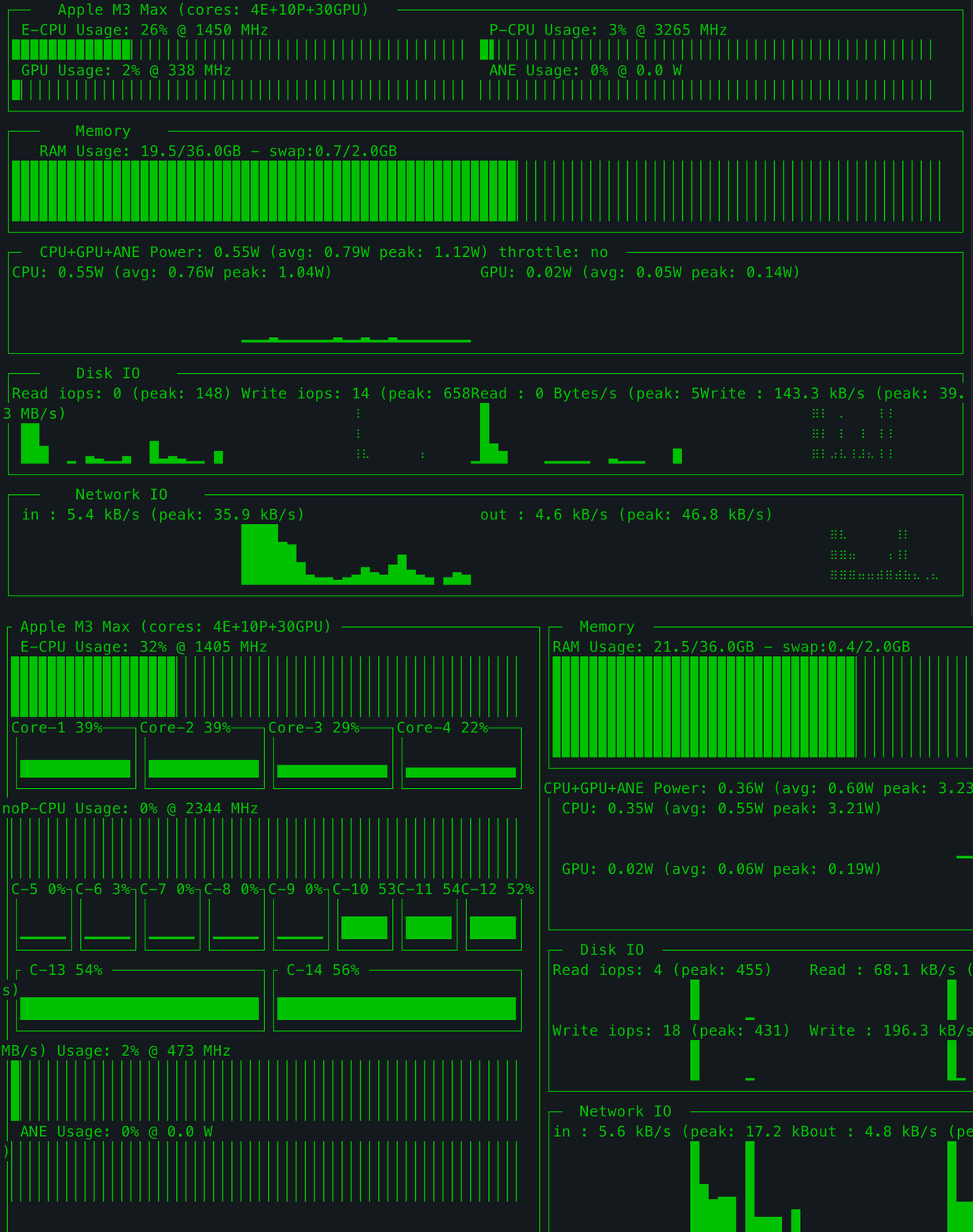
Default view — CPU/GPU/ANE utilisation and power, memory, disk I/O and
|
|
54
|
+
network, updating once per second:
|
|
55
|
+
|
|
56
|
+
|
|
57
|
+
|
|
58
|
+
Same view in another colour theme (press ← / → to cycle through them):
|
|
59
|
+
|
|
60
|
+

|
|
61
|
+
|
|
62
|
+
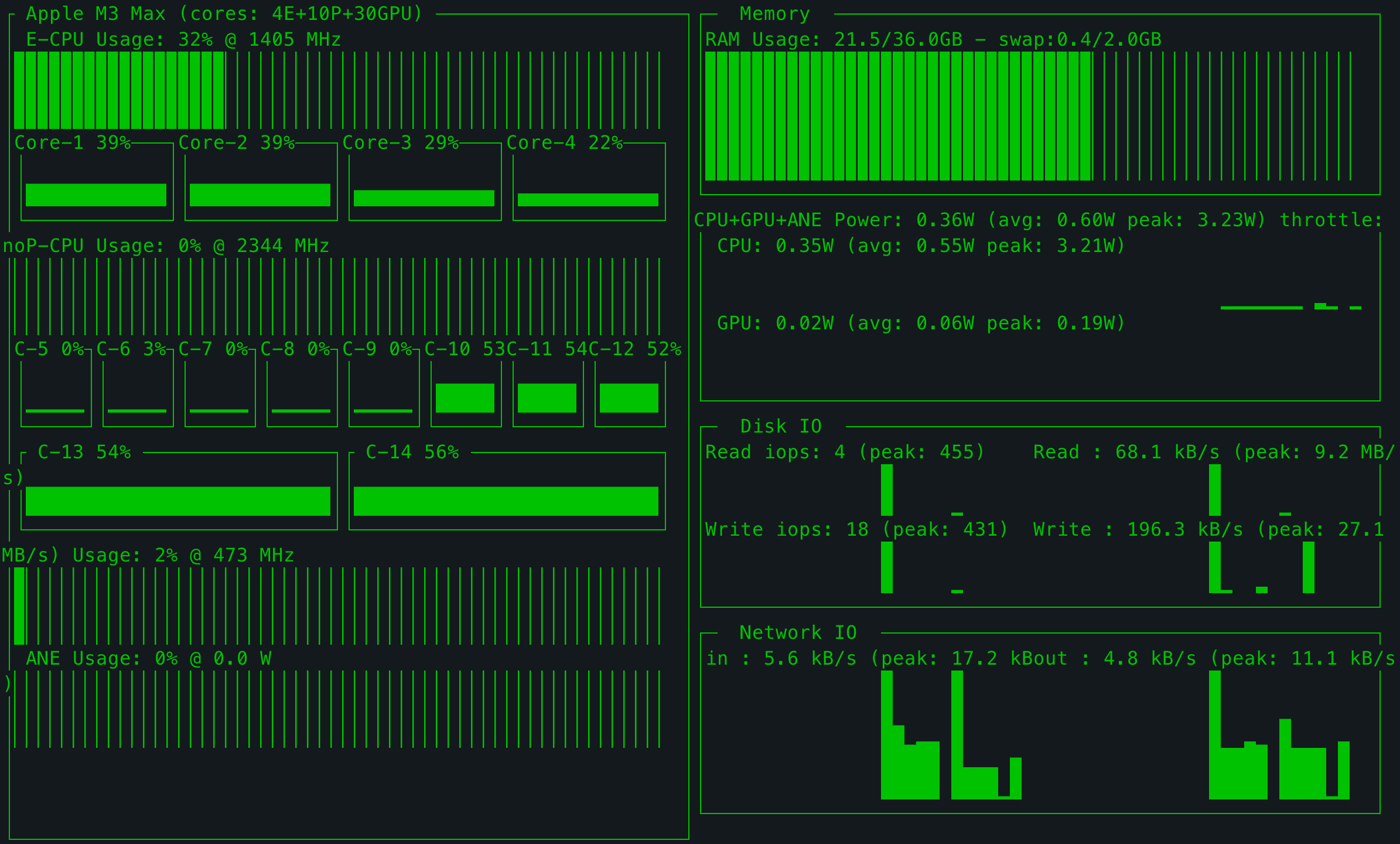
Per-core view (`--show_cores`, or press `2` while running):
|
|
63
|
+
|
|
64
|
+
|
|
65
|
+
|
|
66
|
+
## Highlights
|
|
67
|
+
|
|
68
|
+
- **No sudo required.** `macpm` runs as a normal user process.
|
|
69
|
+
- CPU E/P core utilisation and frequency, plus an optional per-core view
|
|
70
|
+
- GPU utilisation and frequency
|
|
71
|
+
- CPU / GPU / ANE power, rolling average, peaks and throttle state
|
|
72
|
+
- RAM and swap usage
|
|
73
|
+
- Disk IOPS/throughput and network throughput
|
|
74
|
+
- Optional temperature/fan reader (`macpm-sensors`)
|
|
75
|
+
- Same terminal layout, colours, charts and key bindings as macpm 0.x
|
|
76
|
+
|
|
77
|
+
## Install
|
|
78
|
+
|
|
79
|
+
Requirements: **Apple Silicon Mac**, **macOS 12+**, **Python 3.9+**.
|
|
80
|
+
|
|
81
|
+
```sh
|
|
82
|
+
python3 -m pip install --upgrade macpm
|
|
83
|
+
```
|
|
84
|
+
|
|
85
|
+
Then run:
|
|
86
|
+
|
|
87
|
+
```sh
|
|
88
|
+
macpm
|
|
89
|
+
```
|
|
90
|
+
|
|
91
|
+
There is **no `sudo macpm`** in 2.0. Running it with `sudo` still works, but it
|
|
92
|
+
is unnecessary and no longer recommended.
|
|
93
|
+
|
|
94
|
+
Prefer a standalone binary with no Python installation? See
|
|
95
|
+
[Standalone binaries](#standalone-binaries).
|
|
96
|
+
|
|
97
|
+
## Usage
|
|
98
|
+
|
|
99
|
+
```text
|
|
100
|
+
macpm [--interval INTERVAL] [--color COLOR] [--avg AVG] [--show_cores [BOOL]] [--version]
|
|
101
|
+
```
|
|
102
|
+
|
|
103
|
+
| Option | Meaning |
|
|
104
|
+
|---|---|
|
|
105
|
+
| `--interval SECONDS` | Sampling and display interval (default `1`) |
|
|
106
|
+
| `--color 1-8` | Display colour (default `2`) |
|
|
107
|
+
| `--avg SECONDS` | Averaging window for power values (default `30`) |
|
|
108
|
+
| `--show_cores [BOOL]` | Start in the per-core view |
|
|
109
|
+
| `--version` | Print the version |
|
|
110
|
+
|
|
111
|
+
Keys:
|
|
112
|
+
|
|
113
|
+
```text
|
|
114
|
+
q / ESC quit
|
|
115
|
+
← / → change colour
|
|
116
|
+
1 / 2 default view / per-core view
|
|
117
|
+
Ctrl+R reset peaks
|
|
118
|
+
```
|
|
119
|
+
|
|
120
|
+
## Colour themes
|
|
121
|
+
|
|
122
|
+
Pick one with `--color N`, or press ← / → while macpm is running. The default
|
|
123
|
+
is `2` (green).
|
|
124
|
+
|
|
125
|
+
| | |
|
|
126
|
+
|---|---|
|
|
127
|
+
| **1 — red**<br>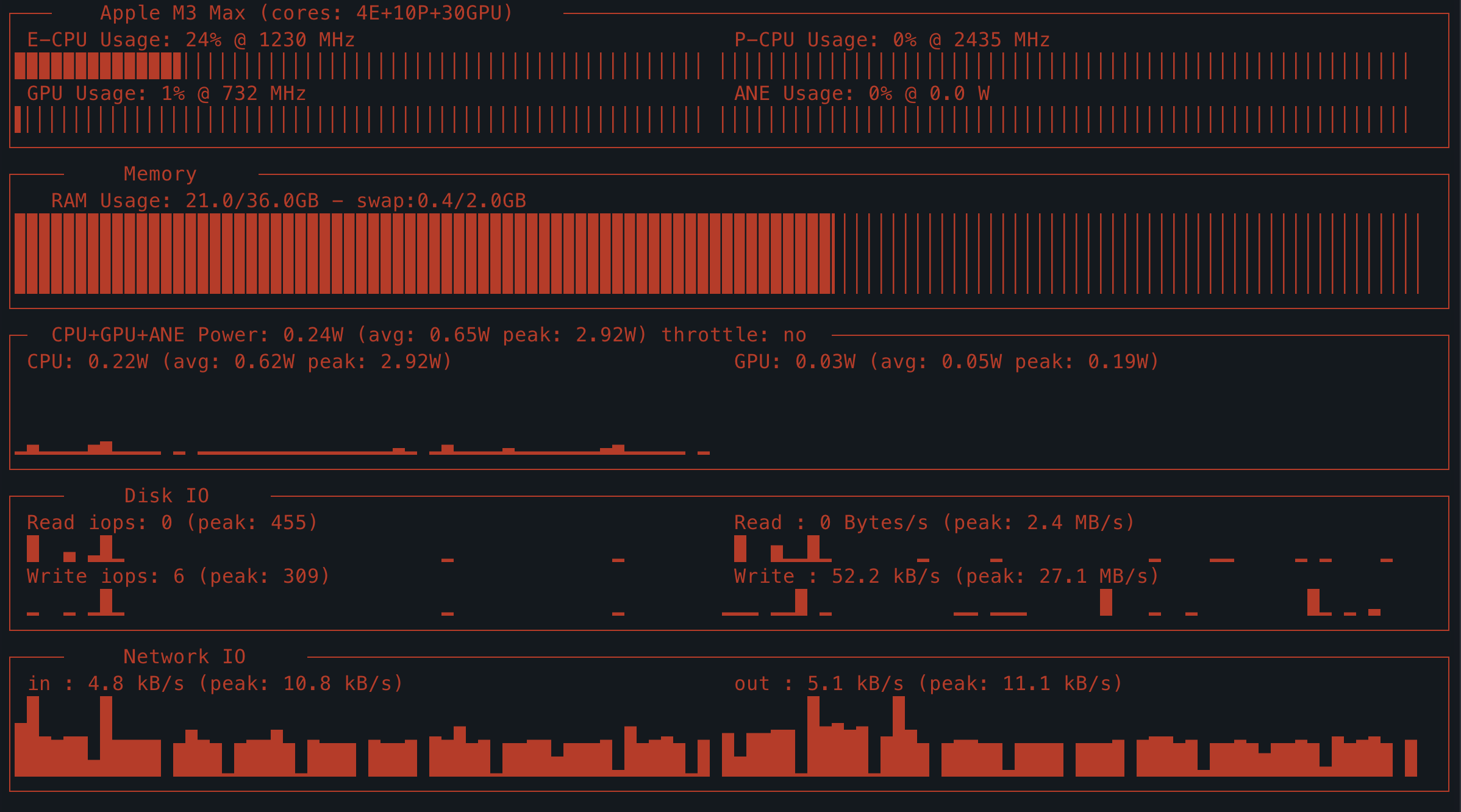 | **2 — green (default)**<br>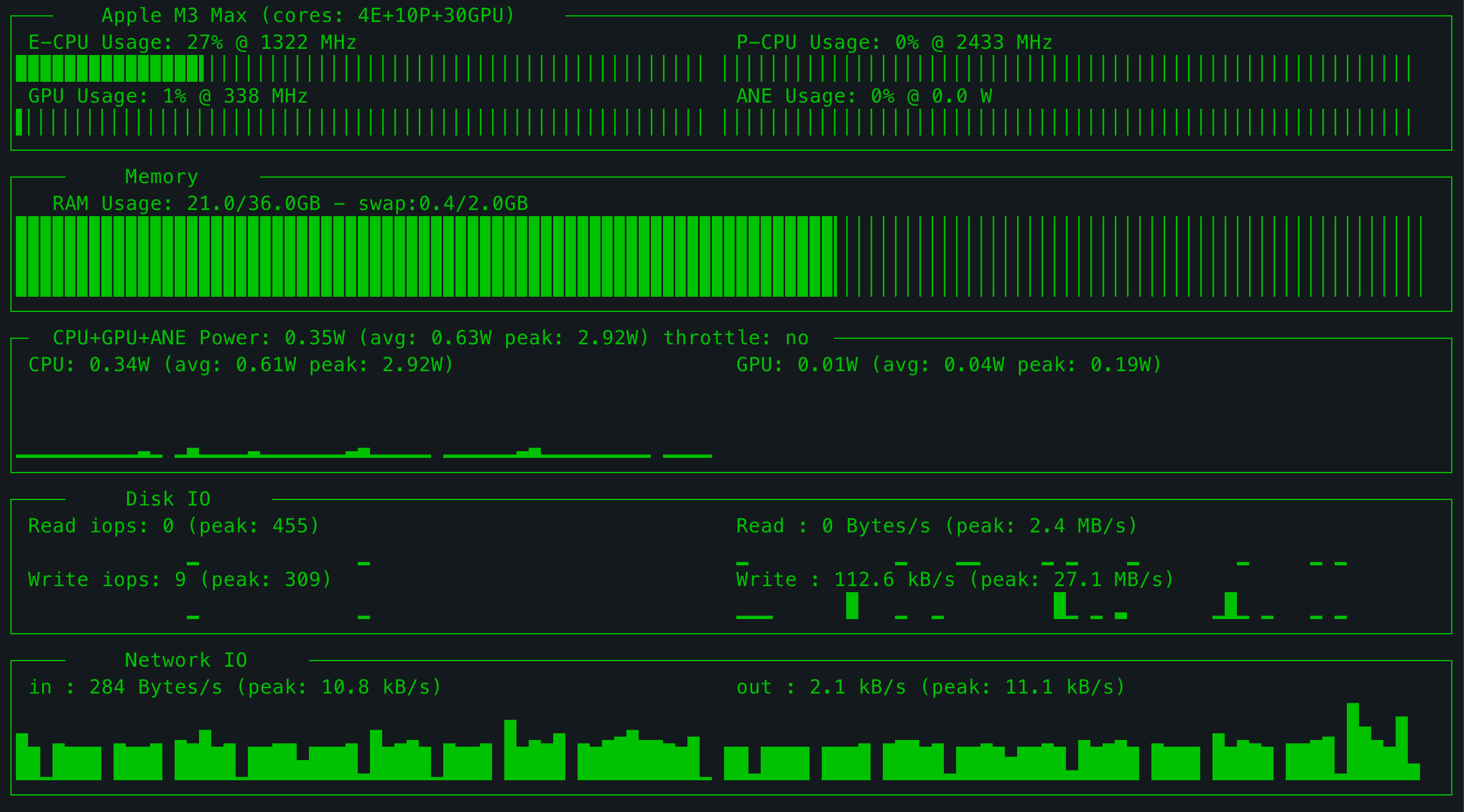 |
|
|
128
|
+
| **3 — yellow**<br>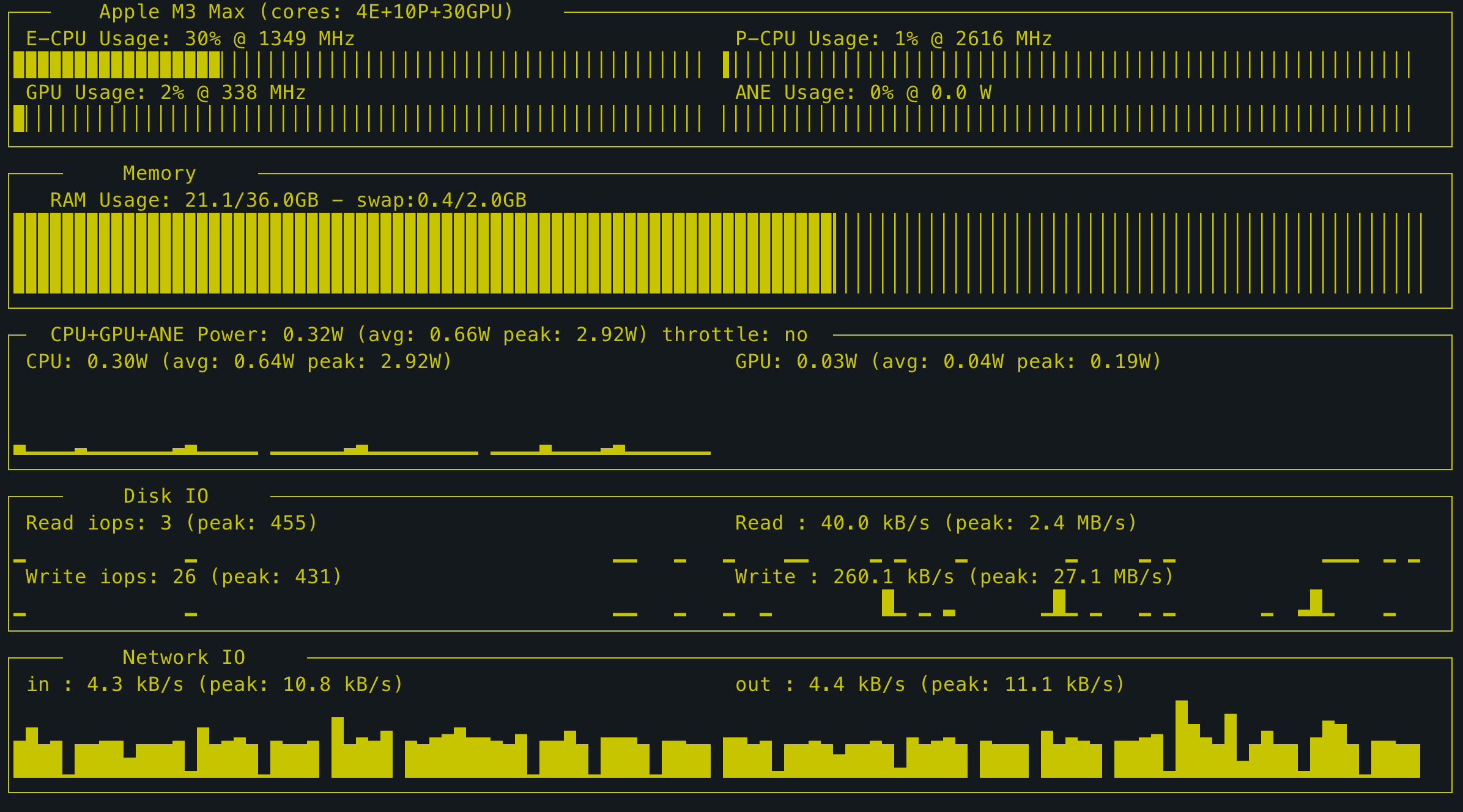 | **4 — blue**<br>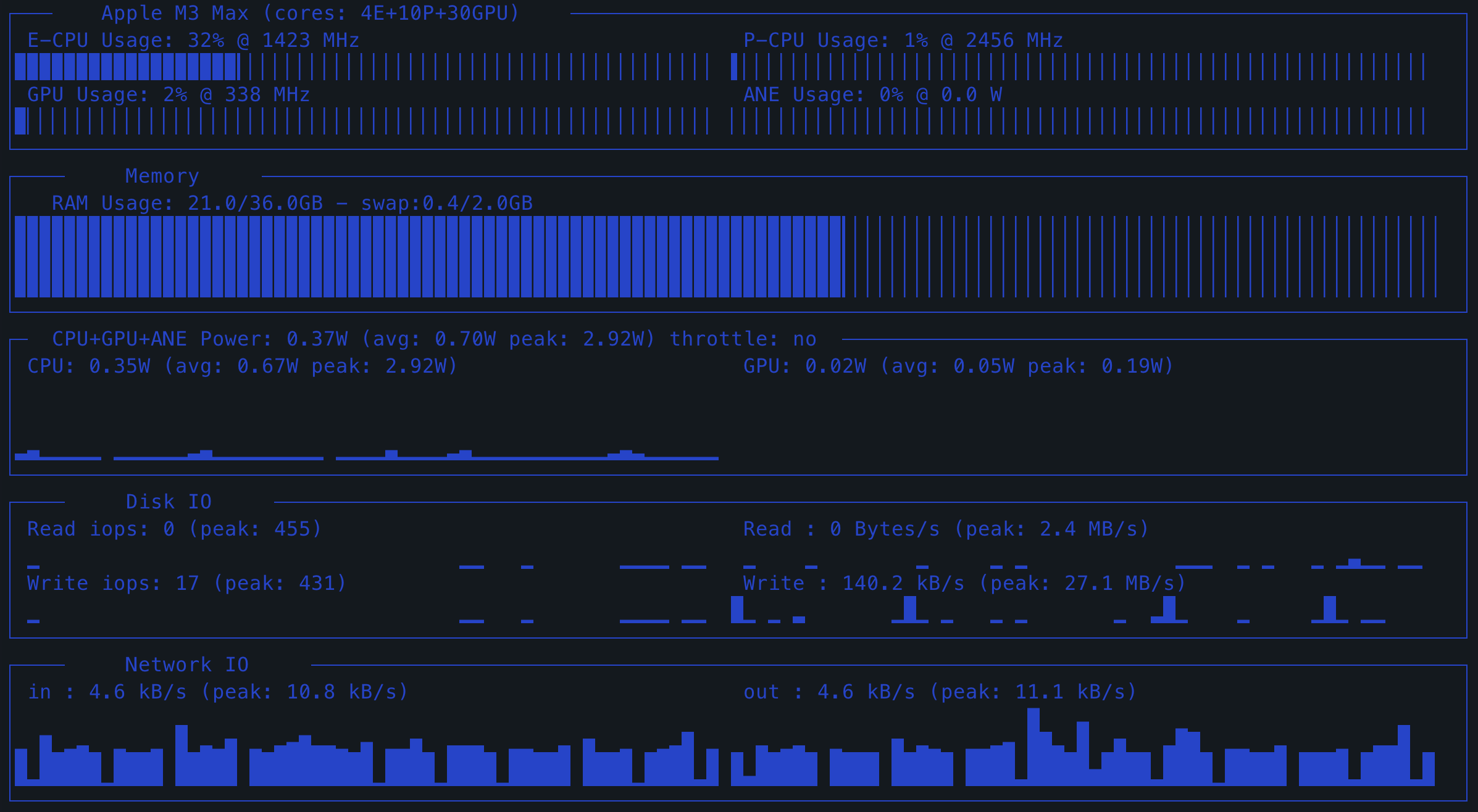 |
|
|
129
|
+
| **5 — magenta**<br>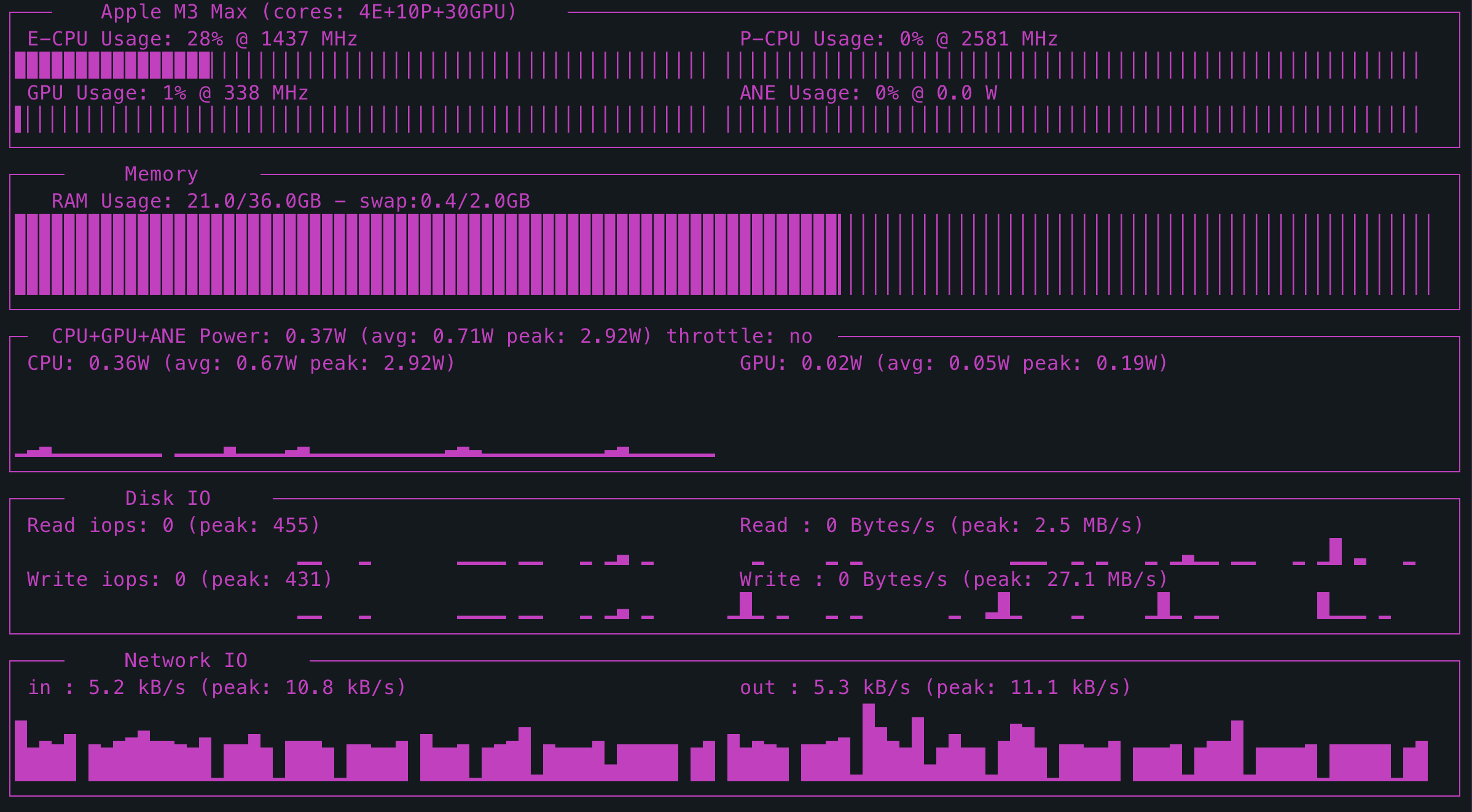 | **6 — cyan**<br>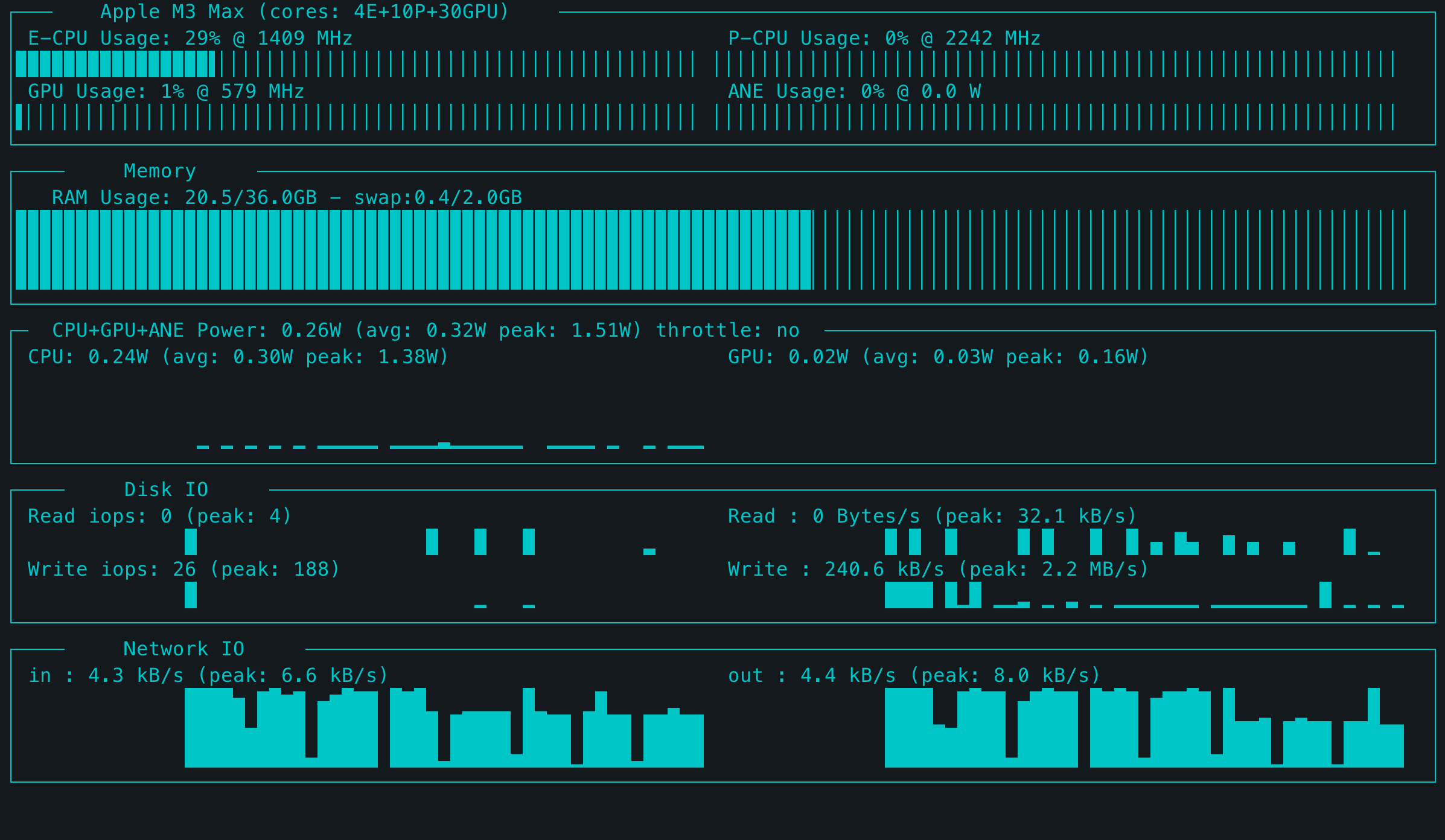 |
|
|
130
|
+
| **7 — white**<br>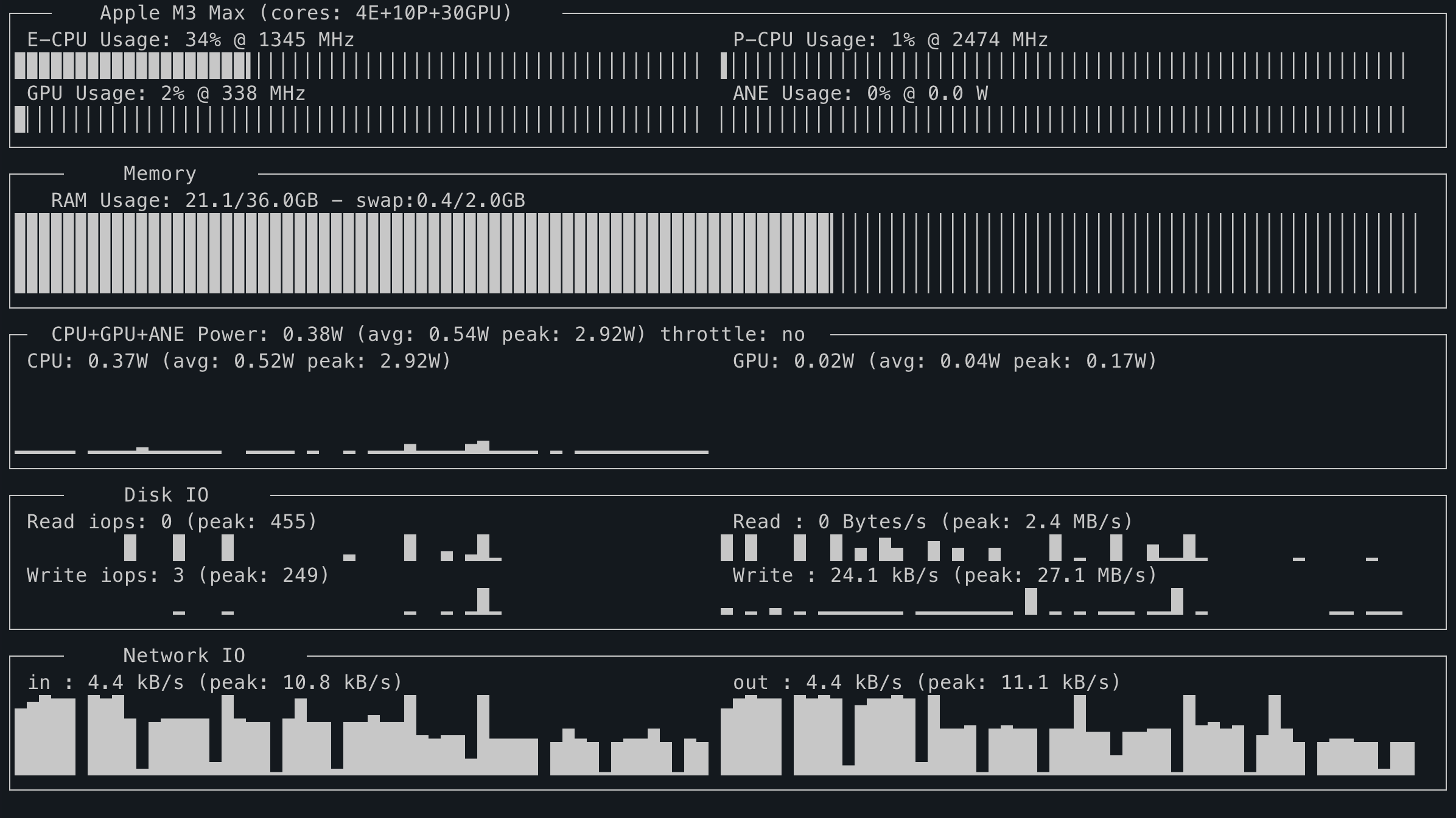 | **8 — grey**<br>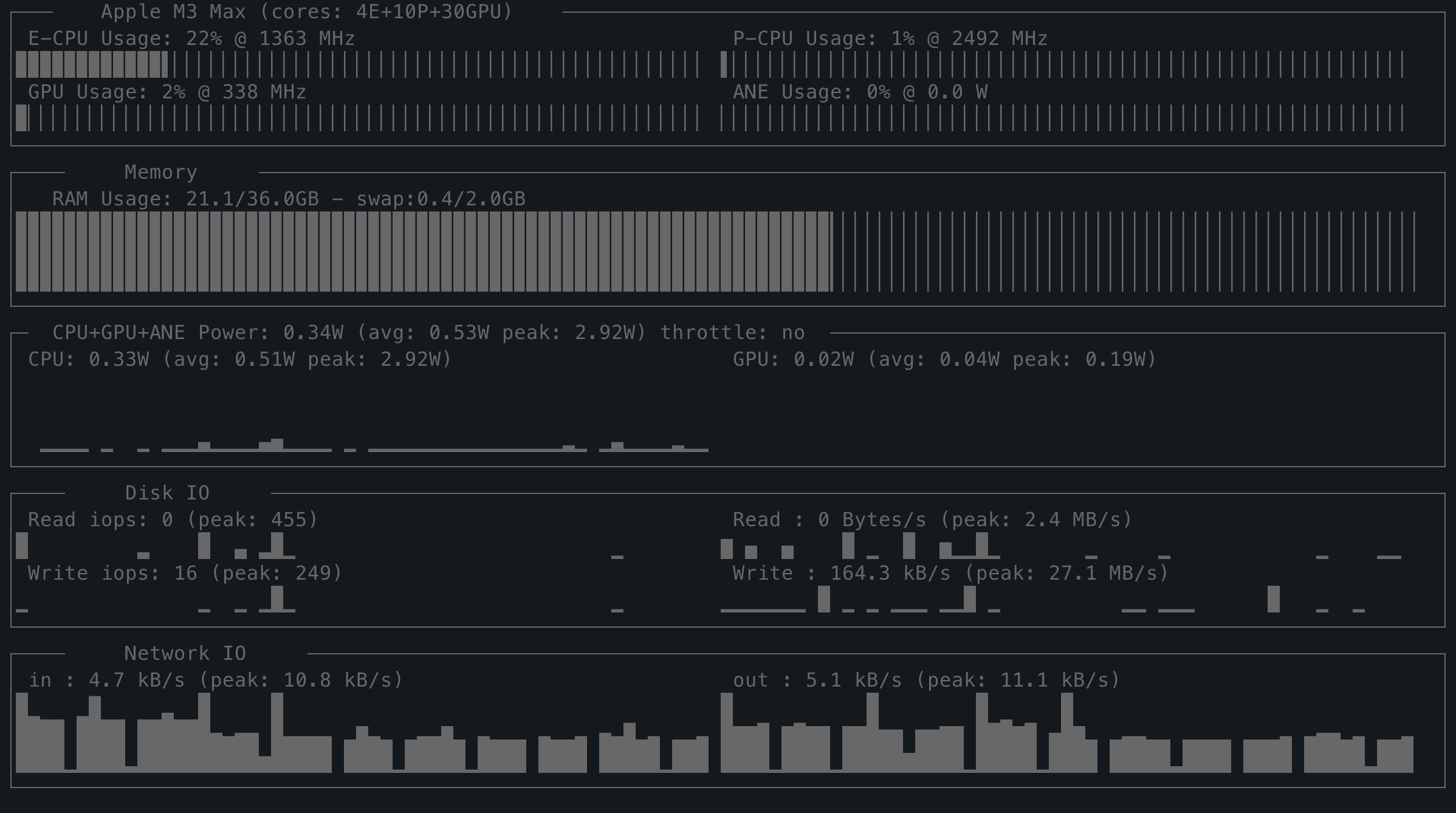 |
|
|
131
|
+
|
|
132
|
+
## Why no sudo?
|
|
133
|
+
|
|
134
|
+
macpm 0.x called `sudo powermetrics`. In 2.0 the sampler reads the underlying
|
|
135
|
+
counters directly. The data is not secret; the old `powermetrics` CLI simply
|
|
136
|
+
requires root and Apple's private entitlements.
|
|
137
|
+
|
|
138
|
+
| Metric | Source |
|
|
139
|
+
|---|---|
|
|
140
|
+
| CPU E/P load and frequency | IOReport `CPU Stats` performance states |
|
|
141
|
+
| Per-core load | IOReport `CPU Core Performance States` |
|
|
142
|
+
| GPU load and frequency | IOReport `GPU Stats` / `GPU Performance States` |
|
|
143
|
+
| CPU / GPU / ANE power | IOReport `Energy Model` |
|
|
144
|
+
| RAM / swap | `psutil` |
|
|
145
|
+
| Disk / network | `psutil` counters |
|
|
146
|
+
| Thermal throttle | `pmset -g therm` |
|
|
147
|
+
| SoC name / core counts | `sysctl` |
|
|
148
|
+
| GPU core count | `ioreg` `gpu-core-count` |
|
|
149
|
+
|
|
150
|
+
The DVFS frequency tables are parsed from the `pmgr` IORegistry node;
|
|
151
|
+
M1–M3 store Hz there, M4+ store kHz.
|
|
152
|
+
|
|
153
|
+
## Temperatures and fans
|
|
154
|
+
|
|
155
|
+
The default TUI intentionally stays identical to macpm 0.x, which has no
|
|
156
|
+
temperature/fan panel. The standalone SMC reader is available as:
|
|
157
|
+
|
|
158
|
+
```sh
|
|
159
|
+
macpm-sensors
|
|
160
|
+
macpm-sensors --json
|
|
161
|
+
```
|
|
162
|
+
|
|
163
|
+
It reads `AppleSMC` through the IOKit user client (read-only, no root) and
|
|
164
|
+
reports the raw sensor keys present on the chip, fan RPM/min/max, and
|
|
165
|
+
`PSTR`/`PPBR` power rails. Fan **control** requires root and is not
|
|
166
|
+
implemented.
|
|
167
|
+
|
|
168
|
+
## Compatibility
|
|
169
|
+
|
|
170
|
+
Tested on macOS 27.2 with an M3 Max. Behaviour depends more on the chip
|
|
171
|
+
generation than on the macOS version:
|
|
172
|
+
|
|
173
|
+
| Environment | Status |
|
|
174
|
+
|---|---|
|
|
175
|
+
| macOS 12–15, M1–M4 | Works |
|
|
176
|
+
| macOS 26, M1–M4 | Likely works |
|
|
177
|
+
| macOS 26, M5 / M5 Pro / Max | Partial: new CPU tier/channel names (`MCPU`/`SCPU`) and `acc-clusters` DVFS data are not fully handled |
|
|
178
|
+
| macOS 15/26, M1/M2 Ultra | Needs verification: multi-die complex channels may be `ECPU0/1` |
|
|
179
|
+
| macOS 27 | Works on the tested M3 Max; some 27 builds restrict unprivileged `Energy Model` refreshes |
|
|
180
|
+
| Intel Macs | Not supported; the Apple-Silicon IOReport groups are absent |
|
|
181
|
+
|
|
182
|
+
## Standalone binaries
|
|
183
|
+
|
|
184
|
+
Standalone unsigned/ad-hoc arm64 binaries (`macpm`, `macpm-sensors`) can be
|
|
185
|
+
built with `packaging/build.sh` and attached to a GitHub release. They bundle
|
|
186
|
+
Python and all dependencies, so the target Mac needs no Python installation.
|
|
187
|
+
|
|
188
|
+
On first launch from a browser download, macOS Gatekeeper may ask you to
|
|
189
|
+
right-click → Open, or you can remove the quarantine flag:
|
|
190
|
+
|
|
191
|
+
```sh
|
|
192
|
+
xattr -d com.apple.quarantine ./macpm ./macpm-sensors ./macpm.command
|
|
193
|
+
```
|
|
194
|
+
|
|
195
|
+
See [packaging/README.txt](https://github.com/visualcjy/macpm/blob/main/packaging/README.txt) for details.
|
|
196
|
+
|
|
197
|
+
## Development
|
|
198
|
+
|
|
199
|
+
```sh
|
|
200
|
+
git clone https://github.com/visualcjy/macpm.git
|
|
201
|
+
cd macpm
|
|
202
|
+
python3 -m venv .venv
|
|
203
|
+
. .venv/bin/activate
|
|
204
|
+
python3 -m pip install -e .
|
|
205
|
+
python3 -m unittest discover -s tests -v
|
|
206
|
+
```
|
|
207
|
+
|
|
208
|
+
Build source and wheel distributions:
|
|
209
|
+
|
|
210
|
+
```sh
|
|
211
|
+
python3 -m pip install build twine
|
|
212
|
+
python3 -m build
|
|
213
|
+
python3 -m twine check dist/*
|
|
214
|
+
```
|
|
215
|
+
|
|
216
|
+
Build standalone arm64 binaries (build machine needs Python + PyInstaller +
|
|
217
|
+
runtime dependencies; the output has no Python dependency):
|
|
218
|
+
|
|
219
|
+
```sh
|
|
220
|
+
PYTHON=python3 packaging/build.sh
|
|
221
|
+
```
|
|
222
|
+
|
|
223
|
+
Release steps are documented in [RELEASE.md](https://github.com/visualcjy/macpm/blob/main/RELEASE.md).
|
|
224
|
+
|
|
225
|
+
## Troubleshooting
|
|
226
|
+
|
|
227
|
+
- **`macpm: command not found`** — add your Python user-base `bin` directory to
|
|
228
|
+
`PATH`, or run `python3 -m macpm`.
|
|
229
|
+
- **Power readings freeze on macOS 27** — some builds restrict unprivileged
|
|
230
|
+
`Energy Model` refreshes. CPU/GPU usage and frequency still work. Run
|
|
231
|
+
`macpm-dump` to inspect the raw values.
|
|
232
|
+
- **M5/Ultra values look wrong** — CPU tier/channel mapping is not complete;
|
|
233
|
+
see the compatibility table.
|
|
234
|
+
- **`macpm-sensors` shows nothing** — not every SMC key exists on every chip;
|
|
235
|
+
the reader only reports the keys that are present.
|
|
236
|
+
|
|
237
|
+
## Changelog
|
|
238
|
+
|
|
239
|
+
See [CHANGELOG.md](https://github.com/visualcjy/macpm/blob/main/CHANGELOG.md). The 2.0 release removes the dependency on
|
|
240
|
+
`sudo`, `powermetrics` and temporary files.
|
|
241
|
+
|
|
242
|
+
## Credits
|
|
243
|
+
|
|
244
|
+
- [asitop](https://github.com/tlkh/asitop) — original Python TUI this project
|
|
245
|
+
was forked from
|
|
246
|
+
- [macmon](https://github.com/vladkens/macmon) and
|
|
247
|
+
[Stats](https://github.com/exelban/stats) — IOReport/SMC reference
|
|
248
|
+
implementations
|
|
249
|
+
- The IOReport sample-delta and DVFS-table ideas follow those projects
|
|
250
|
+
|
|
251
|
+
## License
|
|
252
|
+
|
|
253
|
+
MIT. See [LICENSE](https://github.com/visualcjy/macpm/blob/main/LICENSE).
|
macpm-2.0/README.md
ADDED
|
@@ -0,0 +1,212 @@
|
|
|
1
|
+
# macpm
|
|
2
|
+
|
|
3
|
+
**Rootless performance monitoring CLI for Apple Silicon.**<br>
|
|
4
|
+
macpm 2.0 reads the same hardware counters as `powermetrics`, but through
|
|
5
|
+
IOReport/IOKit/SMC — no `sudo`, no password, no privileged helper.
|
|
6
|
+
|
|
7
|
+
A Python-based `nvtop`-inspired terminal monitor for Apple Silicon Macs,
|
|
8
|
+
forked from [asitop](https://github.com/tlkh/asitop).
|
|
9
|
+
|
|
10
|
+
## Demo
|
|
11
|
+
|
|
12
|
+
Default view — CPU/GPU/ANE utilisation and power, memory, disk I/O and
|
|
13
|
+
network, updating once per second:
|
|
14
|
+
|
|
15
|
+

|
|
16
|
+
|
|
17
|
+
Same view in another colour theme (press ← / → to cycle through them):
|
|
18
|
+
|
|
19
|
+

|
|
20
|
+
|
|
21
|
+
Per-core view (`--show_cores`, or press `2` while running):
|
|
22
|
+
|
|
23
|
+

|
|
24
|
+
|
|
25
|
+
## Highlights
|
|
26
|
+
|
|
27
|
+
- **No sudo required.** `macpm` runs as a normal user process.
|
|
28
|
+
- CPU E/P core utilisation and frequency, plus an optional per-core view
|
|
29
|
+
- GPU utilisation and frequency
|
|
30
|
+
- CPU / GPU / ANE power, rolling average, peaks and throttle state
|
|
31
|
+
- RAM and swap usage
|
|
32
|
+
- Disk IOPS/throughput and network throughput
|
|
33
|
+
- Optional temperature/fan reader (`macpm-sensors`)
|
|
34
|
+
- Same terminal layout, colours, charts and key bindings as macpm 0.x
|
|
35
|
+
|
|
36
|
+
## Install
|
|
37
|
+
|
|
38
|
+
Requirements: **Apple Silicon Mac**, **macOS 12+**, **Python 3.9+**.
|
|
39
|
+
|
|
40
|
+
```sh
|
|
41
|
+
python3 -m pip install --upgrade macpm
|
|
42
|
+
```
|
|
43
|
+
|
|
44
|
+
Then run:
|
|
45
|
+
|
|
46
|
+
```sh
|
|
47
|
+
macpm
|
|
48
|
+
```
|
|
49
|
+
|
|
50
|
+
There is **no `sudo macpm`** in 2.0. Running it with `sudo` still works, but it
|
|
51
|
+
is unnecessary and no longer recommended.
|
|
52
|
+
|
|
53
|
+
Prefer a standalone binary with no Python installation? See
|
|
54
|
+
[Standalone binaries](#standalone-binaries).
|
|
55
|
+
|
|
56
|
+
## Usage
|
|
57
|
+
|
|
58
|
+
```text
|
|
59
|
+
macpm [--interval INTERVAL] [--color COLOR] [--avg AVG] [--show_cores [BOOL]] [--version]
|
|
60
|
+
```
|
|
61
|
+
|
|
62
|
+
| Option | Meaning |
|
|
63
|
+
|---|---|
|
|
64
|
+
| `--interval SECONDS` | Sampling and display interval (default `1`) |
|
|
65
|
+
| `--color 1-8` | Display colour (default `2`) |
|
|
66
|
+
| `--avg SECONDS` | Averaging window for power values (default `30`) |
|
|
67
|
+
| `--show_cores [BOOL]` | Start in the per-core view |
|
|
68
|
+
| `--version` | Print the version |
|
|
69
|
+
|
|
70
|
+
Keys:
|
|
71
|
+
|
|
72
|
+
```text
|
|
73
|
+
q / ESC quit
|
|
74
|
+
← / → change colour
|
|
75
|
+
1 / 2 default view / per-core view
|
|
76
|
+
Ctrl+R reset peaks
|
|
77
|
+
```
|
|
78
|
+
|
|
79
|
+
## Colour themes
|
|
80
|
+
|
|
81
|
+
Pick one with `--color N`, or press ← / → while macpm is running. The default
|
|
82
|
+
is `2` (green).
|
|
83
|
+
|
|
84
|
+
| | |
|
|
85
|
+
|---|---|
|
|
86
|
+
| **1 — red**<br> | **2 — green (default)**<br> |
|
|
87
|
+
| **3 — yellow**<br> | **4 — blue**<br> |
|
|
88
|
+
| **5 — magenta**<br> | **6 — cyan**<br> |
|
|
89
|
+
| **7 — white**<br> | **8 — grey**<br> |
|
|
90
|
+
|
|
91
|
+
## Why no sudo?
|
|
92
|
+
|
|
93
|
+
macpm 0.x called `sudo powermetrics`. In 2.0 the sampler reads the underlying
|
|
94
|
+
counters directly. The data is not secret; the old `powermetrics` CLI simply
|
|
95
|
+
requires root and Apple's private entitlements.
|
|
96
|
+
|
|
97
|
+
| Metric | Source |
|
|
98
|
+
|---|---|
|
|
99
|
+
| CPU E/P load and frequency | IOReport `CPU Stats` performance states |
|
|
100
|
+
| Per-core load | IOReport `CPU Core Performance States` |
|
|
101
|
+
| GPU load and frequency | IOReport `GPU Stats` / `GPU Performance States` |
|
|
102
|
+
| CPU / GPU / ANE power | IOReport `Energy Model` |
|
|
103
|
+
| RAM / swap | `psutil` |
|
|
104
|
+
| Disk / network | `psutil` counters |
|
|
105
|
+
| Thermal throttle | `pmset -g therm` |
|
|
106
|
+
| SoC name / core counts | `sysctl` |
|
|
107
|
+
| GPU core count | `ioreg` `gpu-core-count` |
|
|
108
|
+
|
|
109
|
+
The DVFS frequency tables are parsed from the `pmgr` IORegistry node;
|
|
110
|
+
M1–M3 store Hz there, M4+ store kHz.
|
|
111
|
+
|
|
112
|
+
## Temperatures and fans
|
|
113
|
+
|
|
114
|
+
The default TUI intentionally stays identical to macpm 0.x, which has no
|
|
115
|
+
temperature/fan panel. The standalone SMC reader is available as:
|
|
116
|
+
|
|
117
|
+
```sh
|
|
118
|
+
macpm-sensors
|
|
119
|
+
macpm-sensors --json
|
|
120
|
+
```
|
|
121
|
+
|
|
122
|
+
It reads `AppleSMC` through the IOKit user client (read-only, no root) and
|
|
123
|
+
reports the raw sensor keys present on the chip, fan RPM/min/max, and
|
|
124
|
+
`PSTR`/`PPBR` power rails. Fan **control** requires root and is not
|
|
125
|
+
implemented.
|
|
126
|
+
|
|
127
|
+
## Compatibility
|
|
128
|
+
|
|
129
|
+
Tested on macOS 27.2 with an M3 Max. Behaviour depends more on the chip
|
|
130
|
+
generation than on the macOS version:
|
|
131
|
+
|
|
132
|
+
| Environment | Status |
|
|
133
|
+
|---|---|
|
|
134
|
+
| macOS 12–15, M1–M4 | Works |
|
|
135
|
+
| macOS 26, M1–M4 | Likely works |
|
|
136
|
+
| macOS 26, M5 / M5 Pro / Max | Partial: new CPU tier/channel names (`MCPU`/`SCPU`) and `acc-clusters` DVFS data are not fully handled |
|
|
137
|
+
| macOS 15/26, M1/M2 Ultra | Needs verification: multi-die complex channels may be `ECPU0/1` |
|
|
138
|
+
| macOS 27 | Works on the tested M3 Max; some 27 builds restrict unprivileged `Energy Model` refreshes |
|
|
139
|
+
| Intel Macs | Not supported; the Apple-Silicon IOReport groups are absent |
|
|
140
|
+
|
|
141
|
+
## Standalone binaries
|
|
142
|
+
|
|
143
|
+
Standalone unsigned/ad-hoc arm64 binaries (`macpm`, `macpm-sensors`) can be
|
|
144
|
+
built with `packaging/build.sh` and attached to a GitHub release. They bundle
|
|
145
|
+
Python and all dependencies, so the target Mac needs no Python installation.
|
|
146
|
+
|
|
147
|
+
On first launch from a browser download, macOS Gatekeeper may ask you to
|
|
148
|
+
right-click → Open, or you can remove the quarantine flag:
|
|
149
|
+
|
|
150
|
+
```sh
|
|
151
|
+
xattr -d com.apple.quarantine ./macpm ./macpm-sensors ./macpm.command
|
|
152
|
+
```
|
|
153
|
+
|
|
154
|
+
See [packaging/README.txt](https://github.com/visualcjy/macpm/blob/main/packaging/README.txt) for details.
|
|
155
|
+
|
|
156
|
+
## Development
|
|
157
|
+
|
|
158
|
+
```sh
|
|
159
|
+
git clone https://github.com/visualcjy/macpm.git
|
|
160
|
+
cd macpm
|
|
161
|
+
python3 -m venv .venv
|
|
162
|
+
. .venv/bin/activate
|
|
163
|
+
python3 -m pip install -e .
|
|
164
|
+
python3 -m unittest discover -s tests -v
|
|
165
|
+
```
|
|
166
|
+
|
|
167
|
+
Build source and wheel distributions:
|
|
168
|
+
|
|
169
|
+
```sh
|
|
170
|
+
python3 -m pip install build twine
|
|
171
|
+
python3 -m build
|
|
172
|
+
python3 -m twine check dist/*
|
|
173
|
+
```
|
|
174
|
+
|
|
175
|
+
Build standalone arm64 binaries (build machine needs Python + PyInstaller +
|
|
176
|
+
runtime dependencies; the output has no Python dependency):
|
|
177
|
+
|
|
178
|
+
```sh
|
|
179
|
+
PYTHON=python3 packaging/build.sh
|
|
180
|
+
```
|
|
181
|
+
|
|
182
|
+
Release steps are documented in [RELEASE.md](https://github.com/visualcjy/macpm/blob/main/RELEASE.md).
|
|
183
|
+
|
|
184
|
+
## Troubleshooting
|
|
185
|
+
|
|
186
|
+
- **`macpm: command not found`** — add your Python user-base `bin` directory to
|
|
187
|
+
`PATH`, or run `python3 -m macpm`.
|
|
188
|
+
- **Power readings freeze on macOS 27** — some builds restrict unprivileged
|
|
189
|
+
`Energy Model` refreshes. CPU/GPU usage and frequency still work. Run
|
|
190
|
+
`macpm-dump` to inspect the raw values.
|
|
191
|
+
- **M5/Ultra values look wrong** — CPU tier/channel mapping is not complete;
|
|
192
|
+
see the compatibility table.
|
|
193
|
+
- **`macpm-sensors` shows nothing** — not every SMC key exists on every chip;
|
|
194
|
+
the reader only reports the keys that are present.
|
|
195
|
+
|
|
196
|
+
## Changelog
|
|
197
|
+
|
|
198
|
+
See [CHANGELOG.md](https://github.com/visualcjy/macpm/blob/main/CHANGELOG.md). The 2.0 release removes the dependency on
|
|
199
|
+
`sudo`, `powermetrics` and temporary files.
|
|
200
|
+
|
|
201
|
+
## Credits
|
|
202
|
+
|
|
203
|
+
- [asitop](https://github.com/tlkh/asitop) — original Python TUI this project
|
|
204
|
+
was forked from
|
|
205
|
+
- [macmon](https://github.com/vladkens/macmon) and
|
|
206
|
+
[Stats](https://github.com/exelban/stats) — IOReport/SMC reference
|
|
207
|
+
implementations
|
|
208
|
+
- The IOReport sample-delta and DVFS-table ideas follow those projects
|
|
209
|
+
|
|
210
|
+
## License
|
|
211
|
+
|
|
212
|
+
MIT. See [LICENSE](https://github.com/visualcjy/macpm/blob/main/LICENSE).
|
macpm-2.0/RELEASE.md
ADDED
|
@@ -0,0 +1,102 @@
|
|
|
1
|
+
# Releasing macpm 2.0
|
|
2
|
+
|
|
3
|
+
This checklist prepares a GitHub tag and a PyPI upload. It does not push or
|
|
4
|
+
publish anything by itself.
|
|
5
|
+
|
|
6
|
+
## 1. Preconditions
|
|
7
|
+
|
|
8
|
+
- macOS Apple Silicon, Python 3.9+.
|
|
9
|
+
- Clean working tree (`git status`), all tests passing.
|
|
10
|
+
- Version is `2.0` in:
|
|
11
|
+
- `setup.py`
|
|
12
|
+
- `macpm/__init__.py`
|
|
13
|
+
- `macpm/macpm.py` (`version = 'macpm v2.0'`)
|
|
14
|
+
- `CHANGELOG.md` has the 2.0 entry.
|
|
15
|
+
|
|
16
|
+
## 2. Test from source
|
|
17
|
+
|
|
18
|
+
```sh
|
|
19
|
+
python3 -m venv .venv
|
|
20
|
+
. .venv/bin/activate
|
|
21
|
+
python3 -m pip install -e .
|
|
22
|
+
python3 -m unittest discover -s tests -v
|
|
23
|
+
|
|
24
|
+
macpm --help
|
|
25
|
+
macpm-dump # one sample per second, Ctrl+C to stop
|
|
26
|
+
macpm-sensors # temperatures/fans, optional
|
|
27
|
+
```
|
|
28
|
+
|
|
29
|
+
## 3. Build and validate PyPI artifacts
|
|
30
|
+
|
|
31
|
+
```sh
|
|
32
|
+
python3 -m pip install --upgrade build twine
|
|
33
|
+
rm -rf dist build *.egg-info
|
|
34
|
+
python3 -m build
|
|
35
|
+
python3 -m twine check dist/*
|
|
36
|
+
```
|
|
37
|
+
|
|
38
|
+
Test the wheel in a **clean** venv (this is the real "no source tree" test):
|
|
39
|
+
|
|
40
|
+
```sh
|
|
41
|
+
python3 -m venv /tmp/macpm-wheel-test
|
|
42
|
+
/tmp/macpm-wheel-test/bin/pip install dist/macpm-2.0-py3-none-any.whl
|
|
43
|
+
/tmp/macpm-wheel-test/bin/macpm --help
|
|
44
|
+
/tmp/macpm-wheel-test/bin/macpm-dump # Ctrl+C
|
|
45
|
+
```
|
|
46
|
+
|
|
47
|
+
## 4. Publish to PyPI
|
|
48
|
+
|
|
49
|
+
Preferred: configure PyPI Trusted Publishing for this repository and the
|
|
50
|
+
`pypi` environment, then run the `Release` GitHub workflow on tag `v2.0`.
|
|
51
|
+
|
|
52
|
+
Manual alternative:
|
|
53
|
+
|
|
54
|
+
```sh
|
|
55
|
+
# requires a PyPI API token in ~/.pypirc or TWINE_PASSWORD
|
|
56
|
+
python3 -m twine upload dist/macpm-2.0.tar.gz dist/macpm-2.0-py3-none-any.whl
|
|
57
|
+
```
|
|
58
|
+
|
|
59
|
+
Then verify:
|
|
60
|
+
|
|
61
|
+
```sh
|
|
62
|
+
python3 -m pip install --upgrade macpm==2.0
|
|
63
|
+
macpm --version
|
|
64
|
+
```
|
|
65
|
+
|
|
66
|
+
## 5. Publish to GitHub
|
|
67
|
+
|
|
68
|
+
```sh
|
|
69
|
+
git add setup.py pyproject.toml MANIFEST.in README.md CHANGELOG.md RELEASE.md \
|
|
70
|
+
macpm packaging tests .github bin
|
|
71
|
+
git commit -m "Release macpm 2.0: rootless IOReport sampler"
|
|
72
|
+
git tag -a v2.0 -m "macpm 2.0"
|
|
73
|
+
git push origin main
|
|
74
|
+
git push origin v2.0
|
|
75
|
+
```
|
|
76
|
+
|
|
77
|
+
The `Release` workflow builds the sdist/wheel, checks metadata and attaches
|
|
78
|
+
the artifacts to a GitHub release. The PyPI job is opt-in: set the repository
|
|
79
|
+
variable `PUBLISH_PYPI=true` (Settings → Secrets and variables → Actions →
|
|
80
|
+
Variables) to publish to PyPI via trusted publishing. Leaving it unset keeps
|
|
81
|
+
tag pushes to a GitHub release only.
|
|
82
|
+
If you prefer a manual release, create one from the tag and upload
|
|
83
|
+
`dist/*.whl`, `dist/*.tar.gz` and the standalone tarball.
|
|
84
|
+
|
|
85
|
+
## 6. Standalone arm64 binaries (optional)
|
|
86
|
+
|
|
87
|
+
On an Apple Silicon build machine:
|
|
88
|
+
|
|
89
|
+
```sh
|
|
90
|
+
PYTHON=python3 packaging/build.sh
|
|
91
|
+
```
|
|
92
|
+
|
|
93
|
+
This produces:
|
|
94
|
+
|
|
95
|
+
```text
|
|
96
|
+
dist/macpm-2.0-macos-arm64.tar.gz
|
|
97
|
+
```
|
|
98
|
+
|
|
99
|
+
Attach it to the GitHub release. The binaries are ad-hoc signed, not
|
|
100
|
+
notarized; see `packaging/README.txt` for the Gatekeeper note. To notarize,
|
|
101
|
+
pass `CODESIGN_ID` to the build script and submit/staple the archive with
|
|
102
|
+
`notarytool`.
|
macpm-2.0/macpm/dump.py
ADDED
|
@@ -0,0 +1,21 @@
|
|
|
1
|
+
"""Print rootless samples as JSON (debug helper, not part of the TUI)."""
|
|
2
|
+
|
|
3
|
+
import json
|
|
4
|
+
import time
|
|
5
|
+
|
|
6
|
+
from .sampler import Sampler
|
|
7
|
+
|
|
8
|
+
|
|
9
|
+
def main() -> None:
|
|
10
|
+
sampler = Sampler(1)
|
|
11
|
+
sampler.prime()
|
|
12
|
+
try:
|
|
13
|
+
for _ in range(3):
|
|
14
|
+
time.sleep(1)
|
|
15
|
+
print(json.dumps(sampler.sample(), indent=2, default=str))
|
|
16
|
+
finally:
|
|
17
|
+
sampler.close()
|
|
18
|
+
|
|
19
|
+
|
|
20
|
+
if __name__ == "__main__":
|
|
21
|
+
main()
|