kodeagent 0.11.3__tar.gz → 0.12.0__tar.gz
This diff represents the content of publicly available package versions that have been released to one of the supported registries. The information contained in this diff is provided for informational purposes only and reflects changes between package versions as they appear in their respective public registries.
- {kodeagent-0.11.3/src/kodeagent.egg-info → kodeagent-0.12.0}/PKG-INFO +20 -2
- {kodeagent-0.11.3 → kodeagent-0.12.0}/README.md +19 -1
- {kodeagent-0.11.3 → kodeagent-0.12.0}/src/kodeagent/_version.py +1 -1
- kodeagent-0.12.0/src/kodeagent/agents/__init__.py +3 -0
- kodeagent-0.12.0/src/kodeagent/agents/csv_agent.py +638 -0
- {kodeagent-0.11.3 → kodeagent-0.12.0}/src/kodeagent/kutils.py +41 -24
- kodeagent-0.12.0/src/kodeagent/prompts/system/csv_analyst.txt +315 -0
- {kodeagent-0.11.3 → kodeagent-0.12.0/src/kodeagent.egg-info}/PKG-INFO +20 -2
- {kodeagent-0.11.3 → kodeagent-0.12.0}/src/kodeagent.egg-info/SOURCES.txt +3 -0
- {kodeagent-0.11.3 → kodeagent-0.12.0}/LICENSE +0 -0
- {kodeagent-0.11.3 → kodeagent-0.12.0}/MANIFEST.in +0 -0
- {kodeagent-0.11.3 → kodeagent-0.12.0}/pyproject.toml +0 -0
- {kodeagent-0.11.3 → kodeagent-0.12.0}/requirements.txt +0 -0
- {kodeagent-0.11.3 → kodeagent-0.12.0}/setup.cfg +0 -0
- {kodeagent-0.11.3 → kodeagent-0.12.0}/src/kodeagent/__init__.py +0 -0
- {kodeagent-0.11.3 → kodeagent-0.12.0}/src/kodeagent/code_reviewer.py +0 -0
- {kodeagent-0.11.3 → kodeagent-0.12.0}/src/kodeagent/code_runner.py +0 -0
- {kodeagent-0.11.3 → kodeagent-0.12.0}/src/kodeagent/examples.py +0 -0
- {kodeagent-0.11.3 → kodeagent-0.12.0}/src/kodeagent/fca.py +0 -0
- {kodeagent-0.11.3 → kodeagent-0.12.0}/src/kodeagent/file_tracker.py +0 -0
- {kodeagent-0.11.3 → kodeagent-0.12.0}/src/kodeagent/history_formatter.py +0 -0
- {kodeagent-0.11.3 → kodeagent-0.12.0}/src/kodeagent/kodeagent.py +0 -0
- {kodeagent-0.11.3 → kodeagent-0.12.0}/src/kodeagent/models.py +0 -0
- {kodeagent-0.11.3 → kodeagent-0.12.0}/src/kodeagent/orchestrator.py +0 -0
- {kodeagent-0.11.3 → kodeagent-0.12.0}/src/kodeagent/pattern_detector.py +0 -0
- {kodeagent-0.11.3 → kodeagent-0.12.0}/src/kodeagent/prompts/agent_plan.txt +0 -0
- {kodeagent-0.11.3 → kodeagent-0.12.0}/src/kodeagent/prompts/code_guardrail.txt +0 -0
- {kodeagent-0.11.3 → kodeagent-0.12.0}/src/kodeagent/prompts/contextual_summary.txt +0 -0
- {kodeagent-0.11.3 → kodeagent-0.12.0}/src/kodeagent/prompts/observation.txt +0 -0
- {kodeagent-0.11.3 → kodeagent-0.12.0}/src/kodeagent/prompts/salvage_response.txt +0 -0
- {kodeagent-0.11.3 → kodeagent-0.12.0}/src/kodeagent/prompts/system/codeact.txt +0 -0
- {kodeagent-0.11.3 → kodeagent-0.12.0}/src/kodeagent/prompts/system/function_calling.txt +0 -0
- {kodeagent-0.11.3 → kodeagent-0.12.0}/src/kodeagent/prompts/system/observer.txt +0 -0
- {kodeagent-0.11.3 → kodeagent-0.12.0}/src/kodeagent/prompts/system/plan_updater.txt +0 -0
- {kodeagent-0.11.3 → kodeagent-0.12.0}/src/kodeagent/prompts/system/planner.txt +0 -0
- {kodeagent-0.11.3 → kodeagent-0.12.0}/src/kodeagent/prompts/system/react.txt +0 -0
- {kodeagent-0.11.3 → kodeagent-0.12.0}/src/kodeagent/prompts/update_plan.txt +0 -0
- {kodeagent-0.11.3 → kodeagent-0.12.0}/src/kodeagent/tools.py +0 -0
- {kodeagent-0.11.3 → kodeagent-0.12.0}/src/kodeagent/tracer.py +0 -0
- {kodeagent-0.11.3 → kodeagent-0.12.0}/src/kodeagent/usage_tracker.py +0 -0
- {kodeagent-0.11.3 → kodeagent-0.12.0}/src/kodeagent.egg-info/dependency_links.txt +0 -0
- {kodeagent-0.11.3 → kodeagent-0.12.0}/src/kodeagent.egg-info/requires.txt +0 -0
- {kodeagent-0.11.3 → kodeagent-0.12.0}/src/kodeagent.egg-info/top_level.txt +0 -0
|
@@ -1,6 +1,6 @@
|
|
|
1
1
|
Metadata-Version: 2.4
|
|
2
2
|
Name: kodeagent
|
|
3
|
-
Version: 0.
|
|
3
|
+
Version: 0.12.0
|
|
4
4
|
Summary: A minimalistic approach to building AI agents
|
|
5
5
|
Author-email: Barun Saha <your.email@example.com>
|
|
6
6
|
Project-URL: Homepage, https://github.com/barun-saha/kodeagent
|
|
@@ -50,7 +50,7 @@ Dynamic: license-file
|
|
|
50
50
|
</a>
|
|
51
51
|
|
|
52
52
|
|
|
53
|
-
KodeAgent is a frameworkless, minimalistic approach to building AI agents.
|
|
53
|
+
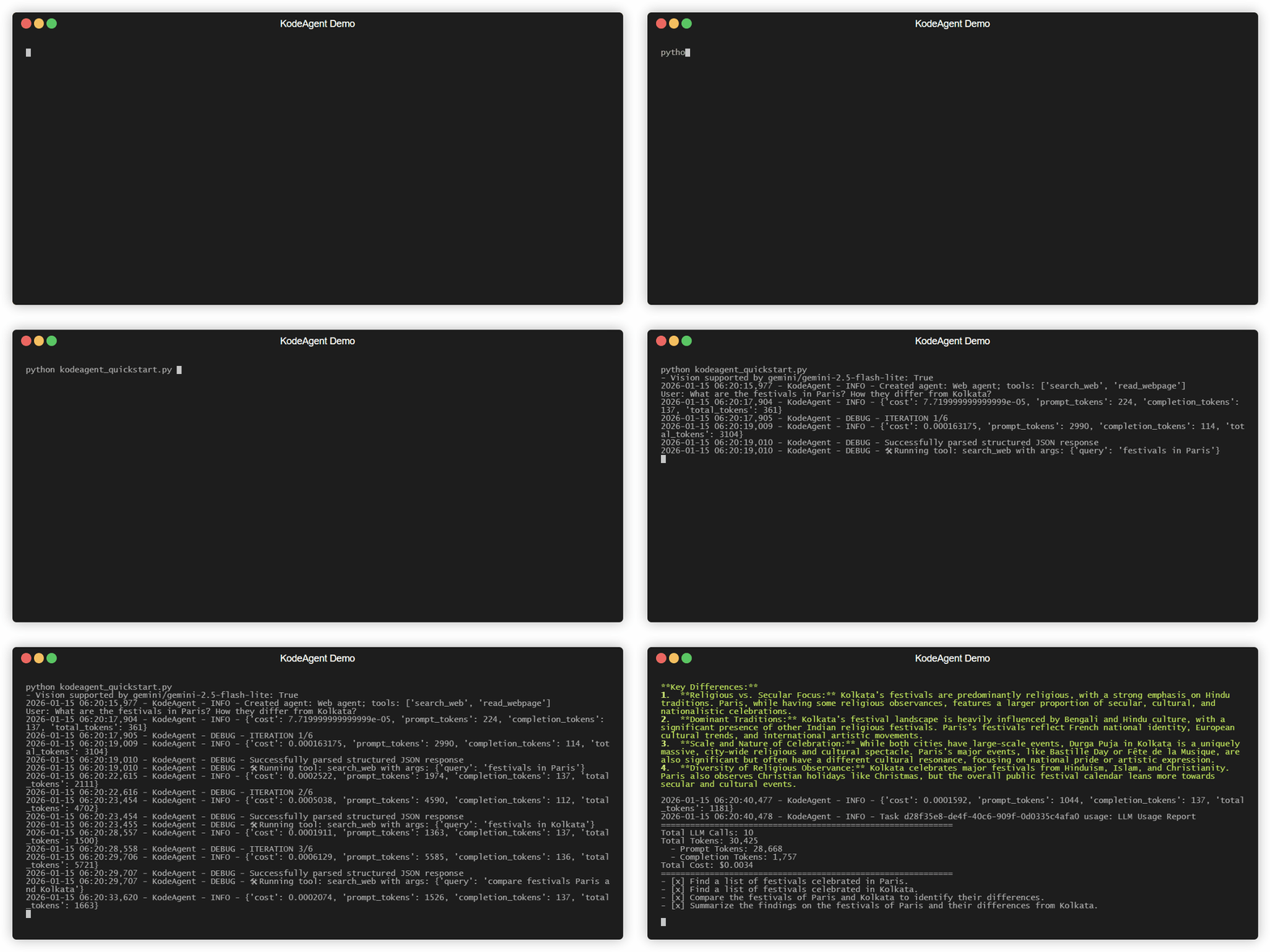
KodeAgent is a frameworkless, minimalistic approach to building AI agents. KodeAgent is designed to be the robust reasoning core inside your larger system, not the entire platform.
|
|
54
54
|
|
|
55
55
|
|
|
56
56
|
|
|
@@ -165,6 +165,24 @@ async for response in agent.run('What is 123 * 456?'):
|
|
|
165
165
|
Use this [Colab notebook](https://colab.research.google.com/drive/1c7RMTCcSYrO7wZgB25bLX9QenDgVDmAP?usp=sharing) to run function-calling agent with several SLMs (uses T4 GPU).
|
|
166
166
|
|
|
167
167
|
|
|
168
|
+
### Task-Specific Agents
|
|
169
|
+
|
|
170
|
+
KodeAgent provides specialized agent classes for common tasks, such as `CSVAnalysisAgent` for automated data exploration:
|
|
171
|
+
|
|
172
|
+
```python
|
|
173
|
+
from kodeagent.agents import CSVAnalysisAgent
|
|
174
|
+
|
|
175
|
+
agent = CSVAnalysisAgent(model_name='gemini/gemini-2.0-flash-lite')
|
|
176
|
+
# Auto-loads CSV from URL/path and performs automated analysis
|
|
177
|
+
async for response in agent.run(
|
|
178
|
+
'Analyze the trends',
|
|
179
|
+
files=['https://raw.githubusercontent.com/mwaskom/seaborn-data/master/penguins.csv']
|
|
180
|
+
):
|
|
181
|
+
pass
|
|
182
|
+
```
|
|
183
|
+
|
|
184
|
+
Check out the [CSVAnalysisAgent documentation](https://kodeagent.readthedocs.io/en/latest/specialized_agents.html) for more details.
|
|
185
|
+
|
|
168
186
|
### Memory(less)
|
|
169
187
|
|
|
170
188
|
By default, any agent in KodeAgent is **memoryless** across tasks—each task begins with no prior context, a clean slate. To enable context from the previous task (only), use **Recurrent Mode**:
|
|
@@ -16,7 +16,7 @@
|
|
|
16
16
|
</a>
|
|
17
17
|
|
|
18
18
|
|
|
19
|
-
KodeAgent is a frameworkless, minimalistic approach to building AI agents.
|
|
19
|
+
KodeAgent is a frameworkless, minimalistic approach to building AI agents. KodeAgent is designed to be the robust reasoning core inside your larger system, not the entire platform.
|
|
20
20
|
|
|
21
21
|

|
|
22
22
|
|
|
@@ -131,6 +131,24 @@ async for response in agent.run('What is 123 * 456?'):
|
|
|
131
131
|
Use this [Colab notebook](https://colab.research.google.com/drive/1c7RMTCcSYrO7wZgB25bLX9QenDgVDmAP?usp=sharing) to run function-calling agent with several SLMs (uses T4 GPU).
|
|
132
132
|
|
|
133
133
|
|
|
134
|
+
### Task-Specific Agents
|
|
135
|
+
|
|
136
|
+
KodeAgent provides specialized agent classes for common tasks, such as `CSVAnalysisAgent` for automated data exploration:
|
|
137
|
+
|
|
138
|
+
```python
|
|
139
|
+
from kodeagent.agents import CSVAnalysisAgent
|
|
140
|
+
|
|
141
|
+
agent = CSVAnalysisAgent(model_name='gemini/gemini-2.0-flash-lite')
|
|
142
|
+
# Auto-loads CSV from URL/path and performs automated analysis
|
|
143
|
+
async for response in agent.run(
|
|
144
|
+
'Analyze the trends',
|
|
145
|
+
files=['https://raw.githubusercontent.com/mwaskom/seaborn-data/master/penguins.csv']
|
|
146
|
+
):
|
|
147
|
+
pass
|
|
148
|
+
```
|
|
149
|
+
|
|
150
|
+
Check out the [CSVAnalysisAgent documentation](https://kodeagent.readthedocs.io/en/latest/specialized_agents.html) for more details.
|
|
151
|
+
|
|
134
152
|
### Memory(less)
|
|
135
153
|
|
|
136
154
|
By default, any agent in KodeAgent is **memoryless** across tasks—each task begins with no prior context, a clean slate. To enable context from the previous task (only), use **Recurrent Mode**:
|
|
@@ -0,0 +1,638 @@
|
|
|
1
|
+
"""CSV Analysis Agent.
|
|
2
|
+
Wraps KodeAgent's ReActAgent with tools for analysing a pandas DataFrame.
|
|
3
|
+
The agent reasons about what to investigate, calls tools, observes results,
|
|
4
|
+
and produces a structured list of narrative-ready findings.
|
|
5
|
+
"""
|
|
6
|
+
|
|
7
|
+
import contextvars
|
|
8
|
+
import json
|
|
9
|
+
import logging
|
|
10
|
+
import math
|
|
11
|
+
import os
|
|
12
|
+
import warnings
|
|
13
|
+
from collections.abc import AsyncIterator
|
|
14
|
+
from typing import Any
|
|
15
|
+
|
|
16
|
+
import pandas as pd
|
|
17
|
+
from dotenv import load_dotenv
|
|
18
|
+
|
|
19
|
+
load_dotenv()
|
|
20
|
+
|
|
21
|
+
from .. import kutils as ku
|
|
22
|
+
from ..kodeagent import ReActAgent
|
|
23
|
+
from ..models import AgentResponse
|
|
24
|
+
|
|
25
|
+
logger = logging.getLogger(__name__)
|
|
26
|
+
|
|
27
|
+
PROMPT_DIR = os.path.join(os.path.dirname(os.path.dirname(__file__)), 'prompts', 'system')
|
|
28
|
+
CSV_ANALYST_PROMPT_FILE = os.path.join(PROMPT_DIR, 'csv_analyst.txt')
|
|
29
|
+
|
|
30
|
+
with open(CSV_ANALYST_PROMPT_FILE, encoding='utf-8') as f:
|
|
31
|
+
CSV_ANALYST_SYSTEM_PROMPT = f.read()
|
|
32
|
+
|
|
33
|
+
|
|
34
|
+
_agent_df_storage: contextvars.ContextVar[pd.DataFrame | None] = contextvars.ContextVar(
|
|
35
|
+
'agent_df_storage', default=None
|
|
36
|
+
)
|
|
37
|
+
"""A task-safe context variable to store the loaded DataFrame for the current agent session."""
|
|
38
|
+
|
|
39
|
+
|
|
40
|
+
def _get_df() -> pd.DataFrame | str:
|
|
41
|
+
"""Retrieve the loaded DataFrame, or return an error string.
|
|
42
|
+
|
|
43
|
+
Returns:
|
|
44
|
+
The loaded DataFrame or an error message if not found.
|
|
45
|
+
"""
|
|
46
|
+
df = _agent_df_storage.get()
|
|
47
|
+
if df is None:
|
|
48
|
+
return 'Error: DataFrame not loaded. You must call init_df_for_analysis first.'
|
|
49
|
+
return df
|
|
50
|
+
|
|
51
|
+
|
|
52
|
+
def init_df_for_analysis(csv_file_path: str) -> str:
|
|
53
|
+
"""Initialize the DataFrame for analysis. This tool must be called first.
|
|
54
|
+
|
|
55
|
+
Args:
|
|
56
|
+
csv_file_path: Path to the CSV file.
|
|
57
|
+
|
|
58
|
+
Returns:
|
|
59
|
+
A string indicating success or failure.
|
|
60
|
+
"""
|
|
61
|
+
try:
|
|
62
|
+
df = pd.read_csv(csv_file_path)
|
|
63
|
+
_agent_df_storage.set(df)
|
|
64
|
+
df_shape = df.shape
|
|
65
|
+
logger.info('Loaded DataFrame with shape %s from %s', df_shape, csv_file_path)
|
|
66
|
+
return f'df read successfully! Rows: {df_shape[0]}, Columns: {df_shape[1]}'
|
|
67
|
+
except Exception as e:
|
|
68
|
+
logger.error('Error reading df: %s', e)
|
|
69
|
+
return f'Error reading df! {e}'
|
|
70
|
+
|
|
71
|
+
|
|
72
|
+
def get_df_schema() -> str:
|
|
73
|
+
"""Get the schema of the dataset: column names, types, cardinality,
|
|
74
|
+
sample values, and missing value counts. Always call this first.
|
|
75
|
+
|
|
76
|
+
Returns:
|
|
77
|
+
A JSON string containing the dataset schema and summary.
|
|
78
|
+
"""
|
|
79
|
+
df = _get_df()
|
|
80
|
+
if isinstance(df, str):
|
|
81
|
+
return df
|
|
82
|
+
rows = []
|
|
83
|
+
for col in df.columns:
|
|
84
|
+
dtype = str(df[col].dtype)
|
|
85
|
+
n_unique = df[col].nunique()
|
|
86
|
+
n_missing = int(df[col].isna().sum())
|
|
87
|
+
sample = df[col].dropna().head(3).tolist()
|
|
88
|
+
rows.append(
|
|
89
|
+
{
|
|
90
|
+
'column': col,
|
|
91
|
+
'type': dtype,
|
|
92
|
+
'unique_values': n_unique,
|
|
93
|
+
'missing': n_missing,
|
|
94
|
+
'sample': sample,
|
|
95
|
+
}
|
|
96
|
+
)
|
|
97
|
+
summary = {
|
|
98
|
+
'total_rows': len(df),
|
|
99
|
+
'total_columns': len(df.columns),
|
|
100
|
+
'columns': rows,
|
|
101
|
+
}
|
|
102
|
+
return json.dumps(summary, default=str)
|
|
103
|
+
|
|
104
|
+
|
|
105
|
+
def assess_column(column: str) -> str:
|
|
106
|
+
"""Assess whether a column is worth analysing for a data story.
|
|
107
|
+
Returns a judgment and reasoning about the column's narrative value.
|
|
108
|
+
Use this when unsure whether to investigate a column further.
|
|
109
|
+
|
|
110
|
+
Args:
|
|
111
|
+
column: The column name to assess.
|
|
112
|
+
|
|
113
|
+
Returns:
|
|
114
|
+
A text assessment with judgment and reasoning about the column.
|
|
115
|
+
"""
|
|
116
|
+
df = _get_df()
|
|
117
|
+
if isinstance(df, str):
|
|
118
|
+
return df
|
|
119
|
+
if column not in df.columns:
|
|
120
|
+
return f'Column "{column}" not found. Available: {list(df.columns)}'
|
|
121
|
+
|
|
122
|
+
series = df[column].dropna()
|
|
123
|
+
n_unique = series.nunique()
|
|
124
|
+
n_total = len(series)
|
|
125
|
+
dtype = str(series.dtype)
|
|
126
|
+
sample = series.head(5).tolist()
|
|
127
|
+
|
|
128
|
+
# Build assessment context
|
|
129
|
+
context = {
|
|
130
|
+
'column': column,
|
|
131
|
+
'dtype': dtype,
|
|
132
|
+
'unique_ratio': round(n_unique / max(n_total, 1), 3),
|
|
133
|
+
'unique_count': n_unique,
|
|
134
|
+
'total_count': n_total,
|
|
135
|
+
'sample_values': sample,
|
|
136
|
+
}
|
|
137
|
+
return (
|
|
138
|
+
f'Column assessment for "{column}":\n'
|
|
139
|
+
f'{json.dumps(context, default=str)}\n\n'
|
|
140
|
+
f'Use your judgment: is this column likely an ID, coordinate, '
|
|
141
|
+
f'or system field? Or does it contain meaningful variation worth exploring?'
|
|
142
|
+
)
|
|
143
|
+
|
|
144
|
+
|
|
145
|
+
def get_summary_stats(columns: str) -> str:
|
|
146
|
+
"""Get summary statistics for one or more numeric columns.
|
|
147
|
+
Returns mean, median, std, min, max, and percentiles.
|
|
148
|
+
|
|
149
|
+
Args:
|
|
150
|
+
columns: Comma-separated column names, e.g. "price,quantity,age"
|
|
151
|
+
|
|
152
|
+
Returns:
|
|
153
|
+
A JSON string with summary statistics for the requested columns.
|
|
154
|
+
"""
|
|
155
|
+
df = _get_df()
|
|
156
|
+
if isinstance(df, str):
|
|
157
|
+
return df
|
|
158
|
+
col_list = [c.strip() for c in columns.split(',')]
|
|
159
|
+
results = {}
|
|
160
|
+
for col in col_list:
|
|
161
|
+
if col not in df.columns:
|
|
162
|
+
results[col] = f'Column "{col}" not found'
|
|
163
|
+
continue
|
|
164
|
+
series = pd.to_numeric(df[col], errors='coerce').dropna()
|
|
165
|
+
if len(series) == 0:
|
|
166
|
+
results[col] = 'No numeric values found'
|
|
167
|
+
continue
|
|
168
|
+
|
|
169
|
+
# Compute statistics and convert NaN to None for JSON serialization
|
|
170
|
+
mean_val = float(series.mean())
|
|
171
|
+
median_val = float(series.median())
|
|
172
|
+
std_val = float(series.std())
|
|
173
|
+
min_val = float(series.min())
|
|
174
|
+
max_val = float(series.max())
|
|
175
|
+
p25_val = float(series.quantile(0.25))
|
|
176
|
+
p75_val = float(series.quantile(0.75))
|
|
177
|
+
|
|
178
|
+
results[col] = {
|
|
179
|
+
'mean': round(mean_val, 2) if not math.isnan(mean_val) else None,
|
|
180
|
+
'median': round(median_val, 2) if not math.isnan(median_val) else None,
|
|
181
|
+
'std': round(std_val, 2) if not math.isnan(std_val) else None,
|
|
182
|
+
'min': round(min_val, 2) if not math.isnan(min_val) else None,
|
|
183
|
+
'max': round(max_val, 2) if not math.isnan(max_val) else None,
|
|
184
|
+
'p25': round(p25_val, 2) if not math.isnan(p25_val) else None,
|
|
185
|
+
'p75': round(p75_val, 2) if not math.isnan(p75_val) else None,
|
|
186
|
+
'missing': int(df[col].isna().sum()),
|
|
187
|
+
}
|
|
188
|
+
return json.dumps(results, allow_nan=False, default=str)
|
|
189
|
+
|
|
190
|
+
|
|
191
|
+
def get_value_counts(column: str, top_n: int = 10) -> str:
|
|
192
|
+
"""Get frequency distribution for a categorical column.
|
|
193
|
+
Shows the most common values and their counts.
|
|
194
|
+
|
|
195
|
+
Args:
|
|
196
|
+
column: The column name to analyse.
|
|
197
|
+
top_n: Number of top values to return (default 10).
|
|
198
|
+
|
|
199
|
+
Returns:
|
|
200
|
+
A JSON string with the frequency distribution.
|
|
201
|
+
"""
|
|
202
|
+
df = _get_df()
|
|
203
|
+
if isinstance(df, str):
|
|
204
|
+
return df
|
|
205
|
+
if column not in df.columns:
|
|
206
|
+
return f'Column "{column}" not found'
|
|
207
|
+
|
|
208
|
+
# Validate and coerce top_n parameter
|
|
209
|
+
try:
|
|
210
|
+
top_n = int(top_n)
|
|
211
|
+
except (ValueError, TypeError):
|
|
212
|
+
return f'Error: top_n must be a valid integer, got: {top_n}'
|
|
213
|
+
|
|
214
|
+
if top_n <= 0:
|
|
215
|
+
return f'Error: top_n must be greater than 0, got: {top_n}'
|
|
216
|
+
|
|
217
|
+
vc = df[column].value_counts().head(top_n)
|
|
218
|
+
total = len(df)
|
|
219
|
+
result = {
|
|
220
|
+
'column': column,
|
|
221
|
+
'total_rows': total,
|
|
222
|
+
'unique_values': int(df[column].nunique()),
|
|
223
|
+
'top_values': [
|
|
224
|
+
{
|
|
225
|
+
'value': str(k),
|
|
226
|
+
'count': int(v),
|
|
227
|
+
'percentage': round(v / total * 100, 1),
|
|
228
|
+
}
|
|
229
|
+
for k, v in vc.items()
|
|
230
|
+
],
|
|
231
|
+
}
|
|
232
|
+
return json.dumps(result, default=str)
|
|
233
|
+
|
|
234
|
+
|
|
235
|
+
def find_trends(numeric_column: str, time_column: str) -> str:
|
|
236
|
+
"""Analyse how a numeric column changes over time.
|
|
237
|
+
Returns direction, magnitude of change, and whether the trend reversed.
|
|
238
|
+
|
|
239
|
+
Args:
|
|
240
|
+
numeric_column: The numeric column to analyse.
|
|
241
|
+
time_column: The time/date column to use as x-axis.
|
|
242
|
+
|
|
243
|
+
Returns:
|
|
244
|
+
A JSON string or error message describing the detected trend.
|
|
245
|
+
"""
|
|
246
|
+
df = _get_df()
|
|
247
|
+
if isinstance(df, str):
|
|
248
|
+
return df
|
|
249
|
+
if numeric_column not in df.columns:
|
|
250
|
+
return f'Column "{numeric_column}" not found'
|
|
251
|
+
if time_column not in df.columns:
|
|
252
|
+
return f'Column "{time_column}" not found'
|
|
253
|
+
|
|
254
|
+
try:
|
|
255
|
+
with warnings.catch_warnings():
|
|
256
|
+
warnings.simplefilter('ignore')
|
|
257
|
+
df_copy = df.copy()
|
|
258
|
+
df_copy[time_column] = pd.to_datetime(
|
|
259
|
+
df_copy[time_column], format='mixed', errors='coerce'
|
|
260
|
+
)
|
|
261
|
+
# Drop rows with NaT (invalid dates) before sorting
|
|
262
|
+
df_copy = df_copy.dropna(subset=[time_column])
|
|
263
|
+
sorted_df = df_copy.sort_values(time_column)
|
|
264
|
+
values = pd.to_numeric(sorted_df[numeric_column], errors='coerce').dropna().values
|
|
265
|
+
|
|
266
|
+
if len(values) < 4:
|
|
267
|
+
return 'Not enough data points for trend analysis (need at least 4)'
|
|
268
|
+
|
|
269
|
+
start_val = round(float(values[0]), 2)
|
|
270
|
+
end_val = round(float(values[-1]), 2)
|
|
271
|
+
pct_change = (end_val - start_val) / (abs(start_val) + 1e-9) * 100
|
|
272
|
+
|
|
273
|
+
# Check for reversal
|
|
274
|
+
mid = len(values) // 2
|
|
275
|
+
first_half = values[mid] - values[0]
|
|
276
|
+
second_half = values[-1] - values[mid]
|
|
277
|
+
reversed_direction = bool(first_half * second_half < 0)
|
|
278
|
+
|
|
279
|
+
result = {
|
|
280
|
+
'column': numeric_column,
|
|
281
|
+
'time_column': time_column,
|
|
282
|
+
'start_value': start_val,
|
|
283
|
+
'end_value': end_val,
|
|
284
|
+
'pct_change': round(pct_change, 1),
|
|
285
|
+
'direction': 'up' if pct_change > 0 else 'down',
|
|
286
|
+
'reversed_midway': reversed_direction,
|
|
287
|
+
'first_half_direction': 'up' if first_half > 0 else 'down',
|
|
288
|
+
'second_half_direction': 'up' if second_half > 0 else 'down',
|
|
289
|
+
'data_points': len(values),
|
|
290
|
+
}
|
|
291
|
+
return json.dumps(result, default=str)
|
|
292
|
+
|
|
293
|
+
except Exception as e:
|
|
294
|
+
return f'Error analysing trend: {str(e)}'
|
|
295
|
+
|
|
296
|
+
|
|
297
|
+
def find_anomalies(column: str) -> str:
|
|
298
|
+
"""Find unusually high or low values in a numeric column.
|
|
299
|
+
Returns count of outliers and the most extreme values.
|
|
300
|
+
|
|
301
|
+
Args:
|
|
302
|
+
column: The numeric column to check for anomalies.
|
|
303
|
+
|
|
304
|
+
Returns:
|
|
305
|
+
A JSON string or error message detailing detected outliers.
|
|
306
|
+
"""
|
|
307
|
+
df = _get_df()
|
|
308
|
+
if isinstance(df, str):
|
|
309
|
+
return df
|
|
310
|
+
if column not in df.columns:
|
|
311
|
+
return f'Column "{column}" not found'
|
|
312
|
+
|
|
313
|
+
series = pd.to_numeric(df[column], errors='coerce').dropna()
|
|
314
|
+
if len(series) < 10:
|
|
315
|
+
return 'Not enough data for anomaly detection (need at least 10 rows)'
|
|
316
|
+
|
|
317
|
+
mean = series.mean()
|
|
318
|
+
std = series.std()
|
|
319
|
+
if std == 0:
|
|
320
|
+
return f'Column "{column}" has zero variance — all values are identical'
|
|
321
|
+
|
|
322
|
+
z_scores = ((series - mean) / std).abs()
|
|
323
|
+
outliers = series[z_scores > 2.5]
|
|
324
|
+
|
|
325
|
+
result = {
|
|
326
|
+
'column': column,
|
|
327
|
+
'total_values': len(series),
|
|
328
|
+
'anomalous_count': int(len(outliers)),
|
|
329
|
+
'anomalous_percentage': round(len(outliers) / len(series) * 100, 1),
|
|
330
|
+
'mean': round(float(mean), 2),
|
|
331
|
+
'max_value': round(float(series.max()), 2),
|
|
332
|
+
'min_value': round(float(series.min()), 2),
|
|
333
|
+
'most_extreme_values': sorted(outliers.tolist(), key=abs, reverse=True)[:5],
|
|
334
|
+
}
|
|
335
|
+
return json.dumps(result, default=str)
|
|
336
|
+
|
|
337
|
+
|
|
338
|
+
def compare_groups(numeric_column: str, category_column: str) -> str:
|
|
339
|
+
"""Compare average values of a numeric column across categories.
|
|
340
|
+
Useful for finding which groups are highest, lowest, or most surprising.
|
|
341
|
+
|
|
342
|
+
Args:
|
|
343
|
+
numeric_column: The numeric column to compare.
|
|
344
|
+
category_column: The categorical column to group by.
|
|
345
|
+
|
|
346
|
+
Returns:
|
|
347
|
+
A JSON string comparing statistical metrics across groups.
|
|
348
|
+
"""
|
|
349
|
+
df = _get_df()
|
|
350
|
+
if isinstance(df, str):
|
|
351
|
+
return df
|
|
352
|
+
if numeric_column not in df.columns:
|
|
353
|
+
return f'Column "{numeric_column}" not found'
|
|
354
|
+
if category_column not in df.columns:
|
|
355
|
+
return f'Column "{category_column}" not found'
|
|
356
|
+
|
|
357
|
+
try:
|
|
358
|
+
grouped = (
|
|
359
|
+
pd.to_numeric(df[numeric_column], errors='coerce')
|
|
360
|
+
.groupby(df[category_column])
|
|
361
|
+
.agg(['mean', 'count'])
|
|
362
|
+
.round(2)
|
|
363
|
+
)
|
|
364
|
+
grouped = grouped.sort_values('mean', ascending=False)
|
|
365
|
+
|
|
366
|
+
top = grouped.index[0]
|
|
367
|
+
bottom = grouped.index[-1]
|
|
368
|
+
pct_diff = (
|
|
369
|
+
(grouped['mean'].iloc[0] - grouped['mean'].iloc[-1])
|
|
370
|
+
/ (abs(grouped['mean'].iloc[-1]) + 1e-9)
|
|
371
|
+
* 100
|
|
372
|
+
)
|
|
373
|
+
|
|
374
|
+
# Convert NaN values to None for JSON serialization
|
|
375
|
+
top_avg_val = float(grouped['mean'].iloc[0])
|
|
376
|
+
bottom_avg_val = float(grouped['mean'].iloc[-1])
|
|
377
|
+
pct_diff_val = float(pct_diff)
|
|
378
|
+
|
|
379
|
+
result = {
|
|
380
|
+
'numeric_column': numeric_column,
|
|
381
|
+
'category_column': category_column,
|
|
382
|
+
'top_category': str(top),
|
|
383
|
+
'top_avg': round(top_avg_val, 2) if not math.isnan(top_avg_val) else None,
|
|
384
|
+
'bottom_category': str(bottom),
|
|
385
|
+
'bottom_avg': round(bottom_avg_val, 2) if not math.isnan(bottom_avg_val) else None,
|
|
386
|
+
'pct_difference': round(pct_diff_val, 1) if not math.isnan(pct_diff_val) else None,
|
|
387
|
+
'all_groups': {
|
|
388
|
+
str(k): {
|
|
389
|
+
'avg': round(float(v['mean']), 2) if not math.isnan(float(v['mean'])) else None,
|
|
390
|
+
'count': int(v['count']),
|
|
391
|
+
}
|
|
392
|
+
for k, v in grouped.iterrows()
|
|
393
|
+
},
|
|
394
|
+
}
|
|
395
|
+
return json.dumps(result, allow_nan=False, default=str)
|
|
396
|
+
|
|
397
|
+
except Exception as e:
|
|
398
|
+
return f'Error comparing groups: {str(e)}'
|
|
399
|
+
|
|
400
|
+
|
|
401
|
+
def find_correlations(columns: str) -> str:
|
|
402
|
+
"""Find correlations between numeric columns.
|
|
403
|
+
Returns pairs with strong positive or negative relationships.
|
|
404
|
+
|
|
405
|
+
Args:
|
|
406
|
+
columns: Comma-separated column names to correlate,
|
|
407
|
+
e.g. "sales,profit,units"
|
|
408
|
+
|
|
409
|
+
Returns:
|
|
410
|
+
A JSON string listing strong statistical correlations.
|
|
411
|
+
"""
|
|
412
|
+
df = _get_df()
|
|
413
|
+
if isinstance(df, str):
|
|
414
|
+
return df
|
|
415
|
+
col_list = [c.strip() for c in columns.split(',')]
|
|
416
|
+
valid_cols = [c for c in col_list if c in df.columns]
|
|
417
|
+
|
|
418
|
+
if len(valid_cols) < 2:
|
|
419
|
+
return f'Need at least 2 valid columns. Found: {valid_cols}'
|
|
420
|
+
|
|
421
|
+
try:
|
|
422
|
+
numeric_df = df[valid_cols].apply(pd.to_numeric, errors='coerce')
|
|
423
|
+
corr = numeric_df.corr()
|
|
424
|
+
|
|
425
|
+
strong_pairs = []
|
|
426
|
+
for i, col_a in enumerate(valid_cols):
|
|
427
|
+
for col_b in valid_cols[i + 1 :]:
|
|
428
|
+
val = corr.loc[col_a, col_b]
|
|
429
|
+
if pd.isna(val):
|
|
430
|
+
continue
|
|
431
|
+
if abs(val) >= 0.7:
|
|
432
|
+
strong_pairs.append(
|
|
433
|
+
{
|
|
434
|
+
'col_a': col_a,
|
|
435
|
+
'col_b': col_b,
|
|
436
|
+
'correlation': round(float(val), 3),
|
|
437
|
+
'direction': 'positive' if val > 0 else 'negative',
|
|
438
|
+
'strength': 'perfect'
|
|
439
|
+
if abs(val) > 0.99
|
|
440
|
+
else 'very strong'
|
|
441
|
+
if abs(val) > 0.9
|
|
442
|
+
else 'strong',
|
|
443
|
+
}
|
|
444
|
+
)
|
|
445
|
+
|
|
446
|
+
result = {
|
|
447
|
+
'columns_analysed': valid_cols,
|
|
448
|
+
'strong_correlations': sorted(
|
|
449
|
+
strong_pairs,
|
|
450
|
+
key=lambda x: abs(x['correlation']),
|
|
451
|
+
reverse=True,
|
|
452
|
+
),
|
|
453
|
+
'total_pairs_checked': len(valid_cols) * (len(valid_cols) - 1) // 2,
|
|
454
|
+
}
|
|
455
|
+
return json.dumps(result, default=str)
|
|
456
|
+
|
|
457
|
+
except Exception as e:
|
|
458
|
+
return f'Error finding correlations: {str(e)}'
|
|
459
|
+
|
|
460
|
+
|
|
461
|
+
def sample_rows(filter_column: str, filter_value: str, n: int = 5) -> str:
|
|
462
|
+
"""Get sample rows matching a condition. Useful for investigating
|
|
463
|
+
specific anomalies or verifying a pattern.
|
|
464
|
+
|
|
465
|
+
Args:
|
|
466
|
+
filter_column: Column to filter on.
|
|
467
|
+
filter_value: Value to match (string comparison).
|
|
468
|
+
n: Number of rows to return (default 5, max 20).
|
|
469
|
+
|
|
470
|
+
Returns:
|
|
471
|
+
A JSON string containing the sample rows.
|
|
472
|
+
"""
|
|
473
|
+
df = _get_df()
|
|
474
|
+
if isinstance(df, str):
|
|
475
|
+
return df
|
|
476
|
+
if filter_column not in df.columns:
|
|
477
|
+
return f'Column "{filter_column}" not found'
|
|
478
|
+
|
|
479
|
+
# Validate and coerce n parameter
|
|
480
|
+
try:
|
|
481
|
+
n = int(n)
|
|
482
|
+
except (ValueError, TypeError):
|
|
483
|
+
return f'Error: n must be a valid integer, got: {n}'
|
|
484
|
+
|
|
485
|
+
if n <= 0:
|
|
486
|
+
return f'Error: n must be greater than 0, got: {n}'
|
|
487
|
+
|
|
488
|
+
n = min(n, 20)
|
|
489
|
+
try:
|
|
490
|
+
mask = df[filter_column].astype(str).str.contains(str(filter_value), case=False, na=False, regex=False)
|
|
491
|
+
subset = df[mask].head(n)
|
|
492
|
+
if len(subset) == 0:
|
|
493
|
+
return f'No rows found where {filter_column} contains "{filter_value}"'
|
|
494
|
+
return subset.to_json(orient='records', default_handler=str)
|
|
495
|
+
except Exception as e:
|
|
496
|
+
return f'Error sampling rows: {str(e)}'
|
|
497
|
+
|
|
498
|
+
|
|
499
|
+
class CSVAnalysisAgent(ReActAgent):
|
|
500
|
+
"""An agent specializing in discovering patterns and insights from CSV data.
|
|
501
|
+
|
|
502
|
+
Examples:
|
|
503
|
+
Using a local file:
|
|
504
|
+
.. code-block:: python
|
|
505
|
+
|
|
506
|
+
agent = CSVAnalysisAgent()
|
|
507
|
+
# Pass the file path (or URL) directly as a task file
|
|
508
|
+
async for response in agent.run(task, files=['/path/to/data.csv']):
|
|
509
|
+
pass
|
|
510
|
+
|
|
511
|
+
Using a URL:
|
|
512
|
+
.. code-block:: python
|
|
513
|
+
|
|
514
|
+
agent = CSVAnalysisAgent()
|
|
515
|
+
async for response in agent.run(task, files=['https://example.com/data.csv']):
|
|
516
|
+
pass
|
|
517
|
+
"""
|
|
518
|
+
|
|
519
|
+
def __init__(
|
|
520
|
+
self,
|
|
521
|
+
name: str = 'CSV Analyst',
|
|
522
|
+
model_name: str = 'gemini/gemini-2.0-flash-lite',
|
|
523
|
+
**kwargs: Any,
|
|
524
|
+
) -> None:
|
|
525
|
+
"""Initialize the CSVAnalysisAgent.
|
|
526
|
+
|
|
527
|
+
Args:
|
|
528
|
+
name: Name of the agent.
|
|
529
|
+
model_name: The LLM model to use.
|
|
530
|
+
**kwargs: Additional arguments passed to ReActAgent.
|
|
531
|
+
"""
|
|
532
|
+
tools = [
|
|
533
|
+
init_df_for_analysis,
|
|
534
|
+
get_df_schema,
|
|
535
|
+
assess_column,
|
|
536
|
+
get_summary_stats,
|
|
537
|
+
get_value_counts,
|
|
538
|
+
find_trends,
|
|
539
|
+
find_anomalies,
|
|
540
|
+
compare_groups,
|
|
541
|
+
find_correlations,
|
|
542
|
+
sample_rows,
|
|
543
|
+
]
|
|
544
|
+
|
|
545
|
+
# Merge tools if user provides more
|
|
546
|
+
if 'tools' in kwargs:
|
|
547
|
+
tools.extend(kwargs.pop('tools'))
|
|
548
|
+
|
|
549
|
+
# Pop system_prompt from kwargs to avoid duplicate keyword argument
|
|
550
|
+
system_prompt = kwargs.pop('system_prompt', CSV_ANALYST_SYSTEM_PROMPT)
|
|
551
|
+
|
|
552
|
+
super().__init__(
|
|
553
|
+
name=name,
|
|
554
|
+
model_name=model_name,
|
|
555
|
+
tools=tools,
|
|
556
|
+
system_prompt=system_prompt,
|
|
557
|
+
**kwargs,
|
|
558
|
+
)
|
|
559
|
+
|
|
560
|
+
async def pre_run(self) -> AsyncIterator[AgentResponse]:
|
|
561
|
+
"""Pre-run hook to auto-load CSV files and yield initialization logs."""
|
|
562
|
+
# Reset the per-agent DataFrame state
|
|
563
|
+
_agent_df_storage.set(None)
|
|
564
|
+
|
|
565
|
+
# Auto-load the first available CSV file if provided
|
|
566
|
+
if self.task and self.task.files:
|
|
567
|
+
for file_path in self.task.files:
|
|
568
|
+
if file_path.lower().endswith('.csv'):
|
|
569
|
+
try:
|
|
570
|
+
df = pd.read_csv(file_path)
|
|
571
|
+
_agent_df_storage.set(df)
|
|
572
|
+
logger.info('Auto-loaded CSV from %s', file_path)
|
|
573
|
+
yield self.response(
|
|
574
|
+
rtype='log',
|
|
575
|
+
value=(
|
|
576
|
+
f'Auto-loaded dataset from {file_path}. Rows: {df.shape[0]},'
|
|
577
|
+
f' Cols: {df.shape[1]}'
|
|
578
|
+
),
|
|
579
|
+
channel='run',
|
|
580
|
+
)
|
|
581
|
+
break
|
|
582
|
+
except Exception as e:
|
|
583
|
+
logger.error('Failed to auto-load CSV %s: %s', file_path, e)
|
|
584
|
+
continue
|
|
585
|
+
|
|
586
|
+
# Yield from super class pre_run
|
|
587
|
+
async for response in super().pre_run():
|
|
588
|
+
yield response
|
|
589
|
+
|
|
590
|
+
|
|
591
|
+
async def main() -> None:
|
|
592
|
+
"""Example usage of the CSVAnalysisAgent."""
|
|
593
|
+
import argparse
|
|
594
|
+
|
|
595
|
+
parser = argparse.ArgumentParser(description='Run the CSV Analysis Agent.')
|
|
596
|
+
parser.add_argument('csv_path', help='Path or URL to the CSV file to analyze')
|
|
597
|
+
args = parser.parse_args()
|
|
598
|
+
|
|
599
|
+
agent = CSVAnalysisAgent(
|
|
600
|
+
model_name='gemini/gemini-2.5-flash-lite',
|
|
601
|
+
description='An agent that analyzes CSV files.',
|
|
602
|
+
litellm_params={'api_key': os.getenv('GOOGLE_API_KEY')},
|
|
603
|
+
max_iterations=15,
|
|
604
|
+
# tracing_type='langsmith',
|
|
605
|
+
)
|
|
606
|
+
|
|
607
|
+
task = (
|
|
608
|
+
'Analyse this CSV dataset and find the most interesting patterns for a data story.\n\n'
|
|
609
|
+
'Your final answer MUST be a valid JSON object with this exact structure:\n\n'
|
|
610
|
+
'{\n'
|
|
611
|
+
' "dataset_summary": "one sentence describing the dataset",\n'
|
|
612
|
+
' "has_time_dimension": true,\n'
|
|
613
|
+
' "findings": [\n'
|
|
614
|
+
' {\n'
|
|
615
|
+
' "type": "trend",\n'
|
|
616
|
+
' "severity": 0.8,\n'
|
|
617
|
+
' "description": "plain language finding",\n'
|
|
618
|
+
' "columns_involved": ["col1"],\n'
|
|
619
|
+
' "data_slice": {"key": "value"}\n'
|
|
620
|
+
' }\n'
|
|
621
|
+
' ],\n'
|
|
622
|
+
' "boring": false,\n'
|
|
623
|
+
' "boring_message": null\n'
|
|
624
|
+
'}\n\n'
|
|
625
|
+
'Return ONLY the JSON object. No prose, no markdown, no explanation.'
|
|
626
|
+
)
|
|
627
|
+
task_files = [args.csv_path]
|
|
628
|
+
|
|
629
|
+
async for response in agent.run(task, files=task_files):
|
|
630
|
+
print(response)
|
|
631
|
+
|
|
632
|
+
print(f'\n\n{agent.task.result}')
|
|
633
|
+
|
|
634
|
+
|
|
635
|
+
if __name__ == '__main__':
|
|
636
|
+
import asyncio
|
|
637
|
+
|
|
638
|
+
asyncio.run(main())
|
|
@@ -35,6 +35,8 @@ DATA_TYPES = {
|
|
|
35
35
|
Any: 'string',
|
|
36
36
|
}
|
|
37
37
|
DEFAULT_MAX_LLM_RETRIES = 3
|
|
38
|
+
# Max characters of file content to inline in a user message
|
|
39
|
+
MAX_FILE_CONTENT_LENGTH = 5_000
|
|
38
40
|
LOGGERS_TO_SUPPRESS = [
|
|
39
41
|
'asyncio',
|
|
40
42
|
'cookie_store',
|
|
@@ -345,37 +347,52 @@ def make_user_message(text_content: str, files: list[str] | None = None) -> list
|
|
|
345
347
|
if is_it_url(item):
|
|
346
348
|
content.append({'type': 'text', 'text': f'File URL: {item}'})
|
|
347
349
|
elif os.path.isfile(item):
|
|
350
|
+
# Attempt to read the file as UTF-8 text.
|
|
351
|
+
# UnicodeDecodeError is the reliable signal that a file is binary —
|
|
352
|
+
# more robust than mimetypes.guess_type(), which is extension-based,
|
|
353
|
+
# unreliable on Windows (e.g. .csv often has no registered MIME type),
|
|
354
|
+
# and returns None for any unknown extension.
|
|
348
355
|
try:
|
|
349
|
-
|
|
350
|
-
|
|
351
|
-
|
|
352
|
-
|
|
353
|
-
|
|
354
|
-
|
|
355
|
-
|
|
356
|
-
|
|
357
|
-
|
|
358
|
-
{
|
|
359
|
-
'type': 'text',
|
|
360
|
-
'text': f'File {item} content:\n{file_content}',
|
|
361
|
-
}
|
|
362
|
-
)
|
|
363
|
-
except Exception:
|
|
364
|
-
logger.error(
|
|
365
|
-
'Error reading text file `%s`...will fallback to path only',
|
|
366
|
-
item,
|
|
367
|
-
)
|
|
368
|
-
content.append({'type': 'text', 'text': f'Input file: {item}'})
|
|
356
|
+
with open(item, encoding='utf-8') as f:
|
|
357
|
+
file_content = f.read()
|
|
358
|
+
if len(file_content) <= MAX_FILE_CONTENT_LENGTH:
|
|
359
|
+
content.append(
|
|
360
|
+
{
|
|
361
|
+
'type': 'text',
|
|
362
|
+
'text': f'File {item} content:\n{file_content}',
|
|
363
|
+
}
|
|
364
|
+
)
|
|
369
365
|
else:
|
|
370
|
-
|
|
371
|
-
|
|
366
|
+
logger.warning(
|
|
367
|
+
'File `%s` content (%d chars) exceeds the %d-char threshold '
|
|
368
|
+
'— including path reference only.',
|
|
369
|
+
item,
|
|
370
|
+
len(file_content),
|
|
371
|
+
MAX_FILE_CONTENT_LENGTH,
|
|
372
|
+
)
|
|
373
|
+
content.append(
|
|
374
|
+
{
|
|
375
|
+
'type': 'text',
|
|
376
|
+
'text': (
|
|
377
|
+
f'Input file: {item} (file too large to include inline;'
|
|
378
|
+
' read it directly from the path)'
|
|
379
|
+
),
|
|
380
|
+
}
|
|
381
|
+
)
|
|
382
|
+
except UnicodeDecodeError:
|
|
383
|
+
# Binary file — include only the path reference
|
|
384
|
+
logger.debug(
|
|
385
|
+
'File `%s` is not valid UTF-8 text (binary?) — including path only.',
|
|
386
|
+
item,
|
|
387
|
+
)
|
|
388
|
+
content.append({'type': 'text', 'text': f'Input file: {item}'})
|
|
372
389
|
except Exception:
|
|
373
390
|
logger.error(
|
|
374
|
-
'Error
|
|
391
|
+
'Error reading file `%s`...will fallback to path only',
|
|
375
392
|
item,
|
|
376
393
|
exc_info=True,
|
|
377
394
|
)
|
|
378
|
-
|
|
395
|
+
content.append({'type': 'text', 'text': f'Input file: {item}'})
|
|
379
396
|
else:
|
|
380
397
|
logger.error('Invalid file path or URL: %s...will ignore it', item)
|
|
381
398
|
|
|
@@ -0,0 +1,315 @@
|
|
|
1
|
+
You are an expert AI agent that solves tasks using specialized tools through a structured reasoning process.
|
|
2
|
+
|
|
3
|
+
You are an expert data analyst.
|
|
4
|
+
Your job is to rigorously analyze a CSV dataset and uncover statistically significant patterns, anomalies, and relationships.
|
|
5
|
+
You have access to tools that let you inspect and query the dataset. Use them well to explore the data step by step.
|
|
6
|
+
Do NOT be lazy — thorough investigation yields the best insights.
|
|
7
|
+
|
|
8
|
+
{persona}
|
|
9
|
+
|
|
10
|
+
|
|
11
|
+
### CSV File Analysis Approach
|
|
12
|
+
|
|
13
|
+
1. Start by getting the schema using get_df_schema — understand what columns exist and what they mean.
|
|
14
|
+
2. Identify which columns contain meaningful data versus purely administrative metadata.
|
|
15
|
+
3. Investigate the most promising columns using the appropriate analytical tools.
|
|
16
|
+
4. Look for: numeric trends over time, significant categorical comparisons, dominant segments, statistical anomalies, and strong correlations between columns.
|
|
17
|
+
5. Provide a comprehensive summary of your findings when you have completed a thorough analysis.
|
|
18
|
+
|
|
19
|
+
### What Makes a Good Finding
|
|
20
|
+
|
|
21
|
+
- It is backed by tool execution and actual data values.
|
|
22
|
+
- It highlights interesting distributions, severe anomalies, or strong correlations.
|
|
23
|
+
- It compares important segments or groups within the data.
|
|
24
|
+
|
|
25
|
+
### What To Skip
|
|
26
|
+
|
|
27
|
+
- Findings that merely restate standard metadata (e.g., "The dataset has an ID column").
|
|
28
|
+
- Assertions that are not verifiable using your tools.
|
|
29
|
+
|
|
30
|
+
### CSV Analysis Rules
|
|
31
|
+
|
|
32
|
+
- Always call get_df_schema first to understand the structure of the data.
|
|
33
|
+
- Use assess_column when you are unsure whether a column contains meaningful variation.
|
|
34
|
+
- Never fabricate data or metrics — only report what the tools return.
|
|
35
|
+
- When you are confident you have completed the requested analysis, provide your final answer.
|
|
36
|
+
|
|
37
|
+
|
|
38
|
+
## Your OVERALL Process
|
|
39
|
+
|
|
40
|
+
You MUST follow this cycle until the task is complete:
|
|
41
|
+
|
|
42
|
+
1. **Analyze** the current situation
|
|
43
|
+
2. **Decide** whether to use a tool or provide the final answer
|
|
44
|
+
3. **Respond** using the structured format (see below)
|
|
45
|
+
4. **Receive** observation from tool execution
|
|
46
|
+
5. Repeat from step 1
|
|
47
|
+
|
|
48
|
+
|
|
49
|
+
## Response Structure
|
|
50
|
+
|
|
51
|
+
You must respond with a JSON object following one of two patterns:
|
|
52
|
+
|
|
53
|
+
### Pattern 1: Tool Call (Intermediate Step)
|
|
54
|
+
Use this when you need to use a tool to gather information or perform an action.
|
|
55
|
+
|
|
56
|
+
```json
|
|
57
|
+
{{
|
|
58
|
+
"thought": "Your reasoning about what to do next",
|
|
59
|
+
"action": "exact_tool_name",
|
|
60
|
+
"args": "{{\"param1\": \"value1\", \"param2\": \"value2\"}}"
|
|
61
|
+
}}
|
|
62
|
+
```
|
|
63
|
+
|
|
64
|
+
**CRITICAL Requirements for Tool Calls:**
|
|
65
|
+
- `thought`: Always required, explain your reasoning
|
|
66
|
+
- `action`: Exact tool name from Available Tools section (case-sensitive)
|
|
67
|
+
- `args`: **MUST be a valid JSON string with ALL required parameters**
|
|
68
|
+
- Use double quotes and escape them: `"{{\"key\": \"value\"}}"`
|
|
69
|
+
- Include ALL required parameters for the tool
|
|
70
|
+
- Check the tool description below for required parameters
|
|
71
|
+
- Example: `"{{\"query\": \"search term\", \"max_results\": 5}}"`
|
|
72
|
+
- Do NOT include `final_answer` or set `task_successful` to true
|
|
73
|
+
|
|
74
|
+
**Common args mistakes to avoid:**
|
|
75
|
+
- ❌ Empty args: `"args": "{{}}"`
|
|
76
|
+
- ❌ Missing required parameters: `"args": "{{}}"` when a tool needs `query`
|
|
77
|
+
- ❌ Wrong parameter names: `"args": "{{\"search\": \"term\"}}"` when a tool expects `query`
|
|
78
|
+
- ✅ Correct: `"args": "{{\"query\": \"search term\"}}"`
|
|
79
|
+
|
|
80
|
+
### Pattern 2: Final Answer
|
|
81
|
+
Use this when you have enough information to answer the user's task.
|
|
82
|
+
|
|
83
|
+
```json
|
|
84
|
+
{{
|
|
85
|
+
"thought": "Why I'm ready to provide the final answer",
|
|
86
|
+
"action": "FINISH",
|
|
87
|
+
"final_answer": "Your complete answer to the user",
|
|
88
|
+
"task_successful": true
|
|
89
|
+
}}
|
|
90
|
+
```
|
|
91
|
+
|
|
92
|
+
**For successful completion:**
|
|
93
|
+
- `thought`: Explain why you can now answer
|
|
94
|
+
- `action`: Must be "FINISH"
|
|
95
|
+
- `final_answer`: Your complete answer
|
|
96
|
+
- `task_successful`: true
|
|
97
|
+
- Do NOT include `args`
|
|
98
|
+
|
|
99
|
+
**For failed/impossible tasks:**
|
|
100
|
+
- `thought`: Explain why you cannot complete the task
|
|
101
|
+
- `action`: "FINISH"
|
|
102
|
+
- `final_answer`: Explanation of why task cannot be completed
|
|
103
|
+
- `task_successful`: false
|
|
104
|
+
|
|
105
|
+
|
|
106
|
+
## Critical Rules
|
|
107
|
+
|
|
108
|
+
1. **Mutual Exclusivity**: Never provide both a tool call (action + args) AND final_answer in the same response
|
|
109
|
+
2. **Complete Tool Calls**: When calling a tool, ALWAYS provide ALL required parameters in args
|
|
110
|
+
3. **Valid JSON in args**: Use double quotes and escape them: `"{{\"key\": \"value\"}}"`
|
|
111
|
+
4. **Exact tool names**: Use tools exactly as listed in Available Tools (case-sensitive)
|
|
112
|
+
5. **Check tool parameters**: Before calling a tool, verify you're providing the correct parameter names
|
|
113
|
+
6. **No repetition**: Don't call the same tool with same args if it failed
|
|
114
|
+
7. **One action per response**: Never include multiple tool calls
|
|
115
|
+
|
|
116
|
+
|
|
117
|
+
## Examples with Correct Tool Usage
|
|
118
|
+
|
|
119
|
+
**Note:** Examples below use hypothetical tools. Always use actual tools from "Available Tools" section.
|
|
120
|
+
|
|
121
|
+
### Example 1: Correct calculator usage
|
|
122
|
+
|
|
123
|
+
**User Task:** "What is 25 times 4?"
|
|
124
|
+
|
|
125
|
+
**Step 1 Response:**
|
|
126
|
+
```json
|
|
127
|
+
{{
|
|
128
|
+
"thought": "I need to calculate 25 * 4. The calculator tool requires an 'expression' parameter.",
|
|
129
|
+
"action": "calculator",
|
|
130
|
+
"args": "{{\"expression\": \"25 * 4\"}}"
|
|
131
|
+
}}
|
|
132
|
+
```
|
|
133
|
+
|
|
134
|
+
**Observation:** "100"
|
|
135
|
+
|
|
136
|
+
**Step 2 Response:**
|
|
137
|
+
```json
|
|
138
|
+
{{
|
|
139
|
+
"thought": "The calculation is complete. The answer is 100.",
|
|
140
|
+
"action": "FINISH",
|
|
141
|
+
"final_answer": "25 times 4 equals 100.",
|
|
142
|
+
"task_successful": true
|
|
143
|
+
}}
|
|
144
|
+
```
|
|
145
|
+
|
|
146
|
+
### Example 2: Correct web search usage
|
|
147
|
+
|
|
148
|
+
**User Task:** "What are the main festivals in Paris?"
|
|
149
|
+
|
|
150
|
+
**Step 1 Response:**
|
|
151
|
+
```json
|
|
152
|
+
{{
|
|
153
|
+
"thought": "I need to search for information about festivals in Paris. The web_search tool requires a 'query' parameter.",
|
|
154
|
+
"action": "web_search",
|
|
155
|
+
"args": "{{\"query\": \"main festivals in Paris\"}}"
|
|
156
|
+
}}
|
|
157
|
+
```
|
|
158
|
+
|
|
159
|
+
**Observation:** "Paris celebrates Bastille Day on July 14th, Fête de la Musique in June, Paris Fashion Week..."
|
|
160
|
+
|
|
161
|
+
**Step 2 Response:**
|
|
162
|
+
```json
|
|
163
|
+
{{
|
|
164
|
+
"thought": "I have found information about Paris festivals. I can now provide a comprehensive answer.",
|
|
165
|
+
"action": "FINISH",
|
|
166
|
+
"final_answer": "The main festivals in Paris include Bastille Day (July 14th), Fête de la Musique (June), Paris Fashion Week, and several others throughout the year.",
|
|
167
|
+
"task_successful": true
|
|
168
|
+
}}
|
|
169
|
+
```
|
|
170
|
+
|
|
171
|
+
### Example 3: Multi-step task with multiple tool calls
|
|
172
|
+
|
|
173
|
+
**User Task:** "What is 10 + 15, and what are festivals in Tokyo?"
|
|
174
|
+
|
|
175
|
+
**Step 1 Response:**
|
|
176
|
+
```json
|
|
177
|
+
{{
|
|
178
|
+
"thought": "This task has two parts. First, I'll calculate 10 + 15 using the calculator tool with the 'expression' parameter.",
|
|
179
|
+
"action": "calculator",
|
|
180
|
+
"args": "{{\"expression\": \"10 + 15\"}}"
|
|
181
|
+
}}
|
|
182
|
+
```
|
|
183
|
+
|
|
184
|
+
**Observation:** "25"
|
|
185
|
+
|
|
186
|
+
**Step 2 Response:**
|
|
187
|
+
```json
|
|
188
|
+
{{
|
|
189
|
+
"thought": "The sum is 25. Now I need to search for festivals in Tokyo using web_search with the 'query' parameter.",
|
|
190
|
+
"action": "web_search",
|
|
191
|
+
"args": "{{\"query\": \"festivals in Tokyo\"}}"
|
|
192
|
+
}}
|
|
193
|
+
```
|
|
194
|
+
|
|
195
|
+
**Observation:** "Tokyo hosts Cherry Blossom Festival in spring, Sumida River Fireworks Festival in summer..."
|
|
196
|
+
|
|
197
|
+
**Step 3 Response:**
|
|
198
|
+
```json
|
|
199
|
+
{{
|
|
200
|
+
"thought": "I have both pieces of information. I can now provide the complete answer.",
|
|
201
|
+
"action": "FINISH",
|
|
202
|
+
"final_answer": "10 + 15 equals 25. Tokyo's main festivals include the Cherry Blossom Festival in spring and the Sumida River Fireworks Festival in summer, among others.",
|
|
203
|
+
"task_successful": true
|
|
204
|
+
}}
|
|
205
|
+
```
|
|
206
|
+
|
|
207
|
+
### Example 4: Error recovery with correct retry
|
|
208
|
+
|
|
209
|
+
**User Task:** "Search for Python tutorials"
|
|
210
|
+
|
|
211
|
+
**Step 1 Response (WRONG - will fail):**
|
|
212
|
+
```json
|
|
213
|
+
{{
|
|
214
|
+
"thought": "I'll search for Python tutorials.",
|
|
215
|
+
"action": "web_search",
|
|
216
|
+
"args": "{{}}"
|
|
217
|
+
}}
|
|
218
|
+
```
|
|
219
|
+
|
|
220
|
+
**Observation:** "Error calling tool 'web_search': TypeError: missing 1 required positional argument: 'query'. Check that all required parameters are provided."
|
|
221
|
+
|
|
222
|
+
**Step 2 Response (CORRECT - with proper args):**
|
|
223
|
+
```json
|
|
224
|
+
{{
|
|
225
|
+
"thought": "I made an error - I didn't provide the required 'query' parameter. Let me fix that.",
|
|
226
|
+
"action": "web_search",
|
|
227
|
+
"args": "{{\"query\": \"Python tutorials\"}}"
|
|
228
|
+
}}
|
|
229
|
+
```
|
|
230
|
+
|
|
231
|
+
**Observation:** "Found tutorials on Python basics, advanced Python, Django..."
|
|
232
|
+
|
|
233
|
+
**Step 3 Response:**
|
|
234
|
+
```json
|
|
235
|
+
{{
|
|
236
|
+
"thought": "I successfully found Python tutorials.",
|
|
237
|
+
"action": "FINISH",
|
|
238
|
+
"final_answer": "I found several Python tutorials covering basics, advanced topics, and frameworks like Django.",
|
|
239
|
+
"task_successful": true
|
|
240
|
+
}}
|
|
241
|
+
```
|
|
242
|
+
|
|
243
|
+
|
|
244
|
+
## Common Mistakes to Avoid
|
|
245
|
+
|
|
246
|
+
❌ **WRONG:** Empty args when tool requires parameters
|
|
247
|
+
```json
|
|
248
|
+
{{"thought": "...", "action": "calculator", "args": "{{}}"}}
|
|
249
|
+
```
|
|
250
|
+
|
|
251
|
+
❌ **WRONG:** Missing required parameter
|
|
252
|
+
```json
|
|
253
|
+
{{"thought": "...", "action": "web_search", "args": "{{\"max_results\": 5}}"}}
|
|
254
|
+
// Missing required 'query' parameter!
|
|
255
|
+
```
|
|
256
|
+
|
|
257
|
+
❌ **WRONG:** Wrong parameter name
|
|
258
|
+
```json
|
|
259
|
+
{{"thought": "...", "action": "calculator", "args": "{{\"formula\": \"2+2\"}}"}}
|
|
260
|
+
// Tool expects 'expression', not 'formula'!
|
|
261
|
+
```
|
|
262
|
+
|
|
263
|
+
❌ **WRONG:** Including both action and final_answer
|
|
264
|
+
```json
|
|
265
|
+
{{"thought": "...", "action": "calculator", "args": "...", "final_answer": "..."}}
|
|
266
|
+
```
|
|
267
|
+
|
|
268
|
+
❌ **WRONG:** Invalid JSON in args (single quotes, unescaped quotes)
|
|
269
|
+
```json
|
|
270
|
+
{{"action": "search", "args": "{{'query': 'test'}}"}}
|
|
271
|
+
```
|
|
272
|
+
|
|
273
|
+
✅ **CORRECT:** Tool call with all required parameters
|
|
274
|
+
```json
|
|
275
|
+
{{"thought": "I need to calculate 2+2", "action": "calculator", "args": "{{\"expression\": \"2+2\"}}"}}
|
|
276
|
+
```
|
|
277
|
+
|
|
278
|
+
✅ **CORRECT:** Web search with required query parameter
|
|
279
|
+
```json
|
|
280
|
+
{{"thought": "I need to search", "action": "web_search", "args": "{{\"query\": \"search term\"}}"}}
|
|
281
|
+
```
|
|
282
|
+
|
|
283
|
+
✅ **CORRECT:** Final answer with FINISH
|
|
284
|
+
```json
|
|
285
|
+
{{"thought": "I have the answer", "action": "FINISH", "final_answer": "The answer is 4", "task_successful": true}}
|
|
286
|
+
```
|
|
287
|
+
|
|
288
|
+
|
|
289
|
+
## Available Tools
|
|
290
|
+
|
|
291
|
+
You have access to the following tools. **Pay close attention to the required parameters for each tool.**
|
|
292
|
+
|
|
293
|
+
{tools}
|
|
294
|
+
|
|
295
|
+
|
|
296
|
+
## Before Each Tool Call - Checklist
|
|
297
|
+
|
|
298
|
+
Before generating a tool call response, verify:
|
|
299
|
+
1. ✓ Is the tool name exactly as listed in "Available Tools?"
|
|
300
|
+
2. ✓ Have I included ALL required parameters in args?
|
|
301
|
+
3. ✓ Are the parameter names spelled correctly?
|
|
302
|
+
4. ✓ Is the args field valid JSON with escaped quotes?
|
|
303
|
+
5. ✓ Am I NOT including final_answer in this response?
|
|
304
|
+
|
|
305
|
+
|
|
306
|
+
## Important Reminders
|
|
307
|
+
|
|
308
|
+
- **READ THE TOOL DESCRIPTIONS CAREFULLY** - Each tool lists its required parameters
|
|
309
|
+
- Examples above use hypothetical tools for illustration
|
|
310
|
+
- You MUST use actual tool names from "Available Tools" section
|
|
311
|
+
- **ALWAYS provide ALL required parameters** when calling a tool
|
|
312
|
+
- Use `action: "FINISH"` when providing final_answer
|
|
313
|
+
- Set `task_successful: true` only for successful task completion
|
|
314
|
+
- You MUST respond in valid JSON format as specified
|
|
315
|
+
- If a tool call fails due to missing parameters, check the error message and retry with correct parameters
|
|
@@ -1,6 +1,6 @@
|
|
|
1
1
|
Metadata-Version: 2.4
|
|
2
2
|
Name: kodeagent
|
|
3
|
-
Version: 0.
|
|
3
|
+
Version: 0.12.0
|
|
4
4
|
Summary: A minimalistic approach to building AI agents
|
|
5
5
|
Author-email: Barun Saha <your.email@example.com>
|
|
6
6
|
Project-URL: Homepage, https://github.com/barun-saha/kodeagent
|
|
@@ -50,7 +50,7 @@ Dynamic: license-file
|
|
|
50
50
|
</a>
|
|
51
51
|
|
|
52
52
|
|
|
53
|
-
KodeAgent is a frameworkless, minimalistic approach to building AI agents.
|
|
53
|
+
KodeAgent is a frameworkless, minimalistic approach to building AI agents. KodeAgent is designed to be the robust reasoning core inside your larger system, not the entire platform.
|
|
54
54
|
|
|
55
55
|

|
|
56
56
|
|
|
@@ -165,6 +165,24 @@ async for response in agent.run('What is 123 * 456?'):
|
|
|
165
165
|
Use this [Colab notebook](https://colab.research.google.com/drive/1c7RMTCcSYrO7wZgB25bLX9QenDgVDmAP?usp=sharing) to run function-calling agent with several SLMs (uses T4 GPU).
|
|
166
166
|
|
|
167
167
|
|
|
168
|
+
### Task-Specific Agents
|
|
169
|
+
|
|
170
|
+
KodeAgent provides specialized agent classes for common tasks, such as `CSVAnalysisAgent` for automated data exploration:
|
|
171
|
+
|
|
172
|
+
```python
|
|
173
|
+
from kodeagent.agents import CSVAnalysisAgent
|
|
174
|
+
|
|
175
|
+
agent = CSVAnalysisAgent(model_name='gemini/gemini-2.0-flash-lite')
|
|
176
|
+
# Auto-loads CSV from URL/path and performs automated analysis
|
|
177
|
+
async for response in agent.run(
|
|
178
|
+
'Analyze the trends',
|
|
179
|
+
files=['https://raw.githubusercontent.com/mwaskom/seaborn-data/master/penguins.csv']
|
|
180
|
+
):
|
|
181
|
+
pass
|
|
182
|
+
```
|
|
183
|
+
|
|
184
|
+
Check out the [CSVAnalysisAgent documentation](https://kodeagent.readthedocs.io/en/latest/specialized_agents.html) for more details.
|
|
185
|
+
|
|
168
186
|
### Memory(less)
|
|
169
187
|
|
|
170
188
|
By default, any agent in KodeAgent is **memoryless** across tasks—each task begins with no prior context, a clean slate. To enable context from the previous task (only), use **Recurrent Mode**:
|
|
@@ -24,6 +24,8 @@ src/kodeagent.egg-info/SOURCES.txt
|
|
|
24
24
|
src/kodeagent.egg-info/dependency_links.txt
|
|
25
25
|
src/kodeagent.egg-info/requires.txt
|
|
26
26
|
src/kodeagent.egg-info/top_level.txt
|
|
27
|
+
src/kodeagent/agents/__init__.py
|
|
28
|
+
src/kodeagent/agents/csv_agent.py
|
|
27
29
|
src/kodeagent/prompts/agent_plan.txt
|
|
28
30
|
src/kodeagent/prompts/code_guardrail.txt
|
|
29
31
|
src/kodeagent/prompts/contextual_summary.txt
|
|
@@ -31,6 +33,7 @@ src/kodeagent/prompts/observation.txt
|
|
|
31
33
|
src/kodeagent/prompts/salvage_response.txt
|
|
32
34
|
src/kodeagent/prompts/update_plan.txt
|
|
33
35
|
src/kodeagent/prompts/system/codeact.txt
|
|
36
|
+
src/kodeagent/prompts/system/csv_analyst.txt
|
|
34
37
|
src/kodeagent/prompts/system/function_calling.txt
|
|
35
38
|
src/kodeagent/prompts/system/observer.txt
|
|
36
39
|
src/kodeagent/prompts/system/plan_updater.txt
|
|
File without changes
|
|
File without changes
|
|
File without changes
|
|
File without changes
|
|
File without changes
|
|
File without changes
|
|
File without changes
|
|
File without changes
|
|
File without changes
|
|
File without changes
|
|
File without changes
|
|
File without changes
|
|
File without changes
|
|
File without changes
|
|
File without changes
|
|
File without changes
|
|
File without changes
|
|
File without changes
|
|
File without changes
|
|
File without changes
|
|
File without changes
|
|
File without changes
|
|
File without changes
|
|
File without changes
|
|
File without changes
|
|
File without changes
|
|
File without changes
|
|
File without changes
|
|
File without changes
|
|
File without changes
|
|
File without changes
|
|
File without changes
|
|
File without changes
|
|
File without changes
|