celestialflow 3.0.2__tar.gz → 3.0.3__tar.gz
This diff represents the content of publicly available package versions that have been released to one of the supported registries. The information contained in this diff is provided for informational purposes only and reflects changes between package versions as they appear in their respective public registries.
- {celestialflow-3.0.2/src/celestialflow.egg-info → celestialflow-3.0.3}/PKG-INFO +51 -52
- {celestialflow-3.0.2 → celestialflow-3.0.3}/README.md +44 -28
- {celestialflow-3.0.2 → celestialflow-3.0.3}/pyproject.toml +11 -4
- {celestialflow-3.0.2 → celestialflow-3.0.3}/src/celestialflow/static/css/base.css +2 -0
- {celestialflow-3.0.2 → celestialflow-3.0.3}/src/celestialflow/static/css/dashboard.css +0 -1
- {celestialflow-3.0.2 → celestialflow-3.0.3}/src/celestialflow/static/css/inject.css +26 -6
- {celestialflow-3.0.2 → celestialflow-3.0.3}/src/celestialflow/static/js/task_injection.js +36 -37
- {celestialflow-3.0.2 → celestialflow-3.0.3}/src/celestialflow/task_graph.py +60 -26
- {celestialflow-3.0.2 → celestialflow-3.0.3}/src/celestialflow/task_manage.py +67 -27
- {celestialflow-3.0.2 → celestialflow-3.0.3}/src/celestialflow/task_nodes.py +1 -0
- {celestialflow-3.0.2 → celestialflow-3.0.3}/src/celestialflow/task_structure.py +12 -10
- {celestialflow-3.0.2 → celestialflow-3.0.3}/src/celestialflow/task_web.py +2 -10
- {celestialflow-3.0.2 → celestialflow-3.0.3}/src/celestialflow/templates/index.html +2 -2
- {celestialflow-3.0.2 → celestialflow-3.0.3/src/celestialflow.egg-info}/PKG-INFO +51 -52
- {celestialflow-3.0.2 → celestialflow-3.0.3}/src/celestialflow.egg-info/SOURCES.txt +0 -1
- {celestialflow-3.0.2 → celestialflow-3.0.3}/src/celestialflow.egg-info/requires.txt +0 -1
- {celestialflow-3.0.2 → celestialflow-3.0.3}/tests/test_graph.py +2 -2
- {celestialflow-3.0.2 → celestialflow-3.0.3}/tests/test_structure.py +3 -44
- celestialflow-3.0.2/LICENSE +0 -21
- {celestialflow-3.0.2 → celestialflow-3.0.3}/setup.cfg +0 -0
- {celestialflow-3.0.2 → celestialflow-3.0.3}/src/celestialflow/__init__.py +0 -0
- {celestialflow-3.0.2 → celestialflow-3.0.3}/src/celestialflow/static/css/errors.css +0 -0
- {celestialflow-3.0.2 → celestialflow-3.0.3}/src/celestialflow/static/favicon.ico +0 -0
- {celestialflow-3.0.2 → celestialflow-3.0.3}/src/celestialflow/static/js/main.js +0 -0
- {celestialflow-3.0.2 → celestialflow-3.0.3}/src/celestialflow/static/js/task_errors.js +0 -0
- {celestialflow-3.0.2 → celestialflow-3.0.3}/src/celestialflow/static/js/task_statuses.js +0 -0
- {celestialflow-3.0.2 → celestialflow-3.0.3}/src/celestialflow/static/js/task_structure.js +0 -0
- {celestialflow-3.0.2 → celestialflow-3.0.3}/src/celestialflow/static/js/task_topology.js +0 -0
- {celestialflow-3.0.2 → celestialflow-3.0.3}/src/celestialflow/static/js/utils.js +0 -0
- {celestialflow-3.0.2 → celestialflow-3.0.3}/src/celestialflow/task_logging.py +0 -0
- {celestialflow-3.0.2 → celestialflow-3.0.3}/src/celestialflow/task_progress.py +0 -0
- {celestialflow-3.0.2 → celestialflow-3.0.3}/src/celestialflow/task_report.py +0 -0
- {celestialflow-3.0.2 → celestialflow-3.0.3}/src/celestialflow/task_tools.py +0 -0
- {celestialflow-3.0.2 → celestialflow-3.0.3}/src/celestialflow/task_types.py +0 -0
- {celestialflow-3.0.2 → celestialflow-3.0.3}/src/celestialflow.egg-info/dependency_links.txt +0 -0
- {celestialflow-3.0.2 → celestialflow-3.0.3}/src/celestialflow.egg-info/entry_points.txt +0 -0
- {celestialflow-3.0.2 → celestialflow-3.0.3}/src/celestialflow.egg-info/top_level.txt +0 -0
- {celestialflow-3.0.2 → celestialflow-3.0.3}/tests/test_manage.py +0 -0
- {celestialflow-3.0.2 → celestialflow-3.0.3}/tests/test_nodes.py +0 -0
|
@@ -1,33 +1,17 @@
|
|
|
1
1
|
Metadata-Version: 2.4
|
|
2
2
|
Name: celestialflow
|
|
3
|
-
Version: 3.0.
|
|
3
|
+
Version: 3.0.3
|
|
4
4
|
Summary: A flexible GRAPH-based task orchestration framework.
|
|
5
5
|
Author-email: Mr-xiaotian <mingxiaomingtian@gmail.com>
|
|
6
|
-
License: MIT
|
|
7
|
-
|
|
8
|
-
Copyright (c) 2025 Mr-xiaotian
|
|
9
|
-
|
|
10
|
-
Permission is hereby granted, free of charge, to any person obtaining a copy
|
|
11
|
-
of this software and associated documentation files (the "Software"), to deal
|
|
12
|
-
in the Software without restriction, including without limitation the rights
|
|
13
|
-
to use, copy, modify, merge, publish, distribute, sublicense, and/or sell
|
|
14
|
-
copies of the Software, and to permit persons to whom the Software is
|
|
15
|
-
furnished to do so, subject to the following conditions:
|
|
16
|
-
|
|
17
|
-
The above copyright notice and this permission notice shall be included in all
|
|
18
|
-
copies or substantial portions of the Software.
|
|
19
|
-
|
|
20
|
-
THE SOFTWARE IS PROVIDED "AS IS", WITHOUT WARRANTY OF ANY KIND, EXPRESS OR
|
|
21
|
-
IMPLIED, INCLUDING BUT NOT LIMITED TO THE WARRANTIES OF MERCHANTABILITY,
|
|
22
|
-
FITNESS FOR A PARTICULAR PURPOSE AND NONINFRINGEMENT. IN NO EVENT SHALL THE
|
|
23
|
-
AUTHORS OR COPYRIGHT HOLDERS BE LIABLE FOR ANY CLAIM, DAMAGES OR OTHER
|
|
24
|
-
LIABILITY, WHETHER IN AN ACTION OF CONTRACT, TORT OR OTHERWISE, ARISING FROM,
|
|
25
|
-
OUT OF OR IN CONNECTION WITH THE SOFTWARE OR THE USE OR OTHER DEALINGS IN THE
|
|
26
|
-
SOFTWARE.
|
|
27
|
-
|
|
6
|
+
License: MIT
|
|
28
7
|
Project-URL: Homepage, https://github.com/Mr-xiaotian/CelestialFlow
|
|
29
8
|
Project-URL: Bug Tracker, https://github.com/Mr-xiaotian/CelestialFlow/issues
|
|
30
9
|
Keywords: workflow,task,graph,async,CelestialFlow
|
|
10
|
+
Classifier: Programming Language :: Python :: 3
|
|
11
|
+
Classifier: License :: OSI Approved :: MIT License
|
|
12
|
+
Classifier: Operating System :: OS Independent
|
|
13
|
+
Classifier: Framework :: FastAPI
|
|
14
|
+
Classifier: Topic :: Software Development :: Libraries
|
|
31
15
|
Requires-Python: >=3.8
|
|
32
16
|
Description-Content-Type: text/markdown
|
|
33
17
|
Requires-Dist: tqdm
|
|
@@ -37,12 +21,20 @@ Requires-Dist: uvicorn
|
|
|
37
21
|
Requires-Dist: requests
|
|
38
22
|
Requires-Dist: networkx
|
|
39
23
|
Requires-Dist: redis
|
|
40
|
-
Requires-Dist: httpx
|
|
41
24
|
Requires-Dist: jinja2
|
|
42
25
|
|
|
43
26
|
# CelestialFlow ——一个轻量级、可并行、基于图结构的 Python 任务调度框架
|
|
44
27
|
|
|
45
|
-
|
|
28
|
+
<p align="center">
|
|
29
|
+
<img src="img/startup.png" width="1080" alt="CelestialFlow Logo">
|
|
30
|
+
</p>
|
|
31
|
+
|
|
32
|
+
<p align="center">
|
|
33
|
+
<a href="https://pypi.org/project/celestialflow/"><img src="https://badge.fury.io/py/celestialflow.svg"></a>
|
|
34
|
+
<a href="https://pepy.tech/projects/celestialflow"><img src="https://static.pepy.tech/personalized-badge/celestialflow?period=total&units=INTERNATIONAL_SYSTEM&left_color=BLACK&right_color=GREEN&left_text=downloads"></a>
|
|
35
|
+
<!-- <a href="https://pypi.org/project/celestialflow/"><img src="https://img.shields.io/pypi/l/celestialflow.svg"></a>
|
|
36
|
+
<a href="https://pypi.org/project/celestialflow/"><img src="https://img.shields.io/pypi/pyversions/celestialflow.svg"></a> -->
|
|
37
|
+
</p>
|
|
46
38
|
|
|
47
39
|
**CelestialFlow**是一个基于节点拼接的任务流调度框架。
|
|
48
40
|
|
|
@@ -68,17 +60,7 @@ TaskGraph 能构建完整的 **有向图结构(Directed Graph)**,不仅支
|
|
|
68
60
|
|
|
69
61
|
本节将引导你快速安装并运行 **TaskGraph**,通过示例体验其任务图调度机制。
|
|
70
62
|
|
|
71
|
-
###
|
|
72
|
-
|
|
73
|
-
CelestialFlow 已发布至 [PyPI](https://pypi.org/project/celestialflow/),
|
|
74
|
-
可以直接通过 `pip` 安装,无需克隆源码。
|
|
75
|
-
|
|
76
|
-
```bash
|
|
77
|
-
# 直接安装最新版
|
|
78
|
-
pip install celestialflow
|
|
79
|
-
```
|
|
80
|
-
|
|
81
|
-
### 🧩 (可选)创建独立虚拟环境
|
|
63
|
+
### (可选)创建独立虚拟环境
|
|
82
64
|
|
|
83
65
|
建议在独立环境中使用,以避免与其他项目依赖冲突。
|
|
84
66
|
|
|
@@ -86,20 +68,40 @@ pip install celestialflow
|
|
|
86
68
|
# 使用 mamba 创建环境
|
|
87
69
|
mamba create -n celestialflow_env python=3.10
|
|
88
70
|
mamba activate celestialflow_env
|
|
89
|
-
|
|
90
|
-
# 然后安装
|
|
91
|
-
pip install celestialflow
|
|
92
71
|
```
|
|
93
72
|
|
|
94
73
|
如果你了解python的包管理工具Anaconda,那么mamba就是将其用C++实现的版本,相比原版有明显的速度提升。你可以在这里获取它的最新版:
|
|
95
74
|
|
|
96
75
|
👉 [miniforge/Releases](https://github.com/conda-forge/miniforge/releases)
|
|
97
76
|
|
|
77
|
+
### 安装 CelestialFlow
|
|
78
|
+
|
|
79
|
+
CelestialFlow 已发布至 [PyPI](https://pypi.org/project/celestialflow/),
|
|
80
|
+
可以直接通过 `pip` 安装,无需克隆源码。
|
|
81
|
+
|
|
82
|
+
```bash
|
|
83
|
+
# 直接安装最新版
|
|
84
|
+
pip install celestialflow
|
|
85
|
+
```
|
|
86
|
+
|
|
87
|
+
不过如果你想要运行之后的测试代码,亦或者想使用基于Go语言的go_worker程序,那么还是需要clone项目
|
|
88
|
+
|
|
89
|
+
```bash
|
|
90
|
+
# 克隆项目
|
|
91
|
+
git clone https://github.com/yourname/TaskGraph.git
|
|
92
|
+
cd TaskGraph
|
|
93
|
+
pip install .
|
|
94
|
+
```
|
|
95
|
+
|
|
98
96
|
### 启动 Web 可视化(可选)
|
|
99
97
|
|
|
100
|
-
Web
|
|
98
|
+
Web监视界面并不是必须的,但可以通过网页获得任务运行的更多信息,推荐使用:
|
|
101
99
|
|
|
102
100
|
```bash
|
|
101
|
+
# 如果你pip了项目,可以在当前虚拟环境下可以直接使用命令celestialflow-web
|
|
102
|
+
celestialflow-web 5005
|
|
103
|
+
|
|
104
|
+
# 如果你直接clone并cd进入项目目录,那么需要运行py文件
|
|
103
105
|
python src/celestialflow/task_web.py 5005
|
|
104
106
|
```
|
|
105
107
|
|
|
@@ -126,12 +128,6 @@ pytest tests/test_nodes.py::test_splitter_1
|
|
|
126
128
|
pip install pytest pytest-asyncio
|
|
127
129
|
```
|
|
128
130
|
|
|
129
|
-
- test_nodes_1() 在一个简单的树状任务模型下,对比了四种运行组合(节点模式:serial / process × 执行模式:serial / thread),以测试不同调度策略下的整体性能差异。图结构如下:
|
|
130
|
-
```
|
|
131
|
-
+----------------------------------------------------------------------+
|
|
132
|
-
| Stage_A (stage_mode: serial, func: sleep_random_A) |
|
|
133
|
-
| ╘-->Stage_B (stage_mode: serial, func: sleep_random_B) |
|
|
134
|
-
|
|
135
131
|
- test_graph_1() 在一个简单的树状任务模型下,对比了四种运行组合(节点模式:serial / process × 执行模式:serial / thread),以测试不同调度策略下的整体性能差异。图结构如下:
|
|
136
132
|
```
|
|
137
133
|
+----------------------------------------------------------------------+
|
|
@@ -162,11 +158,11 @@ pip install pytest pytest-asyncio
|
|
|
162
158
|
|
|
163
159
|
你可以继续运行更多的测试代码,这里有介绍每个测试文件与里面的测试函数:
|
|
164
160
|
|
|
165
|
-
[Test RREADME.md](tests/README.md)
|
|
161
|
+
[Test RREADME.md(完善中)](tests/README.md)
|
|
166
162
|
|
|
167
163
|
你也可以了解具体的项目文件,以下文档会帮助你:
|
|
168
164
|
|
|
169
|
-
[Src README.md](src\celestialflow/README.md)
|
|
165
|
+
[Src README.md(完善中)](src\celestialflow/README.md)
|
|
170
166
|
|
|
171
167
|
如果你想得到一个最简单的可运行代码:
|
|
172
168
|
|
|
@@ -208,15 +204,12 @@ if __name__ == "__main__":
|
|
|
208
204
|
| **fastapi** | Web 服务接口框架(用于任务可视化与远程控制) |
|
|
209
205
|
| **uvicorn** | FastAPI 的高性能 ASGI 服务器 |
|
|
210
206
|
| **requests** | HTTP 客户端库,用于任务状态上报与远程调用 |
|
|
211
|
-
| **httpx** | 异步 HTTP 客户端,支持更高性能的并发请求 |
|
|
212
207
|
| **networkx** | 任务图(TaskGraph)结构与依赖分析 |
|
|
213
208
|
| **redis** | 可选组件,用于分布式任务通信(`TaskRedisTransfer` 模块) |
|
|
214
209
|
| **jinja2** | FastAPI 模板引擎,用于 Web 可视化界面渲染 |
|
|
215
210
|
|
|
216
211
|
## 项目结构(Project Structure)
|
|
217
212
|
|
|
218
|
-
以下视图由我的另一个项目[CelestialVault](https://github.com/Mr-xiaotian/CelestialVault)中inst_file生成。
|
|
219
|
-
|
|
220
213
|
```
|
|
221
214
|
📁 CelestialFlow (24MB 349KB 185B)
|
|
222
215
|
📁 experiment (9KB 455B)
|
|
@@ -278,6 +271,8 @@ if __name__ == "__main__":
|
|
|
278
271
|
🐍 setup.py (550B)
|
|
279
272
|
```
|
|
280
273
|
|
|
274
|
+
(该视图由我的另一个项目[CelestialVault](https://github.com/Mr-xiaotian/CelestialVault)中inst_file生成。)
|
|
275
|
+
|
|
281
276
|
## 更新日志(Change Log)
|
|
282
277
|
|
|
283
278
|
- [2021] 建立一个支持多线程与单线程处理函数的类
|
|
@@ -292,10 +287,14 @@ if __name__ == "__main__":
|
|
|
292
287
|
- [6/14/2025] 支持forest结构, 即可有多个根节点
|
|
293
288
|
- [6/16/2025] 多轮评测后, 当前框架已支持完整有向图结构, 故将TaskTree改名为TaskGraph
|
|
294
289
|
|
|
290
|
+
## Star History
|
|
291
|
+
|
|
292
|
+
[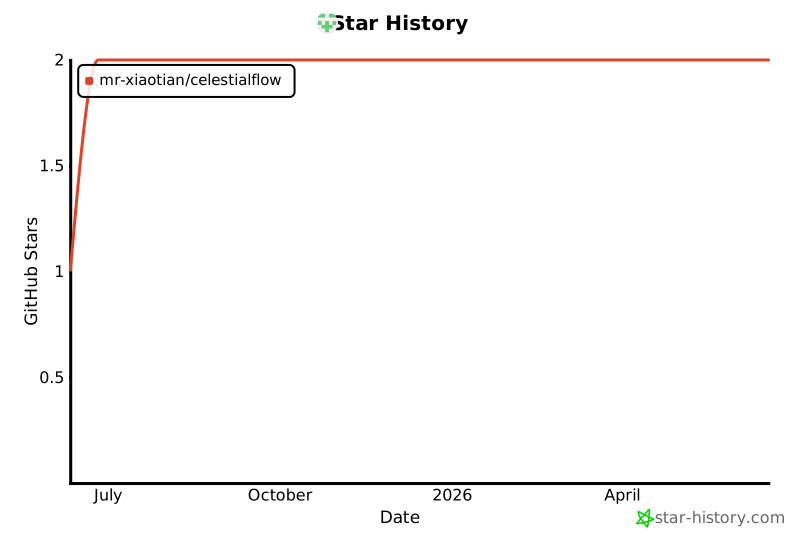](https://star-history.com/#Mr-xiaotian/CelestialFlow&Date)
|
|
293
|
+
|
|
295
294
|
## License
|
|
296
295
|
This project is licensed under the MIT License - see the [LICENSE](LICENSE) file for details.
|
|
297
296
|
|
|
298
|
-
## 作者
|
|
297
|
+
## 作者(Author)
|
|
299
298
|
Author: Mr-xiaotian
|
|
300
299
|
Email: mingxiaomingtian@gmail.com
|
|
301
300
|
Project Link: [https://github.com/Mr-xiaotian/CelestialFlow](https://github.com/Mr-xiaotian/CelestialFlow)
|
|
@@ -1,6 +1,15 @@
|
|
|
1
1
|
# CelestialFlow ——一个轻量级、可并行、基于图结构的 Python 任务调度框架
|
|
2
2
|
|
|
3
|
-
|
|
3
|
+
<p align="center">
|
|
4
|
+
<img src="img/startup.png" width="1080" alt="CelestialFlow Logo">
|
|
5
|
+
</p>
|
|
6
|
+
|
|
7
|
+
<p align="center">
|
|
8
|
+
<a href="https://pypi.org/project/celestialflow/"><img src="https://badge.fury.io/py/celestialflow.svg"></a>
|
|
9
|
+
<a href="https://pepy.tech/projects/celestialflow"><img src="https://static.pepy.tech/personalized-badge/celestialflow?period=total&units=INTERNATIONAL_SYSTEM&left_color=BLACK&right_color=GREEN&left_text=downloads"></a>
|
|
10
|
+
<!-- <a href="https://pypi.org/project/celestialflow/"><img src="https://img.shields.io/pypi/l/celestialflow.svg"></a>
|
|
11
|
+
<a href="https://pypi.org/project/celestialflow/"><img src="https://img.shields.io/pypi/pyversions/celestialflow.svg"></a> -->
|
|
12
|
+
</p>
|
|
4
13
|
|
|
5
14
|
**CelestialFlow**是一个基于节点拼接的任务流调度框架。
|
|
6
15
|
|
|
@@ -26,17 +35,7 @@ TaskGraph 能构建完整的 **有向图结构(Directed Graph)**,不仅支
|
|
|
26
35
|
|
|
27
36
|
本节将引导你快速安装并运行 **TaskGraph**,通过示例体验其任务图调度机制。
|
|
28
37
|
|
|
29
|
-
###
|
|
30
|
-
|
|
31
|
-
CelestialFlow 已发布至 [PyPI](https://pypi.org/project/celestialflow/),
|
|
32
|
-
可以直接通过 `pip` 安装,无需克隆源码。
|
|
33
|
-
|
|
34
|
-
```bash
|
|
35
|
-
# 直接安装最新版
|
|
36
|
-
pip install celestialflow
|
|
37
|
-
```
|
|
38
|
-
|
|
39
|
-
### 🧩 (可选)创建独立虚拟环境
|
|
38
|
+
### (可选)创建独立虚拟环境
|
|
40
39
|
|
|
41
40
|
建议在独立环境中使用,以避免与其他项目依赖冲突。
|
|
42
41
|
|
|
@@ -44,20 +43,40 @@ pip install celestialflow
|
|
|
44
43
|
# 使用 mamba 创建环境
|
|
45
44
|
mamba create -n celestialflow_env python=3.10
|
|
46
45
|
mamba activate celestialflow_env
|
|
47
|
-
|
|
48
|
-
# 然后安装
|
|
49
|
-
pip install celestialflow
|
|
50
46
|
```
|
|
51
47
|
|
|
52
48
|
如果你了解python的包管理工具Anaconda,那么mamba就是将其用C++实现的版本,相比原版有明显的速度提升。你可以在这里获取它的最新版:
|
|
53
49
|
|
|
54
50
|
👉 [miniforge/Releases](https://github.com/conda-forge/miniforge/releases)
|
|
55
51
|
|
|
52
|
+
### 安装 CelestialFlow
|
|
53
|
+
|
|
54
|
+
CelestialFlow 已发布至 [PyPI](https://pypi.org/project/celestialflow/),
|
|
55
|
+
可以直接通过 `pip` 安装,无需克隆源码。
|
|
56
|
+
|
|
57
|
+
```bash
|
|
58
|
+
# 直接安装最新版
|
|
59
|
+
pip install celestialflow
|
|
60
|
+
```
|
|
61
|
+
|
|
62
|
+
不过如果你想要运行之后的测试代码,亦或者想使用基于Go语言的go_worker程序,那么还是需要clone项目
|
|
63
|
+
|
|
64
|
+
```bash
|
|
65
|
+
# 克隆项目
|
|
66
|
+
git clone https://github.com/yourname/TaskGraph.git
|
|
67
|
+
cd TaskGraph
|
|
68
|
+
pip install .
|
|
69
|
+
```
|
|
70
|
+
|
|
56
71
|
### 启动 Web 可视化(可选)
|
|
57
72
|
|
|
58
|
-
Web
|
|
73
|
+
Web监视界面并不是必须的,但可以通过网页获得任务运行的更多信息,推荐使用:
|
|
59
74
|
|
|
60
75
|
```bash
|
|
76
|
+
# 如果你pip了项目,可以在当前虚拟环境下可以直接使用命令celestialflow-web
|
|
77
|
+
celestialflow-web 5005
|
|
78
|
+
|
|
79
|
+
# 如果你直接clone并cd进入项目目录,那么需要运行py文件
|
|
61
80
|
python src/celestialflow/task_web.py 5005
|
|
62
81
|
```
|
|
63
82
|
|
|
@@ -84,12 +103,6 @@ pytest tests/test_nodes.py::test_splitter_1
|
|
|
84
103
|
pip install pytest pytest-asyncio
|
|
85
104
|
```
|
|
86
105
|
|
|
87
|
-
- test_nodes_1() 在一个简单的树状任务模型下,对比了四种运行组合(节点模式:serial / process × 执行模式:serial / thread),以测试不同调度策略下的整体性能差异。图结构如下:
|
|
88
|
-
```
|
|
89
|
-
+----------------------------------------------------------------------+
|
|
90
|
-
| Stage_A (stage_mode: serial, func: sleep_random_A) |
|
|
91
|
-
| ╘-->Stage_B (stage_mode: serial, func: sleep_random_B) |
|
|
92
|
-
|
|
93
106
|
- test_graph_1() 在一个简单的树状任务模型下,对比了四种运行组合(节点模式:serial / process × 执行模式:serial / thread),以测试不同调度策略下的整体性能差异。图结构如下:
|
|
94
107
|
```
|
|
95
108
|
+----------------------------------------------------------------------+
|
|
@@ -120,11 +133,11 @@ pip install pytest pytest-asyncio
|
|
|
120
133
|
|
|
121
134
|
你可以继续运行更多的测试代码,这里有介绍每个测试文件与里面的测试函数:
|
|
122
135
|
|
|
123
|
-
[Test RREADME.md](tests/README.md)
|
|
136
|
+
[Test RREADME.md(完善中)](tests/README.md)
|
|
124
137
|
|
|
125
138
|
你也可以了解具体的项目文件,以下文档会帮助你:
|
|
126
139
|
|
|
127
|
-
[Src README.md](src\celestialflow/README.md)
|
|
140
|
+
[Src README.md(完善中)](src\celestialflow/README.md)
|
|
128
141
|
|
|
129
142
|
如果你想得到一个最简单的可运行代码:
|
|
130
143
|
|
|
@@ -166,15 +179,12 @@ if __name__ == "__main__":
|
|
|
166
179
|
| **fastapi** | Web 服务接口框架(用于任务可视化与远程控制) |
|
|
167
180
|
| **uvicorn** | FastAPI 的高性能 ASGI 服务器 |
|
|
168
181
|
| **requests** | HTTP 客户端库,用于任务状态上报与远程调用 |
|
|
169
|
-
| **httpx** | 异步 HTTP 客户端,支持更高性能的并发请求 |
|
|
170
182
|
| **networkx** | 任务图(TaskGraph)结构与依赖分析 |
|
|
171
183
|
| **redis** | 可选组件,用于分布式任务通信(`TaskRedisTransfer` 模块) |
|
|
172
184
|
| **jinja2** | FastAPI 模板引擎,用于 Web 可视化界面渲染 |
|
|
173
185
|
|
|
174
186
|
## 项目结构(Project Structure)
|
|
175
187
|
|
|
176
|
-
以下视图由我的另一个项目[CelestialVault](https://github.com/Mr-xiaotian/CelestialVault)中inst_file生成。
|
|
177
|
-
|
|
178
188
|
```
|
|
179
189
|
📁 CelestialFlow (24MB 349KB 185B)
|
|
180
190
|
📁 experiment (9KB 455B)
|
|
@@ -236,6 +246,8 @@ if __name__ == "__main__":
|
|
|
236
246
|
🐍 setup.py (550B)
|
|
237
247
|
```
|
|
238
248
|
|
|
249
|
+
(该视图由我的另一个项目[CelestialVault](https://github.com/Mr-xiaotian/CelestialVault)中inst_file生成。)
|
|
250
|
+
|
|
239
251
|
## 更新日志(Change Log)
|
|
240
252
|
|
|
241
253
|
- [2021] 建立一个支持多线程与单线程处理函数的类
|
|
@@ -250,10 +262,14 @@ if __name__ == "__main__":
|
|
|
250
262
|
- [6/14/2025] 支持forest结构, 即可有多个根节点
|
|
251
263
|
- [6/16/2025] 多轮评测后, 当前框架已支持完整有向图结构, 故将TaskTree改名为TaskGraph
|
|
252
264
|
|
|
265
|
+
## Star History
|
|
266
|
+
|
|
267
|
+
[](https://star-history.com/#Mr-xiaotian/CelestialFlow&Date)
|
|
268
|
+
|
|
253
269
|
## License
|
|
254
270
|
This project is licensed under the MIT License - see the [LICENSE](LICENSE) file for details.
|
|
255
271
|
|
|
256
|
-
## 作者
|
|
272
|
+
## 作者(Author)
|
|
257
273
|
Author: Mr-xiaotian
|
|
258
274
|
Email: mingxiaomingtian@gmail.com
|
|
259
275
|
Project Link: [https://github.com/Mr-xiaotian/CelestialFlow](https://github.com/Mr-xiaotian/CelestialFlow)
|
|
@@ -4,11 +4,11 @@ build-backend = "setuptools.build_meta"
|
|
|
4
4
|
|
|
5
5
|
[project]
|
|
6
6
|
name = "celestialflow"
|
|
7
|
-
version = "3.0.
|
|
7
|
+
version = "3.0.3"
|
|
8
8
|
description = "A flexible GRAPH-based task orchestration framework."
|
|
9
9
|
readme = "README.md"
|
|
10
|
-
license = {
|
|
11
|
-
authors = [{ name = "Mr-xiaotian", email = "mingxiaomingtian@gmail.com
|
|
10
|
+
license = { text = "MIT" }
|
|
11
|
+
authors = [{ name = "Mr-xiaotian", email = "mingxiaomingtian@gmail.com" }]
|
|
12
12
|
keywords = ["workflow", "task", "graph", "async", "CelestialFlow"]
|
|
13
13
|
requires-python = ">=3.8"
|
|
14
14
|
|
|
@@ -20,10 +20,17 @@ dependencies = [
|
|
|
20
20
|
"requests",
|
|
21
21
|
"networkx",
|
|
22
22
|
"redis",
|
|
23
|
-
"httpx",
|
|
24
23
|
"jinja2",
|
|
25
24
|
]
|
|
26
25
|
|
|
26
|
+
classifiers = [
|
|
27
|
+
"Programming Language :: Python :: 3",
|
|
28
|
+
"License :: OSI Approved :: MIT License",
|
|
29
|
+
"Operating System :: OS Independent",
|
|
30
|
+
"Framework :: FastAPI",
|
|
31
|
+
"Topic :: Software Development :: Libraries",
|
|
32
|
+
]
|
|
33
|
+
|
|
27
34
|
[project.urls]
|
|
28
35
|
"Homepage" = "https://github.com/Mr-xiaotian/CelestialFlow"
|
|
29
36
|
"Bug Tracker" = "https://github.com/Mr-xiaotian/CelestialFlow/issues"
|
|
@@ -43,7 +43,9 @@
|
|
|
43
43
|
}
|
|
44
44
|
|
|
45
45
|
#task-injection .card {
|
|
46
|
-
box-shadow: 0 10px 25px rgba(0, 0, 0, 0.1);
|
|
46
|
+
box-shadow: 0 10px 25px rgba(0, 0, 0, 0.1);
|
|
47
|
+
display: flex;
|
|
48
|
+
flex-direction: column;
|
|
47
49
|
}
|
|
48
50
|
|
|
49
51
|
#task-injection .card-title {
|
|
@@ -191,6 +193,11 @@
|
|
|
191
193
|
}
|
|
192
194
|
|
|
193
195
|
/* 已选节点区 */
|
|
196
|
+
#task-injection .selected-list {
|
|
197
|
+
overflow-y: auto;
|
|
198
|
+
max-height: 87px;
|
|
199
|
+
}
|
|
200
|
+
|
|
194
201
|
#task-injection .selected-nodes {
|
|
195
202
|
margin-top: 16px;
|
|
196
203
|
}
|
|
@@ -277,6 +284,12 @@
|
|
|
277
284
|
/* ================================
|
|
278
285
|
🌟 JSON输入区 & 文件上传区
|
|
279
286
|
================================ */
|
|
287
|
+
#task-injection .json-input-section{
|
|
288
|
+
flex: 1;
|
|
289
|
+
display: flex;
|
|
290
|
+
flex-direction: column;
|
|
291
|
+
}
|
|
292
|
+
|
|
280
293
|
/* JSON输入区 */
|
|
281
294
|
#task-injection .json-section {
|
|
282
295
|
margin-bottom: 16px;
|
|
@@ -315,8 +328,9 @@
|
|
|
315
328
|
font-family: "Monaco", "Menlo", monospace;
|
|
316
329
|
font-size: 12px;
|
|
317
330
|
resize: vertical;
|
|
318
|
-
min-height:
|
|
331
|
+
min-height: 250px;
|
|
319
332
|
outline: none;
|
|
333
|
+
flex: 1;
|
|
320
334
|
}
|
|
321
335
|
|
|
322
336
|
#task-injection .json-textarea:focus {
|
|
@@ -334,6 +348,11 @@
|
|
|
334
348
|
#task-injection #file-input-section {
|
|
335
349
|
border: 2px dashed #d1d5db;
|
|
336
350
|
border-radius: 8px;
|
|
351
|
+
min-height: 250px;
|
|
352
|
+
flex: 1;
|
|
353
|
+
display: flex;
|
|
354
|
+
justify-content: center;
|
|
355
|
+
align-items: center;
|
|
337
356
|
}
|
|
338
357
|
|
|
339
358
|
#task-injection .upload-area {
|
|
@@ -397,6 +416,7 @@
|
|
|
397
416
|
================================ */
|
|
398
417
|
#task-injection .submit-section {
|
|
399
418
|
display: flex;
|
|
419
|
+
flex-direction: row;
|
|
400
420
|
align-items: center;
|
|
401
421
|
justify-content: space-between;
|
|
402
422
|
}
|
|
@@ -463,10 +483,6 @@
|
|
|
463
483
|
}
|
|
464
484
|
}
|
|
465
485
|
|
|
466
|
-
#task-injection .hidden {
|
|
467
|
-
display: none;
|
|
468
|
-
}
|
|
469
|
-
|
|
470
486
|
/* ================================
|
|
471
487
|
🌟 响应式:小屏兼容
|
|
472
488
|
================================ */
|
|
@@ -541,6 +557,10 @@
|
|
|
541
557
|
/* ================================
|
|
542
558
|
🌙 暗黑模式:节点列表 & 已选节点
|
|
543
559
|
================================ */
|
|
560
|
+
.dark-theme #task-injection .selected-title {
|
|
561
|
+
color: #f3f4f6;
|
|
562
|
+
}
|
|
563
|
+
|
|
544
564
|
.dark-theme #task-injection .node-item {
|
|
545
565
|
background-color: #374151;
|
|
546
566
|
border: 1px solid #4b5563;
|
|
@@ -1,24 +1,7 @@
|
|
|
1
|
-
let nodes = [];
|
|
2
1
|
let selectedNodes = [];
|
|
3
2
|
let currentInputMethod = "json";
|
|
4
3
|
let uploadedFile = null;
|
|
5
4
|
|
|
6
|
-
const exampleTask = {
|
|
7
|
-
task_id: "task_001",
|
|
8
|
-
task_name: "数据处理任务",
|
|
9
|
-
priority: "high",
|
|
10
|
-
parameters: {
|
|
11
|
-
input_source: "/data/input.csv",
|
|
12
|
-
output_path: "/data/output/",
|
|
13
|
-
batch_size: 1000,
|
|
14
|
-
timeout: 3600,
|
|
15
|
-
},
|
|
16
|
-
schedule: {
|
|
17
|
-
type: "immediate",
|
|
18
|
-
retry_count: 3,
|
|
19
|
-
},
|
|
20
|
-
};
|
|
21
|
-
|
|
22
5
|
document.addEventListener("DOMContentLoaded", async function () {
|
|
23
6
|
renderNodeList();
|
|
24
7
|
setupEventListeners();
|
|
@@ -75,13 +58,19 @@ function renderNodeList() {
|
|
|
75
58
|
}
|
|
76
59
|
|
|
77
60
|
function selectNode(nodeName) {
|
|
78
|
-
const
|
|
79
|
-
|
|
80
|
-
|
|
81
|
-
|
|
61
|
+
const existing = selectedNodes.find((n) => n.name === nodeName);
|
|
62
|
+
|
|
63
|
+
if (existing) {
|
|
64
|
+
// 点击已选节点 = 取消选中
|
|
65
|
+
selectedNodes = selectedNodes.filter((n) => n.name !== nodeName);
|
|
66
|
+
} else {
|
|
67
|
+
// 新选节点
|
|
68
|
+
selectedNodes.push({
|
|
69
|
+
name: nodeName,
|
|
70
|
+
type: nodeStatuses[nodeName].execution_mode || "unknown",
|
|
71
|
+
});
|
|
72
|
+
}
|
|
82
73
|
|
|
83
|
-
selectedNodes = [node];
|
|
84
|
-
// console.log("选中的节点列表:", selectedNodes);
|
|
85
74
|
updateSelectedNodes();
|
|
86
75
|
}
|
|
87
76
|
|
|
@@ -121,9 +110,16 @@ function updateSelectedNodes() {
|
|
|
121
110
|
}
|
|
122
111
|
|
|
123
112
|
function selectAllNodes() {
|
|
124
|
-
const searchTerm = document.getElementById("search-input").value;
|
|
125
|
-
|
|
126
|
-
|
|
113
|
+
// const searchTerm = document.getElementById("search-input").value;
|
|
114
|
+
|
|
115
|
+
const nodesArray = Object.keys(nodeStatuses).map(name => ({
|
|
116
|
+
name,
|
|
117
|
+
type: nodeStatuses[name].execution_mode,
|
|
118
|
+
status: nodeStatuses[name].status
|
|
119
|
+
}));
|
|
120
|
+
|
|
121
|
+
const filteredNodes = nodesArray.filter(node =>
|
|
122
|
+
node.status !== 2
|
|
127
123
|
);
|
|
128
124
|
|
|
129
125
|
filteredNodes.forEach((node) => {
|
|
@@ -251,18 +247,21 @@ async function handleSubmit() {
|
|
|
251
247
|
setButtonLoading(true);
|
|
252
248
|
|
|
253
249
|
try {
|
|
254
|
-
const
|
|
255
|
-
|
|
256
|
-
|
|
257
|
-
|
|
258
|
-
|
|
259
|
-
|
|
260
|
-
|
|
261
|
-
|
|
262
|
-
|
|
250
|
+
for (const node of selectedNodes) {
|
|
251
|
+
const response = await fetch("/api/push_task_injection", {
|
|
252
|
+
method: "POST",
|
|
253
|
+
headers: { "Content-Type": "application/json" },
|
|
254
|
+
body: JSON.stringify({
|
|
255
|
+
node: node.name,
|
|
256
|
+
task_datas: taskData,
|
|
257
|
+
timestamp: new Date().toISOString(),
|
|
258
|
+
}),
|
|
259
|
+
});
|
|
260
|
+
|
|
261
|
+
if (!response.ok) throw new Error(`HTTP ${response.status}`);
|
|
262
|
+
}
|
|
263
263
|
|
|
264
|
-
|
|
265
|
-
showStatus("任务注入成功", true);
|
|
264
|
+
showStatus("任务已成功注入到所有选定节点", true);
|
|
266
265
|
clearForm();
|
|
267
266
|
} catch (e) {
|
|
268
267
|
console.error(e);
|