caty-gateway 0.1.4__tar.gz
This diff represents the content of publicly available package versions that have been released to one of the supported registries. The information contained in this diff is provided for informational purposes only and reflects changes between package versions as they appear in their respective public registries.
- caty_gateway-0.1.4/.gitignore +14 -0
- caty_gateway-0.1.4/CONTRIBUTING.md +54 -0
- caty_gateway-0.1.4/LICENSE +21 -0
- caty_gateway-0.1.4/PKG-INFO +392 -0
- caty_gateway-0.1.4/README.md +347 -0
- caty_gateway-0.1.4/pyproject.toml +44 -0
- caty_gateway-0.1.4/src/caty_gateway/__init__.py +3 -0
- caty_gateway-0.1.4/src/caty_gateway/__main__.py +3 -0
- caty_gateway-0.1.4/src/caty_gateway/assets/blink.png +0 -0
- caty_gateway-0.1.4/src/caty_gateway/assets/icon.png +0 -0
- caty_gateway-0.1.4/src/caty_gateway/assets/idle.png +0 -0
- caty_gateway-0.1.4/src/caty_gateway/assets/listen.png +0 -0
- caty_gateway-0.1.4/src/caty_gateway/assets/talk1.png +0 -0
- caty_gateway-0.1.4/src/caty_gateway/assets/talk2.png +0 -0
- caty_gateway-0.1.4/src/caty_gateway/assets/talk3.png +0 -0
- caty_gateway-0.1.4/src/caty_gateway/assets/talk_blink.png +0 -0
- caty_gateway-0.1.4/src/caty_gateway/avatar_engine.py +889 -0
- caty_gateway-0.1.4/src/caty_gateway/backends/__init__.py +1 -0
- caty_gateway-0.1.4/src/caty_gateway/backends/base.py +33 -0
- caty_gateway-0.1.4/src/caty_gateway/backends/claude.py +538 -0
- caty_gateway-0.1.4/src/caty_gateway/backends/generic_cli.py +289 -0
- caty_gateway-0.1.4/src/caty_gateway/backends/hermes.py +112 -0
- caty_gateway-0.1.4/src/caty_gateway/backends/openai_compat.py +190 -0
- caty_gateway-0.1.4/src/caty_gateway/backends/openclaw.py +371 -0
- caty_gateway-0.1.4/src/caty_gateway/caty_config.py +360 -0
- caty_gateway-0.1.4/src/caty_gateway/caty_gateway.py +5890 -0
- caty_gateway-0.1.4/src/caty_gateway/caty_push.py +119 -0
- caty_gateway-0.1.4/src/caty_gateway/cli.py +103 -0
- caty_gateway-0.1.4/src/caty_gateway/data/filler-texts-ja.json +14 -0
- caty_gateway-0.1.4/src/caty_gateway/doctor.py +300 -0
- caty_gateway-0.1.4/src/caty_gateway/face_core.py +472 -0
- caty_gateway-0.1.4/src/caty_gateway/filler_pack.py +1162 -0
- caty_gateway-0.1.4/src/caty_gateway/filler_texts.py +364 -0
- caty_gateway-0.1.4/src/caty_gateway/fish_tts_contract.py +41 -0
- caty_gateway-0.1.4/src/caty_gateway/history_store.py +417 -0
- caty_gateway-0.1.4/src/caty_gateway/pairing_store.py +787 -0
- caty_gateway-0.1.4/src/caty_gateway/presence_state.py +155 -0
- caty_gateway-0.1.4/src/caty_gateway/push_events.py +205 -0
- caty_gateway-0.1.4/src/caty_gateway/session_links.py +129 -0
- caty_gateway-0.1.4/src/caty_gateway/setup_orchestrator.py +2135 -0
- caty_gateway-0.1.4/src/caty_gateway/setup_redaction.py +32 -0
- caty_gateway-0.1.4/src/caty_gateway/setup_supervisor.py +958 -0
- caty_gateway-0.1.4/src/caty_gateway/share_store.py +695 -0
- caty_gateway-0.1.4/src/caty_gateway/templates/launchd.plist +87 -0
- caty_gateway-0.1.4/src/caty_gateway/templates/systemd.service +28 -0
- caty_gateway-0.1.4/src/caty_gateway/tts_fish.py +388 -0
- caty_gateway-0.1.4/src/caty_gateway/vision_describer.py +149 -0
- caty_gateway-0.1.4/src/caty_gateway/voice_activation.py +739 -0
- caty_gateway-0.1.4/src/caty_gateway/voice_catalog.py +716 -0
- caty_gateway-0.1.4/src/caty_gateway/voice_presets.py +21 -0
- caty_gateway-0.1.4/src/caty_gateway/voice_preview.py +467 -0
|
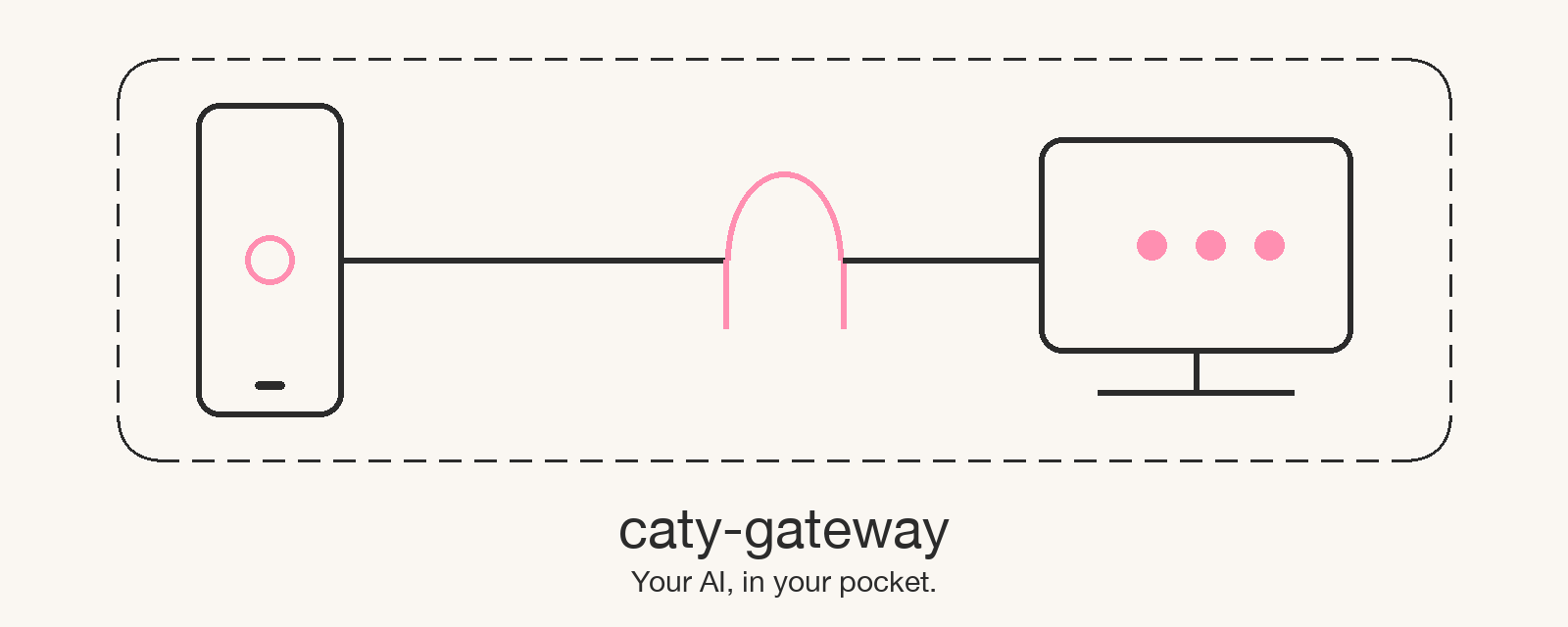
@@ -0,0 +1,54 @@
|
|
|
1
|
+
# Contributing
|
|
2
|
+
|
|
3
|
+
Thanks for helping people connect their own AI to CatyPhone. This page covers the two things most contributors want to do: add a backend, and send a focused fix. Read [docs/engineering.md](docs/engineering.md) first if you have not run the gateway yet.
|
|
4
|
+
|
|
5
|
+
## Ground rules
|
|
6
|
+
|
|
7
|
+
- Open an issue before a large change so the scope and the files you will touch are visible. Small fixes can go straight to a pull request.
|
|
8
|
+
- Keep credentials, private deployment paths, host names, and personal test fixtures out of the repository. `make test` runs a scrub audit and a publication gate that fail on them.
|
|
9
|
+
- Do not change the pairing wire contract (`docs/contracts/pairing-v1.md`) or the public environment variable names in a backend PR. Those are versioned separately.
|
|
10
|
+
- Run `make test` and `make lint` locally before you push. CI runs the same targets on Ubuntu.
|
|
11
|
+
|
|
12
|
+
## Adding a backend
|
|
13
|
+
|
|
14
|
+
There are two shapes. Pick the one that matches how the AI is driven.
|
|
15
|
+
|
|
16
|
+
### Per-turn CLI backends: one preset entry
|
|
17
|
+
|
|
18
|
+
For tools that take one prompt per process and can resume a session by id (the same shape as Codex CLI), you add a single preset and no new module.
|
|
19
|
+
|
|
20
|
+
1. Add one entry to `PRESETS` in `src/caty_gateway/backends/generic_cli.py`: `bin`, `new_args`, `resume_args`, `parse_spec`, and `external`. Copy the `codex` entry and adjust.
|
|
21
|
+
2. Add four cases to `tests/test_generic_cli_backend.py`, duplicating the existing `codex` cases: new session, reply extraction, resume, and re-creation after a failed resume.
|
|
22
|
+
3. Add one passive preflight row in `src/caty_gateway/doctor.py`: `<bin> --version` and a login-state check that does not send a prompt. Add the name to the `BACKENDS` tuple in `src/caty_gateway/doctor.py` (which `setup` uses through `normalize_backend`) and to the backend selector in `caty_gateway.py`.
|
|
23
|
+
4. Add a row to the backend table in `README.md` (and the translations, or note in the PR that translations need a follow-up) with the tier **Bundled** and "In progress" in the "Live-conversation record" column.
|
|
24
|
+
5. To move a **Bundled** row's "Live-conversation record" column from "In progress" to a linked record, attach `docs/smoke/<backend>-<host>-<date>.md` written so a maintainer can reproduce it: clean install, `doctor` all PASS, `setup` to QR, pairing from CatyPhone, two turns that show resume, a service restart followed by a third turn, and a check that no token appears in plain-text logs.
|
|
25
|
+
|
|
26
|
+
A backend PR without a smoke record is fine to merge. The README row simply keeps "In progress" in the record column until the record lands.
|
|
27
|
+
|
|
28
|
+
### HTTP backends: one module
|
|
29
|
+
|
|
30
|
+
For a resident server with an HTTP API, add `src/caty_gateway/backends/<name>.py`.
|
|
31
|
+
|
|
32
|
+
- Subclass `Backend` from `backends/base.py` and implement the abstract methods `generate()` and `stream()`. Override `supports_stream()` to return `True` only if you implement streaming (the base implementation returns `False`). There is no `health()` abstract; preflight belongs in `doctor.py`.
|
|
33
|
+
- Name environment variables `CATY_<NAME>_URL` and `CATY_<NAME>_API_KEY`. Register them in `tools/env-inventory.py` so `make env-check` classifies them, then regenerate `docs/env.md`.
|
|
34
|
+
- Contract test: `caty-gateway doctor --backend <name>` must pass with the server running, using passive checks only (key present, model-list endpoint reachable), the way the `hermes` and `openai-compat` rows in `doctor.py` do.
|
|
35
|
+
- Follow steps 4 and 5 above for the README row and the optional smoke record.
|
|
36
|
+
|
|
37
|
+
## Sending a fix
|
|
38
|
+
|
|
39
|
+
- One concern per pull request. Describe what changed, why, and how you verified it.
|
|
40
|
+
- Include a test when the change is observable. `pytest` errors, failed tests, and zero collected tests all fail the build.
|
|
41
|
+
- If you touch environment variables, run `python tools/env-inventory.py` and commit the regenerated `docs/env.md`.
|
|
42
|
+
- Documentation lives in three layers: `README*.md` for people deciding whether to install, `docs/engineering.*.md` for people running it, `docs/reference.*.md` for exact values. Put new material in the layer that matches its reader.
|
|
43
|
+
|
|
44
|
+
## Labels you will see
|
|
45
|
+
|
|
46
|
+
- `component:*` maps to the module table in `docs/engineering.md`.
|
|
47
|
+
- `platform:*` maps to CI lanes.
|
|
48
|
+
- `severity:*` describes impact as reported; priority is decided on the board, not with a label.
|
|
49
|
+
- `backend:*` marks which AI the report is about.
|
|
50
|
+
- `needs-repro` means we need the backend, host OS, and `doctor` output to continue.
|
|
51
|
+
|
|
52
|
+
## Licensing
|
|
53
|
+
|
|
54
|
+
By contributing you agree that your contribution is licensed under the [MIT License](LICENSE) of this repository.
|
|
@@ -0,0 +1,21 @@
|
|
|
1
|
+
MIT License
|
|
2
|
+
|
|
3
|
+
Copyright (c) 2026 SHO JIKUMARU
|
|
4
|
+
|
|
5
|
+
Permission is hereby granted, free of charge, to any person obtaining a copy
|
|
6
|
+
of this software and associated documentation files (the "Software"), to deal
|
|
7
|
+
in the Software without restriction, including without limitation the rights
|
|
8
|
+
to use, copy, modify, merge, publish, distribute, sublicense, and/or sell
|
|
9
|
+
copies of the Software, and to permit persons to whom the Software is
|
|
10
|
+
furnished to do so, subject to the following conditions:
|
|
11
|
+
|
|
12
|
+
The above copyright notice and this permission notice shall be included in all
|
|
13
|
+
copies or substantial portions of the Software.
|
|
14
|
+
|
|
15
|
+
THE SOFTWARE IS PROVIDED "AS IS", WITHOUT WARRANTY OF ANY KIND, EXPRESS OR
|
|
16
|
+
IMPLIED, INCLUDING BUT NOT LIMITED TO THE WARRANTIES OF MERCHANTABILITY,
|
|
17
|
+
FITNESS FOR A PARTICULAR PURPOSE AND NONINFRINGEMENT. IN NO EVENT SHALL THE
|
|
18
|
+
AUTHORS OR COPYRIGHT HOLDERS BE LIABLE FOR ANY CLAIM, DAMAGES OR OTHER
|
|
19
|
+
LIABILITY, WHETHER IN AN ACTION OF CONTRACT, TORT OR OTHERWISE, ARISING FROM,
|
|
20
|
+
OUT OF OR IN CONNECTION WITH THE SOFTWARE OR THE USE OR OTHER DEALINGS IN THE
|
|
21
|
+
SOFTWARE.
|
|
@@ -0,0 +1,392 @@
|
|
|
1
|
+
Metadata-Version: 2.5
|
|
2
|
+
Name: caty-gateway
|
|
3
|
+
Version: 0.1.4
|
|
4
|
+
Summary: A self-hosted voice and pairing gateway for Caty clients
|
|
5
|
+
Project-URL: Homepage, https://caty.talk
|
|
6
|
+
Project-URL: Repository, https://github.com/caty-ai/caty-gateway
|
|
7
|
+
Project-URL: Issues, https://github.com/caty-ai/caty-gateway/issues
|
|
8
|
+
Project-URL: Changelog, https://github.com/caty-ai/caty-gateway/releases
|
|
9
|
+
License: MIT License
|
|
10
|
+
|
|
11
|
+
Copyright (c) 2026 SHO JIKUMARU
|
|
12
|
+
|
|
13
|
+
Permission is hereby granted, free of charge, to any person obtaining a copy
|
|
14
|
+
of this software and associated documentation files (the "Software"), to deal
|
|
15
|
+
in the Software without restriction, including without limitation the rights
|
|
16
|
+
to use, copy, modify, merge, publish, distribute, sublicense, and/or sell
|
|
17
|
+
copies of the Software, and to permit persons to whom the Software is
|
|
18
|
+
furnished to do so, subject to the following conditions:
|
|
19
|
+
|
|
20
|
+
The above copyright notice and this permission notice shall be included in all
|
|
21
|
+
copies or substantial portions of the Software.
|
|
22
|
+
|
|
23
|
+
THE SOFTWARE IS PROVIDED "AS IS", WITHOUT WARRANTY OF ANY KIND, EXPRESS OR
|
|
24
|
+
IMPLIED, INCLUDING BUT NOT LIMITED TO THE WARRANTIES OF MERCHANTABILITY,
|
|
25
|
+
FITNESS FOR A PARTICULAR PURPOSE AND NONINFRINGEMENT. IN NO EVENT SHALL THE
|
|
26
|
+
AUTHORS OR COPYRIGHT HOLDERS BE LIABLE FOR ANY CLAIM, DAMAGES OR OTHER
|
|
27
|
+
LIABILITY, WHETHER IN AN ACTION OF CONTRACT, TORT OR OTHERWISE, ARISING FROM,
|
|
28
|
+
OUT OF OR IN CONNECTION WITH THE SOFTWARE OR THE USE OR OTHER DEALINGS IN THE
|
|
29
|
+
SOFTWARE.
|
|
30
|
+
License-File: LICENSE
|
|
31
|
+
Keywords: catyphone,claude-code,codex,gateway,ollama,voice
|
|
32
|
+
Classifier: Development Status :: 4 - Beta
|
|
33
|
+
Classifier: Environment :: Console
|
|
34
|
+
Classifier: Intended Audience :: End Users/Desktop
|
|
35
|
+
Classifier: License :: OSI Approved :: MIT License
|
|
36
|
+
Classifier: Operating System :: MacOS
|
|
37
|
+
Classifier: Operating System :: POSIX :: Linux
|
|
38
|
+
Classifier: Programming Language :: Python :: 3
|
|
39
|
+
Classifier: Topic :: Communications :: Chat
|
|
40
|
+
Requires-Python: >=3.10
|
|
41
|
+
Requires-Dist: qrcode[pil]
|
|
42
|
+
Provides-Extra: test
|
|
43
|
+
Requires-Dist: pytest; extra == 'test'
|
|
44
|
+
Description-Content-Type: text/markdown
|
|
45
|
+
|
|
46
|
+
# caty-gateway
|
|
47
|
+
|
|
48
|
+
<div align="center">
|
|
49
|
+
|
|
50
|
+
[**🇺🇸 English**](https://github.com/caty-ai/caty-gateway/blob/main/README.md) | [🇯🇵 日本語](https://github.com/caty-ai/caty-gateway/blob/main/README.ja.md) | [🇨🇳 简体中文](https://github.com/caty-ai/caty-gateway/blob/main/README.zh.md) | [🇹🇭 ไทย](https://github.com/caty-ai/caty-gateway/blob/main/README.th.md)
|
|
51
|
+
|
|
52
|
+
|
|
53
|
+
|
|
54
|
+
<h4>A small background program that lets you talk by voice, from the CatyPhone iPhone app, to the AI running on your computer.</h4>
|
|
55
|
+
|
|
56
|
+
[](https://github.com/caty-ai/caty-gateway/actions/workflows/test-lint.yml)
|
|
57
|
+
[](https://github.com/caty-ai/caty-gateway/blob/main/LICENSE)
|
|
58
|
+

|
|
59
|
+

|
|
60
|
+
[](https://pypi.org/project/caty-gateway/)
|
|
61
|
+
|
|
62
|
+
[What it does](#what) | [What you need](#requirements) | [Getting started](#start) | [Why it is safe](#safety) | [When something goes wrong](#troubleshooting) | [Learn more](#more)
|
|
63
|
+
|
|
64
|
+
Step away from your computer and you can still talk to your usual AI from your iPhone,<br/>
|
|
65
|
+
ask it to keep going, or show it a photo or your screen. Conversations go to the AI you chose, and nowhere else.
|
|
66
|
+
|
|
67
|
+
**Take your usual AI with you, in your pocket.**
|
|
68
|
+
|
|
69
|
+
🔧 [Engineering docs](https://github.com/caty-ai/caty-gateway/blob/main/docs/engineering.md) | 📘 [Reference](https://github.com/caty-ai/caty-gateway/blob/main/docs/reference.md)
|
|
70
|
+
|
|
71
|
+
</div>
|
|
72
|
+
|
|
73
|
+
---
|
|
74
|
+
|
|
75
|
+
## Sound familiar?
|
|
76
|
+
|
|
77
|
+
If even one of these rings a bell, caty-gateway is for you.
|
|
78
|
+
|
|
79
|
+
- You asked your AI to do something on your computer, stepped away, and couldn't give it the next instruction
|
|
80
|
+
- You had an idea while out and about, and had to explain it to the AI all over again once you got home
|
|
81
|
+
- You wanted to show your computer's AI a photo or screenshot from your phone, but had no way to send it
|
|
82
|
+
- You signed up for a separate AI app on your phone, but it doesn't share memory with the AI on your computer
|
|
83
|
+
|
|
84
|
+
The common cause is simple: **your computer's AI has no way for your phone to reach it.**
|
|
85
|
+
caty-gateway takes care of exactly that, and nothing more.
|
|
86
|
+
|
|
87
|
+
Note that caty-gateway is a tool for **people already running an AI agent or a local LLM on their computer**. It's meant to be used together with the [CatyPhone](https://caty.talk) iPhone app. If you don't have an AI running on your computer, or don't use CatyPhone, this isn't for you.
|
|
88
|
+
|
|
89
|
+
---
|
|
90
|
+
|
|
91
|
+
<a id="what"></a>
|
|
92
|
+
|
|
93
|
+
## What it does
|
|
94
|
+
|
|
95
|
+
It connects the AI on your computer and CatyPhone on your iPhone, only inside a private network that belongs to you.
|
|
96
|
+
|
|
97
|
+
```mermaid
|
|
98
|
+
flowchart LR
|
|
99
|
+
phone["CatyPhone<br/>(iPhone)"]
|
|
100
|
+
subgraph tailnet["Your private network (Tailscale)"]
|
|
101
|
+
gw["caty-gateway<br/>(running on your computer)"]
|
|
102
|
+
end
|
|
103
|
+
ai["Your usual AI<br/>Claude Code / Codex CLI / OpenClaw<br/>Hermes / Ollama / LM Studio"]
|
|
104
|
+
phone <-- "voice, photos, screen" --> gw
|
|
105
|
+
gw <-- "via your usual CLI" --> ai
|
|
106
|
+
```
|
|
107
|
+
|
|
108
|
+
- 🎙️ **Talk by voice**
|
|
109
|
+
|
|
110
|
+
Speak into your iPhone and the AI on your computer answers back. It remembers the earlier part of the conversation. You can optionally set a voice for its replies.
|
|
111
|
+
|
|
112
|
+
- 📷 **Show it photos and your screen**
|
|
113
|
+
|
|
114
|
+
Send a photo you took, or your shared screen, straight to the AI. You can say "fix this error on my screen" while you're out.
|
|
115
|
+
|
|
116
|
+
- 🔗 **Uses your usual AI as-is**
|
|
117
|
+
|
|
118
|
+
It doesn't change your AI's settings or working folder. It simply calls the CLI you already use, like Claude Code or Codex CLI, in the background.
|
|
119
|
+
|
|
120
|
+
- 🔒 **Conversations go only to the AI you chose**
|
|
121
|
+
|
|
122
|
+
Traffic between your iPhone and computer stays inside your private Tailscale network. The gateway itself sends the conversation nowhere, and history is kept on your own computer. If your AI uses the cloud (Claude Code, Codex CLI and the like), that is the same traffic that AI always has.
|
|
123
|
+
|
|
124
|
+
On the computer side you only need three things.
|
|
125
|
+
|
|
126
|
+
---
|
|
127
|
+
|
|
128
|
+
<a id="requirements"></a>
|
|
129
|
+
|
|
130
|
+
## What you need
|
|
131
|
+
|
|
132
|
+
You need "an AI", "Tailscale", and "ffmpeg" on your computer, plus CatyPhone on your iPhone.
|
|
133
|
+
|
|
134
|
+
| Item | Support |
|
|
135
|
+
|---|---|
|
|
136
|
+
| Computer OS | ✅ macOS / ✅ Linux (Windows via WSL2 is ⚠️ untested) |
|
|
137
|
+
| iPhone | ✅ CatyPhone app |
|
|
138
|
+
| Python | ✅ 3.10 or later (see the collapsible section below for how to install it) |
|
|
139
|
+
| Network | ✅ Tailscale (the free plan works) |
|
|
140
|
+
|
|
141
|
+
**Supported AIs (backends)**
|
|
142
|
+
|
|
143
|
+
A "backend" is the AI that caty-gateway talks to behind the scenes. You choose it with the `--backend` value.
|
|
144
|
+
|
|
145
|
+
| Tier | AI | `--backend` value | Live-conversation record |
|
|
146
|
+
|---|---|---|---|
|
|
147
|
+
| Bundled | Claude Code | `claude` | In progress |
|
|
148
|
+
| Bundled | Codex CLI | `codex` | In progress |
|
|
149
|
+
| Bundled | OpenClaw | `openclaw` | In progress |
|
|
150
|
+
| Bundled | Hermes | `hermes` | In progress |
|
|
151
|
+
| Bundled | Ollama / LM Studio | `openai-compat` | In progress |
|
|
152
|
+
| Connectable | vLLM / LiteLLM / OpenRouter | `openai-compat` | None |
|
|
153
|
+
| Planned | opencode / Aider / Goose / Kimi / Qwen and others | — | None |
|
|
154
|
+
|
|
155
|
+
- **Bundled** — this repository ships an adapter and tests for it
|
|
156
|
+
- **Connectable** — connects through the `openai-compat` OpenAI-compatible API
|
|
157
|
+
- **Planned** — no adapter yet. See [Contributing](#contributing) for how to add one
|
|
158
|
+
|
|
159
|
+
"Live-conversation record" means whether this repository has a written walkthrough of an actual back-and-forth conversation from an iPhone. Until that record exists, this column stays "In progress".
|
|
160
|
+
|
|
161
|
+
**Three things your computer needs**
|
|
162
|
+
|
|
163
|
+
| Prerequisite | How to check | If it's missing |
|
|
164
|
+
|---|---|---|
|
|
165
|
+
| A CLI or server for your usual AI | e.g. `claude --version` | See that AI's own setup instructions |
|
|
166
|
+
| Logged in to Tailscale | `tailscale status` | Create a free account at [tailscale.com](https://tailscale.com/) and log in on both your computer and your iPhone |
|
|
167
|
+
| ffmpeg | `ffmpeg -version` | macOS: `brew install ffmpeg` / Linux: `apt install ffmpeg` |
|
|
168
|
+
|
|
169
|
+
Tailscale is a free app that creates a private network connecting only your own devices to each other. caty-gateway assumes **your iPhone and computer are on the same Tailscale network**, and pairing (scanning the QR) is not accepted from any other route. After pairing, every request is protected by the key (token) handed over at that moment.
|
|
170
|
+
|
|
171
|
+
Once you have these, you can get started with a single command.
|
|
172
|
+
|
|
173
|
+
---
|
|
174
|
+
|
|
175
|
+
<a id="start"></a>
|
|
176
|
+
|
|
177
|
+
## Getting started
|
|
178
|
+
|
|
179
|
+
There are four steps: install → check → set up → scan the QR code.
|
|
180
|
+
|
|
181
|
+
### Have your AI install it for you
|
|
182
|
+
|
|
183
|
+
You can paste the following three lines to your AI agent and ask it to do this for you.
|
|
184
|
+
|
|
185
|
+
```text
|
|
186
|
+
Please read https://github.com/caty-ai/caty-gateway and install caty-gateway.
|
|
187
|
+
To install it, run `uv tool install caty-gateway` (or `pipx install caty-gateway` if you don't have uv; if you have neither, follow the steps in the README).
|
|
188
|
+
Once installed, run `caty-gateway doctor --backend claude` and show me the result as-is.
|
|
189
|
+
```
|
|
190
|
+
|
|
191
|
+
The commands are spelled out on purpose, so the agent doesn't have to guess how to install it. Only the official package gets installed, and `doctor` only checks things — it never changes anything.
|
|
192
|
+
|
|
193
|
+
### Install it yourself
|
|
194
|
+
|
|
195
|
+
**1. Install**
|
|
196
|
+
|
|
197
|
+
The one-command installer sets up `uv` if it's missing, then installs caty-gateway. It is **coming with the PyPI release**; until then, use the `uv` command below it.
|
|
198
|
+
|
|
199
|
+
```sh
|
|
200
|
+
curl -fsSL https://caty.talk/gateway/install.sh | sh
|
|
201
|
+
```
|
|
202
|
+
|
|
203
|
+
If you already have `uv`:
|
|
204
|
+
|
|
205
|
+
```sh
|
|
206
|
+
uv tool install caty-gateway
|
|
207
|
+
```
|
|
208
|
+
|
|
209
|
+
If you don't have `uv`, `pipx install caty-gateway` works the same way.
|
|
210
|
+
|
|
211
|
+
**2. Check**
|
|
212
|
+
|
|
213
|
+
```sh
|
|
214
|
+
caty-gateway doctor --backend claude
|
|
215
|
+
```
|
|
216
|
+
|
|
217
|
+
Replace `claude` with the `--backend` value from the table above. When only `PASS` and `WARN` remain, you're ready to go. Any `FAIL` line comes with instructions for fixing it. `WARN` marks a check that could not be confirmed passively; if that AI works as usual, carry on.
|
|
218
|
+
|
|
219
|
+
```text
|
|
220
|
+
PASS OS
|
|
221
|
+
PASS Python
|
|
222
|
+
PASS ffmpeg
|
|
223
|
+
PASS ffprobe
|
|
224
|
+
PASS tailscale executable
|
|
225
|
+
PASS tailscale login
|
|
226
|
+
PASS tailscale IPv4
|
|
227
|
+
PASS port
|
|
228
|
+
PASS public URL
|
|
229
|
+
PASS config directory
|
|
230
|
+
PASS state directory
|
|
231
|
+
PASS data directory
|
|
232
|
+
PASS claude version
|
|
233
|
+
PASS claude working directory
|
|
234
|
+
PASS claude credentials
|
|
235
|
+
```
|
|
236
|
+
|
|
237
|
+
**3. Set up**
|
|
238
|
+
|
|
239
|
+
```sh
|
|
240
|
+
caty-gateway setup --member me --backend claude
|
|
241
|
+
```
|
|
242
|
+
|
|
243
|
+
Replace `me` with a short name for yourself using letters and numbers (or just keep `me`). This creates a background service that starts every time your computer boots, and shows a QR code at the end. If you just want to preview what it will do first, add `--plan-only` to see the full plan without changing anything.
|
|
244
|
+
|
|
245
|
+
**4. Scan the QR code**
|
|
246
|
+
|
|
247
|
+
Open CatyPhone and scan the QR code shown on screen. Your iPhone and computer will connect, and you'll be able to start talking. The QR code expires after 10 minutes, and can only be scanned once. To get a new one, run `caty-gateway qr --member <id>` (see [Reissuing the QR](https://github.com/caty-ai/caty-gateway/blob/main/docs/engineering.md#reissue-qr)).
|
|
248
|
+
|
|
249
|
+
<details>
|
|
250
|
+
<summary>If something goes wrong (command not found, no uv or pipx, Python too old)</summary>
|
|
251
|
+
|
|
252
|
+
- **`caty-gateway: command not found`** — Reopen your terminal. If `uv tool install` printed a line about adding something to your PATH, run that line first.
|
|
253
|
+
- **Neither `uv` nor `pipx` is installed** — Install one of them. uv: [docs.astral.sh/uv](https://docs.astral.sh/uv/getting-started/installation/) / pipx: [pipx.pypa.io](https://pipx.pypa.io/stable/installation/).
|
|
254
|
+
- **Python is older than 3.10** — You can let uv install Python for you too, e.g. `uv tool install --python 3.12 caty-gateway`.
|
|
255
|
+
- **Package not found (`No solution found` or similar)** — Until the package is published on PyPI, install straight from GitHub: `uv tool install --from git+https://github.com/caty-ai/caty-gateway caty-gateway`
|
|
256
|
+
- **What's a terminal?** — On macOS it's "Terminal.app"; on Linux it's your terminal application. Paste the commands above one line at a time and press Enter.
|
|
257
|
+
|
|
258
|
+
</details>
|
|
259
|
+
|
|
260
|
+
Now that it's connected, here's what this tool deliberately does not do.
|
|
261
|
+
|
|
262
|
+
---
|
|
263
|
+
|
|
264
|
+
<a id="safety"></a>
|
|
265
|
+
|
|
266
|
+
## Why it is safe to install
|
|
267
|
+
|
|
268
|
+
caty-gateway only handles the "front door" — it doesn't do anything extra to your AI or your conversations.
|
|
269
|
+
|
|
270
|
+
- **It doesn't change your AI's settings**
|
|
271
|
+
|
|
272
|
+
it talks to Claude Code and others by calling the same CLI you already use. It never touches your working folder or config files
|
|
273
|
+
|
|
274
|
+
- **Checks only look, they don't act**
|
|
275
|
+
|
|
276
|
+
`doctor` only checks version numbers and login status; it never sends a prompt to your AI (so it never uses up any of your usage quota)
|
|
277
|
+
|
|
278
|
+
- **Pairing only happens inside your private network**
|
|
279
|
+
|
|
280
|
+
pairing requests are only accepted from inside your Tailscale network, or from the computer itself. After pairing, every request without the key (token) is refused
|
|
281
|
+
|
|
282
|
+
- **The QR code never carries a long-lived key**
|
|
283
|
+
|
|
284
|
+
it only contains a one-time password that expires in 10 minutes; the real key is handed over separately, after scanning
|
|
285
|
+
|
|
286
|
+
- **Records stay on your computer**
|
|
287
|
+
|
|
288
|
+
conversation history is stored at `~/.local/state/caty-gateway/history/<name>/`, and deleting that folder deletes it
|
|
289
|
+
|
|
290
|
+
The gateway sends the conversation only to the AI you chose. Beyond that, nothing goes out except for **optional features you turn on yourself**, such as text-to-speech or avatar generation. Which features send what is documented in [privacy](https://github.com/caty-ai/caty-gateway/blob/main/docs/privacy.md).
|
|
291
|
+
|
|
292
|
+
<details>
|
|
293
|
+
<summary>If you want to stop using it (full removal steps)</summary>
|
|
294
|
+
|
|
295
|
+
1. Stop and remove the background service (macOS: `~/Library/LaunchAgents/ai.caty.gateway.<name>.plist`; Linux: `caty-gateway-<name>.service`). Full steps are in the [Engineering docs](https://github.com/caty-ai/caty-gateway/blob/main/docs/engineering.md#uninstall)
|
|
296
|
+
2. Delete the config and history folders: `~/.config/caty-gateway/`, `~/.local/state/caty-gateway/`, `~/.local/share/caty-gateway/`
|
|
297
|
+
3. Remove the program itself: `uv tool uninstall caty-gateway` (or `pipx uninstall caty-gateway`)
|
|
298
|
+
|
|
299
|
+
The gateway creates nothing on the AI's side. The conversation does remain as that AI's own history (Claude Code or Codex CLI sessions); delete it there if you want it gone too.
|
|
300
|
+
|
|
301
|
+
</details>
|
|
302
|
+
|
|
303
|
+
If something still isn't working, look for it in the list below.
|
|
304
|
+
|
|
305
|
+
---
|
|
306
|
+
|
|
307
|
+
<a id="troubleshooting"></a>
|
|
308
|
+
|
|
309
|
+
## When something goes wrong
|
|
310
|
+
|
|
311
|
+
First run `caty-gateway doctor --backend <value>` and follow the instructions next to any `FAIL` line. If you're still stuck, look for your symptom below.
|
|
312
|
+
|
|
313
|
+
<details>
|
|
314
|
+
<summary>`FAIL tailscale login` / `FAIL tailscale IPv4`</summary>
|
|
315
|
+
|
|
316
|
+
You aren't logged in to Tailscale on your computer. Open the Tailscale app, log in, confirm your computer shows up in `tailscale status`, and run `doctor` again.
|
|
317
|
+
|
|
318
|
+
</details>
|
|
319
|
+
|
|
320
|
+
<details>
|
|
321
|
+
<summary>`FAIL port` (doctor) / `port … is already listening` (setup)</summary>
|
|
322
|
+
|
|
323
|
+
Another program is using the same port number. Run `doctor` and `setup` again with an open port, e.g. `--port 8811`.
|
|
324
|
+
|
|
325
|
+
</details>
|
|
326
|
+
|
|
327
|
+
<details>
|
|
328
|
+
<summary>`FAIL claude version` / `WARN claude credentials` (backend not found, or login cannot be confirmed)</summary>
|
|
329
|
+
|
|
330
|
+
That AI's CLI either isn't installed or you aren't logged in. `WARN claude credentials` also appears when your login lives in the OS keychain, which `doctor` cannot read. If `claude` works normally in your terminal, you can carry on. Start that CLI once in your terminal, log in, then run `doctor` again. For Ollama or LM Studio, start the server first, then set `CATY_OPENAI_BASE_URL` to a URL like `http://127.0.0.1:11434/v1`.
|
|
331
|
+
|
|
332
|
+
</details>
|
|
333
|
+
|
|
334
|
+
<details>
|
|
335
|
+
<summary>It started, but scanning the QR code doesn't connect</summary>
|
|
336
|
+
|
|
337
|
+
In most cases, your iPhone isn't on the same Tailscale network as your computer. Log in to the same Tailscale account on your iPhone's Tailscale app, confirm the connection is on, and generate a fresh QR code by following [Reissuing the QR](https://github.com/caty-ai/caty-gateway/blob/main/docs/engineering.md#reissue-qr). Any route other than Tailscale (like your home Wi-Fi's IP address) may start up fine but will get stuck at pairing.
|
|
338
|
+
|
|
339
|
+
</details>
|
|
340
|
+
|
|
341
|
+
<details>
|
|
342
|
+
<summary>Scanning the QR code says it "expired"</summary>
|
|
343
|
+
|
|
344
|
+
QR codes expire 10 minutes after they're shown. Follow [Reissuing the QR](https://github.com/caty-ai/caty-gateway/blob/main/docs/engineering.md#reissue-qr) to get a new one.
|
|
345
|
+
|
|
346
|
+
</details>
|
|
347
|
+
|
|
348
|
+
You can find the full picture of how it works and how to configure it in the documents below.
|
|
349
|
+
|
|
350
|
+
---
|
|
351
|
+
|
|
352
|
+
<a id="more"></a>
|
|
353
|
+
|
|
354
|
+
## Learn more
|
|
355
|
+
|
|
356
|
+
Documentation is split by what you're looking for. The engineering guide and the reference have Japanese versions, linked at the top of those two pages.
|
|
357
|
+
|
|
358
|
+
| What you want to know | Page |
|
|
359
|
+
|---|---|
|
|
360
|
+
| How it works, all commands, running the service, uninstalling | [Engineering docs](https://github.com/caty-ai/caty-gateway/blob/main/docs/engineering.md) |
|
|
361
|
+
| Every command's arguments, where files are saved, pairing rules | [Reference](https://github.com/caty-ai/caty-gateway/blob/main/docs/reference.md) |
|
|
362
|
+
| Full table of environment variables (auto-generated) | [docs/env.md](https://github.com/caty-ai/caty-gateway/blob/main/docs/env.md) |
|
|
363
|
+
| What each feature sends externally | [docs/privacy.md](https://github.com/caty-ai/caty-gateway/blob/main/docs/privacy.md) |
|
|
364
|
+
| Pairing protocol details | [docs/contracts/pairing-v1.md](https://github.com/caty-ai/caty-gateway/blob/main/docs/contracts/pairing-v1.md) |
|
|
365
|
+
|
|
366
|
+
Adding or fixing a backend is welcome — here's how.
|
|
367
|
+
|
|
368
|
+
---
|
|
369
|
+
|
|
370
|
+
<a id="contributing"></a>
|
|
371
|
+
|
|
372
|
+
## Contributing
|
|
373
|
+
|
|
374
|
+
Adding support for the AI you use can be as simple as writing one preset.
|
|
375
|
+
|
|
376
|
+
Setup steps, test conventions, and the review process are in [CONTRIBUTING.md](https://github.com/caty-ai/caty-gateway/blob/main/CONTRIBUTING.md). For bugs or questions, please open an [issue](https://github.com/caty-ai/caty-gateway/issues).
|
|
377
|
+
|
|
378
|
+
---
|
|
379
|
+
|
|
380
|
+
<a id="license"></a>
|
|
381
|
+
|
|
382
|
+
## License
|
|
383
|
+
|
|
384
|
+
[MIT License](https://github.com/caty-ai/caty-gateway/blob/main/LICENSE). We chose a license that lets anyone freely use and build with this, so you can add a front door to your own AI too.
|
|
385
|
+
|
|
386
|
+
---
|
|
387
|
+
|
|
388
|
+
<div align="center">
|
|
389
|
+
|
|
390
|
+
**One command** | **Your usual AI, unchanged** | **Conversations go only to the AI you chose**
|
|
391
|
+
|
|
392
|
+
</div>
|