anifetch-cli 1.0.2__tar.gz → 1.0.4__tar.gz
This diff represents the content of publicly available package versions that have been released to one of the supported registries. The information contained in this diff is provided for informational purposes only and reflects changes between package versions as they appear in their respective public registries.
- {anifetch_cli-1.0.2/src/anifetch_cli.egg-info → anifetch_cli-1.0.4}/PKG-INFO +37 -6
- {anifetch_cli-1.0.2 → anifetch_cli-1.0.4}/README.md +37 -6
- {anifetch_cli-1.0.2 → anifetch_cli-1.0.4}/pyproject.toml +1 -1
- {anifetch_cli-1.0.2 → anifetch_cli-1.0.4}/src/anifetch/cli.py +10 -0
- {anifetch_cli-1.0.2 → anifetch_cli-1.0.4}/src/anifetch/core.py +73 -38
- {anifetch_cli-1.0.2 → anifetch_cli-1.0.4}/src/anifetch/renderer.py +3 -1
- {anifetch_cli-1.0.2 → anifetch_cli-1.0.4}/src/anifetch/utils.py +97 -6
- {anifetch_cli-1.0.2 → anifetch_cli-1.0.4/src/anifetch_cli.egg-info}/PKG-INFO +37 -6
- {anifetch_cli-1.0.2 → anifetch_cli-1.0.4}/LICENSE +0 -0
- {anifetch_cli-1.0.2 → anifetch_cli-1.0.4}/setup.cfg +0 -0
- {anifetch_cli-1.0.2 → anifetch_cli-1.0.4}/src/anifetch/__init__.py +0 -0
- {anifetch_cli-1.0.2 → anifetch_cli-1.0.4}/src/anifetch/__main__.py +0 -0
- {anifetch_cli-1.0.2 → anifetch_cli-1.0.4}/src/anifetch/assets/example.mp4 +0 -0
- {anifetch_cli-1.0.2 → anifetch_cli-1.0.4}/src/anifetch/keyreader.py +0 -0
- {anifetch_cli-1.0.2 → anifetch_cli-1.0.4}/src/anifetch_cli.egg-info/SOURCES.txt +0 -0
- {anifetch_cli-1.0.2 → anifetch_cli-1.0.4}/src/anifetch_cli.egg-info/dependency_links.txt +0 -0
- {anifetch_cli-1.0.2 → anifetch_cli-1.0.4}/src/anifetch_cli.egg-info/entry_points.txt +0 -0
- {anifetch_cli-1.0.2 → anifetch_cli-1.0.4}/src/anifetch_cli.egg-info/requires.txt +0 -0
- {anifetch_cli-1.0.2 → anifetch_cli-1.0.4}/src/anifetch_cli.egg-info/top_level.txt +0 -0
|
@@ -1,6 +1,6 @@
|
|
|
1
1
|
Metadata-Version: 2.4
|
|
2
2
|
Name: anifetch-cli
|
|
3
|
-
Version: 1.0.
|
|
3
|
+
Version: 1.0.4
|
|
4
4
|
Summary: Animated terminal fetch with video and audio support.
|
|
5
5
|
Author-email: Notenlish <notenlish@gmail.com>
|
|
6
6
|
Maintainer: Immelancholy
|
|
@@ -33,11 +33,34 @@ This is a small tool built with fastfetch/neofetch, ffmpeg and chafa. It allows
|
|
|
33
33
|
|
|
34
34
|
## Installation
|
|
35
35
|
|
|
36
|
-
|
|
36
|
+
**Quick Links Installation Guide For:**
|
|
37
37
|
|
|
38
|
-
|
|
38
|
+
[Linux](#installation-for-linux-system) • [Windows](#installation-for-windows-winget-or-scoop) • [macOS](#installation-for-macos-homebrew)• [Manual](#manual-installation) • [Development](#developer-installation)
|
|
39
39
|
|
|
40
|
-
|
|
40
|
+
### Installation for Linux System
|
|
41
|
+
Recommended Python version: 3.11 and later.
|
|
42
|
+
|
|
43
|
+
#### Installation for Arch / Arch-based distros (Community maintained)
|
|
44
|
+
|
|
45
|
+
Anifetch is available in the AUR package [anifetch-cli](https://aur.archlinux.org/packages/anifetch-cli), maintained by @AmmarSyamil.
|
|
46
|
+
|
|
47
|
+
Install it from the terminal. For example, with Yay:
|
|
48
|
+
|
|
49
|
+
```bash
|
|
50
|
+
yay -S anifetch-cli
|
|
51
|
+
```
|
|
52
|
+
|
|
53
|
+
After installation, run this to test if anifetch was installed correctly:
|
|
54
|
+
|
|
55
|
+
```bash
|
|
56
|
+
anifetch example.mp4
|
|
57
|
+
```
|
|
58
|
+
Please read our [User guide](#user-guide) for more info on how to use anifetch.
|
|
59
|
+
|
|
60
|
+
#### Installation for other Linux Distro.
|
|
61
|
+
If you use NixOS refer to Installation for [NixOS](#installation-for-nixos).
|
|
62
|
+
|
|
63
|
+
Install it from the terminal. For example, with Yay:
|
|
41
64
|
|
|
42
65
|
```bash
|
|
43
66
|
curl https://raw.githubusercontent.com/Notenlish/anifetch/refs/heads/main/install.sh | bash
|
|
@@ -49,10 +72,12 @@ After installation, run this to test if anifetch was installed correctly:
|
|
|
49
72
|
anifetch example.mp4
|
|
50
73
|
```
|
|
51
74
|
|
|
75
|
+
|
|
52
76
|
Please read our [User guide](#user-guide) for more info on how to use anifetch.
|
|
53
77
|
|
|
54
78
|
---
|
|
55
79
|
|
|
80
|
+
|
|
56
81
|
### Installation for Windows (Winget or Scoop)
|
|
57
82
|
|
|
58
83
|
Check whether you have winget installed by running `winget` in the windows terminal. If you dont have it, install it [here](https://github.com/microsoft/winget-cli/?tab=readme-ov-file#installing-the-client). If you want, you can use [Scoop](https://scoop.sh/) instead. Just replace the `winget` part with `scoop`.
|
|
@@ -72,7 +97,10 @@ After installing the necessary dependencies using winget/scoop, install anifetch
|
|
|
72
97
|
> [!WARNING]
|
|
73
98
|
> **Do not** install `anifetch` on pypi, it is not related with this project. Install `anifetch-cli`.
|
|
74
99
|
|
|
75
|
-
|
|
100
|
+
Please read our [Post installation](#post-installation) and [User guide](#user-guide) for more info on how to use anifetch.
|
|
101
|
+
|
|
102
|
+
|
|
103
|
+
### Installation for macOS (HomeBrew)
|
|
76
104
|
|
|
77
105
|
Install homebrew if you haven't installed it already by following the guide [here](https://brew.sh/).
|
|
78
106
|
|
|
@@ -199,7 +227,7 @@ After you've done these steps, rebuild your system.
|
|
|
199
227
|
|
|
200
228
|
---
|
|
201
229
|
|
|
202
|
-
### Developer Installation
|
|
230
|
+
### Developer Installation
|
|
203
231
|
|
|
204
232
|
```bash
|
|
205
233
|
git clone https://github.com/Notenlish/anifetch.git
|
|
@@ -265,6 +293,7 @@ _Note : by default, the video `example.mp4` can directly be used as an example._
|
|
|
265
293
|
- `--quality`: Changes the output quality of ffmpeg when extracting frames. This doesn't have much effect on the quality or speed from my testing, so you shouldn't need to change this. 2 highest quality, 10 lowest quality.
|
|
266
294
|
- `--loop`: Determines how many times the animation should loop. Default is -1(always loop).
|
|
267
295
|
- `--no-key-exit`: Don't exit anifetch when user presses a key.
|
|
296
|
+
- `--no-input-restore`: Disable restoring pressed keys back into the terminal after stopping Anifetch. Use this if your OS gives security prompts saying `"Anifetch" is requesting special priviliges` when you press a key to stop Anifetch.
|
|
268
297
|
- `-c` / `--config`: Specify a non-default config for Neofetch/Fastfetch.
|
|
269
298
|
- Accepts a path or preset name (e.g. `main`).
|
|
270
299
|
- Neofetch (Linux/macOS): `~/.config/neofetch/main.conf`
|
|
@@ -326,6 +355,8 @@ Make sure to install the dependencies listed on [Prerequisites](#Prerequisites).
|
|
|
326
355
|
|
|
327
356
|
If weird characters are appearing in your terminal then your terminals font probably can't render some characters. Consider installling [nerdfonts](https://www.nerdfonts.com/).
|
|
328
357
|
|
|
358
|
+
If your OS is prompting you about `"Anifetch" is requesting special priviliges` or something similiar after pressing a key to stop the running Anifetch instance, add this argument: `--no-input-restore`. The technical reason for this is that Anifetch records the keys you press and enters them back to the terminal on your behalf. That way you can immediately run whatever command you want, without having to re-enter a key or two. Certain OS's have built-in protections against this as a security notice, which is why you might encounter a security prompt.
|
|
359
|
+
|
|
329
360
|
## Notes
|
|
330
361
|
|
|
331
362
|
Anifetch attempts to cache the animation so that it doesn't need to render them again when you run it with the same file. However, if the name of the file is the same, but it's contents has changed, it won't re-render it. In that case, you will need to add `--force-render` as an argument to `anifetch.py` so that it re-renders it. You only have to do this only once when you change the file contents.
|
|
@@ -6,11 +6,34 @@ This is a small tool built with fastfetch/neofetch, ffmpeg and chafa. It allows
|
|
|
6
6
|
|
|
7
7
|
## Installation
|
|
8
8
|
|
|
9
|
-
|
|
9
|
+
**Quick Links Installation Guide For:**
|
|
10
10
|
|
|
11
|
-
|
|
11
|
+
[Linux](#installation-for-linux-system) • [Windows](#installation-for-windows-winget-or-scoop) • [macOS](#installation-for-macos-homebrew)• [Manual](#manual-installation) • [Development](#developer-installation)
|
|
12
12
|
|
|
13
|
-
|
|
13
|
+
### Installation for Linux System
|
|
14
|
+
Recommended Python version: 3.11 and later.
|
|
15
|
+
|
|
16
|
+
#### Installation for Arch / Arch-based distros (Community maintained)
|
|
17
|
+
|
|
18
|
+
Anifetch is available in the AUR package [anifetch-cli](https://aur.archlinux.org/packages/anifetch-cli), maintained by @AmmarSyamil.
|
|
19
|
+
|
|
20
|
+
Install it from the terminal. For example, with Yay:
|
|
21
|
+
|
|
22
|
+
```bash
|
|
23
|
+
yay -S anifetch-cli
|
|
24
|
+
```
|
|
25
|
+
|
|
26
|
+
After installation, run this to test if anifetch was installed correctly:
|
|
27
|
+
|
|
28
|
+
```bash
|
|
29
|
+
anifetch example.mp4
|
|
30
|
+
```
|
|
31
|
+
Please read our [User guide](#user-guide) for more info on how to use anifetch.
|
|
32
|
+
|
|
33
|
+
#### Installation for other Linux Distro.
|
|
34
|
+
If you use NixOS refer to Installation for [NixOS](#installation-for-nixos).
|
|
35
|
+
|
|
36
|
+
Install it from the terminal. For example, with Yay:
|
|
14
37
|
|
|
15
38
|
```bash
|
|
16
39
|
curl https://raw.githubusercontent.com/Notenlish/anifetch/refs/heads/main/install.sh | bash
|
|
@@ -22,10 +45,12 @@ After installation, run this to test if anifetch was installed correctly:
|
|
|
22
45
|
anifetch example.mp4
|
|
23
46
|
```
|
|
24
47
|
|
|
48
|
+
|
|
25
49
|
Please read our [User guide](#user-guide) for more info on how to use anifetch.
|
|
26
50
|
|
|
27
51
|
---
|
|
28
52
|
|
|
53
|
+
|
|
29
54
|
### Installation for Windows (Winget or Scoop)
|
|
30
55
|
|
|
31
56
|
Check whether you have winget installed by running `winget` in the windows terminal. If you dont have it, install it [here](https://github.com/microsoft/winget-cli/?tab=readme-ov-file#installing-the-client). If you want, you can use [Scoop](https://scoop.sh/) instead. Just replace the `winget` part with `scoop`.
|
|
@@ -45,7 +70,10 @@ After installing the necessary dependencies using winget/scoop, install anifetch
|
|
|
45
70
|
> [!WARNING]
|
|
46
71
|
> **Do not** install `anifetch` on pypi, it is not related with this project. Install `anifetch-cli`.
|
|
47
72
|
|
|
48
|
-
|
|
73
|
+
Please read our [Post installation](#post-installation) and [User guide](#user-guide) for more info on how to use anifetch.
|
|
74
|
+
|
|
75
|
+
|
|
76
|
+
### Installation for macOS (HomeBrew)
|
|
49
77
|
|
|
50
78
|
Install homebrew if you haven't installed it already by following the guide [here](https://brew.sh/).
|
|
51
79
|
|
|
@@ -172,7 +200,7 @@ After you've done these steps, rebuild your system.
|
|
|
172
200
|
|
|
173
201
|
---
|
|
174
202
|
|
|
175
|
-
### Developer Installation
|
|
203
|
+
### Developer Installation
|
|
176
204
|
|
|
177
205
|
```bash
|
|
178
206
|
git clone https://github.com/Notenlish/anifetch.git
|
|
@@ -238,6 +266,7 @@ _Note : by default, the video `example.mp4` can directly be used as an example._
|
|
|
238
266
|
- `--quality`: Changes the output quality of ffmpeg when extracting frames. This doesn't have much effect on the quality or speed from my testing, so you shouldn't need to change this. 2 highest quality, 10 lowest quality.
|
|
239
267
|
- `--loop`: Determines how many times the animation should loop. Default is -1(always loop).
|
|
240
268
|
- `--no-key-exit`: Don't exit anifetch when user presses a key.
|
|
269
|
+
- `--no-input-restore`: Disable restoring pressed keys back into the terminal after stopping Anifetch. Use this if your OS gives security prompts saying `"Anifetch" is requesting special priviliges` when you press a key to stop Anifetch.
|
|
241
270
|
- `-c` / `--config`: Specify a non-default config for Neofetch/Fastfetch.
|
|
242
271
|
- Accepts a path or preset name (e.g. `main`).
|
|
243
272
|
- Neofetch (Linux/macOS): `~/.config/neofetch/main.conf`
|
|
@@ -299,6 +328,8 @@ Make sure to install the dependencies listed on [Prerequisites](#Prerequisites).
|
|
|
299
328
|
|
|
300
329
|
If weird characters are appearing in your terminal then your terminals font probably can't render some characters. Consider installling [nerdfonts](https://www.nerdfonts.com/).
|
|
301
330
|
|
|
331
|
+
If your OS is prompting you about `"Anifetch" is requesting special priviliges` or something similiar after pressing a key to stop the running Anifetch instance, add this argument: `--no-input-restore`. The technical reason for this is that Anifetch records the keys you press and enters them back to the terminal on your behalf. That way you can immediately run whatever command you want, without having to re-enter a key or two. Certain OS's have built-in protections against this as a security notice, which is why you might encounter a security prompt.
|
|
332
|
+
|
|
302
333
|
## Notes
|
|
303
334
|
|
|
304
335
|
Anifetch attempts to cache the animation so that it doesn't need to render them again when you run it with the same file. However, if the name of the file is the same, but it's contents has changed, it won't re-render it. In that case, you will need to add `--force-render` as an argument to `anifetch.py` so that it re-renders it. You only have to do this only once when you change the file contents.
|
|
@@ -331,4 +362,4 @@ I dont remember where I got the example.mp4 video from, if you know the source o
|
|
|
331
362
|
|
|
332
363
|
## Star History
|
|
333
364
|
|
|
334
|
-
[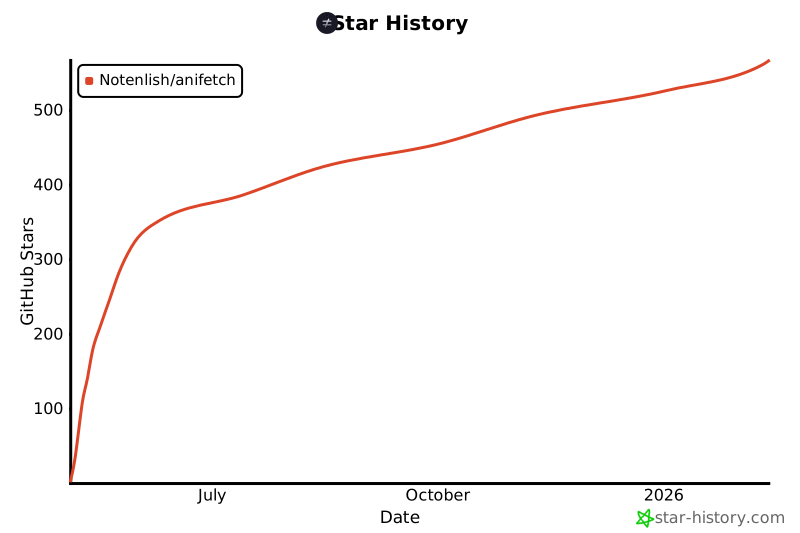](https://www.star-history.com/#Notenlish/anifetch&Date)
|
|
365
|
+
[](https://www.star-history.com/#Notenlish/anifetch&Date)
|
|
@@ -24,7 +24,7 @@ keywords = [
|
|
|
24
24
|
"fastfetch",
|
|
25
25
|
"anifetch",
|
|
26
26
|
]
|
|
27
|
-
version = "1.0.
|
|
27
|
+
version = "1.0.4"
|
|
28
28
|
description = "Animated terminal fetch with video and audio support."
|
|
29
29
|
# If I put everyone here it messes with the "author" meta section.
|
|
30
30
|
authors = [{ name = "Notenlish", email = "notenlish@gmail.com" }]
|
|
@@ -111,6 +111,16 @@ parser.add_argument(
|
|
|
111
111
|
action="store_false",
|
|
112
112
|
)
|
|
113
113
|
|
|
114
|
+
parser.add_argument(
|
|
115
|
+
"--no-input-restore",
|
|
116
|
+
help=(
|
|
117
|
+
"Disable restoring pressed keys back into the terminal after stopping Anifetch. "
|
|
118
|
+
"By default Anifetch re-enters your key presses automatically. "
|
|
119
|
+
"On some systems (eg: Wayland/KDE) Anifetch may trigger a security prompt which can be annoying, add this argument to fix it."
|
|
120
|
+
),
|
|
121
|
+
action="store_false",
|
|
122
|
+
)
|
|
123
|
+
|
|
114
124
|
parser.add_argument(
|
|
115
125
|
"--quality",
|
|
116
126
|
"-q",
|
|
@@ -16,7 +16,7 @@ from .utils import (
|
|
|
16
16
|
get_ext_from_codec,
|
|
17
17
|
get_data_path,
|
|
18
18
|
default_asset_presence_check,
|
|
19
|
-
|
|
19
|
+
get_media_dimensions,
|
|
20
20
|
get_neofetch_status,
|
|
21
21
|
print_verbose,
|
|
22
22
|
normal_print,
|
|
@@ -32,6 +32,11 @@ from .utils import (
|
|
|
32
32
|
get_fetch_output,
|
|
33
33
|
make_template_from_fetch_lines,
|
|
34
34
|
clear_screen_soft,
|
|
35
|
+
check_is_video,
|
|
36
|
+
check_is_image,
|
|
37
|
+
check_video_transparency,
|
|
38
|
+
check_image_transparency,
|
|
39
|
+
split_to_frames,
|
|
35
40
|
)
|
|
36
41
|
from typing import Literal
|
|
37
42
|
from concurrent.futures import ThreadPoolExecutor, Future
|
|
@@ -126,9 +131,6 @@ def run_anifetch(args):
|
|
|
126
131
|
sys.exit(0)
|
|
127
132
|
|
|
128
133
|
filename = pathlib.Path(args.filename)
|
|
129
|
-
IS_GIF = False
|
|
130
|
-
if args.filename:
|
|
131
|
-
IS_GIF = True
|
|
132
134
|
|
|
133
135
|
# If the filename is relative, check if it exists in the assets directory.
|
|
134
136
|
if not filename.exists():
|
|
@@ -143,6 +145,31 @@ def run_anifetch(args):
|
|
|
143
145
|
)
|
|
144
146
|
sys.exit(1)
|
|
145
147
|
|
|
148
|
+
if not filename.is_file():
|
|
149
|
+
print("[ERROR] Filename is not a file. Please give an file.")
|
|
150
|
+
sys.exit(1)
|
|
151
|
+
|
|
152
|
+
IS_IMAGE = False
|
|
153
|
+
IS_GIF = False
|
|
154
|
+
IS_VIDEO = False
|
|
155
|
+
IS_TRANSPARENT = False
|
|
156
|
+
if filename.suffix == ".gif":
|
|
157
|
+
IS_GIF = True
|
|
158
|
+
IS_TRANSPARENT = True
|
|
159
|
+
else:
|
|
160
|
+
IS_VIDEO = check_is_video(filename)
|
|
161
|
+
if IS_VIDEO:
|
|
162
|
+
IS_TRANSPARENT = check_video_transparency(filename)
|
|
163
|
+
if not IS_GIF and not IS_VIDEO:
|
|
164
|
+
IS_IMAGE = check_is_image(filename)
|
|
165
|
+
IS_TRANSPARENT = check_image_transparency(filename)
|
|
166
|
+
|
|
167
|
+
if (not IS_GIF) and (not IS_IMAGE) and (not IS_VIDEO):
|
|
168
|
+
print("[ERROR] File is neither a gif, image or video.")
|
|
169
|
+
sys.exit(1)
|
|
170
|
+
|
|
171
|
+
# TODO: make sure image mode also works as well. currently it raises a runtime Error
|
|
172
|
+
|
|
146
173
|
newpath = ASSET_PATH / filename.name
|
|
147
174
|
|
|
148
175
|
try:
|
|
@@ -220,7 +247,7 @@ def run_anifetch(args):
|
|
|
220
247
|
# automatically calculate height if not given
|
|
221
248
|
if should_update and ("--height" not in sys.argv and "-H" not in sys.argv):
|
|
222
249
|
try:
|
|
223
|
-
vid_w, vid_h =
|
|
250
|
+
vid_w, vid_h = get_media_dimensions(ASSET_PATH / args.filename)
|
|
224
251
|
except RuntimeError as e:
|
|
225
252
|
print(f"[ERROR] {e}")
|
|
226
253
|
sys.exit(1)
|
|
@@ -258,38 +285,27 @@ def run_anifetch(args):
|
|
|
258
285
|
stdout = None if args.verbose else subprocess.DEVNULL
|
|
259
286
|
stderr = None if args.verbose else subprocess.PIPE
|
|
260
287
|
|
|
261
|
-
|
|
262
|
-
|
|
263
|
-
|
|
264
|
-
|
|
265
|
-
|
|
266
|
-
|
|
267
|
-
|
|
268
|
-
|
|
269
|
-
"-q:v",
|
|
270
|
-
str(
|
|
271
|
-
min(max(args.quality or 6, 2), 10)
|
|
272
|
-
), # 2-5 high quality, 6-10 lower
|
|
273
|
-
str(CACHE_PATH / "video/%05d.png")
|
|
274
|
-
if IS_GIF
|
|
275
|
-
else str(CACHE_PATH / "video/%05d.jpg"),
|
|
276
|
-
],
|
|
277
|
-
stdout=stdout,
|
|
278
|
-
stderr=stderr,
|
|
279
|
-
text=True,
|
|
280
|
-
)
|
|
281
|
-
except FileNotFoundError as e:
|
|
282
|
-
if e.errno == errno.ENOENT:
|
|
283
|
-
print(
|
|
284
|
-
"The command Ffmpeg was not found. You probably forgot to install it. You can install it by going to here: https://ffmpeg.org/download.html\n If you installed Ffmpeg but it still doesn't work, check your PATH."
|
|
288
|
+
if IS_IMAGE:
|
|
289
|
+
shutil.copy(
|
|
290
|
+
args.filename, VIDEO_DIR / f"{0:05d}.{filename.suffix}"
|
|
291
|
+
) # just a file named 00000.{suffix}
|
|
292
|
+
else: # video or gif
|
|
293
|
+
try:
|
|
294
|
+
result_ffmpeg = split_to_frames(
|
|
295
|
+
args, CACHE_PATH, IS_TRANSPARENT, stdout, stderr
|
|
285
296
|
)
|
|
286
|
-
|
|
297
|
+
except FileNotFoundError as e:
|
|
298
|
+
if e.errno == errno.ENOENT:
|
|
299
|
+
print(
|
|
300
|
+
"The command Ffmpeg was not found. You probably forgot to install it. You can install it by going to here: https://ffmpeg.org/download.html\n If you installed Ffmpeg but it still doesn't work, check your PATH."
|
|
301
|
+
)
|
|
302
|
+
raise SystemExit
|
|
303
|
+
else:
|
|
304
|
+
raise
|
|
287
305
|
else:
|
|
288
|
-
|
|
289
|
-
|
|
290
|
-
|
|
291
|
-
print(f"[ERROR] ffmpeg failed: {result_ffmpeg.stderr}")
|
|
292
|
-
sys.exit(1)
|
|
306
|
+
if result_ffmpeg.returncode != 0:
|
|
307
|
+
print(f"[ERROR] ffmpeg failed: {result_ffmpeg.stderr}")
|
|
308
|
+
sys.exit(1)
|
|
293
309
|
|
|
294
310
|
print_verbose(should_print_verbose, args.sound_flag_given)
|
|
295
311
|
|
|
@@ -478,9 +494,26 @@ def run_anifetch(args):
|
|
|
478
494
|
else:
|
|
479
495
|
pass
|
|
480
496
|
|
|
481
|
-
if renderer.last_key:
|
|
497
|
+
if renderer.last_key and args.no_input_restore:
|
|
482
498
|
from pynput.keyboard import Controller, Key
|
|
483
499
|
|
|
500
|
+
KEY_MAP = {
|
|
501
|
+
# Windows sequences
|
|
502
|
+
"àH": Key.up,
|
|
503
|
+
"àP": Key.down,
|
|
504
|
+
"àK": Key.left,
|
|
505
|
+
"àM": Key.right,
|
|
506
|
+
"\x00H": Key.up,
|
|
507
|
+
"\x00P": Key.down,
|
|
508
|
+
# Unix/macOS ANSI sequences
|
|
509
|
+
"\x1b[A": Key.up,
|
|
510
|
+
"\x1b[B": Key.down,
|
|
511
|
+
"\x1b[C": Key.right,
|
|
512
|
+
"\x1b[D": Key.left,
|
|
513
|
+
"\x1b[H": Key.home,
|
|
514
|
+
"\x1b[F": Key.end,
|
|
515
|
+
}
|
|
516
|
+
|
|
484
517
|
keyboard = Controller()
|
|
485
518
|
|
|
486
519
|
# needed because if I only enter one key even though the user pressed a bunch of keys the keys will be entered disorderly(only the a single key is not automatically entered and the other keys are entered)
|
|
@@ -491,13 +524,15 @@ def run_anifetch(args):
|
|
|
491
524
|
keyboard.press(Key.home)
|
|
492
525
|
keyboard.release(Key.home)
|
|
493
526
|
|
|
494
|
-
|
|
527
|
+
translated_key = KEY_MAP.get(renderer.last_key, renderer.last_key)
|
|
528
|
+
|
|
529
|
+
keyboard.press(translated_key)
|
|
495
530
|
|
|
496
531
|
# end of line
|
|
497
532
|
keyboard.press(Key.end)
|
|
498
533
|
keyboard.release(Key.end)
|
|
499
534
|
|
|
500
|
-
keyboard.release(
|
|
535
|
+
keyboard.release(translated_key)
|
|
501
536
|
|
|
502
537
|
if pathlib.Path(VIDEO_DIR).exists():
|
|
503
538
|
shutil.rmtree(VIDEO_DIR) # no need to keep the video frames.
|
|
@@ -366,7 +366,9 @@ class Renderer:
|
|
|
366
366
|
# index += 1
|
|
367
367
|
|
|
368
368
|
if self.no_key_exit:
|
|
369
|
-
k =
|
|
369
|
+
k = (
|
|
370
|
+
self.key_reader.poll()
|
|
371
|
+
) # instead of this maybe use pynput.keyboard.listener instead.
|
|
370
372
|
if k is not None:
|
|
371
373
|
# if k in ("q", "Q"):
|
|
372
374
|
self.last_key = k
|
|
@@ -386,10 +386,10 @@ def get_fetch_output(
|
|
|
386
386
|
file=sys.stderr,
|
|
387
387
|
)
|
|
388
388
|
sys.exit(1)
|
|
389
|
-
|
|
390
|
-
|
|
391
|
-
|
|
392
|
-
|
|
389
|
+
output += ["--config", config_file]
|
|
390
|
+
fetch_output = subprocess.check_output(
|
|
391
|
+
output, text=True, encoding="utf-8", errors="replace"
|
|
392
|
+
).splitlines()
|
|
393
393
|
|
|
394
394
|
elif neofetch_status == "uninstalled":
|
|
395
395
|
print(
|
|
@@ -431,7 +431,9 @@ def get_fetch_output(
|
|
|
431
431
|
sys.exit(1)
|
|
432
432
|
output += ["--config", config_file]
|
|
433
433
|
|
|
434
|
-
fetch_output = subprocess.check_output(
|
|
434
|
+
fetch_output = subprocess.check_output(
|
|
435
|
+
output, text=True, encoding="utf-8", errors="replace"
|
|
436
|
+
).splitlines()
|
|
435
437
|
|
|
436
438
|
except FileNotFoundError as e:
|
|
437
439
|
if e.errno == errno.ENOENT:
|
|
@@ -492,7 +494,10 @@ def render_frame(path: Path, width: int, height: int, chafa_args: str) -> str:
|
|
|
492
494
|
return p.stdout
|
|
493
495
|
|
|
494
496
|
|
|
495
|
-
def
|
|
497
|
+
def get_media_dimensions(filename):
|
|
498
|
+
"""
|
|
499
|
+
Works for both gif, video and image.
|
|
500
|
+
"""
|
|
496
501
|
cmd = [
|
|
497
502
|
"ffprobe",
|
|
498
503
|
"-v",
|
|
@@ -532,6 +537,7 @@ def clean_cache_args(cache_args: dict) -> dict:
|
|
|
532
537
|
"center",
|
|
533
538
|
"loop",
|
|
534
539
|
"no_key_exit",
|
|
540
|
+
"no_input_restore",
|
|
535
541
|
"config",
|
|
536
542
|
)
|
|
537
543
|
cleaned = deepcopy(cache_args) # need to deepcopy to not modify original dict.
|
|
@@ -620,3 +626,88 @@ def threaded_chafa_frame_gen(
|
|
|
620
626
|
with open((OUTPUT_DIR / f).with_suffix(".txt"), "w", encoding="utf-8") as file:
|
|
621
627
|
file.write(out)
|
|
622
628
|
return i, out
|
|
629
|
+
|
|
630
|
+
|
|
631
|
+
def check_is_image(filename: pathlib.Path):
|
|
632
|
+
IMAGE_EXTENSIONS = (
|
|
633
|
+
".apng",
|
|
634
|
+
".png",
|
|
635
|
+
".webp",
|
|
636
|
+
".jpg",
|
|
637
|
+
".jpeg",
|
|
638
|
+
".tiff",
|
|
639
|
+
".tif",
|
|
640
|
+
".bmp",
|
|
641
|
+
".ico",
|
|
642
|
+
".avif",
|
|
643
|
+
".jfif",
|
|
644
|
+
".svg",
|
|
645
|
+
)
|
|
646
|
+
if any([filename.suffix == ext for ext in IMAGE_EXTENSIONS]):
|
|
647
|
+
return True
|
|
648
|
+
return False
|
|
649
|
+
|
|
650
|
+
|
|
651
|
+
def check_image_transparency(filename: pathlib.Path):
|
|
652
|
+
IMAGE_EXTENSIONS_WITH_ALPHA = (".png", ".webp", ".tiff", ".bmp", ".ico", ".avif")
|
|
653
|
+
if any([filename.suffix == ext for ext in IMAGE_EXTENSIONS_WITH_ALPHA]):
|
|
654
|
+
return True
|
|
655
|
+
return False
|
|
656
|
+
|
|
657
|
+
|
|
658
|
+
def check_is_video(filename: pathlib.Path):
|
|
659
|
+
VIDEO_EXTENSIONS = (
|
|
660
|
+
".mp4",
|
|
661
|
+
".mov",
|
|
662
|
+
".avi",
|
|
663
|
+
".mkv",
|
|
664
|
+
".webm",
|
|
665
|
+
".flv",
|
|
666
|
+
".wmv",
|
|
667
|
+
".m4v",
|
|
668
|
+
".mpg",
|
|
669
|
+
".mpeg",
|
|
670
|
+
)
|
|
671
|
+
if any([filename.suffix == ext for ext in VIDEO_EXTENSIONS]):
|
|
672
|
+
return True
|
|
673
|
+
return False
|
|
674
|
+
|
|
675
|
+
|
|
676
|
+
def check_video_transparency(filename: pathlib.Path):
|
|
677
|
+
result = subprocess.run(
|
|
678
|
+
[
|
|
679
|
+
"ffprobe",
|
|
680
|
+
"-v",
|
|
681
|
+
"error",
|
|
682
|
+
"-select_streams",
|
|
683
|
+
"v:0",
|
|
684
|
+
"-show_entries",
|
|
685
|
+
"stream=pix_fmt",
|
|
686
|
+
"-of",
|
|
687
|
+
"csv=p=0",
|
|
688
|
+
str(filename),
|
|
689
|
+
],
|
|
690
|
+
capture_output=True,
|
|
691
|
+
)
|
|
692
|
+
pix_fmt = result.stdout.strip().decode("utf-8")
|
|
693
|
+
return "a" in pix_fmt
|
|
694
|
+
|
|
695
|
+
|
|
696
|
+
def split_to_frames(args, CACHE_PATH, IS_TRANSPARENT, stdout, stderr):
|
|
697
|
+
return subprocess.run(
|
|
698
|
+
[
|
|
699
|
+
"ffmpeg",
|
|
700
|
+
"-i",
|
|
701
|
+
f"{args.filename}",
|
|
702
|
+
"-vf",
|
|
703
|
+
f"fps={args.framerate},format=rgba",
|
|
704
|
+
"-q:v",
|
|
705
|
+
str(min(max(args.quality or 6, 2), 10)), # 2-5 high quality, 6-10 lower
|
|
706
|
+
str(CACHE_PATH / "video/%05d.png")
|
|
707
|
+
if IS_TRANSPARENT
|
|
708
|
+
else str(CACHE_PATH / "video/%05d.jpg"),
|
|
709
|
+
],
|
|
710
|
+
stdout=stdout,
|
|
711
|
+
stderr=stderr,
|
|
712
|
+
text=True,
|
|
713
|
+
)
|
|
@@ -1,6 +1,6 @@
|
|
|
1
1
|
Metadata-Version: 2.4
|
|
2
2
|
Name: anifetch-cli
|
|
3
|
-
Version: 1.0.
|
|
3
|
+
Version: 1.0.4
|
|
4
4
|
Summary: Animated terminal fetch with video and audio support.
|
|
5
5
|
Author-email: Notenlish <notenlish@gmail.com>
|
|
6
6
|
Maintainer: Immelancholy
|
|
@@ -33,11 +33,34 @@ This is a small tool built with fastfetch/neofetch, ffmpeg and chafa. It allows
|
|
|
33
33
|
|
|
34
34
|
## Installation
|
|
35
35
|
|
|
36
|
-
|
|
36
|
+
**Quick Links Installation Guide For:**
|
|
37
37
|
|
|
38
|
-
|
|
38
|
+
[Linux](#installation-for-linux-system) • [Windows](#installation-for-windows-winget-or-scoop) • [macOS](#installation-for-macos-homebrew)• [Manual](#manual-installation) • [Development](#developer-installation)
|
|
39
39
|
|
|
40
|
-
|
|
40
|
+
### Installation for Linux System
|
|
41
|
+
Recommended Python version: 3.11 and later.
|
|
42
|
+
|
|
43
|
+
#### Installation for Arch / Arch-based distros (Community maintained)
|
|
44
|
+
|
|
45
|
+
Anifetch is available in the AUR package [anifetch-cli](https://aur.archlinux.org/packages/anifetch-cli), maintained by @AmmarSyamil.
|
|
46
|
+
|
|
47
|
+
Install it from the terminal. For example, with Yay:
|
|
48
|
+
|
|
49
|
+
```bash
|
|
50
|
+
yay -S anifetch-cli
|
|
51
|
+
```
|
|
52
|
+
|
|
53
|
+
After installation, run this to test if anifetch was installed correctly:
|
|
54
|
+
|
|
55
|
+
```bash
|
|
56
|
+
anifetch example.mp4
|
|
57
|
+
```
|
|
58
|
+
Please read our [User guide](#user-guide) for more info on how to use anifetch.
|
|
59
|
+
|
|
60
|
+
#### Installation for other Linux Distro.
|
|
61
|
+
If you use NixOS refer to Installation for [NixOS](#installation-for-nixos).
|
|
62
|
+
|
|
63
|
+
Install it from the terminal. For example, with Yay:
|
|
41
64
|
|
|
42
65
|
```bash
|
|
43
66
|
curl https://raw.githubusercontent.com/Notenlish/anifetch/refs/heads/main/install.sh | bash
|
|
@@ -49,10 +72,12 @@ After installation, run this to test if anifetch was installed correctly:
|
|
|
49
72
|
anifetch example.mp4
|
|
50
73
|
```
|
|
51
74
|
|
|
75
|
+
|
|
52
76
|
Please read our [User guide](#user-guide) for more info on how to use anifetch.
|
|
53
77
|
|
|
54
78
|
---
|
|
55
79
|
|
|
80
|
+
|
|
56
81
|
### Installation for Windows (Winget or Scoop)
|
|
57
82
|
|
|
58
83
|
Check whether you have winget installed by running `winget` in the windows terminal. If you dont have it, install it [here](https://github.com/microsoft/winget-cli/?tab=readme-ov-file#installing-the-client). If you want, you can use [Scoop](https://scoop.sh/) instead. Just replace the `winget` part with `scoop`.
|
|
@@ -72,7 +97,10 @@ After installing the necessary dependencies using winget/scoop, install anifetch
|
|
|
72
97
|
> [!WARNING]
|
|
73
98
|
> **Do not** install `anifetch` on pypi, it is not related with this project. Install `anifetch-cli`.
|
|
74
99
|
|
|
75
|
-
|
|
100
|
+
Please read our [Post installation](#post-installation) and [User guide](#user-guide) for more info on how to use anifetch.
|
|
101
|
+
|
|
102
|
+
|
|
103
|
+
### Installation for macOS (HomeBrew)
|
|
76
104
|
|
|
77
105
|
Install homebrew if you haven't installed it already by following the guide [here](https://brew.sh/).
|
|
78
106
|
|
|
@@ -199,7 +227,7 @@ After you've done these steps, rebuild your system.
|
|
|
199
227
|
|
|
200
228
|
---
|
|
201
229
|
|
|
202
|
-
### Developer Installation
|
|
230
|
+
### Developer Installation
|
|
203
231
|
|
|
204
232
|
```bash
|
|
205
233
|
git clone https://github.com/Notenlish/anifetch.git
|
|
@@ -265,6 +293,7 @@ _Note : by default, the video `example.mp4` can directly be used as an example._
|
|
|
265
293
|
- `--quality`: Changes the output quality of ffmpeg when extracting frames. This doesn't have much effect on the quality or speed from my testing, so you shouldn't need to change this. 2 highest quality, 10 lowest quality.
|
|
266
294
|
- `--loop`: Determines how many times the animation should loop. Default is -1(always loop).
|
|
267
295
|
- `--no-key-exit`: Don't exit anifetch when user presses a key.
|
|
296
|
+
- `--no-input-restore`: Disable restoring pressed keys back into the terminal after stopping Anifetch. Use this if your OS gives security prompts saying `"Anifetch" is requesting special priviliges` when you press a key to stop Anifetch.
|
|
268
297
|
- `-c` / `--config`: Specify a non-default config for Neofetch/Fastfetch.
|
|
269
298
|
- Accepts a path or preset name (e.g. `main`).
|
|
270
299
|
- Neofetch (Linux/macOS): `~/.config/neofetch/main.conf`
|
|
@@ -326,6 +355,8 @@ Make sure to install the dependencies listed on [Prerequisites](#Prerequisites).
|
|
|
326
355
|
|
|
327
356
|
If weird characters are appearing in your terminal then your terminals font probably can't render some characters. Consider installling [nerdfonts](https://www.nerdfonts.com/).
|
|
328
357
|
|
|
358
|
+
If your OS is prompting you about `"Anifetch" is requesting special priviliges` or something similiar after pressing a key to stop the running Anifetch instance, add this argument: `--no-input-restore`. The technical reason for this is that Anifetch records the keys you press and enters them back to the terminal on your behalf. That way you can immediately run whatever command you want, without having to re-enter a key or two. Certain OS's have built-in protections against this as a security notice, which is why you might encounter a security prompt.
|
|
359
|
+
|
|
329
360
|
## Notes
|
|
330
361
|
|
|
331
362
|
Anifetch attempts to cache the animation so that it doesn't need to render them again when you run it with the same file. However, if the name of the file is the same, but it's contents has changed, it won't re-render it. In that case, you will need to add `--force-render` as an argument to `anifetch.py` so that it re-renders it. You only have to do this only once when you change the file contents.
|
|
File without changes
|
|
File without changes
|
|
File without changes
|
|
File without changes
|
|
File without changes
|
|
File without changes
|
|
File without changes
|
|
File without changes
|
|
File without changes
|
|
File without changes
|
|
File without changes
|