anifetch-cli 1.0.0__tar.gz
This diff represents the content of publicly available package versions that have been released to one of the supported registries. The information contained in this diff is provided for informational purposes only and reflects changes between package versions as they appear in their respective public registries.
- anifetch_cli-1.0.0/LICENSE +21 -0
- anifetch_cli-1.0.0/PKG-INFO +344 -0
- anifetch_cli-1.0.0/README.md +317 -0
- anifetch_cli-1.0.0/pyproject.toml +56 -0
- anifetch_cli-1.0.0/setup.cfg +4 -0
- anifetch_cli-1.0.0/src/anifetch/__init__.py +16 -0
- anifetch_cli-1.0.0/src/anifetch/__main__.py +8 -0
- anifetch_cli-1.0.0/src/anifetch/assets/example.mp4 +0 -0
- anifetch_cli-1.0.0/src/anifetch/cli.py +179 -0
- anifetch_cli-1.0.0/src/anifetch/core.py +500 -0
- anifetch_cli-1.0.0/src/anifetch/keyreader.py +67 -0
- anifetch_cli-1.0.0/src/anifetch/renderer.py +375 -0
- anifetch_cli-1.0.0/src/anifetch/utils.py +573 -0
- anifetch_cli-1.0.0/src/anifetch_cli.egg-info/PKG-INFO +344 -0
- anifetch_cli-1.0.0/src/anifetch_cli.egg-info/SOURCES.txt +17 -0
- anifetch_cli-1.0.0/src/anifetch_cli.egg-info/dependency_links.txt +1 -0
- anifetch_cli-1.0.0/src/anifetch_cli.egg-info/entry_points.txt +3 -0
- anifetch_cli-1.0.0/src/anifetch_cli.egg-info/requires.txt +4 -0
- anifetch_cli-1.0.0/src/anifetch_cli.egg-info/top_level.txt +1 -0
|
@@ -0,0 +1,21 @@
|
|
|
1
|
+
MIT License
|
|
2
|
+
|
|
3
|
+
Copyright (c) 2025 Notenlish
|
|
4
|
+
|
|
5
|
+
Permission is hereby granted, free of charge, to any person obtaining a copy
|
|
6
|
+
of this software and associated documentation files (the "Software"), to deal
|
|
7
|
+
in the Software without restriction, including without limitation the rights
|
|
8
|
+
to use, copy, modify, merge, publish, distribute, sublicense, and/or sell
|
|
9
|
+
copies of the Software, and to permit persons to whom the Software is
|
|
10
|
+
furnished to do so, subject to the following conditions:
|
|
11
|
+
|
|
12
|
+
The above copyright notice and this permission notice shall be included in all
|
|
13
|
+
copies or substantial portions of the Software.
|
|
14
|
+
|
|
15
|
+
THE SOFTWARE IS PROVIDED "AS IS", WITHOUT WARRANTY OF ANY KIND, EXPRESS OR
|
|
16
|
+
IMPLIED, INCLUDING BUT NOT LIMITED TO THE WARRANTIES OF MERCHANTABILITY,
|
|
17
|
+
FITNESS FOR A PARTICULAR PURPOSE AND NONINFRINGEMENT. IN NO EVENT SHALL THE
|
|
18
|
+
AUTHORS OR COPYRIGHT HOLDERS BE LIABLE FOR ANY CLAIM, DAMAGES OR OTHER
|
|
19
|
+
LIABILITY, WHETHER IN AN ACTION OF CONTRACT, TORT OR OTHERWISE, ARISING FROM,
|
|
20
|
+
OUT OF OR IN CONNECTION WITH THE SOFTWARE OR THE USE OR OTHER DEALINGS IN THE
|
|
21
|
+
SOFTWARE.
|
|
@@ -0,0 +1,344 @@
|
|
|
1
|
+
Metadata-Version: 2.4
|
|
2
|
+
Name: anifetch-cli
|
|
3
|
+
Version: 1.0.0
|
|
4
|
+
Summary: Animated terminal fetch with video and audio support.
|
|
5
|
+
Author-email: Notenlish <notenlish@gmail.com>
|
|
6
|
+
Maintainer: Immelancholy
|
|
7
|
+
Maintainer-email: Gallophostrix <gallophostrix@gmail.com>, Notenlish <notenlish@gmail.com>
|
|
8
|
+
License: MIT
|
|
9
|
+
Project-URL: Homepage, https://github.com/Notenlish/anifetch
|
|
10
|
+
Project-URL: Issues, https://github.com/Notenlish/anifetch/issues
|
|
11
|
+
Keywords: fetch,terminal,cli,animated,neofetch,fastfetch,anifetch
|
|
12
|
+
Classifier: Development Status :: 5 - Production/Stable
|
|
13
|
+
Classifier: Environment :: Console
|
|
14
|
+
Classifier: Topic :: Terminals
|
|
15
|
+
Classifier: Operating System :: Microsoft :: Windows
|
|
16
|
+
Classifier: Operating System :: POSIX
|
|
17
|
+
Classifier: Operating System :: Unix
|
|
18
|
+
Classifier: Operating System :: MacOS
|
|
19
|
+
Requires-Python: >=3.11
|
|
20
|
+
Description-Content-Type: text/markdown
|
|
21
|
+
License-File: LICENSE
|
|
22
|
+
Requires-Dist: platformdirs
|
|
23
|
+
Requires-Dist: wcwidth
|
|
24
|
+
Requires-Dist: rich
|
|
25
|
+
Requires-Dist: pynput
|
|
26
|
+
Dynamic: license-file
|
|
27
|
+
|
|
28
|
+

|
|
29
|
+
|
|
30
|
+
# Anifetch - Neofetch but animated.
|
|
31
|
+
|
|
32
|
+
This is a small tool built with fastfetch/neofetch, ffmpeg and chafa. It allows you to use fastfetch or neofetch while having animations.
|
|
33
|
+
|
|
34
|
+
## Installation
|
|
35
|
+
|
|
36
|
+
### Installation for Linux
|
|
37
|
+
|
|
38
|
+
Recommended Python version: 3.11 and later. If you use NixOS refer to [Installation for NixOS](#installation-for-nixos).
|
|
39
|
+
|
|
40
|
+
Run this in the terminal.
|
|
41
|
+
|
|
42
|
+
```bash
|
|
43
|
+
curl https://raw.githubusercontent.com/Notenlish/anifetch/refs/heads/main/install.sh | bash
|
|
44
|
+
```
|
|
45
|
+
|
|
46
|
+
After installation, run this to test if anifetch was installed correctly:
|
|
47
|
+
|
|
48
|
+
```bash
|
|
49
|
+
anifetch example.mp4
|
|
50
|
+
```
|
|
51
|
+
|
|
52
|
+
Please read our [User guide](#user-guide) for more info on how to use anifetch.
|
|
53
|
+
|
|
54
|
+
---
|
|
55
|
+
|
|
56
|
+
### Installation for Windows (Winget or Scoop)
|
|
57
|
+
|
|
58
|
+
Check whether you have winget installed by running `winget` in the windows terminal. If you dont have it, install it [here](https://github.com/microsoft/winget-cli/?tab=readme-ov-file#installing-the-client). If you want, you can use [Scoop](https://scoop.sh/) instead. Just replace the `winget` part with `scoop`.
|
|
59
|
+
|
|
60
|
+
Run this in the terminal after verifying winget works:
|
|
61
|
+
|
|
62
|
+
```
|
|
63
|
+
winget install chafa ffmpeg fastfetch
|
|
64
|
+
```
|
|
65
|
+
|
|
66
|
+
You can install neofetch too but it is deprecated and not recommended. Run this to install: `winget install neofetch`
|
|
67
|
+
|
|
68
|
+
You can then install anifetch via `pip install anifetch-cli`. You can install it via pipx too by doing: `pipx install anifetch-cli`
|
|
69
|
+
|
|
70
|
+
### Installation for MacOS with Homebrew
|
|
71
|
+
|
|
72
|
+
Install homebrew if you haven't installed it already by following the guide [here](https://brew.sh/).
|
|
73
|
+
|
|
74
|
+
Run this in the terminal after verifying homebrew is installed:
|
|
75
|
+
|
|
76
|
+
```
|
|
77
|
+
brew install chafa ffmpeg fastfetch
|
|
78
|
+
```
|
|
79
|
+
|
|
80
|
+
You can then install anifetch via `pip install anifetch-cli`. You can install it via pipx too via `pipx install anifetch-cli`
|
|
81
|
+
|
|
82
|
+
|
|
83
|
+
### Manual Installation
|
|
84
|
+
|
|
85
|
+
You need the following tools installed on your system:
|
|
86
|
+
|
|
87
|
+
- `chafa`
|
|
88
|
+
|
|
89
|
+
- Debian/Ubuntu: `sudo apt install chafa`
|
|
90
|
+
- [Other distros – Download Instructions](https://hpjansson.org/chafa/download/)
|
|
91
|
+
|
|
92
|
+
- `ffmpeg` (for video/audio playback)
|
|
93
|
+
|
|
94
|
+
- Debian/Ubuntu: `sudo apt install ffmpeg`
|
|
95
|
+
- [Other systems – Download](https://www.ffmpeg.org/download.html)
|
|
96
|
+
|
|
97
|
+
- `fastfetch / neofetch` (Fastfetch is recommended)
|
|
98
|
+
|
|
99
|
+
- Debian/Ubuntu: `sudo apt install fastfetch`
|
|
100
|
+
- [Other systems - Instructions for Fastfetch](https://github.com/fastfetch-cli/fastfetch?tab=readme-ov-file#installation)
|
|
101
|
+
- Neofetch installation _(Not recommended)_ can be found [here](https://github.com/dylanaraps/neofetch/wiki/Installation)
|
|
102
|
+
|
|
103
|
+
🔧 Make sure `pipx` is installed:
|
|
104
|
+
|
|
105
|
+
```bash
|
|
106
|
+
sudo apt install pipx
|
|
107
|
+
pipx ensurepath
|
|
108
|
+
```
|
|
109
|
+
|
|
110
|
+
and then:
|
|
111
|
+
|
|
112
|
+
```bash
|
|
113
|
+
pipx install git+https://github.com/Notenlish/anifetch.git
|
|
114
|
+
```
|
|
115
|
+
|
|
116
|
+
This installs `anifetch` in an isolated environment, keeping your system Python clean.
|
|
117
|
+
You can then run the `anifetch` command directly in your terminal.
|
|
118
|
+
|
|
119
|
+
Since pipx installs packages in an isolated environment, you won't have to worry about dependency conflicts or polluting your global python environment. `anifetch` will behave just like a native cli tool. You can upgrade your installation with `pipx upgrade anifetch`
|
|
120
|
+
|
|
121
|
+
|
|
122
|
+
---
|
|
123
|
+
|
|
124
|
+
### Installation for NixOS
|
|
125
|
+
#### ❄️ As a flake:
|
|
126
|
+
Add the anifetch repo as a flake input:
|
|
127
|
+
|
|
128
|
+
```nix
|
|
129
|
+
{
|
|
130
|
+
inputs = {
|
|
131
|
+
anifetch = {
|
|
132
|
+
url = "github:Notenlish/anifetch";
|
|
133
|
+
inputs.nixpkgs.follows = "nixpkgs";
|
|
134
|
+
};
|
|
135
|
+
};
|
|
136
|
+
}
|
|
137
|
+
```
|
|
138
|
+
|
|
139
|
+
Remember to add:
|
|
140
|
+
|
|
141
|
+
```nix
|
|
142
|
+
specialArgs = {inherit inputs;};
|
|
143
|
+
```
|
|
144
|
+
|
|
145
|
+
to your nixos configuration, like I've done here on my system:
|
|
146
|
+
|
|
147
|
+
```nix
|
|
148
|
+
nixosConfigurations = {
|
|
149
|
+
Enlil = nixpkgs.lib.nixosSystem {
|
|
150
|
+
specialArgs = {inherit inputs outputs;};
|
|
151
|
+
```
|
|
152
|
+
|
|
153
|
+
#### ❄️ As a package:
|
|
154
|
+
|
|
155
|
+
Add anifetch to your packages list like so:
|
|
156
|
+
|
|
157
|
+
```nix
|
|
158
|
+
{inputs, pkgs, ...}: {
|
|
159
|
+
environment.systemPackages = with pkgs; [
|
|
160
|
+
inputs.anifetch.packages.${pkgs.system}.default
|
|
161
|
+
fastfetch # Choose either fastfetch or neofetch to run anifetch with
|
|
162
|
+
neofetch
|
|
163
|
+
];
|
|
164
|
+
}
|
|
165
|
+
```
|
|
166
|
+
|
|
167
|
+
#### ❄️ As an overlay:
|
|
168
|
+
|
|
169
|
+
Add the overlay to nixpkgs overlays, then add the package to your package list as you would a package from the normal nixpkgs repo.
|
|
170
|
+
|
|
171
|
+
```nix
|
|
172
|
+
{inputs, pkgs, ...}: {
|
|
173
|
+
nixpkgs = {
|
|
174
|
+
overlays = [
|
|
175
|
+
inputs.anifetch.overlays.anifetch
|
|
176
|
+
];
|
|
177
|
+
};
|
|
178
|
+
|
|
179
|
+
environment.systemPackages = with pkgs; [
|
|
180
|
+
anifetch
|
|
181
|
+
fastfetch # Choose either fastfetch or neofetch to run anifetch with
|
|
182
|
+
neofetch
|
|
183
|
+
];
|
|
184
|
+
}
|
|
185
|
+
```
|
|
186
|
+
|
|
187
|
+
The Nix package contains all the dependencies in a wrapper script for the application aside from fastfetch or neofetch, so you should only need to add one of those to your package list as well.
|
|
188
|
+
|
|
189
|
+
After you've done these steps, rebuild your system.
|
|
190
|
+
|
|
191
|
+
---
|
|
192
|
+
|
|
193
|
+
### Developer Installation (for contributors):
|
|
194
|
+
|
|
195
|
+
```bash
|
|
196
|
+
git clone https://github.com/Notenlish/anifetch.git
|
|
197
|
+
cd anifetch
|
|
198
|
+
python3 -m venv venv
|
|
199
|
+
source venv/bin/activate
|
|
200
|
+
pip install -e .
|
|
201
|
+
```
|
|
202
|
+
> on windows do this to activate the venv instead: `venv\Scripts\activate`. Also on windows you should use `py` instead of `python3`.
|
|
203
|
+
|
|
204
|
+
|
|
205
|
+
This installs `anifetch` in editable mode within a local virtual environment for development.
|
|
206
|
+
|
|
207
|
+
You can then run the program in two ways:
|
|
208
|
+
|
|
209
|
+
- As a CLI: `anifetch`
|
|
210
|
+
- Or as a module: `python3 -m anifetch` (useful for debugging or internal testing)
|
|
211
|
+
|
|
212
|
+
> Please avoid using `pip install` outside a virtual environment on Linux. This is restricted by [PEP 668](https://peps.python.org/pep-0668/) to protect the system Python.
|
|
213
|
+
|
|
214
|
+
On Nix you can run:
|
|
215
|
+
|
|
216
|
+
```bash
|
|
217
|
+
nix develop
|
|
218
|
+
pip install -e .
|
|
219
|
+
```
|
|
220
|
+
|
|
221
|
+
inside the anifetch dir after cloning the repo. This creates a python venv you can re-enter by running `nix develop` inside the project dir.
|
|
222
|
+
|
|
223
|
+
## User Guide
|
|
224
|
+
|
|
225
|
+
You don't need to configure anything for `fastfetch` or `neofetch`. If they already work on your machine, `anifetch` will detect and use them automatically. Please note that at least one of these must be installed, otherwise anifetch won't work. **By default, `anifetch` will use fastfetch**.
|
|
226
|
+
|
|
227
|
+
> We dont recommend using neofetch as it is archived. **To use neofetch**, you must append `-nf` to the anifetch command. For some distros you may need to append `--force` to the command too since neofetch is deprecated.
|
|
228
|
+
|
|
229
|
+
Simply `cd` to the directory your video file is located in and do `anifetch [path_to_video_file]`. Both relative and absolute paths are supported. Anifetch is packaged with an `example.mp4` video by default. You can use that to test anifetch.
|
|
230
|
+
|
|
231
|
+
Any video file you give to anifetch will be stored in `~/.local/share/anifetch/assets` folder for linux and `C:\\Users\\[Username]\\AppData\\Local\\anifetch\\anifetch\\assets` folder for windows. After running `anifetch` with this video file once, next time you use anifetch, you will be able to use that same video file in any location by just using its filename, since the video file has been saved in `assets`.
|
|
232
|
+
|
|
233
|
+
### Example usage:
|
|
234
|
+
|
|
235
|
+
```bash
|
|
236
|
+
anifetch video.mp4 -W 40 -H 20 -ca "--symbols wide --fg-only"
|
|
237
|
+
```
|
|
238
|
+
|
|
239
|
+
_Note : by default, the video `example.mp4` can directly be used as an example._
|
|
240
|
+
|
|
241
|
+
### Optional arguments:
|
|
242
|
+
|
|
243
|
+
- `-s` / `--sound`: Plays sound along with the video. If you provide a sound file, it will use it, otherwise will use ffmpg to extract audio from the video.
|
|
244
|
+
- `-r` / `--framerate`: Framerate to use when extracting frames from ffmpeg.
|
|
245
|
+
- `-W` / `--width`: video width
|
|
246
|
+
- `-H` / `--height`: video height (may be automatically fixed with the width)
|
|
247
|
+
- `-ca` / `--chafa-arguments`: extra arguments to pass to `chafa`. For an example, try adding this: `-ca "--symbols wide --fg-only"` this makes the output use Japanese characters.
|
|
248
|
+
- `-C` / `--center`: centers the terminal animation vertically
|
|
249
|
+
- `--cleanup`: Clears the screen on program exit.
|
|
250
|
+
- `-nf` / `--neofetch`: uses `neofetch` instead of `fastfetch`
|
|
251
|
+
- `-fr` / `--force-render`: Forcefully re-renders the animation while not caring about the cache. Useful if the cache is broken or the contents of the video file has changed.
|
|
252
|
+
- `-i` / `--interval`: Use this to make anifetch update the fetch information over time, sets fetch refresh interval in seconds. Default is -1(never).
|
|
253
|
+
- `-b` / `--benchmark`: For testing, prints how long it took to process in seconds.
|
|
254
|
+
- `--force`: Add this argument if you want to use neofetch even if it is deprecated on your system.
|
|
255
|
+
- `--chroma`: Add this argument to chromakey a hexadecimal color from the video using ffmpeg. Syntax: '--chroma \<hex-color>:\<similiarity>:\<blend>'
|
|
256
|
+
- `--quality`: Changes the output quality of ffmpeg when extracting frames. This doesn't have much effect on the quality or speed from my testing, so you shouldn't need to change this. 2 highest quality, 10 lowest quality.
|
|
257
|
+
- `--loop`: Determines how many times the animation should loop. Default is -1(always loop).
|
|
258
|
+
- `--no-key-exit`: Don't exit anifetch when user presses a key.
|
|
259
|
+
|
|
260
|
+
### Cached files:
|
|
261
|
+
|
|
262
|
+
Anifetch automatically caches rendered animations to speed up future runs. Each unique combination of video and render options generates a cache stored in `~/.local/share/anifetch/`, organized by hash. This includes frames, output, and audio.
|
|
263
|
+
|
|
264
|
+
Cache-related commands:
|
|
265
|
+
|
|
266
|
+
`anifetch --cache-list` — View all cached configurations and orders them.
|
|
267
|
+
|
|
268
|
+
`anifetch --cache-delete <number>` — Delete a specific cache.
|
|
269
|
+
|
|
270
|
+
`anifetch --clear` — Delete all cached files.
|
|
271
|
+
|
|
272
|
+
Note that modifying the content of a video file but keeping the same name makes Anifetch still use the old cache. In that case, use `--force-render` or `-fr` to bypass the cache and generate a new version.
|
|
273
|
+
|
|
274
|
+
For full help:
|
|
275
|
+
|
|
276
|
+
```bash
|
|
277
|
+
anifetch --help
|
|
278
|
+
```
|
|
279
|
+
|
|
280
|
+
### Auto start on terminal start.
|
|
281
|
+
|
|
282
|
+
Add this to the end of `.bashrc`:
|
|
283
|
+
|
|
284
|
+
```bash
|
|
285
|
+
anifetch [video_file] [other_args_if_needed]
|
|
286
|
+
```
|
|
287
|
+
|
|
288
|
+
|
|
289
|
+
## Customizing Fastfetch/Neofetch output
|
|
290
|
+
|
|
291
|
+
For customizing fastfetch/neofetch output, you can check out these pages:
|
|
292
|
+
- [Fastfetch Customization](https://github.com/fastfetch-cli/fastfetch/wiki/Configuration)
|
|
293
|
+
- [Neofetch Customization](https://github.com/dylanaraps/neofetch/wiki/Customizing-Info)
|
|
294
|
+
|
|
295
|
+
|
|
296
|
+
## 📊 Benchmarks
|
|
297
|
+
|
|
298
|
+
Here's the benchmark from running each cli 10 times. Tested on Windows 11 with Intel I5-12500H processor.
|
|
299
|
+
|
|
300
|
+
| CLI | Time Taken(total) | Time Taken (avg) |
|
|
301
|
+
| ------------------------------ | ----------------- | ---------------- |
|
|
302
|
+
| fastfetch | 0.27 seconds | 0.03 seconds |
|
|
303
|
+
| anifetch (nocache) (fastfetch) | 20.18 seconds | 2.02 seconds |
|
|
304
|
+
| anifetch (cached) (fastfetch) | 0.78 seconds | 0.08 seconds |
|
|
305
|
+
|
|
306
|
+
As it can be seen, Anifetch is quite fast if you cache the animations.
|
|
307
|
+
|
|
308
|
+
## Troubleshooting
|
|
309
|
+
|
|
310
|
+
Make sure to install the dependencies listed on [Prerequisites](#Prerequisites). If ffmpeg throws an error saying `libxm12.so.16: cannot open shared object file: No such file or directory exists` then you must install `libxm12`. Here's an comment showing how to install it for arch: [https://github.com/Notenlish/anifetch/issues/24#issuecomment-2920189918](solution)
|
|
311
|
+
|
|
312
|
+
## Notes
|
|
313
|
+
|
|
314
|
+
Anifetch attempts to cache the animation so that it doesn't need to render them again when you run it with the same file. However, if the name of the file is the same, but it's contents has changed, it won't re-render it. In that case, you will need to add `--force-render` as an argument to `anifetch.py` so that it re-renders it. You only have to do this only once when you change the file contents.
|
|
315
|
+
|
|
316
|
+
Also, ffmpeg can generate the the same image for 2 consecutive frames, which may make it appear like it's stuttering. Try changing the framerate if that happens. Or just increase the playback rate.
|
|
317
|
+
|
|
318
|
+
Currently only the `symbols` format of chafa is supported, formats like kitty, iterm etc. are not supported. If you try to tell chafa to use iterm, kitty etc. it will just override your format with `symbols` mode.
|
|
319
|
+
|
|
320
|
+
## What's Next
|
|
321
|
+
|
|
322
|
+
- [ ] Support different formats like iterm, kitty, sixel etc.
|
|
323
|
+
|
|
324
|
+
- [ ] Allow the user to provide their own premade frames in a folder instead of an video.
|
|
325
|
+
|
|
326
|
+
- [ ] Update the animated logo on the readme so that its resolution is smaller + each individual symbol is bigger.
|
|
327
|
+
|
|
328
|
+
## Dev commands
|
|
329
|
+
|
|
330
|
+
Devs can use additional tools in the `tools` folder in order to test new features from Anifetch.
|
|
331
|
+
|
|
332
|
+
## Credits
|
|
333
|
+
|
|
334
|
+
Neofetch: [Neofetch](https://github.com/dylanaraps/neofetch)
|
|
335
|
+
|
|
336
|
+
Fastfetch: [Fastfetch](https://github.com/fastfetch-cli/fastfetch)
|
|
337
|
+
|
|
338
|
+
I got the inspiration for Anifetch from Pewdiepie's Linux video. [Video](https://youtu.be/pVI_smLgTY0?t=879)
|
|
339
|
+
|
|
340
|
+
I dont remember where I got the example.mp4 video from, if you know the source or license please open an issue. If you are the license owner and want this video removed please open an issue and I will remove it.
|
|
341
|
+
|
|
342
|
+
## Star History
|
|
343
|
+
|
|
344
|
+
[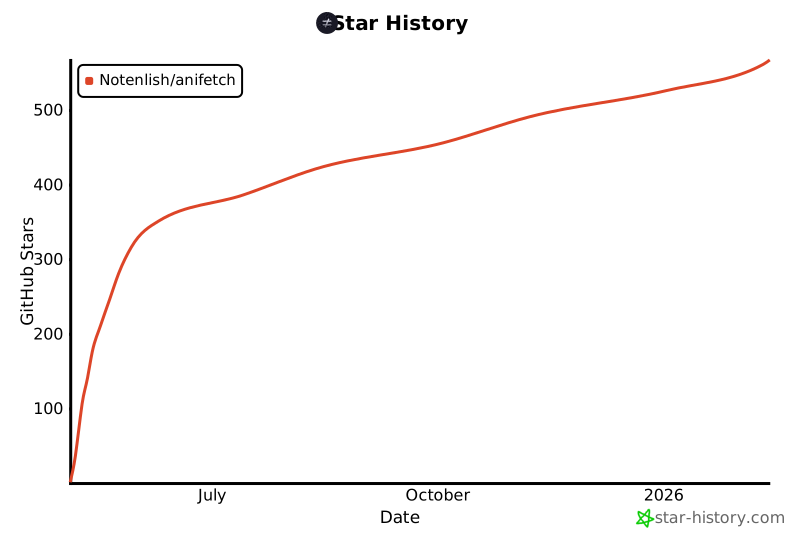](https://www.star-history.com/#Notenlish/anifetch&Date)
|
|
@@ -0,0 +1,317 @@
|
|
|
1
|
+

|
|
2
|
+
|
|
3
|
+
# Anifetch - Neofetch but animated.
|
|
4
|
+
|
|
5
|
+
This is a small tool built with fastfetch/neofetch, ffmpeg and chafa. It allows you to use fastfetch or neofetch while having animations.
|
|
6
|
+
|
|
7
|
+
## Installation
|
|
8
|
+
|
|
9
|
+
### Installation for Linux
|
|
10
|
+
|
|
11
|
+
Recommended Python version: 3.11 and later. If you use NixOS refer to [Installation for NixOS](#installation-for-nixos).
|
|
12
|
+
|
|
13
|
+
Run this in the terminal.
|
|
14
|
+
|
|
15
|
+
```bash
|
|
16
|
+
curl https://raw.githubusercontent.com/Notenlish/anifetch/refs/heads/main/install.sh | bash
|
|
17
|
+
```
|
|
18
|
+
|
|
19
|
+
After installation, run this to test if anifetch was installed correctly:
|
|
20
|
+
|
|
21
|
+
```bash
|
|
22
|
+
anifetch example.mp4
|
|
23
|
+
```
|
|
24
|
+
|
|
25
|
+
Please read our [User guide](#user-guide) for more info on how to use anifetch.
|
|
26
|
+
|
|
27
|
+
---
|
|
28
|
+
|
|
29
|
+
### Installation for Windows (Winget or Scoop)
|
|
30
|
+
|
|
31
|
+
Check whether you have winget installed by running `winget` in the windows terminal. If you dont have it, install it [here](https://github.com/microsoft/winget-cli/?tab=readme-ov-file#installing-the-client). If you want, you can use [Scoop](https://scoop.sh/) instead. Just replace the `winget` part with `scoop`.
|
|
32
|
+
|
|
33
|
+
Run this in the terminal after verifying winget works:
|
|
34
|
+
|
|
35
|
+
```
|
|
36
|
+
winget install chafa ffmpeg fastfetch
|
|
37
|
+
```
|
|
38
|
+
|
|
39
|
+
You can install neofetch too but it is deprecated and not recommended. Run this to install: `winget install neofetch`
|
|
40
|
+
|
|
41
|
+
You can then install anifetch via `pip install anifetch-cli`. You can install it via pipx too by doing: `pipx install anifetch-cli`
|
|
42
|
+
|
|
43
|
+
### Installation for MacOS with Homebrew
|
|
44
|
+
|
|
45
|
+
Install homebrew if you haven't installed it already by following the guide [here](https://brew.sh/).
|
|
46
|
+
|
|
47
|
+
Run this in the terminal after verifying homebrew is installed:
|
|
48
|
+
|
|
49
|
+
```
|
|
50
|
+
brew install chafa ffmpeg fastfetch
|
|
51
|
+
```
|
|
52
|
+
|
|
53
|
+
You can then install anifetch via `pip install anifetch-cli`. You can install it via pipx too via `pipx install anifetch-cli`
|
|
54
|
+
|
|
55
|
+
|
|
56
|
+
### Manual Installation
|
|
57
|
+
|
|
58
|
+
You need the following tools installed on your system:
|
|
59
|
+
|
|
60
|
+
- `chafa`
|
|
61
|
+
|
|
62
|
+
- Debian/Ubuntu: `sudo apt install chafa`
|
|
63
|
+
- [Other distros – Download Instructions](https://hpjansson.org/chafa/download/)
|
|
64
|
+
|
|
65
|
+
- `ffmpeg` (for video/audio playback)
|
|
66
|
+
|
|
67
|
+
- Debian/Ubuntu: `sudo apt install ffmpeg`
|
|
68
|
+
- [Other systems – Download](https://www.ffmpeg.org/download.html)
|
|
69
|
+
|
|
70
|
+
- `fastfetch / neofetch` (Fastfetch is recommended)
|
|
71
|
+
|
|
72
|
+
- Debian/Ubuntu: `sudo apt install fastfetch`
|
|
73
|
+
- [Other systems - Instructions for Fastfetch](https://github.com/fastfetch-cli/fastfetch?tab=readme-ov-file#installation)
|
|
74
|
+
- Neofetch installation _(Not recommended)_ can be found [here](https://github.com/dylanaraps/neofetch/wiki/Installation)
|
|
75
|
+
|
|
76
|
+
🔧 Make sure `pipx` is installed:
|
|
77
|
+
|
|
78
|
+
```bash
|
|
79
|
+
sudo apt install pipx
|
|
80
|
+
pipx ensurepath
|
|
81
|
+
```
|
|
82
|
+
|
|
83
|
+
and then:
|
|
84
|
+
|
|
85
|
+
```bash
|
|
86
|
+
pipx install git+https://github.com/Notenlish/anifetch.git
|
|
87
|
+
```
|
|
88
|
+
|
|
89
|
+
This installs `anifetch` in an isolated environment, keeping your system Python clean.
|
|
90
|
+
You can then run the `anifetch` command directly in your terminal.
|
|
91
|
+
|
|
92
|
+
Since pipx installs packages in an isolated environment, you won't have to worry about dependency conflicts or polluting your global python environment. `anifetch` will behave just like a native cli tool. You can upgrade your installation with `pipx upgrade anifetch`
|
|
93
|
+
|
|
94
|
+
|
|
95
|
+
---
|
|
96
|
+
|
|
97
|
+
### Installation for NixOS
|
|
98
|
+
#### ❄️ As a flake:
|
|
99
|
+
Add the anifetch repo as a flake input:
|
|
100
|
+
|
|
101
|
+
```nix
|
|
102
|
+
{
|
|
103
|
+
inputs = {
|
|
104
|
+
anifetch = {
|
|
105
|
+
url = "github:Notenlish/anifetch";
|
|
106
|
+
inputs.nixpkgs.follows = "nixpkgs";
|
|
107
|
+
};
|
|
108
|
+
};
|
|
109
|
+
}
|
|
110
|
+
```
|
|
111
|
+
|
|
112
|
+
Remember to add:
|
|
113
|
+
|
|
114
|
+
```nix
|
|
115
|
+
specialArgs = {inherit inputs;};
|
|
116
|
+
```
|
|
117
|
+
|
|
118
|
+
to your nixos configuration, like I've done here on my system:
|
|
119
|
+
|
|
120
|
+
```nix
|
|
121
|
+
nixosConfigurations = {
|
|
122
|
+
Enlil = nixpkgs.lib.nixosSystem {
|
|
123
|
+
specialArgs = {inherit inputs outputs;};
|
|
124
|
+
```
|
|
125
|
+
|
|
126
|
+
#### ❄️ As a package:
|
|
127
|
+
|
|
128
|
+
Add anifetch to your packages list like so:
|
|
129
|
+
|
|
130
|
+
```nix
|
|
131
|
+
{inputs, pkgs, ...}: {
|
|
132
|
+
environment.systemPackages = with pkgs; [
|
|
133
|
+
inputs.anifetch.packages.${pkgs.system}.default
|
|
134
|
+
fastfetch # Choose either fastfetch or neofetch to run anifetch with
|
|
135
|
+
neofetch
|
|
136
|
+
];
|
|
137
|
+
}
|
|
138
|
+
```
|
|
139
|
+
|
|
140
|
+
#### ❄️ As an overlay:
|
|
141
|
+
|
|
142
|
+
Add the overlay to nixpkgs overlays, then add the package to your package list as you would a package from the normal nixpkgs repo.
|
|
143
|
+
|
|
144
|
+
```nix
|
|
145
|
+
{inputs, pkgs, ...}: {
|
|
146
|
+
nixpkgs = {
|
|
147
|
+
overlays = [
|
|
148
|
+
inputs.anifetch.overlays.anifetch
|
|
149
|
+
];
|
|
150
|
+
};
|
|
151
|
+
|
|
152
|
+
environment.systemPackages = with pkgs; [
|
|
153
|
+
anifetch
|
|
154
|
+
fastfetch # Choose either fastfetch or neofetch to run anifetch with
|
|
155
|
+
neofetch
|
|
156
|
+
];
|
|
157
|
+
}
|
|
158
|
+
```
|
|
159
|
+
|
|
160
|
+
The Nix package contains all the dependencies in a wrapper script for the application aside from fastfetch or neofetch, so you should only need to add one of those to your package list as well.
|
|
161
|
+
|
|
162
|
+
After you've done these steps, rebuild your system.
|
|
163
|
+
|
|
164
|
+
---
|
|
165
|
+
|
|
166
|
+
### Developer Installation (for contributors):
|
|
167
|
+
|
|
168
|
+
```bash
|
|
169
|
+
git clone https://github.com/Notenlish/anifetch.git
|
|
170
|
+
cd anifetch
|
|
171
|
+
python3 -m venv venv
|
|
172
|
+
source venv/bin/activate
|
|
173
|
+
pip install -e .
|
|
174
|
+
```
|
|
175
|
+
> on windows do this to activate the venv instead: `venv\Scripts\activate`. Also on windows you should use `py` instead of `python3`.
|
|
176
|
+
|
|
177
|
+
|
|
178
|
+
This installs `anifetch` in editable mode within a local virtual environment for development.
|
|
179
|
+
|
|
180
|
+
You can then run the program in two ways:
|
|
181
|
+
|
|
182
|
+
- As a CLI: `anifetch`
|
|
183
|
+
- Or as a module: `python3 -m anifetch` (useful for debugging or internal testing)
|
|
184
|
+
|
|
185
|
+
> Please avoid using `pip install` outside a virtual environment on Linux. This is restricted by [PEP 668](https://peps.python.org/pep-0668/) to protect the system Python.
|
|
186
|
+
|
|
187
|
+
On Nix you can run:
|
|
188
|
+
|
|
189
|
+
```bash
|
|
190
|
+
nix develop
|
|
191
|
+
pip install -e .
|
|
192
|
+
```
|
|
193
|
+
|
|
194
|
+
inside the anifetch dir after cloning the repo. This creates a python venv you can re-enter by running `nix develop` inside the project dir.
|
|
195
|
+
|
|
196
|
+
## User Guide
|
|
197
|
+
|
|
198
|
+
You don't need to configure anything for `fastfetch` or `neofetch`. If they already work on your machine, `anifetch` will detect and use them automatically. Please note that at least one of these must be installed, otherwise anifetch won't work. **By default, `anifetch` will use fastfetch**.
|
|
199
|
+
|
|
200
|
+
> We dont recommend using neofetch as it is archived. **To use neofetch**, you must append `-nf` to the anifetch command. For some distros you may need to append `--force` to the command too since neofetch is deprecated.
|
|
201
|
+
|
|
202
|
+
Simply `cd` to the directory your video file is located in and do `anifetch [path_to_video_file]`. Both relative and absolute paths are supported. Anifetch is packaged with an `example.mp4` video by default. You can use that to test anifetch.
|
|
203
|
+
|
|
204
|
+
Any video file you give to anifetch will be stored in `~/.local/share/anifetch/assets` folder for linux and `C:\\Users\\[Username]\\AppData\\Local\\anifetch\\anifetch\\assets` folder for windows. After running `anifetch` with this video file once, next time you use anifetch, you will be able to use that same video file in any location by just using its filename, since the video file has been saved in `assets`.
|
|
205
|
+
|
|
206
|
+
### Example usage:
|
|
207
|
+
|
|
208
|
+
```bash
|
|
209
|
+
anifetch video.mp4 -W 40 -H 20 -ca "--symbols wide --fg-only"
|
|
210
|
+
```
|
|
211
|
+
|
|
212
|
+
_Note : by default, the video `example.mp4` can directly be used as an example._
|
|
213
|
+
|
|
214
|
+
### Optional arguments:
|
|
215
|
+
|
|
216
|
+
- `-s` / `--sound`: Plays sound along with the video. If you provide a sound file, it will use it, otherwise will use ffmpg to extract audio from the video.
|
|
217
|
+
- `-r` / `--framerate`: Framerate to use when extracting frames from ffmpeg.
|
|
218
|
+
- `-W` / `--width`: video width
|
|
219
|
+
- `-H` / `--height`: video height (may be automatically fixed with the width)
|
|
220
|
+
- `-ca` / `--chafa-arguments`: extra arguments to pass to `chafa`. For an example, try adding this: `-ca "--symbols wide --fg-only"` this makes the output use Japanese characters.
|
|
221
|
+
- `-C` / `--center`: centers the terminal animation vertically
|
|
222
|
+
- `--cleanup`: Clears the screen on program exit.
|
|
223
|
+
- `-nf` / `--neofetch`: uses `neofetch` instead of `fastfetch`
|
|
224
|
+
- `-fr` / `--force-render`: Forcefully re-renders the animation while not caring about the cache. Useful if the cache is broken or the contents of the video file has changed.
|
|
225
|
+
- `-i` / `--interval`: Use this to make anifetch update the fetch information over time, sets fetch refresh interval in seconds. Default is -1(never).
|
|
226
|
+
- `-b` / `--benchmark`: For testing, prints how long it took to process in seconds.
|
|
227
|
+
- `--force`: Add this argument if you want to use neofetch even if it is deprecated on your system.
|
|
228
|
+
- `--chroma`: Add this argument to chromakey a hexadecimal color from the video using ffmpeg. Syntax: '--chroma \<hex-color>:\<similiarity>:\<blend>'
|
|
229
|
+
- `--quality`: Changes the output quality of ffmpeg when extracting frames. This doesn't have much effect on the quality or speed from my testing, so you shouldn't need to change this. 2 highest quality, 10 lowest quality.
|
|
230
|
+
- `--loop`: Determines how many times the animation should loop. Default is -1(always loop).
|
|
231
|
+
- `--no-key-exit`: Don't exit anifetch when user presses a key.
|
|
232
|
+
|
|
233
|
+
### Cached files:
|
|
234
|
+
|
|
235
|
+
Anifetch automatically caches rendered animations to speed up future runs. Each unique combination of video and render options generates a cache stored in `~/.local/share/anifetch/`, organized by hash. This includes frames, output, and audio.
|
|
236
|
+
|
|
237
|
+
Cache-related commands:
|
|
238
|
+
|
|
239
|
+
`anifetch --cache-list` — View all cached configurations and orders them.
|
|
240
|
+
|
|
241
|
+
`anifetch --cache-delete <number>` — Delete a specific cache.
|
|
242
|
+
|
|
243
|
+
`anifetch --clear` — Delete all cached files.
|
|
244
|
+
|
|
245
|
+
Note that modifying the content of a video file but keeping the same name makes Anifetch still use the old cache. In that case, use `--force-render` or `-fr` to bypass the cache and generate a new version.
|
|
246
|
+
|
|
247
|
+
For full help:
|
|
248
|
+
|
|
249
|
+
```bash
|
|
250
|
+
anifetch --help
|
|
251
|
+
```
|
|
252
|
+
|
|
253
|
+
### Auto start on terminal start.
|
|
254
|
+
|
|
255
|
+
Add this to the end of `.bashrc`:
|
|
256
|
+
|
|
257
|
+
```bash
|
|
258
|
+
anifetch [video_file] [other_args_if_needed]
|
|
259
|
+
```
|
|
260
|
+
|
|
261
|
+
|
|
262
|
+
## Customizing Fastfetch/Neofetch output
|
|
263
|
+
|
|
264
|
+
For customizing fastfetch/neofetch output, you can check out these pages:
|
|
265
|
+
- [Fastfetch Customization](https://github.com/fastfetch-cli/fastfetch/wiki/Configuration)
|
|
266
|
+
- [Neofetch Customization](https://github.com/dylanaraps/neofetch/wiki/Customizing-Info)
|
|
267
|
+
|
|
268
|
+
|
|
269
|
+
## 📊 Benchmarks
|
|
270
|
+
|
|
271
|
+
Here's the benchmark from running each cli 10 times. Tested on Windows 11 with Intel I5-12500H processor.
|
|
272
|
+
|
|
273
|
+
| CLI | Time Taken(total) | Time Taken (avg) |
|
|
274
|
+
| ------------------------------ | ----------------- | ---------------- |
|
|
275
|
+
| fastfetch | 0.27 seconds | 0.03 seconds |
|
|
276
|
+
| anifetch (nocache) (fastfetch) | 20.18 seconds | 2.02 seconds |
|
|
277
|
+
| anifetch (cached) (fastfetch) | 0.78 seconds | 0.08 seconds |
|
|
278
|
+
|
|
279
|
+
As it can be seen, Anifetch is quite fast if you cache the animations.
|
|
280
|
+
|
|
281
|
+
## Troubleshooting
|
|
282
|
+
|
|
283
|
+
Make sure to install the dependencies listed on [Prerequisites](#Prerequisites). If ffmpeg throws an error saying `libxm12.so.16: cannot open shared object file: No such file or directory exists` then you must install `libxm12`. Here's an comment showing how to install it for arch: [https://github.com/Notenlish/anifetch/issues/24#issuecomment-2920189918](solution)
|
|
284
|
+
|
|
285
|
+
## Notes
|
|
286
|
+
|
|
287
|
+
Anifetch attempts to cache the animation so that it doesn't need to render them again when you run it with the same file. However, if the name of the file is the same, but it's contents has changed, it won't re-render it. In that case, you will need to add `--force-render` as an argument to `anifetch.py` so that it re-renders it. You only have to do this only once when you change the file contents.
|
|
288
|
+
|
|
289
|
+
Also, ffmpeg can generate the the same image for 2 consecutive frames, which may make it appear like it's stuttering. Try changing the framerate if that happens. Or just increase the playback rate.
|
|
290
|
+
|
|
291
|
+
Currently only the `symbols` format of chafa is supported, formats like kitty, iterm etc. are not supported. If you try to tell chafa to use iterm, kitty etc. it will just override your format with `symbols` mode.
|
|
292
|
+
|
|
293
|
+
## What's Next
|
|
294
|
+
|
|
295
|
+
- [ ] Support different formats like iterm, kitty, sixel etc.
|
|
296
|
+
|
|
297
|
+
- [ ] Allow the user to provide their own premade frames in a folder instead of an video.
|
|
298
|
+
|
|
299
|
+
- [ ] Update the animated logo on the readme so that its resolution is smaller + each individual symbol is bigger.
|
|
300
|
+
|
|
301
|
+
## Dev commands
|
|
302
|
+
|
|
303
|
+
Devs can use additional tools in the `tools` folder in order to test new features from Anifetch.
|
|
304
|
+
|
|
305
|
+
## Credits
|
|
306
|
+
|
|
307
|
+
Neofetch: [Neofetch](https://github.com/dylanaraps/neofetch)
|
|
308
|
+
|
|
309
|
+
Fastfetch: [Fastfetch](https://github.com/fastfetch-cli/fastfetch)
|
|
310
|
+
|
|
311
|
+
I got the inspiration for Anifetch from Pewdiepie's Linux video. [Video](https://youtu.be/pVI_smLgTY0?t=879)
|
|
312
|
+
|
|
313
|
+
I dont remember where I got the example.mp4 video from, if you know the source or license please open an issue. If you are the license owner and want this video removed please open an issue and I will remove it.
|
|
314
|
+
|
|
315
|
+
## Star History
|
|
316
|
+
|
|
317
|
+
[](https://www.star-history.com/#Notenlish/anifetch&Date)
|