PyQt5-Frameless-Window 0.2.0__tar.gz → 0.2.2__tar.gz
This diff represents the content of publicly available package versions that have been released to one of the supported registries. The information contained in this diff is provided for informational purposes only and reflects changes between package versions as they appear in their respective public registries.
- {PyQt5-Frameless-Window-0.2.0 → PyQt5-Frameless-Window-0.2.2}/PKG-INFO +16 -11
- {PyQt5-Frameless-Window-0.2.0 → PyQt5-Frameless-Window-0.2.2}/PyQt5_Frameless_Window.egg-info/PKG-INFO +16 -11
- {PyQt5-Frameless-Window-0.2.0 → PyQt5-Frameless-Window-0.2.2}/README.md +15 -10
- {PyQt5-Frameless-Window-0.2.0 → PyQt5-Frameless-Window-0.2.2}/qframelesswindow/__init__.py +1 -1
- {PyQt5-Frameless-Window-0.2.0 → PyQt5-Frameless-Window-0.2.2}/qframelesswindow/mac/__init__.py +1 -1
- {PyQt5-Frameless-Window-0.2.0 → PyQt5-Frameless-Window-0.2.2}/setup.py +1 -1
- {PyQt5-Frameless-Window-0.2.0 → PyQt5-Frameless-Window-0.2.2}/LICENSE +0 -0
- {PyQt5-Frameless-Window-0.2.0 → PyQt5-Frameless-Window-0.2.2}/PyQt5_Frameless_Window.egg-info/SOURCES.txt +0 -0
- {PyQt5-Frameless-Window-0.2.0 → PyQt5-Frameless-Window-0.2.2}/PyQt5_Frameless_Window.egg-info/dependency_links.txt +0 -0
- {PyQt5-Frameless-Window-0.2.0 → PyQt5-Frameless-Window-0.2.2}/PyQt5_Frameless_Window.egg-info/requires.txt +0 -0
- {PyQt5-Frameless-Window-0.2.0 → PyQt5-Frameless-Window-0.2.2}/PyQt5_Frameless_Window.egg-info/top_level.txt +0 -0
- {PyQt5-Frameless-Window-0.2.0 → PyQt5-Frameless-Window-0.2.2}/qframelesswindow/_rc/__init__.py +0 -0
- {PyQt5-Frameless-Window-0.2.0 → PyQt5-Frameless-Window-0.2.2}/qframelesswindow/_rc/resource.py +0 -0
- {PyQt5-Frameless-Window-0.2.0 → PyQt5-Frameless-Window-0.2.2}/qframelesswindow/linux/__init__.py +0 -0
- {PyQt5-Frameless-Window-0.2.0 → PyQt5-Frameless-Window-0.2.2}/qframelesswindow/linux/window_effect.py +0 -0
- {PyQt5-Frameless-Window-0.2.0 → PyQt5-Frameless-Window-0.2.2}/qframelesswindow/mac/window_effect.py +0 -0
- {PyQt5-Frameless-Window-0.2.0 → PyQt5-Frameless-Window-0.2.2}/qframelesswindow/titlebar/__init__.py +0 -0
- {PyQt5-Frameless-Window-0.2.0 → PyQt5-Frameless-Window-0.2.2}/qframelesswindow/titlebar/title_bar_buttons.py +0 -0
- {PyQt5-Frameless-Window-0.2.0 → PyQt5-Frameless-Window-0.2.2}/qframelesswindow/utils/__init__.py +0 -0
- {PyQt5-Frameless-Window-0.2.0 → PyQt5-Frameless-Window-0.2.2}/qframelesswindow/utils/linux_utils.py +0 -0
- {PyQt5-Frameless-Window-0.2.0 → PyQt5-Frameless-Window-0.2.2}/qframelesswindow/utils/mac_utils.py +0 -0
- {PyQt5-Frameless-Window-0.2.0 → PyQt5-Frameless-Window-0.2.2}/qframelesswindow/utils/win32_utils.py +0 -0
- {PyQt5-Frameless-Window-0.2.0 → PyQt5-Frameless-Window-0.2.2}/qframelesswindow/windows/__init__.py +0 -0
- {PyQt5-Frameless-Window-0.2.0 → PyQt5-Frameless-Window-0.2.2}/qframelesswindow/windows/c_structures.py +0 -0
- {PyQt5-Frameless-Window-0.2.0 → PyQt5-Frameless-Window-0.2.2}/qframelesswindow/windows/window_effect.py +0 -0
- {PyQt5-Frameless-Window-0.2.0 → PyQt5-Frameless-Window-0.2.2}/setup.cfg +0 -0
|
@@ -1,6 +1,6 @@
|
|
|
1
1
|
Metadata-Version: 2.1
|
|
2
2
|
Name: PyQt5-Frameless-Window
|
|
3
|
-
Version: 0.2.
|
|
3
|
+
Version: 0.2.2
|
|
4
4
|
Summary: A cross-platform frameless window based on pyqt5, support Win32, X11, Wayland and macOS.
|
|
5
5
|
Home-page: https://github.com/zhiyiYo/PyQt-Frameless-Window
|
|
6
6
|
Author: zhiyiYo
|
|
@@ -14,7 +14,7 @@ Description-Content-Type: text/markdown
|
|
|
14
14
|
License-File: LICENSE
|
|
15
15
|
|
|
16
16
|
<p align="center">
|
|
17
|
-
<img width="15%" align="center" src="screenshot/logo.png" alt="logo">
|
|
17
|
+
<img width="15%" align="center" src="https://raw.githubusercontent.com/zhiyiYo/PyQt-Frameless-Window/master/screenshot/logo.png" alt="logo">
|
|
18
18
|
</p>
|
|
19
19
|
<h1 align="center">
|
|
20
20
|
PyQt-Frameless-Window
|
|
@@ -37,14 +37,15 @@ License-File: LICENSE
|
|
|
37
37
|
</a>
|
|
38
38
|
</p>
|
|
39
39
|
|
|
40
|
-

|
|
40
|
+
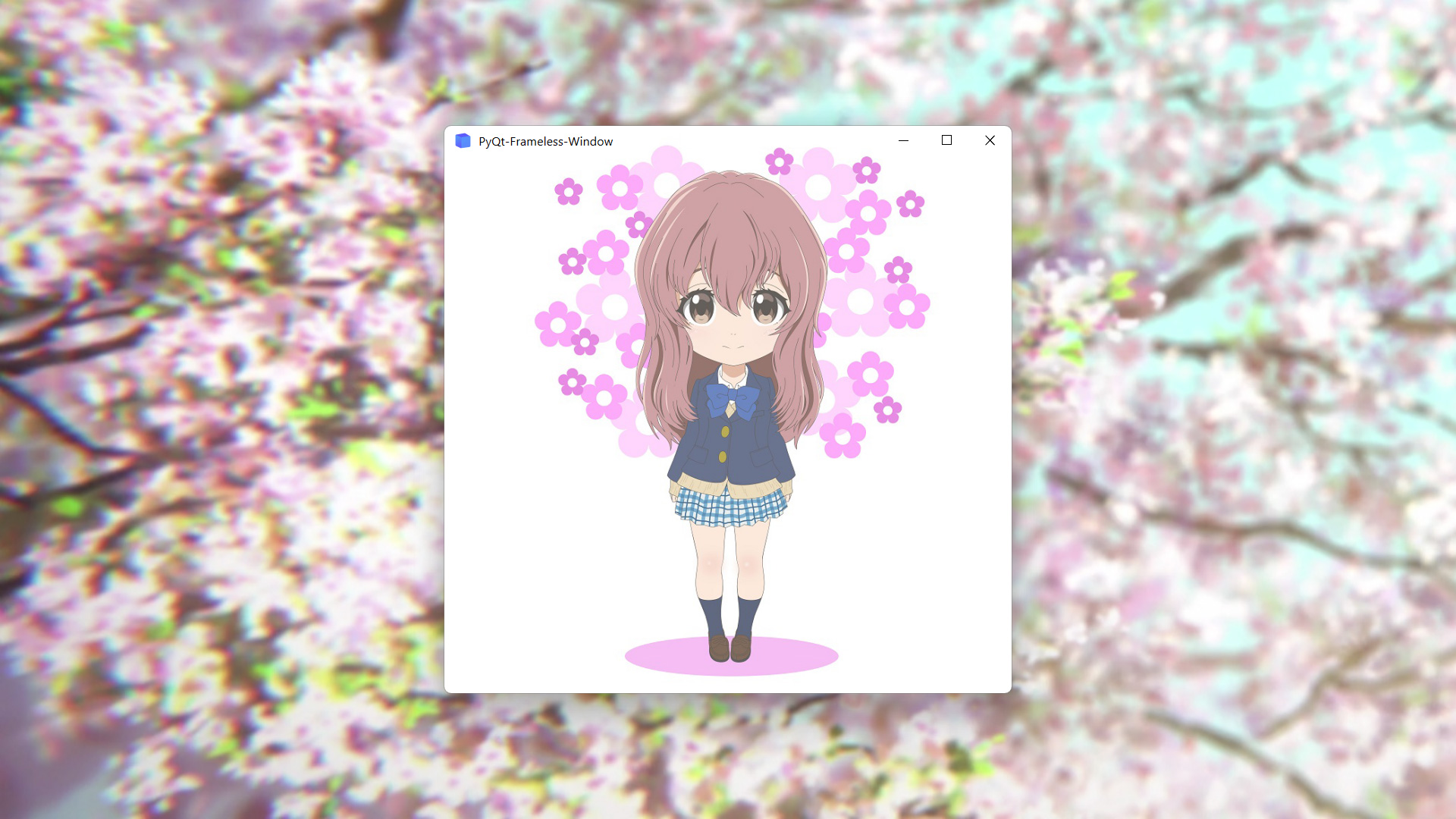
|
|
41
41
|
|
|
42
42
|
|
|
43
43
|
## Features
|
|
44
44
|
* Moving
|
|
45
45
|
* Stretching
|
|
46
|
-
* Window animation
|
|
47
46
|
* Window shadow
|
|
47
|
+
* Window animation
|
|
48
|
+
* Win11 snap layout
|
|
48
49
|
* Win10 acrylic blur
|
|
49
50
|
* Win11 mica blur
|
|
50
51
|
* Win7 Aero blur
|
|
@@ -93,33 +94,37 @@ if __name__ == '__main__':
|
|
|
93
94
|
demo.show()
|
|
94
95
|
sys.exit(app.exec_())
|
|
95
96
|
```
|
|
96
|
-
For more complex requirements, see [demo.py](
|
|
97
|
+
For more complex requirements, see [demo.py](https://github.com/zhiyiYo/PyQt-Frameless-Window/blob/master/examples/demo.py) and [main_window.py](https://github.com/zhiyiYo/PyQt-Frameless-Window/blob/master/examples/main_window.py).
|
|
97
98
|
|
|
98
99
|
## Examples
|
|
99
100
|
* Normal frameless window
|
|
100
|
-

|
|
101
|
+
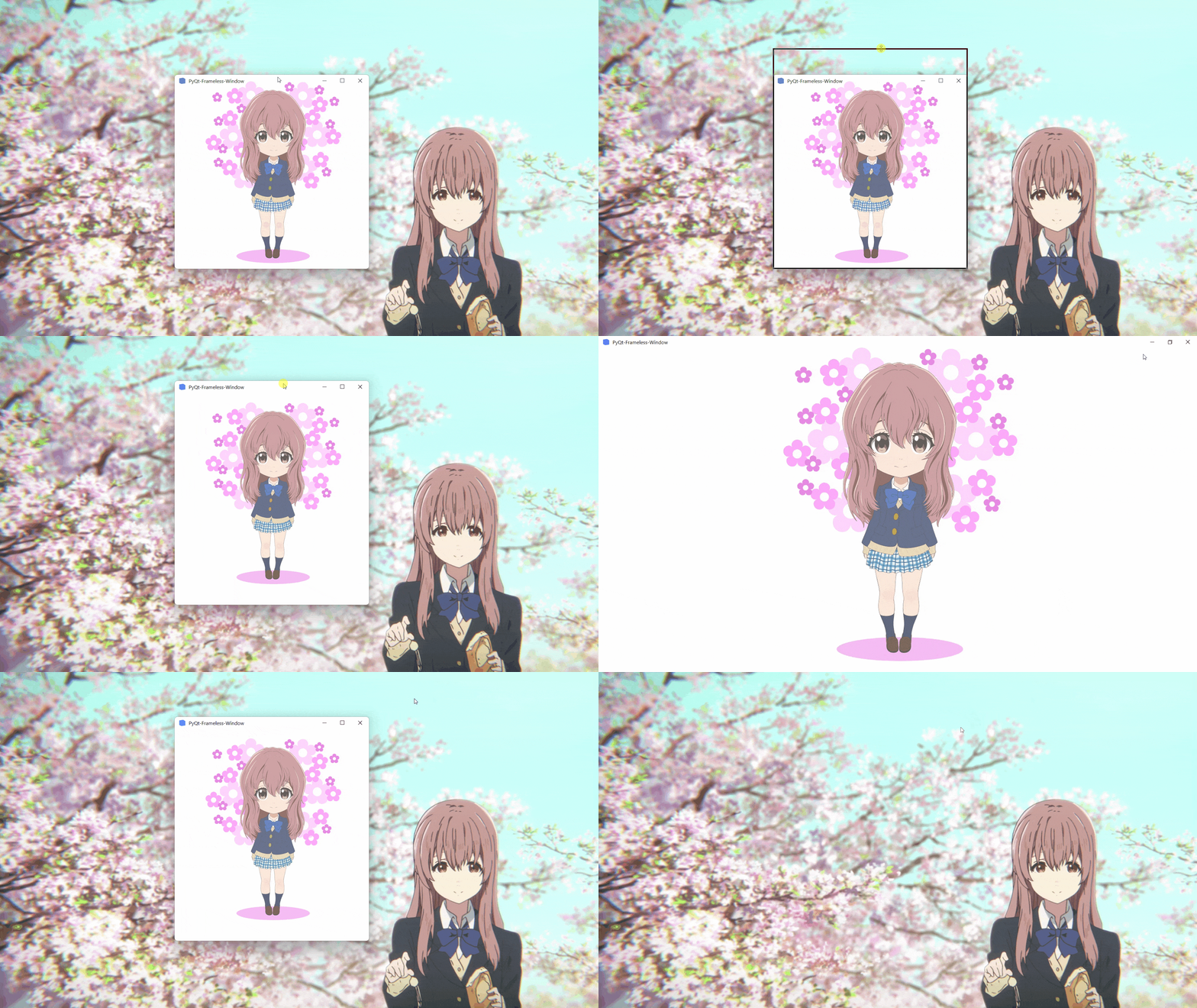
|
|
101
102
|
* Acrylic frameless window
|
|
102
|
-

|
|
103
|
+
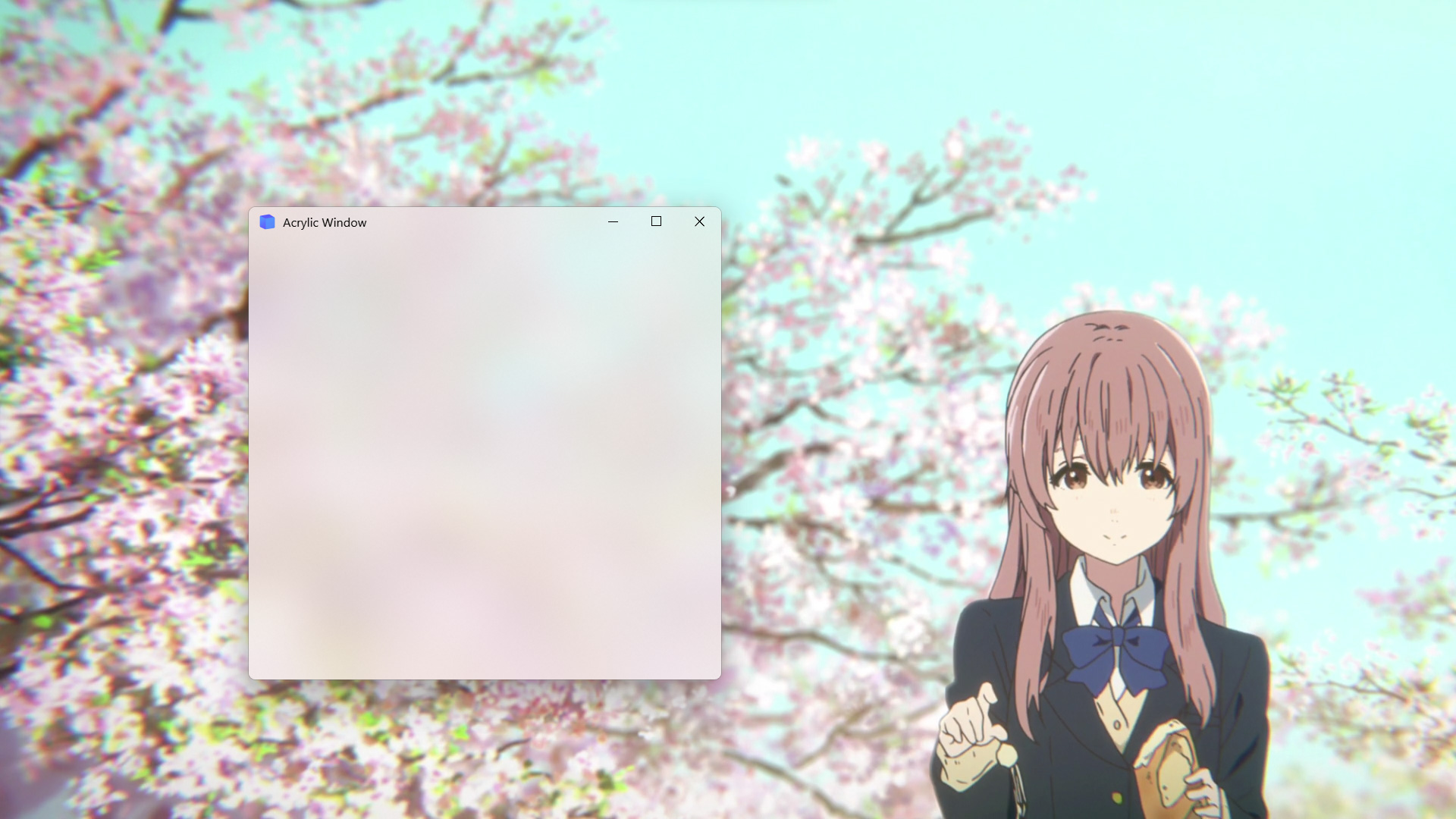
|
|
104
|
+
|
|
103
105
|
|
|
106
|
+
## Document
|
|
107
|
+
Want to know more about PyQt-Frameless-Window? Please read the [help document](https://pyqt-frameless-window.readthedocs.io/) 👈
|
|
104
108
|
|
|
105
109
|
|
|
106
110
|
## Notes
|
|
107
|
-
1. `FramelessWindow` provides a default custom title bar. If you don't like it, just rewrite it as [demo.py](
|
|
111
|
+
1. `FramelessWindow` provides a default custom title bar. If you don't like it, just rewrite it as [demo.py](https://github.com/zhiyiYo/PyQt-Frameless-Window/blob/master/examples/demo.py) does.
|
|
108
112
|
|
|
109
113
|
2. Moving the acrylic window on Win10 may get stuck. At present, there is no good solution. Maybe you can disable the acrylic effect when moving the window, but I haven't done this in the source code.
|
|
114
|
+
3. Snap layout is not enabled by default. See [#56](https://github.com/zhiyiYo/PyQt-Frameless-Window/issues/56) to learn how to enable it.
|
|
110
115
|
|
|
111
|
-
|
|
116
|
+
4. If you encounter this problem on Windows:
|
|
112
117
|
> ImportError: DLL load failed while importing win32api
|
|
113
118
|
|
|
114
119
|
see my answer on [stackoverflow](https://stackoverflow.com/questions/58612306/how-to-fix-importerror-dll-load-failed-while-importing-win32api/72488468#72488468) or my [blog](https://www.cnblogs.com/zhiyiYo/p/16340429.html) for the solution.
|
|
115
120
|
|
|
116
|
-
|
|
121
|
+
5. If you are using PySide2, PySide6 or PyQt6, you can download the code in [PySide2](https://github.com/zhiyiYo/PyQt-Frameless-Window/tree/Pyside2), [PySide6](https://github.com/zhiyiYo/PyQt-Frameless-Window/tree/PySide6) or [PyQt6](https://github.com/zhiyiYo/PyQt-Frameless-Window/tree/PyQt6) branch.
|
|
117
122
|
|
|
118
123
|
## See Also
|
|
119
124
|
Here are some projects that use PyQt-Frameless-Window:
|
|
120
125
|
* [**zhiyiYo/Groove**: A cross-platform music player based on PyQt5](https://github.com/zhiyiYo/Groove)
|
|
121
126
|
* [**zhiyiYo/Alpha-Gobang-Zero**: A gobang robot based on reinforcement learning](https://github.com/zhiyiYo/Alpha-Gobang-Zero)
|
|
122
|
-
* [**
|
|
127
|
+
* [**zhiyiYo/PyQt-Fluent-Widgets**: A fluent design widgets library based on PyQt5](https://github.com/zhiyiYo/PyQt-Fluent-Widgets)
|
|
123
128
|
|
|
124
129
|
## Reference
|
|
125
130
|
* [**wangwenx190/framelesshelper**: Frameless windows for Qt Widgets and Qt Quick applications. Support Win32, X11, Wayland and macOS](https://github.com/wangwenx190/framelesshelper)
|
|
@@ -1,6 +1,6 @@
|
|
|
1
1
|
Metadata-Version: 2.1
|
|
2
2
|
Name: PyQt5-Frameless-Window
|
|
3
|
-
Version: 0.2.
|
|
3
|
+
Version: 0.2.2
|
|
4
4
|
Summary: A cross-platform frameless window based on pyqt5, support Win32, X11, Wayland and macOS.
|
|
5
5
|
Home-page: https://github.com/zhiyiYo/PyQt-Frameless-Window
|
|
6
6
|
Author: zhiyiYo
|
|
@@ -14,7 +14,7 @@ Description-Content-Type: text/markdown
|
|
|
14
14
|
License-File: LICENSE
|
|
15
15
|
|
|
16
16
|
<p align="center">
|
|
17
|
-
<img width="15%" align="center" src="screenshot/logo.png" alt="logo">
|
|
17
|
+
<img width="15%" align="center" src="https://raw.githubusercontent.com/zhiyiYo/PyQt-Frameless-Window/master/screenshot/logo.png" alt="logo">
|
|
18
18
|
</p>
|
|
19
19
|
<h1 align="center">
|
|
20
20
|
PyQt-Frameless-Window
|
|
@@ -37,14 +37,15 @@ License-File: LICENSE
|
|
|
37
37
|
</a>
|
|
38
38
|
</p>
|
|
39
39
|
|
|
40
|
-

|
|
40
|
+

|
|
41
41
|
|
|
42
42
|
|
|
43
43
|
## Features
|
|
44
44
|
* Moving
|
|
45
45
|
* Stretching
|
|
46
|
-
* Window animation
|
|
47
46
|
* Window shadow
|
|
47
|
+
* Window animation
|
|
48
|
+
* Win11 snap layout
|
|
48
49
|
* Win10 acrylic blur
|
|
49
50
|
* Win11 mica blur
|
|
50
51
|
* Win7 Aero blur
|
|
@@ -93,33 +94,37 @@ if __name__ == '__main__':
|
|
|
93
94
|
demo.show()
|
|
94
95
|
sys.exit(app.exec_())
|
|
95
96
|
```
|
|
96
|
-
For more complex requirements, see [demo.py](
|
|
97
|
+
For more complex requirements, see [demo.py](https://github.com/zhiyiYo/PyQt-Frameless-Window/blob/master/examples/demo.py) and [main_window.py](https://github.com/zhiyiYo/PyQt-Frameless-Window/blob/master/examples/main_window.py).
|
|
97
98
|
|
|
98
99
|
## Examples
|
|
99
100
|
* Normal frameless window
|
|
100
|
-

|
|
101
|
+

|
|
101
102
|
* Acrylic frameless window
|
|
102
|
-

|
|
103
|
+

|
|
104
|
+
|
|
103
105
|
|
|
106
|
+
## Document
|
|
107
|
+
Want to know more about PyQt-Frameless-Window? Please read the [help document](https://pyqt-frameless-window.readthedocs.io/) 👈
|
|
104
108
|
|
|
105
109
|
|
|
106
110
|
## Notes
|
|
107
|
-
1. `FramelessWindow` provides a default custom title bar. If you don't like it, just rewrite it as [demo.py](
|
|
111
|
+
1. `FramelessWindow` provides a default custom title bar. If you don't like it, just rewrite it as [demo.py](https://github.com/zhiyiYo/PyQt-Frameless-Window/blob/master/examples/demo.py) does.
|
|
108
112
|
|
|
109
113
|
2. Moving the acrylic window on Win10 may get stuck. At present, there is no good solution. Maybe you can disable the acrylic effect when moving the window, but I haven't done this in the source code.
|
|
114
|
+
3. Snap layout is not enabled by default. See [#56](https://github.com/zhiyiYo/PyQt-Frameless-Window/issues/56) to learn how to enable it.
|
|
110
115
|
|
|
111
|
-
|
|
116
|
+
4. If you encounter this problem on Windows:
|
|
112
117
|
> ImportError: DLL load failed while importing win32api
|
|
113
118
|
|
|
114
119
|
see my answer on [stackoverflow](https://stackoverflow.com/questions/58612306/how-to-fix-importerror-dll-load-failed-while-importing-win32api/72488468#72488468) or my [blog](https://www.cnblogs.com/zhiyiYo/p/16340429.html) for the solution.
|
|
115
120
|
|
|
116
|
-
|
|
121
|
+
5. If you are using PySide2, PySide6 or PyQt6, you can download the code in [PySide2](https://github.com/zhiyiYo/PyQt-Frameless-Window/tree/Pyside2), [PySide6](https://github.com/zhiyiYo/PyQt-Frameless-Window/tree/PySide6) or [PyQt6](https://github.com/zhiyiYo/PyQt-Frameless-Window/tree/PyQt6) branch.
|
|
117
122
|
|
|
118
123
|
## See Also
|
|
119
124
|
Here are some projects that use PyQt-Frameless-Window:
|
|
120
125
|
* [**zhiyiYo/Groove**: A cross-platform music player based on PyQt5](https://github.com/zhiyiYo/Groove)
|
|
121
126
|
* [**zhiyiYo/Alpha-Gobang-Zero**: A gobang robot based on reinforcement learning](https://github.com/zhiyiYo/Alpha-Gobang-Zero)
|
|
122
|
-
* [**
|
|
127
|
+
* [**zhiyiYo/PyQt-Fluent-Widgets**: A fluent design widgets library based on PyQt5](https://github.com/zhiyiYo/PyQt-Fluent-Widgets)
|
|
123
128
|
|
|
124
129
|
## Reference
|
|
125
130
|
* [**wangwenx190/framelesshelper**: Frameless windows for Qt Widgets and Qt Quick applications. Support Win32, X11, Wayland and macOS](https://github.com/wangwenx190/framelesshelper)
|
|
@@ -1,5 +1,5 @@
|
|
|
1
1
|
<p align="center">
|
|
2
|
-
<img width="15%" align="center" src="screenshot/logo.png" alt="logo">
|
|
2
|
+
<img width="15%" align="center" src="https://raw.githubusercontent.com/zhiyiYo/PyQt-Frameless-Window/master/screenshot/logo.png" alt="logo">
|
|
3
3
|
</p>
|
|
4
4
|
<h1 align="center">
|
|
5
5
|
PyQt-Frameless-Window
|
|
@@ -22,14 +22,15 @@
|
|
|
22
22
|
</a>
|
|
23
23
|
</p>
|
|
24
24
|
|
|
25
|
-

|
|
25
|
+

|
|
26
26
|
|
|
27
27
|
|
|
28
28
|
## Features
|
|
29
29
|
* Moving
|
|
30
30
|
* Stretching
|
|
31
|
-
* Window animation
|
|
32
31
|
* Window shadow
|
|
32
|
+
* Window animation
|
|
33
|
+
* Win11 snap layout
|
|
33
34
|
* Win10 acrylic blur
|
|
34
35
|
* Win11 mica blur
|
|
35
36
|
* Win7 Aero blur
|
|
@@ -78,33 +79,37 @@ if __name__ == '__main__':
|
|
|
78
79
|
demo.show()
|
|
79
80
|
sys.exit(app.exec_())
|
|
80
81
|
```
|
|
81
|
-
For more complex requirements, see [demo.py](
|
|
82
|
+
For more complex requirements, see [demo.py](https://github.com/zhiyiYo/PyQt-Frameless-Window/blob/master/examples/demo.py) and [main_window.py](https://github.com/zhiyiYo/PyQt-Frameless-Window/blob/master/examples/main_window.py).
|
|
82
83
|
|
|
83
84
|
## Examples
|
|
84
85
|
* Normal frameless window
|
|
85
|
-

|
|
86
|
+

|
|
86
87
|
* Acrylic frameless window
|
|
87
|
-

|
|
88
|
+

|
|
89
|
+
|
|
88
90
|
|
|
91
|
+
## Document
|
|
92
|
+
Want to know more about PyQt-Frameless-Window? Please read the [help document](https://pyqt-frameless-window.readthedocs.io/) 👈
|
|
89
93
|
|
|
90
94
|
|
|
91
95
|
## Notes
|
|
92
|
-
1. `FramelessWindow` provides a default custom title bar. If you don't like it, just rewrite it as [demo.py](
|
|
96
|
+
1. `FramelessWindow` provides a default custom title bar. If you don't like it, just rewrite it as [demo.py](https://github.com/zhiyiYo/PyQt-Frameless-Window/blob/master/examples/demo.py) does.
|
|
93
97
|
|
|
94
98
|
2. Moving the acrylic window on Win10 may get stuck. At present, there is no good solution. Maybe you can disable the acrylic effect when moving the window, but I haven't done this in the source code.
|
|
99
|
+
3. Snap layout is not enabled by default. See [#56](https://github.com/zhiyiYo/PyQt-Frameless-Window/issues/56) to learn how to enable it.
|
|
95
100
|
|
|
96
|
-
|
|
101
|
+
4. If you encounter this problem on Windows:
|
|
97
102
|
> ImportError: DLL load failed while importing win32api
|
|
98
103
|
|
|
99
104
|
see my answer on [stackoverflow](https://stackoverflow.com/questions/58612306/how-to-fix-importerror-dll-load-failed-while-importing-win32api/72488468#72488468) or my [blog](https://www.cnblogs.com/zhiyiYo/p/16340429.html) for the solution.
|
|
100
105
|
|
|
101
|
-
|
|
106
|
+
5. If you are using PySide2, PySide6 or PyQt6, you can download the code in [PySide2](https://github.com/zhiyiYo/PyQt-Frameless-Window/tree/Pyside2), [PySide6](https://github.com/zhiyiYo/PyQt-Frameless-Window/tree/PySide6) or [PyQt6](https://github.com/zhiyiYo/PyQt-Frameless-Window/tree/PyQt6) branch.
|
|
102
107
|
|
|
103
108
|
## See Also
|
|
104
109
|
Here are some projects that use PyQt-Frameless-Window:
|
|
105
110
|
* [**zhiyiYo/Groove**: A cross-platform music player based on PyQt5](https://github.com/zhiyiYo/Groove)
|
|
106
111
|
* [**zhiyiYo/Alpha-Gobang-Zero**: A gobang robot based on reinforcement learning](https://github.com/zhiyiYo/Alpha-Gobang-Zero)
|
|
107
|
-
* [**
|
|
112
|
+
* [**zhiyiYo/PyQt-Fluent-Widgets**: A fluent design widgets library based on PyQt5](https://github.com/zhiyiYo/PyQt-Fluent-Widgets)
|
|
108
113
|
|
|
109
114
|
## Reference
|
|
110
115
|
* [**wangwenx190/framelesshelper**: Frameless windows for Qt Widgets and Qt Quick applications. Support Win32, X11, Wayland and macOS](https://github.com/wangwenx190/framelesshelper)
|
|
File without changes
|
|
File without changes
|
|
File without changes
|
|
File without changes
|
|
File without changes
|
{PyQt5-Frameless-Window-0.2.0 → PyQt5-Frameless-Window-0.2.2}/qframelesswindow/_rc/__init__.py
RENAMED
|
File without changes
|
{PyQt5-Frameless-Window-0.2.0 → PyQt5-Frameless-Window-0.2.2}/qframelesswindow/_rc/resource.py
RENAMED
|
File without changes
|
{PyQt5-Frameless-Window-0.2.0 → PyQt5-Frameless-Window-0.2.2}/qframelesswindow/linux/__init__.py
RENAMED
|
File without changes
|
|
File without changes
|
{PyQt5-Frameless-Window-0.2.0 → PyQt5-Frameless-Window-0.2.2}/qframelesswindow/mac/window_effect.py
RENAMED
|
File without changes
|
{PyQt5-Frameless-Window-0.2.0 → PyQt5-Frameless-Window-0.2.2}/qframelesswindow/titlebar/__init__.py
RENAMED
|
File without changes
|
|
File without changes
|
{PyQt5-Frameless-Window-0.2.0 → PyQt5-Frameless-Window-0.2.2}/qframelesswindow/utils/__init__.py
RENAMED
|
File without changes
|
{PyQt5-Frameless-Window-0.2.0 → PyQt5-Frameless-Window-0.2.2}/qframelesswindow/utils/linux_utils.py
RENAMED
|
File without changes
|
{PyQt5-Frameless-Window-0.2.0 → PyQt5-Frameless-Window-0.2.2}/qframelesswindow/utils/mac_utils.py
RENAMED
|
File without changes
|
{PyQt5-Frameless-Window-0.2.0 → PyQt5-Frameless-Window-0.2.2}/qframelesswindow/utils/win32_utils.py
RENAMED
|
File without changes
|
{PyQt5-Frameless-Window-0.2.0 → PyQt5-Frameless-Window-0.2.2}/qframelesswindow/windows/__init__.py
RENAMED
|
File without changes
|
|
File without changes
|
|
File without changes
|
|
File without changes
|