Print3D 0.1.0__tar.gz
This diff represents the content of publicly available package versions that have been released to one of the supported registries. The information contained in this diff is provided for informational purposes only and reflects changes between package versions as they appear in their respective public registries.
- print3d-0.1.0/LICENSE +21 -0
- print3d-0.1.0/PKG-INFO +181 -0
- print3d-0.1.0/README.en.md +142 -0
- print3d-0.1.0/README.md +147 -0
- print3d-0.1.0/docs/MANUAL.en.md +1091 -0
- print3d-0.1.0/docs/MANUAL.md +1081 -0
- print3d-0.1.0/docs/images/parts-tray.png +0 -0
- print3d-0.1.0/pyproject.toml +92 -0
- print3d-0.1.0/src/print3d/__init__.py +12 -0
- print3d-0.1.0/src/print3d/assets.py +487 -0
- print3d-0.1.0/src/print3d/bambu.py +373 -0
- print3d-0.1.0/src/print3d/blender.py +314 -0
- print3d-0.1.0/src/print3d/blender_policy.py +72 -0
- print3d-0.1.0/src/print3d/cad.py +302 -0
- print3d-0.1.0/src/print3d/cad_worker.py +263 -0
- print3d-0.1.0/src/print3d/capabilities.py +338 -0
- print3d-0.1.0/src/print3d/cli.py +466 -0
- print3d-0.1.0/src/print3d/cloud.py +642 -0
- print3d-0.1.0/src/print3d/config.py +511 -0
- print3d-0.1.0/src/print3d/drawing.py +239 -0
- print3d-0.1.0/src/print3d/drawing_worker.py +347 -0
- print3d-0.1.0/src/print3d/errors.py +157 -0
- print3d-0.1.0/src/print3d/images.py +369 -0
- print3d-0.1.0/src/print3d/instructions.py +64 -0
- print3d-0.1.0/src/print3d/jobs.py +368 -0
- print3d-0.1.0/src/print3d/local_mesh.py +271 -0
- print3d-0.1.0/src/print3d/mesh.py +92 -0
- print3d-0.1.0/src/print3d/mesh_fit.py +194 -0
- print3d-0.1.0/src/print3d/preview.py +251 -0
- print3d-0.1.0/src/print3d/printability.py +313 -0
- print3d-0.1.0/src/print3d/printers.py +1106 -0
- print3d-0.1.0/src/print3d/processes.py +494 -0
- print3d-0.1.0/src/print3d/registry.py +102 -0
- print3d-0.1.0/src/print3d/runner.py +74 -0
- print3d-0.1.0/src/print3d/runtime.py +78 -0
- print3d-0.1.0/src/print3d/script_policy.py +217 -0
- print3d-0.1.0/src/print3d/server.py +165 -0
- print3d-0.1.0/src/print3d/slicers.py +1435 -0
- print3d-0.1.0/src/print3d/tools/__init__.py +33 -0
- print3d-0.1.0/src/print3d/tools/analysis.py +144 -0
- print3d-0.1.0/src/print3d/tools/catalog.py +224 -0
- print3d-0.1.0/src/print3d/tools/common.py +333 -0
- print3d-0.1.0/src/print3d/tools/generating.py +832 -0
- print3d-0.1.0/src/print3d/tools/images.py +189 -0
- print3d-0.1.0/src/print3d/tools/models.py +584 -0
- print3d-0.1.0/src/print3d/tools/printers.py +543 -0
- print3d-0.1.0/src/print3d/tools/slicing.py +508 -0
- print3d-0.1.0/src/print3d/tools/system.py +34 -0
- print3d-0.1.0/src/print3d/viewer.py +325 -0
- print3d-0.1.0/src/print3d/viewer_template.html +607 -0
- print3d-0.1.0/src/print3d/winacl.py +179 -0
- print3d-0.1.0/src/print3d/workspace.py +151 -0
print3d-0.1.0/LICENSE
ADDED
|
@@ -0,0 +1,21 @@
|
|
|
1
|
+
MIT License
|
|
2
|
+
|
|
3
|
+
Copyright (c) 2026 ThinkArtWork
|
|
4
|
+
|
|
5
|
+
Permission is hereby granted, free of charge, to any person obtaining a copy
|
|
6
|
+
of this software and associated documentation files (the "Software"), to deal
|
|
7
|
+
in the Software without restriction, including without limitation the rights
|
|
8
|
+
to use, copy, modify, merge, publish, distribute, sublicense, and/or sell
|
|
9
|
+
copies of the Software, and to permit persons to whom the Software is
|
|
10
|
+
furnished to do so, subject to the following conditions:
|
|
11
|
+
|
|
12
|
+
The above copyright notice and this permission notice shall be included in all
|
|
13
|
+
copies or substantial portions of the Software.
|
|
14
|
+
|
|
15
|
+
THE SOFTWARE IS PROVIDED "AS IS", WITHOUT WARRANTY OF ANY KIND, EXPRESS OR
|
|
16
|
+
IMPLIED, INCLUDING BUT NOT LIMITED TO THE WARRANTIES OF MERCHANTABILITY,
|
|
17
|
+
FITNESS FOR A PARTICULAR PURPOSE AND NONINFRINGEMENT. IN NO EVENT SHALL THE
|
|
18
|
+
AUTHORS OR COPYRIGHT HOLDERS BE LIABLE FOR ANY CLAIM, DAMAGES OR OTHER
|
|
19
|
+
LIABILITY, WHETHER IN AN ACTION OF CONTRACT, TORT OR OTHERWISE, ARISING FROM,
|
|
20
|
+
OUT OF OR IN CONNECTION WITH THE SOFTWARE OR THE USE OR OTHER DEALINGS IN THE
|
|
21
|
+
SOFTWARE.
|
print3d-0.1.0/PKG-INFO
ADDED
|
@@ -0,0 +1,181 @@
|
|
|
1
|
+
Metadata-Version: 2.5
|
|
2
|
+
Name: Print3D
|
|
3
|
+
Version: 0.1.0
|
|
4
|
+
Summary: Self-hosted 3D printing MCP server: generate, edit, render, slice, print.
|
|
5
|
+
Project-URL: Homepage, https://github.com/ThinkArtWork/Print3D
|
|
6
|
+
Project-URL: Repository, https://github.com/ThinkArtWork/Print3D
|
|
7
|
+
Project-URL: Issues, https://github.com/ThinkArtWork/Print3D/issues
|
|
8
|
+
Project-URL: Documentation, https://github.com/ThinkArtWork/Print3D/blob/main/docs/MANUAL.md
|
|
9
|
+
Author: ThinkArtWork
|
|
10
|
+
License: MIT
|
|
11
|
+
License-File: LICENSE
|
|
12
|
+
Keywords: 3d-printing,cad,klipper,mcp,slicer
|
|
13
|
+
Classifier: Development Status :: 3 - Alpha
|
|
14
|
+
Classifier: License :: OSI Approved :: MIT License
|
|
15
|
+
Classifier: Programming Language :: Python :: 3.11
|
|
16
|
+
Classifier: Programming Language :: Python :: 3.12
|
|
17
|
+
Classifier: Programming Language :: Python :: 3.13
|
|
18
|
+
Classifier: Topic :: Scientific/Engineering
|
|
19
|
+
Requires-Python: >=3.11
|
|
20
|
+
Requires-Dist: build123d<1,>=0.9
|
|
21
|
+
Requires-Dist: httpx>=0.27
|
|
22
|
+
Requires-Dist: mcp<2,>=1.9
|
|
23
|
+
Requires-Dist: numpy>=1.26
|
|
24
|
+
Requires-Dist: paho-mqtt>=2.1
|
|
25
|
+
Requires-Dist: pillow>=10
|
|
26
|
+
Requires-Dist: pydantic>=2.7
|
|
27
|
+
Requires-Dist: trimesh>=4
|
|
28
|
+
Provides-Extra: dev
|
|
29
|
+
Requires-Dist: pytest>=8.0; extra == 'dev'
|
|
30
|
+
Requires-Dist: respx>=0.21; extra == 'dev'
|
|
31
|
+
Requires-Dist: ruff>=0.6; extra == 'dev'
|
|
32
|
+
Requires-Dist: socksio>=1.0; extra == 'dev'
|
|
33
|
+
Description-Content-Type: text/markdown
|
|
34
|
+
|
|
35
|
+
<div align="center">
|
|
36
|
+
|
|
37
|
+
# Print3D
|
|
38
|
+
|
|
39
|
+
<!-- mcp-name: io.github.ThinkArtWork/print3d -->
|
|
40
|
+
|
|
41
|
+
**自托管 3D 打印 MCP 服务 —— 从一句话到真正打印出来的零件。**
|
|
42
|
+
|
|
43
|
+
MIT · Python 3.11+ · macOS / Linux / Windows · [使用手册](https://github.com/ThinkArtWork/Print3D/blob/main/docs/MANUAL.md) · [English](https://github.com/ThinkArtWork/Print3D/blob/main/README.en.md)
|
|
44
|
+
|
|
45
|
+
</div>
|
|
46
|
+
|
|
47
|
+
|
|
48
|
+
|
|
49
|
+
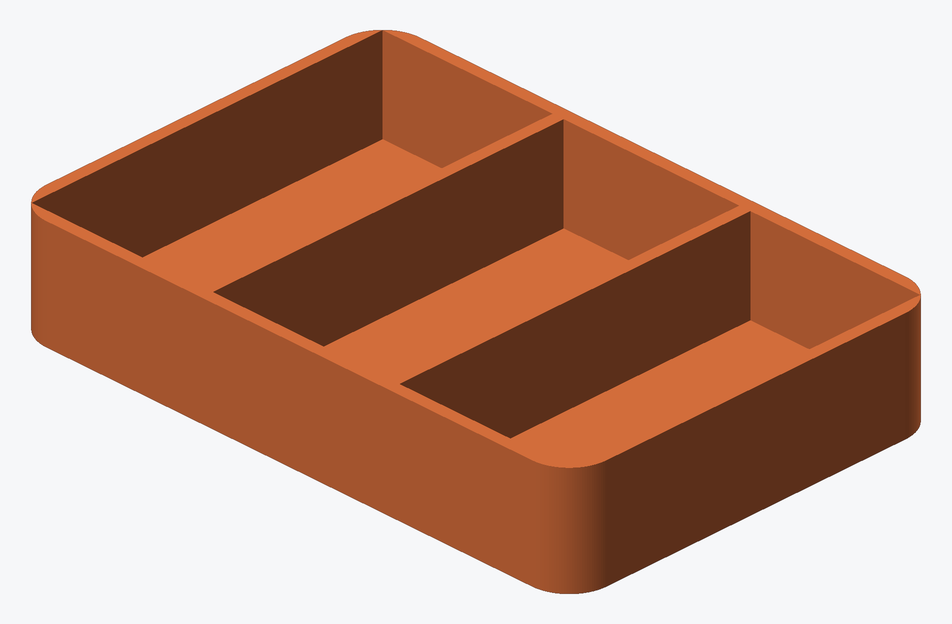
<p align="center"><sub>120 × 80 × 22 mm 三格收纳盘 · build123d 脚本生成 · <code>model_preview</code> 渲染</sub></p>
|
|
50
|
+
|
|
51
|
+
## 功能
|
|
52
|
+
|
|
53
|
+
| 能力 | 说明 |
|
|
54
|
+
| --- | --- |
|
|
55
|
+
| **参数化建模** | 用 build123d 写脚本,输出 STL + STEP,返回水密性、壁厚、包围盒等真实几何检查 |
|
|
56
|
+
| **多种输入** | 文字直接建模(默认,不需要图片)、概念图、参考图/草图、STL/GLB/OBJ、STEP、Blender bpy 脚本 |
|
|
57
|
+
| **模型生成** | 云端:腾讯混元 3D(`hunyuan`)、Tripo AI(`tripo`);本地部署:`generate_local`;本机 Blender:`blender_run` 执行 bpy 脚本生成 mesh |
|
|
58
|
+
| **资产与版本** | 每个资产保留多个 revision、脚本、参考图和检查结果;四视图 PNG 和可旋转的 HTML 查看器 |
|
|
59
|
+
| **工程图** | 从 STEP 投影第三角四视图,导出 SVG / DXF,带隐藏线 |
|
|
60
|
+
| **可打印性** | 水密性、悬垂、支撑体积、薄壁、热床接触、0–100 评分,以及 24 向摆放排序 |
|
|
61
|
+
| **切片** | 调用 OrcaSlicer CLI,可覆盖层高、填充、墙数、温度、流量、压力提前、线宽、风扇 |
|
|
62
|
+
| **打印** | Moonraker/Klipper、OctoPrint、Bambu LAN、PrusaLink、通用 HTTP;支持多工具头和多材料槽 |
|
|
63
|
+
| **安全** | 工作区路径沙箱、脚本静态审查 + 子进程资源限额、写操作确认串、密钥脱敏 |
|
|
64
|
+
|
|
65
|
+
## 安装
|
|
66
|
+
|
|
67
|
+
需要 Python 3.11+ 和 [uv](https://docs.astral.sh/uv/);支持 macOS、Linux、Windows 10/11 x64。推荐从 PyPI 安装,不需要 clone 仓库。
|
|
68
|
+
|
|
69
|
+
> **首发准备中**:`0.1.0` 上传到 PyPI 之前,请使用下面的“从源码安装(开发/发布前)”。PyPI 页面可用后删除本提示。
|
|
70
|
+
|
|
71
|
+
### 推荐:uvx(PyPI 发布后)
|
|
72
|
+
|
|
73
|
+
```bash
|
|
74
|
+
uvx --python 3.11 --from print3d==0.1.0 print3d init
|
|
75
|
+
uvx --python 3.11 --from print3d==0.1.0 print3d capabilities
|
|
76
|
+
```
|
|
77
|
+
|
|
78
|
+
`uvx` 在隔离环境运行,不会全局安装。首次启动要下载 Python/CAD 依赖(约 250 MB),可能超过某些客户端的默认超时;可以先用 `uv tool install print3d==0.1.0` 预热,然后把 `command` 改成 `print3d`。
|
|
79
|
+
|
|
80
|
+
把 Print3D 加到 Agent(DSH、Claude Desktop、Codex、WorkBuddy、Trae 等):
|
|
81
|
+
|
|
82
|
+
```json
|
|
83
|
+
{
|
|
84
|
+
"mcpServers": {
|
|
85
|
+
"print3d": {
|
|
86
|
+
"command": "uvx",
|
|
87
|
+
"args": ["--python", "3.11", "--from", "print3d==0.1.0", "print3d", "serve", "--stdio"]
|
|
88
|
+
}
|
|
89
|
+
}
|
|
90
|
+
}
|
|
91
|
+
```
|
|
92
|
+
|
|
93
|
+
`command` 必须能被 Agent 找到:放在 PATH 上,或写绝对路径(Windows 用 `uvx.exe`)。从 GUI 启动的 Agent 可能没有 `~/.local/bin`,这时用 `command -v uvx` 的结果。若改用 `uv tool install`,把 `command` 换成 `print3d`,`args` 换成 `["serve", "--stdio"]`。
|
|
94
|
+
|
|
95
|
+
本地建模、预览和导出不需要任何 API key;只有使用概念图、云端生成等功能时需要你预先开通相应的付费账号:
|
|
96
|
+
|
|
97
|
+
```bash
|
|
98
|
+
export TRIPO_API_KEY=... # Tripo AI
|
|
99
|
+
export HUNYUAN3D_API_KEY=... # 腾讯混元 3D
|
|
100
|
+
export OPENAI_API_KEY=... # 概念图 / images provider
|
|
101
|
+
```
|
|
102
|
+
|
|
103
|
+
本地部署模型不需要云端 key,在 `providers.local` 里配置命令即可。Agent 接入、HTTP 模式、密钥管理和排错见[使用手册](https://github.com/ThinkArtWork/Print3D/blob/main/docs/MANUAL.md)。
|
|
104
|
+
|
|
105
|
+
### 交给 Agent 安装(推荐新手)
|
|
106
|
+
|
|
107
|
+
不用自己逐条敲命令。复制下面这段(GitHub 代码块右上角有复制按钮)交给能执行命令的 Agent:
|
|
108
|
+
|
|
109
|
+
```text
|
|
110
|
+
你是我的安装助手。请在这台 macOS / Linux / Windows 机器上安装 Print3D MCP 服务:
|
|
111
|
+
|
|
112
|
+
仓库:https://github.com/ThinkArtWork/Print3D
|
|
113
|
+
依赖:Python 3.11+、uv;源码安装另需 git。
|
|
114
|
+
|
|
115
|
+
1. 检查系统和依赖;缺 uv 就按官方方式安装;Python 版本不够就告诉我,不要擅自改系统 Python。
|
|
116
|
+
2. 优先运行 uvx --python 3.11 --from print3d==0.1.0 print3d init;如果 PyPI 上还没有 0.1.0,再 clone 仓库并执行 uv sync、uv run print3d init。
|
|
117
|
+
3. 运行 print3d capabilities(源码安装用 uv run print3d capabilities),报告 CAD、渲染、切片器、打印机状态。
|
|
118
|
+
4. 检查 OrcaSlicer 和 Blender 是否安装;缺失只报告,不要自动下载大文件。
|
|
119
|
+
5. 根据我的 Agent(DSH / Claude Desktop / Codex / WorkBuddy / Trae)生成 stdio 配置,优先用 uvx;如果 GUI 找不到 uvx,用 command -v uvx 的绝对路径。写入前先给我确认。
|
|
120
|
+
6. 不要索要 API key,核心功能不需要。最后给我一条测试提示词。
|
|
121
|
+
```
|
|
122
|
+
|
|
123
|
+
### 从源码安装(开发/发布前)
|
|
124
|
+
|
|
125
|
+
```bash
|
|
126
|
+
git clone https://github.com/ThinkArtWork/Print3D.git
|
|
127
|
+
cd Print3D
|
|
128
|
+
uv sync
|
|
129
|
+
uv run print3d init
|
|
130
|
+
```
|
|
131
|
+
|
|
132
|
+
Windows 用同一套命令,只是入口在 `.venv\Scripts\`(PowerShell):
|
|
133
|
+
|
|
134
|
+
```powershell
|
|
135
|
+
git clone https://github.com/ThinkArtWork/Print3D.git
|
|
136
|
+
cd Print3D
|
|
137
|
+
uv sync
|
|
138
|
+
.\.venv\Scripts\print3d.exe init
|
|
139
|
+
```
|
|
140
|
+
|
|
141
|
+
`print3d init` 会创建 `~/.print3d/` 工作区(Windows 上是 `%USERPROFILE%\.print3d`)。源码方式下,Agent 配置的 `command` 指向仓库虚拟环境里的可执行文件:
|
|
142
|
+
|
|
143
|
+
```json
|
|
144
|
+
{
|
|
145
|
+
"mcpServers": {
|
|
146
|
+
"print3d": {
|
|
147
|
+
"command": "/绝对路径/Print3D/.venv/bin/print3d",
|
|
148
|
+
"args": ["serve", "--stdio"]
|
|
149
|
+
}
|
|
150
|
+
}
|
|
151
|
+
}
|
|
152
|
+
```
|
|
153
|
+
|
|
154
|
+
`command` 必须能被 Agent 找到,且不能含 `~`;Windows 换成 `.venv\Scripts\print3d.exe` 的绝对路径,JSON 里的反斜杠要写成 `\\`。源码安装仅用于开发和 PyPI 发布前验证,普通用户优先用上面的 `uvx`。
|
|
155
|
+
|
|
156
|
+
|
|
157
|
+
## 支持什么
|
|
158
|
+
|
|
159
|
+
- **输入**:一句话/尺寸约束、概念图、参考图与手绘草图、现有 STL/GLB/OBJ、STEP 文件、Blender bpy 脚本。
|
|
160
|
+
- **建模与生成**:build123d 参数化 CAD;腾讯混元 3D、Tripo AI 云端生成;TripoSR、Hunyuan3D、ComfyUI 等本地部署模型(只要能写出 STL);本机 Blender 通过 `blender_run` 执行 bpy 脚本生成 mesh。
|
|
161
|
+
- **复杂造型**:有机雕刻、角色和复杂曲面可走 Blender bpy(`blender_run`)或 mesh(`mesh_fit`)路径;这类工作流比参数化建模更复杂,效果取决于 Agent 和 Blender 脚本。
|
|
162
|
+
- **资产能力**:版本管理、四视图预览、交互式 HTML 查看器、SVG/DXF 工程图、STL/STEP/脚本导出。
|
|
163
|
+
- **可打印性**:水密性与开放边检查、悬垂与支撑估计、薄壁检查、热床接触、摆放评分和 24 向排序。
|
|
164
|
+
- **切片与打印**:OrcaSlicer;Moonraker/Klipper(含 Snapmaker U1 实机验证)、OctoPrint、Bambu LAN、PrusaLink、通用 HTTP;多工具头/多材料槽。
|
|
165
|
+
- **平台与 Agent**:macOS、Linux、Windows 10/11 x64;Python 3.11+;MCP stdio 与 streamable HTTP;DSH、Claude Desktop、Claude Code、Codex、WorkBuddy、Trae 等 Agent。
|
|
166
|
+
|
|
167
|
+
## 尚未实现
|
|
168
|
+
|
|
169
|
+
- **自带大模型或聊天界面**:Print3D 是 MCP server,理解需求、写脚本、看图由 Agent 完成。
|
|
170
|
+
- **托管的云端建模平台**:它是单用户、自托管服务;HTTP 模式不应直接暴露到公网。
|
|
171
|
+
|
|
172
|
+
## ⚠️注意
|
|
173
|
+
|
|
174
|
+
- **不保证打印成功**:几何检查和可打印性评分是决策辅助,不是结构仿真或认证。
|
|
175
|
+
- **Windows 的隔离强度**:Windows 没有 POSIX `rlimit` 的等价物,生成代码只受墙钟超时和进程树终止约束;macOS / Linux 上还有 CPU 时间、文件大小和句柄数限额。`print3d capabilities` 的 `sandbox` 字段会如实报告这台机器能做什么。
|
|
176
|
+
- **Bambu LAN / PrusaLink 的真机验证**:适配器已有模拟测试,但尚未在对应硬件上完整验证,目前完成的验证的硬件:Snapmaker U1。
|
|
177
|
+
- **正式发行版**:项目仍是 Alpha;首个 `0.1.0` 正在发布准备中,PyPI 页面可用前请按上面的源码方式安装。
|
|
178
|
+
|
|
179
|
+
## License
|
|
180
|
+
|
|
181
|
+
MIT © 2026 ThinkArtWork
|
|
@@ -0,0 +1,142 @@
|
|
|
1
|
+
<div align="center">
|
|
2
|
+
|
|
3
|
+
# Print3D
|
|
4
|
+
|
|
5
|
+
**Self-hosted 3D printing MCP server — from a prompt to a part on the printer.**
|
|
6
|
+
|
|
7
|
+
MIT · Python 3.11+ · macOS / Linux / Windows · [Manual](https://github.com/ThinkArtWork/Print3D/blob/main/docs/MANUAL.en.md) · [中文](https://github.com/ThinkArtWork/Print3D/blob/main/README.md)
|
|
8
|
+
|
|
9
|
+
</div>
|
|
10
|
+
|
|
11
|
+

|
|
12
|
+
|
|
13
|
+
<p align="center"><sub>120 × 80 × 22 mm tray · generated by a build123d script · rendered with <code>model_preview</code></sub></p>
|
|
14
|
+
|
|
15
|
+
## Features
|
|
16
|
+
|
|
17
|
+
| Capability | What it does |
|
|
18
|
+
| --- | --- |
|
|
19
|
+
| **Parametric CAD** | Runs build123d scripts, returns STL + STEP plus real geometry checks (watertightness, bbox, volume, faces) |
|
|
20
|
+
| **Multiple inputs** | Text to model (default, no image needed), concept images, reference images/sketches, STL/GLB/OBJ, STEP, Blender bpy scripts |
|
|
21
|
+
| **Model generation** | Cloud: Tencent Hunyuan 3D (`hunyuan`), Tripo AI (`tripo`); self-hosted: `generate_local`; local Blender: `blender_run` executes a bpy script to build a mesh |
|
|
22
|
+
| **Assets and revisions** | Every asset keeps revisions, scripts, references and checks; four-view PNG and an interactive HTML viewer |
|
|
23
|
+
| **Drawings** | Third-angle four-view projection from STEP, exported as SVG / DXF with hidden lines |
|
|
24
|
+
| **Printability** | Watertightness, overhangs and support estimates, thin walls, bed contact, 0–100 score, and 24-orientation ranking |
|
|
25
|
+
| **Slicing** | Drives the OrcaSlicer CLI, with overrides for layer height, infill, walls, temperatures, flow, pressure advance, line width and fans |
|
|
26
|
+
| **Printing** | Moonraker/Klipper, OctoPrint, Bambu LAN, PrusaLink and generic HTTP; multiple toolheads and material slots |
|
|
27
|
+
| **Safety** | Workspace path sandbox, static script checks plus subprocess limits, exact confirmation strings, redacted secrets |
|
|
28
|
+
|
|
29
|
+
## Install
|
|
30
|
+
|
|
31
|
+
You need Python 3.11+ and [uv](https://docs.astral.sh/uv/); macOS, Linux and Windows 10/11 x64 are supported. Installing from PyPI is recommended and does not require cloning the repository.
|
|
32
|
+
|
|
33
|
+
> **Release preparation**: until `0.1.0` is on PyPI, use “Install from source (development / pre-release)” below. Remove this note once the PyPI page is live.
|
|
34
|
+
|
|
35
|
+
### Recommended: uvx (after the PyPI release)
|
|
36
|
+
|
|
37
|
+
```bash
|
|
38
|
+
uvx --python 3.11 --from print3d==0.1.0 print3d init
|
|
39
|
+
uvx --python 3.11 --from print3d==0.1.0 print3d capabilities
|
|
40
|
+
```
|
|
41
|
+
|
|
42
|
+
`uvx` runs the command in an isolated environment and installs nothing globally. The first start downloads Python/CAD dependencies (about 250 MB), which can exceed some clients' default timeout. You can warm the cache with `uv tool install print3d==0.1.0` and then set `command` to `print3d`.
|
|
43
|
+
|
|
44
|
+
Register Print3D with your Agent (DSH, Claude Desktop, Codex, WorkBuddy, Trae, etc.):
|
|
45
|
+
|
|
46
|
+
```json
|
|
47
|
+
{
|
|
48
|
+
"mcpServers": {
|
|
49
|
+
"print3d": {
|
|
50
|
+
"command": "uvx",
|
|
51
|
+
"args": ["--python", "3.11", "--from", "print3d==0.1.0", "print3d", "serve", "--stdio"]
|
|
52
|
+
}
|
|
53
|
+
}
|
|
54
|
+
}
|
|
55
|
+
```
|
|
56
|
+
|
|
57
|
+
`command` must be discoverable by the Agent: either on `PATH` or an absolute path (use `uvx.exe` on Windows). Agents launched from a GUI may not have `~/.local/bin` on `PATH`; use the output of `command -v uvx` in that case. If you switch to `uv tool install`, set `command` to `print3d` and `args` to `["serve", "--stdio"]`.
|
|
58
|
+
|
|
59
|
+
Core modelling, preview and export need no API keys. Only optional paths do:
|
|
60
|
+
|
|
61
|
+
```bash
|
|
62
|
+
export TRIPO_API_KEY=... # Tripo AI
|
|
63
|
+
export HUNYUAN3D_API_KEY=... # Tencent Hunyuan 3D
|
|
64
|
+
export OPENAI_API_KEY=... # concept images / images provider
|
|
65
|
+
```
|
|
66
|
+
|
|
67
|
+
Self-hosted models need no cloud key: configure the command under `providers.local`. Agent wiring, HTTP mode, key management and troubleshooting are covered in the [Manual](https://github.com/ThinkArtWork/Print3D/blob/main/docs/MANUAL.en.md).
|
|
68
|
+
|
|
69
|
+
### Hand it to an Agent (recommended for beginners)
|
|
70
|
+
|
|
71
|
+
No need to type every command. Copy the block below (the copy button is in its top-right corner on GitHub) into an Agent that can run commands:
|
|
72
|
+
|
|
73
|
+
```text
|
|
74
|
+
You are my installation assistant. Install the Print3D MCP server on this macOS / Linux / Windows machine.
|
|
75
|
+
|
|
76
|
+
Repository: https://github.com/ThinkArtWork/Print3D
|
|
77
|
+
Requirements: Python 3.11+, uv; git only for a source install.
|
|
78
|
+
|
|
79
|
+
1. Check the OS and dependencies. If uv is missing, install it the official way. If Python is too old, tell me; do not change the system Python.
|
|
80
|
+
2. Prefer: uvx --python 3.11 --from print3d==0.1.0 print3d init. If 0.1.0 is not on PyPI yet, clone the repository and run uv sync, then uv run print3d init.
|
|
81
|
+
3. Run print3d capabilities (or uv run print3d capabilities for a source install) and report the CAD, render, slicer and printer status.
|
|
82
|
+
4. Check whether OrcaSlicer and Blender are installed. If missing, only report it; do not download large installers automatically.
|
|
83
|
+
5. Generate a stdio config for my Agent (DSH / Claude Desktop / Codex / WorkBuddy / Trae), preferring uvx. If the GUI cannot find uvx, use the absolute path from command -v uvx. Show me the config before writing it.
|
|
84
|
+
6. Do not ask for API keys; the core features do not need them. Finish with one test prompt I can try.
|
|
85
|
+
```
|
|
86
|
+
|
|
87
|
+
### Install from source (development / pre-release)
|
|
88
|
+
|
|
89
|
+
```bash
|
|
90
|
+
git clone https://github.com/ThinkArtWork/Print3D.git
|
|
91
|
+
cd Print3D
|
|
92
|
+
uv sync
|
|
93
|
+
uv run print3d init
|
|
94
|
+
```
|
|
95
|
+
|
|
96
|
+
Windows uses the same commands; only the entry point moves to `.venv\Scripts\` (PowerShell):
|
|
97
|
+
|
|
98
|
+
```powershell
|
|
99
|
+
git clone https://github.com/ThinkArtWork/Print3D.git
|
|
100
|
+
cd Print3D
|
|
101
|
+
uv sync
|
|
102
|
+
.\.venv\Scripts\print3d.exe init
|
|
103
|
+
```
|
|
104
|
+
|
|
105
|
+
`print3d init` creates a workspace at `~/.print3d/` (`%USERPROFILE%\.print3d` on Windows). For a source install, point the Agent at the executable inside the repository virtualenv:
|
|
106
|
+
|
|
107
|
+
```json
|
|
108
|
+
{
|
|
109
|
+
"mcpServers": {
|
|
110
|
+
"print3d": {
|
|
111
|
+
"command": "/absolute/path/to/Print3D/.venv/bin/print3d",
|
|
112
|
+
"args": ["serve", "--stdio"]
|
|
113
|
+
}
|
|
114
|
+
}
|
|
115
|
+
}
|
|
116
|
+
```
|
|
117
|
+
|
|
118
|
+
`command` must be discoverable by the Agent and must not contain `~`; on Windows use the absolute path to `.venv\Scripts\print3d.exe` and write backslashes as `\\` in JSON. A source install is for development and pre-release validation only; regular users should use `uvx` above.
|
|
119
|
+
|
|
120
|
+
|
|
121
|
+
## Supported
|
|
122
|
+
|
|
123
|
+
- **Inputs**: text with dimensions, concept images, reference images and sketches, STL/GLB/OBJ, STEP files, Blender bpy scripts.
|
|
124
|
+
- **Modelling and generation**: build123d parametric CAD; Tencent Hunyuan 3D and Tripo AI in the cloud; TripoSR, Hunyuan3D, ComfyUI and other self-hosted models that can write an STL; local Blender via `blender_run` executing a bpy script.
|
|
125
|
+
- **Complex shapes**: organic sculpting, characters and complex surfaces can go through the Blender bpy (`blender_run`) or mesh (`mesh_fit`) path; these workflows are more involved than parametric modelling and depend on the Agent and the Blender script.
|
|
126
|
+
- **Assets**: revisions, four-view previews, interactive HTML viewer, SVG/DXF drawings, STL/STEP/script export.
|
|
127
|
+
- **Printability**: watertightness and open-edge checks, overhang and support estimates, thin-wall checks, bed contact, placement scoring and 24-orientation ranking.
|
|
128
|
+
- **Slicing and printing**: OrcaSlicer; Moonraker/Klipper (including hardware-verified Snapmaker U1), OctoPrint, Bambu LAN, PrusaLink, generic HTTP; multiple toolheads and material slots.
|
|
129
|
+
- **Platforms and Agents**: macOS, Linux and Windows 10/11 x64; Python 3.11+; MCP over stdio or streamable HTTP; DSH, Claude Desktop, Claude Code, Codex, WorkBuddy, Trae and other Agents.
|
|
130
|
+
|
|
131
|
+
## Not supported
|
|
132
|
+
|
|
133
|
+
- **Built-in LLM or chat UI**: Print3D is an MCP server. Understanding requests, writing scripts and looking at previews happen in the Agent.
|
|
134
|
+
- **A hosted multi-tenant modelling platform**: this is a single-user, self-hosted service; do not expose HTTP mode to the public internet.
|
|
135
|
+
- **A guarantee that a print will succeed**: geometry checks and printability scores are decision aids, not structural simulation or certification.
|
|
136
|
+
- **Weaker isolation on Windows**: Windows has no POSIX `rlimit` equivalent, so generated code is bounded only by the wall-clock timeout and a process-tree kill; macOS and Linux additionally cap CPU time, file size and open files. The `sandbox` field of `print3d capabilities` reports exactly what the machine enforces.
|
|
137
|
+
- **Hardware-verified Bambu LAN / PrusaLink**: adapters have simulated tests, but have not been fully verified on that hardware,only tested on the Snapmaker U1.
|
|
138
|
+
- **A stable release**: the project is Alpha. The first `0.1.0` release is being prepared; until its PyPI page is live, install from source as described above.
|
|
139
|
+
|
|
140
|
+
## License
|
|
141
|
+
|
|
142
|
+
MIT © 2026 ThinkArtWork
|
print3d-0.1.0/README.md
ADDED
|
@@ -0,0 +1,147 @@
|
|
|
1
|
+
<div align="center">
|
|
2
|
+
|
|
3
|
+
# Print3D
|
|
4
|
+
|
|
5
|
+
<!-- mcp-name: io.github.ThinkArtWork/print3d -->
|
|
6
|
+
|
|
7
|
+
**自托管 3D 打印 MCP 服务 —— 从一句话到真正打印出来的零件。**
|
|
8
|
+
|
|
9
|
+
MIT · Python 3.11+ · macOS / Linux / Windows · [使用手册](https://github.com/ThinkArtWork/Print3D/blob/main/docs/MANUAL.md) · [English](https://github.com/ThinkArtWork/Print3D/blob/main/README.en.md)
|
|
10
|
+
|
|
11
|
+
</div>
|
|
12
|
+
|
|
13
|
+

|
|
14
|
+
|
|
15
|
+
<p align="center"><sub>120 × 80 × 22 mm 三格收纳盘 · build123d 脚本生成 · <code>model_preview</code> 渲染</sub></p>
|
|
16
|
+
|
|
17
|
+
## 功能
|
|
18
|
+
|
|
19
|
+
| 能力 | 说明 |
|
|
20
|
+
| --- | --- |
|
|
21
|
+
| **参数化建模** | 用 build123d 写脚本,输出 STL + STEP,返回水密性、壁厚、包围盒等真实几何检查 |
|
|
22
|
+
| **多种输入** | 文字直接建模(默认,不需要图片)、概念图、参考图/草图、STL/GLB/OBJ、STEP、Blender bpy 脚本 |
|
|
23
|
+
| **模型生成** | 云端:腾讯混元 3D(`hunyuan`)、Tripo AI(`tripo`);本地部署:`generate_local`;本机 Blender:`blender_run` 执行 bpy 脚本生成 mesh |
|
|
24
|
+
| **资产与版本** | 每个资产保留多个 revision、脚本、参考图和检查结果;四视图 PNG 和可旋转的 HTML 查看器 |
|
|
25
|
+
| **工程图** | 从 STEP 投影第三角四视图,导出 SVG / DXF,带隐藏线 |
|
|
26
|
+
| **可打印性** | 水密性、悬垂、支撑体积、薄壁、热床接触、0–100 评分,以及 24 向摆放排序 |
|
|
27
|
+
| **切片** | 调用 OrcaSlicer CLI,可覆盖层高、填充、墙数、温度、流量、压力提前、线宽、风扇 |
|
|
28
|
+
| **打印** | Moonraker/Klipper、OctoPrint、Bambu LAN、PrusaLink、通用 HTTP;支持多工具头和多材料槽 |
|
|
29
|
+
| **安全** | 工作区路径沙箱、脚本静态审查 + 子进程资源限额、写操作确认串、密钥脱敏 |
|
|
30
|
+
|
|
31
|
+
## 安装
|
|
32
|
+
|
|
33
|
+
需要 Python 3.11+ 和 [uv](https://docs.astral.sh/uv/);支持 macOS、Linux、Windows 10/11 x64。推荐从 PyPI 安装,不需要 clone 仓库。
|
|
34
|
+
|
|
35
|
+
> **首发准备中**:`0.1.0` 上传到 PyPI 之前,请使用下面的“从源码安装(开发/发布前)”。PyPI 页面可用后删除本提示。
|
|
36
|
+
|
|
37
|
+
### 推荐:uvx(PyPI 发布后)
|
|
38
|
+
|
|
39
|
+
```bash
|
|
40
|
+
uvx --python 3.11 --from print3d==0.1.0 print3d init
|
|
41
|
+
uvx --python 3.11 --from print3d==0.1.0 print3d capabilities
|
|
42
|
+
```
|
|
43
|
+
|
|
44
|
+
`uvx` 在隔离环境运行,不会全局安装。首次启动要下载 Python/CAD 依赖(约 250 MB),可能超过某些客户端的默认超时;可以先用 `uv tool install print3d==0.1.0` 预热,然后把 `command` 改成 `print3d`。
|
|
45
|
+
|
|
46
|
+
把 Print3D 加到 Agent(DSH、Claude Desktop、Codex、WorkBuddy、Trae 等):
|
|
47
|
+
|
|
48
|
+
```json
|
|
49
|
+
{
|
|
50
|
+
"mcpServers": {
|
|
51
|
+
"print3d": {
|
|
52
|
+
"command": "uvx",
|
|
53
|
+
"args": ["--python", "3.11", "--from", "print3d==0.1.0", "print3d", "serve", "--stdio"]
|
|
54
|
+
}
|
|
55
|
+
}
|
|
56
|
+
}
|
|
57
|
+
```
|
|
58
|
+
|
|
59
|
+
`command` 必须能被 Agent 找到:放在 PATH 上,或写绝对路径(Windows 用 `uvx.exe`)。从 GUI 启动的 Agent 可能没有 `~/.local/bin`,这时用 `command -v uvx` 的结果。若改用 `uv tool install`,把 `command` 换成 `print3d`,`args` 换成 `["serve", "--stdio"]`。
|
|
60
|
+
|
|
61
|
+
本地建模、预览和导出不需要任何 API key;只有使用概念图、云端生成等功能时需要你预先开通相应的付费账号:
|
|
62
|
+
|
|
63
|
+
```bash
|
|
64
|
+
export TRIPO_API_KEY=... # Tripo AI
|
|
65
|
+
export HUNYUAN3D_API_KEY=... # 腾讯混元 3D
|
|
66
|
+
export OPENAI_API_KEY=... # 概念图 / images provider
|
|
67
|
+
```
|
|
68
|
+
|
|
69
|
+
本地部署模型不需要云端 key,在 `providers.local` 里配置命令即可。Agent 接入、HTTP 模式、密钥管理和排错见[使用手册](https://github.com/ThinkArtWork/Print3D/blob/main/docs/MANUAL.md)。
|
|
70
|
+
|
|
71
|
+
### 交给 Agent 安装(推荐新手)
|
|
72
|
+
|
|
73
|
+
不用自己逐条敲命令。复制下面这段(GitHub 代码块右上角有复制按钮)交给能执行命令的 Agent:
|
|
74
|
+
|
|
75
|
+
```text
|
|
76
|
+
你是我的安装助手。请在这台 macOS / Linux / Windows 机器上安装 Print3D MCP 服务:
|
|
77
|
+
|
|
78
|
+
仓库:https://github.com/ThinkArtWork/Print3D
|
|
79
|
+
依赖:Python 3.11+、uv;源码安装另需 git。
|
|
80
|
+
|
|
81
|
+
1. 检查系统和依赖;缺 uv 就按官方方式安装;Python 版本不够就告诉我,不要擅自改系统 Python。
|
|
82
|
+
2. 优先运行 uvx --python 3.11 --from print3d==0.1.0 print3d init;如果 PyPI 上还没有 0.1.0,再 clone 仓库并执行 uv sync、uv run print3d init。
|
|
83
|
+
3. 运行 print3d capabilities(源码安装用 uv run print3d capabilities),报告 CAD、渲染、切片器、打印机状态。
|
|
84
|
+
4. 检查 OrcaSlicer 和 Blender 是否安装;缺失只报告,不要自动下载大文件。
|
|
85
|
+
5. 根据我的 Agent(DSH / Claude Desktop / Codex / WorkBuddy / Trae)生成 stdio 配置,优先用 uvx;如果 GUI 找不到 uvx,用 command -v uvx 的绝对路径。写入前先给我确认。
|
|
86
|
+
6. 不要索要 API key,核心功能不需要。最后给我一条测试提示词。
|
|
87
|
+
```
|
|
88
|
+
|
|
89
|
+
### 从源码安装(开发/发布前)
|
|
90
|
+
|
|
91
|
+
```bash
|
|
92
|
+
git clone https://github.com/ThinkArtWork/Print3D.git
|
|
93
|
+
cd Print3D
|
|
94
|
+
uv sync
|
|
95
|
+
uv run print3d init
|
|
96
|
+
```
|
|
97
|
+
|
|
98
|
+
Windows 用同一套命令,只是入口在 `.venv\Scripts\`(PowerShell):
|
|
99
|
+
|
|
100
|
+
```powershell
|
|
101
|
+
git clone https://github.com/ThinkArtWork/Print3D.git
|
|
102
|
+
cd Print3D
|
|
103
|
+
uv sync
|
|
104
|
+
.\.venv\Scripts\print3d.exe init
|
|
105
|
+
```
|
|
106
|
+
|
|
107
|
+
`print3d init` 会创建 `~/.print3d/` 工作区(Windows 上是 `%USERPROFILE%\.print3d`)。源码方式下,Agent 配置的 `command` 指向仓库虚拟环境里的可执行文件:
|
|
108
|
+
|
|
109
|
+
```json
|
|
110
|
+
{
|
|
111
|
+
"mcpServers": {
|
|
112
|
+
"print3d": {
|
|
113
|
+
"command": "/绝对路径/Print3D/.venv/bin/print3d",
|
|
114
|
+
"args": ["serve", "--stdio"]
|
|
115
|
+
}
|
|
116
|
+
}
|
|
117
|
+
}
|
|
118
|
+
```
|
|
119
|
+
|
|
120
|
+
`command` 必须能被 Agent 找到,且不能含 `~`;Windows 换成 `.venv\Scripts\print3d.exe` 的绝对路径,JSON 里的反斜杠要写成 `\\`。源码安装仅用于开发和 PyPI 发布前验证,普通用户优先用上面的 `uvx`。
|
|
121
|
+
|
|
122
|
+
|
|
123
|
+
## 支持什么
|
|
124
|
+
|
|
125
|
+
- **输入**:一句话/尺寸约束、概念图、参考图与手绘草图、现有 STL/GLB/OBJ、STEP 文件、Blender bpy 脚本。
|
|
126
|
+
- **建模与生成**:build123d 参数化 CAD;腾讯混元 3D、Tripo AI 云端生成;TripoSR、Hunyuan3D、ComfyUI 等本地部署模型(只要能写出 STL);本机 Blender 通过 `blender_run` 执行 bpy 脚本生成 mesh。
|
|
127
|
+
- **复杂造型**:有机雕刻、角色和复杂曲面可走 Blender bpy(`blender_run`)或 mesh(`mesh_fit`)路径;这类工作流比参数化建模更复杂,效果取决于 Agent 和 Blender 脚本。
|
|
128
|
+
- **资产能力**:版本管理、四视图预览、交互式 HTML 查看器、SVG/DXF 工程图、STL/STEP/脚本导出。
|
|
129
|
+
- **可打印性**:水密性与开放边检查、悬垂与支撑估计、薄壁检查、热床接触、摆放评分和 24 向排序。
|
|
130
|
+
- **切片与打印**:OrcaSlicer;Moonraker/Klipper(含 Snapmaker U1 实机验证)、OctoPrint、Bambu LAN、PrusaLink、通用 HTTP;多工具头/多材料槽。
|
|
131
|
+
- **平台与 Agent**:macOS、Linux、Windows 10/11 x64;Python 3.11+;MCP stdio 与 streamable HTTP;DSH、Claude Desktop、Claude Code、Codex、WorkBuddy、Trae 等 Agent。
|
|
132
|
+
|
|
133
|
+
## 尚未实现
|
|
134
|
+
|
|
135
|
+
- **自带大模型或聊天界面**:Print3D 是 MCP server,理解需求、写脚本、看图由 Agent 完成。
|
|
136
|
+
- **托管的云端建模平台**:它是单用户、自托管服务;HTTP 模式不应直接暴露到公网。
|
|
137
|
+
|
|
138
|
+
## ⚠️注意
|
|
139
|
+
|
|
140
|
+
- **不保证打印成功**:几何检查和可打印性评分是决策辅助,不是结构仿真或认证。
|
|
141
|
+
- **Windows 的隔离强度**:Windows 没有 POSIX `rlimit` 的等价物,生成代码只受墙钟超时和进程树终止约束;macOS / Linux 上还有 CPU 时间、文件大小和句柄数限额。`print3d capabilities` 的 `sandbox` 字段会如实报告这台机器能做什么。
|
|
142
|
+
- **Bambu LAN / PrusaLink 的真机验证**:适配器已有模拟测试,但尚未在对应硬件上完整验证,目前完成的验证的硬件:Snapmaker U1。
|
|
143
|
+
- **正式发行版**:项目仍是 Alpha;首个 `0.1.0` 正在发布准备中,PyPI 页面可用前请按上面的源码方式安装。
|
|
144
|
+
|
|
145
|
+
## License
|
|
146
|
+
|
|
147
|
+
MIT © 2026 ThinkArtWork
|