MoleditPy 4.11.0__tar.gz → 4.11.2__tar.gz
This diff represents the content of publicly available package versions that have been released to one of the supported registries. The information contained in this diff is provided for informational purposes only and reflects changes between package versions as they appear in their respective public registries.
- {moleditpy-4.11.0 → moleditpy-4.11.2}/PKG-INFO +22 -257
- moleditpy-4.11.2/README.md +56 -0
- {moleditpy-4.11.0 → moleditpy-4.11.2}/pyproject.toml +3 -3
- {moleditpy-4.11.0 → moleditpy-4.11.2}/src/MoleditPy.egg-info/PKG-INFO +22 -257
- {moleditpy-4.11.0 → moleditpy-4.11.2}/src/MoleditPy.egg-info/requires.txt +2 -2
- {moleditpy-4.11.0 → moleditpy-4.11.2}/src/moleditpy/plugins/plugin_interface.py +45 -1
- {moleditpy-4.11.0 → moleditpy-4.11.2}/src/moleditpy/ui/view_3d_logic.py +24 -11
- moleditpy-4.11.0/README.md +0 -291
- {moleditpy-4.11.0 → moleditpy-4.11.2}/LICENSE +0 -0
- {moleditpy-4.11.0 → moleditpy-4.11.2}/setup.cfg +0 -0
- {moleditpy-4.11.0 → moleditpy-4.11.2}/src/MoleditPy.egg-info/SOURCES.txt +0 -0
- {moleditpy-4.11.0 → moleditpy-4.11.2}/src/MoleditPy.egg-info/dependency_links.txt +0 -0
- {moleditpy-4.11.0 → moleditpy-4.11.2}/src/MoleditPy.egg-info/entry_points.txt +0 -0
- {moleditpy-4.11.0 → moleditpy-4.11.2}/src/MoleditPy.egg-info/top_level.txt +0 -0
- {moleditpy-4.11.0 → moleditpy-4.11.2}/src/moleditpy/__init__.py +0 -0
- {moleditpy-4.11.0 → moleditpy-4.11.2}/src/moleditpy/__main__.py +0 -0
- {moleditpy-4.11.0 → moleditpy-4.11.2}/src/moleditpy/assets/file_icon.ico +0 -0
- {moleditpy-4.11.0 → moleditpy-4.11.2}/src/moleditpy/assets/icon.icns +0 -0
- {moleditpy-4.11.0 → moleditpy-4.11.2}/src/moleditpy/assets/icon.ico +0 -0
- {moleditpy-4.11.0 → moleditpy-4.11.2}/src/moleditpy/assets/icon.png +0 -0
- {moleditpy-4.11.0 → moleditpy-4.11.2}/src/moleditpy/core/__init__.py +0 -0
- {moleditpy-4.11.0 → moleditpy-4.11.2}/src/moleditpy/core/mol_geometry.py +0 -0
- {moleditpy-4.11.0 → moleditpy-4.11.2}/src/moleditpy/core/molecular_data.py +0 -0
- {moleditpy-4.11.0 → moleditpy-4.11.2}/src/moleditpy/core/stereo_check.py +0 -0
- {moleditpy-4.11.0 → moleditpy-4.11.2}/src/moleditpy/main.py +0 -0
- {moleditpy-4.11.0 → moleditpy-4.11.2}/src/moleditpy/plugins/__init__.py +0 -0
- {moleditpy-4.11.0 → moleditpy-4.11.2}/src/moleditpy/plugins/plugin_manager.py +0 -0
- {moleditpy-4.11.0 → moleditpy-4.11.2}/src/moleditpy/plugins/plugin_manager_window.py +0 -0
- {moleditpy-4.11.0 → moleditpy-4.11.2}/src/moleditpy/ui/__init__.py +0 -0
- {moleditpy-4.11.0 → moleditpy-4.11.2}/src/moleditpy/ui/about_dialog.py +0 -0
- {moleditpy-4.11.0 → moleditpy-4.11.2}/src/moleditpy/ui/align_plane_dialog.py +0 -0
- {moleditpy-4.11.0 → moleditpy-4.11.2}/src/moleditpy/ui/alignment_dialog.py +0 -0
- {moleditpy-4.11.0 → moleditpy-4.11.2}/src/moleditpy/ui/analysis_window.py +0 -0
- {moleditpy-4.11.0 → moleditpy-4.11.2}/src/moleditpy/ui/angle_dialog.py +0 -0
- {moleditpy-4.11.0 → moleditpy-4.11.2}/src/moleditpy/ui/app_state.py +0 -0
- {moleditpy-4.11.0 → moleditpy-4.11.2}/src/moleditpy/ui/atom_item.py +0 -0
- {moleditpy-4.11.0 → moleditpy-4.11.2}/src/moleditpy/ui/atom_picking.py +0 -0
- {moleditpy-4.11.0 → moleditpy-4.11.2}/src/moleditpy/ui/base_picking_dialog.py +0 -0
- {moleditpy-4.11.0 → moleditpy-4.11.2}/src/moleditpy/ui/bond_item.py +0 -0
- {moleditpy-4.11.0 → moleditpy-4.11.2}/src/moleditpy/ui/bond_length_dialog.py +0 -0
- {moleditpy-4.11.0 → moleditpy-4.11.2}/src/moleditpy/ui/calculation_worker.py +0 -0
- {moleditpy-4.11.0 → moleditpy-4.11.2}/src/moleditpy/ui/chain_mixin.py +0 -0
- {moleditpy-4.11.0 → moleditpy-4.11.2}/src/moleditpy/ui/chirality_warning_dialog.py +0 -0
- {moleditpy-4.11.0 → moleditpy-4.11.2}/src/moleditpy/ui/color_settings_dialog.py +0 -0
- {moleditpy-4.11.0 → moleditpy-4.11.2}/src/moleditpy/ui/compute_logic.py +0 -0
- {moleditpy-4.11.0 → moleditpy-4.11.2}/src/moleditpy/ui/constrained_optimization_dialog.py +0 -0
- {moleditpy-4.11.0 → moleditpy-4.11.2}/src/moleditpy/ui/custom_interactor_style.py +0 -0
- {moleditpy-4.11.0 → moleditpy-4.11.2}/src/moleditpy/ui/custom_qt_interactor.py +0 -0
- {moleditpy-4.11.0 → moleditpy-4.11.2}/src/moleditpy/ui/dialog_3d_picking_mixin.py +0 -0
- {moleditpy-4.11.0 → moleditpy-4.11.2}/src/moleditpy/ui/dialog_logic.py +0 -0
- {moleditpy-4.11.0 → moleditpy-4.11.2}/src/moleditpy/ui/dihedral_dialog.py +0 -0
- {moleditpy-4.11.0 → moleditpy-4.11.2}/src/moleditpy/ui/edit_3d_logic.py +0 -0
- {moleditpy-4.11.0 → moleditpy-4.11.2}/src/moleditpy/ui/edit_actions_logic.py +0 -0
- {moleditpy-4.11.0 → moleditpy-4.11.2}/src/moleditpy/ui/export_logic.py +0 -0
- {moleditpy-4.11.0 → moleditpy-4.11.2}/src/moleditpy/ui/geometry_base_dialog.py +0 -0
- {moleditpy-4.11.0 → moleditpy-4.11.2}/src/moleditpy/ui/io_logic.py +0 -0
- {moleditpy-4.11.0 → moleditpy-4.11.2}/src/moleditpy/ui/main_window.py +0 -0
- {moleditpy-4.11.0 → moleditpy-4.11.2}/src/moleditpy/ui/main_window_init.py +0 -0
- {moleditpy-4.11.0 → moleditpy-4.11.2}/src/moleditpy/ui/mirror_dialog.py +0 -0
- {moleditpy-4.11.0 → moleditpy-4.11.2}/src/moleditpy/ui/molecular_scene_handler.py +0 -0
- {moleditpy-4.11.0 → moleditpy-4.11.2}/src/moleditpy/ui/molecule_scene.py +0 -0
- {moleditpy-4.11.0 → moleditpy-4.11.2}/src/moleditpy/ui/move_dialog_mixin.py +0 -0
- {moleditpy-4.11.0 → moleditpy-4.11.2}/src/moleditpy/ui/move_group_dialog.py +0 -0
- {moleditpy-4.11.0 → moleditpy-4.11.2}/src/moleditpy/ui/move_selected_atoms_dialog.py +0 -0
- {moleditpy-4.11.0 → moleditpy-4.11.2}/src/moleditpy/ui/periodic_table_dialog.py +0 -0
- {moleditpy-4.11.0 → moleditpy-4.11.2}/src/moleditpy/ui/planarize_dialog.py +0 -0
- {moleditpy-4.11.0 → moleditpy-4.11.2}/src/moleditpy/ui/plugin_menu_manager.py +0 -0
- {moleditpy-4.11.0 → moleditpy-4.11.2}/src/moleditpy/ui/preview_molecule.py +0 -0
- {moleditpy-4.11.0 → moleditpy-4.11.2}/src/moleditpy/ui/sdf_record_dialog.py +0 -0
- {moleditpy-4.11.0 → moleditpy-4.11.2}/src/moleditpy/ui/settings_dialog.py +0 -0
- {moleditpy-4.11.0 → moleditpy-4.11.2}/src/moleditpy/ui/settings_tabs/__init__.py +0 -0
- {moleditpy-4.11.0 → moleditpy-4.11.2}/src/moleditpy/ui/settings_tabs/settings_2d_cleanup_tab.py +0 -0
- {moleditpy-4.11.0 → moleditpy-4.11.2}/src/moleditpy/ui/settings_tabs/settings_2d_tab.py +0 -0
- {moleditpy-4.11.0 → moleditpy-4.11.2}/src/moleditpy/ui/settings_tabs/settings_3d_tabs.py +0 -0
- {moleditpy-4.11.0 → moleditpy-4.11.2}/src/moleditpy/ui/settings_tabs/settings_labels_tab.py +0 -0
- {moleditpy-4.11.0 → moleditpy-4.11.2}/src/moleditpy/ui/settings_tabs/settings_other_tab.py +0 -0
- {moleditpy-4.11.0 → moleditpy-4.11.2}/src/moleditpy/ui/settings_tabs/settings_tab_base.py +0 -0
- {moleditpy-4.11.0 → moleditpy-4.11.2}/src/moleditpy/ui/string_importers.py +0 -0
- {moleditpy-4.11.0 → moleditpy-4.11.2}/src/moleditpy/ui/template_preview_item.py +0 -0
- {moleditpy-4.11.0 → moleditpy-4.11.2}/src/moleditpy/ui/template_preview_view.py +0 -0
- {moleditpy-4.11.0 → moleditpy-4.11.2}/src/moleditpy/ui/translation_dialog.py +0 -0
- {moleditpy-4.11.0 → moleditpy-4.11.2}/src/moleditpy/ui/ui_manager.py +0 -0
- {moleditpy-4.11.0 → moleditpy-4.11.2}/src/moleditpy/ui/user_template_dialog.py +0 -0
- {moleditpy-4.11.0 → moleditpy-4.11.2}/src/moleditpy/ui/zoomable_view.py +0 -0
- {moleditpy-4.11.0 → moleditpy-4.11.2}/src/moleditpy/utils/__init__.py +0 -0
- {moleditpy-4.11.0 → moleditpy-4.11.2}/src/moleditpy/utils/constants.py +0 -0
- {moleditpy-4.11.0 → moleditpy-4.11.2}/src/moleditpy/utils/default_settings.py +0 -0
- {moleditpy-4.11.0 → moleditpy-4.11.2}/src/moleditpy/utils/finite_float.py +0 -0
- {moleditpy-4.11.0 → moleditpy-4.11.2}/src/moleditpy/utils/hit_radius.py +0 -0
- {moleditpy-4.11.0 → moleditpy-4.11.2}/src/moleditpy/utils/label_style.py +0 -0
- {moleditpy-4.11.0 → moleditpy-4.11.2}/src/moleditpy/utils/sdf_records.py +0 -0
- {moleditpy-4.11.0 → moleditpy-4.11.2}/src/moleditpy/utils/sip_isdeleted_safe.py +0 -0
- {moleditpy-4.11.0 → moleditpy-4.11.2}/src/moleditpy/utils/suppress_log.py +0 -0
- {moleditpy-4.11.0 → moleditpy-4.11.2}/src/moleditpy/utils/system_utils.py +0 -0
|
@@ -1,6 +1,6 @@
|
|
|
1
1
|
Metadata-Version: 2.4
|
|
2
2
|
Name: MoleditPy
|
|
3
|
-
Version: 4.11.
|
|
3
|
+
Version: 4.11.2
|
|
4
4
|
Summary: A cross-platform, simple, and intuitive molecular structure editor built in Python. It allows 2D molecular drawing and 3D structure visualization. It supports exporting structure files for input to DFT calculation software.
|
|
5
5
|
Author-email: HiroYokoyama <titech.yoko.hiro@gmail.com>
|
|
6
6
|
License: GNU GENERAL PUBLIC LICENSE
|
|
@@ -696,8 +696,8 @@ License-File: LICENSE
|
|
|
696
696
|
Requires-Dist: numpy
|
|
697
697
|
Requires-Dist: pyqt6<6.10; python_version == "3.9"
|
|
698
698
|
Requires-Dist: pyqt6<6.12; python_version != "3.9"
|
|
699
|
-
Requires-Dist: pyvista<0.
|
|
700
|
-
Requires-Dist: pyvistaqt<0.
|
|
699
|
+
Requires-Dist: pyvista<0.50
|
|
700
|
+
Requires-Dist: pyvistaqt<0.14
|
|
701
701
|
Requires-Dist: rdkit<2026.4
|
|
702
702
|
Requires-Dist: openbabel-wheel<3.2
|
|
703
703
|
Dynamic: license-file
|
|
@@ -705,148 +705,45 @@ Dynamic: license-file
|
|
|
705
705
|
# MoleditPy — A Python Molecular Editor
|
|
706
706
|
|
|
707
707
|
[](https://doi.org/10.5281/zenodo.17268532)
|
|
708
|
-

|
|
709
|
-
[](https://www.rdkit.org/)
|
|
710
708
|
[](https://badge.fury.io/py/MoleditPy)
|
|
711
709
|
[](https://pypi.org/project/MoleditPy/)
|
|
712
710
|
[](https://www.gnu.org/licenses/gpl-3.0)
|
|
713
711
|
[](https://github.com/HiroYokoyama/python_molecular_editor/actions)
|
|
714
712
|
[](https://codecov.io/gh/HiroYokoyama/python_molecular_editor)
|
|
715
|
-
[](https://github.com/HiroYokoyama/python_molecular_editor/blob/main/tests/MANUAL_CHECKLIST.md)
|
|
716
|
-
[](https://github.com/HiroYokoyama/python_molecular_editor/blob/main/tests/pylint-score.txt)
|
|
717
713
|
[](https://pepy.tech/projects/moleditpy)
|
|
718
|
-
[](https://pepy.tech/projects/moleditpy)
|
|
719
|
-
[](https://deepwiki.com/HiroYokoyama/python_molecular_editor)
|
|
720
714
|
[](https://github.com/sponsors/HiroYokoyama)
|
|
721
715
|
|
|
722
|
-
|
|
716
|
+
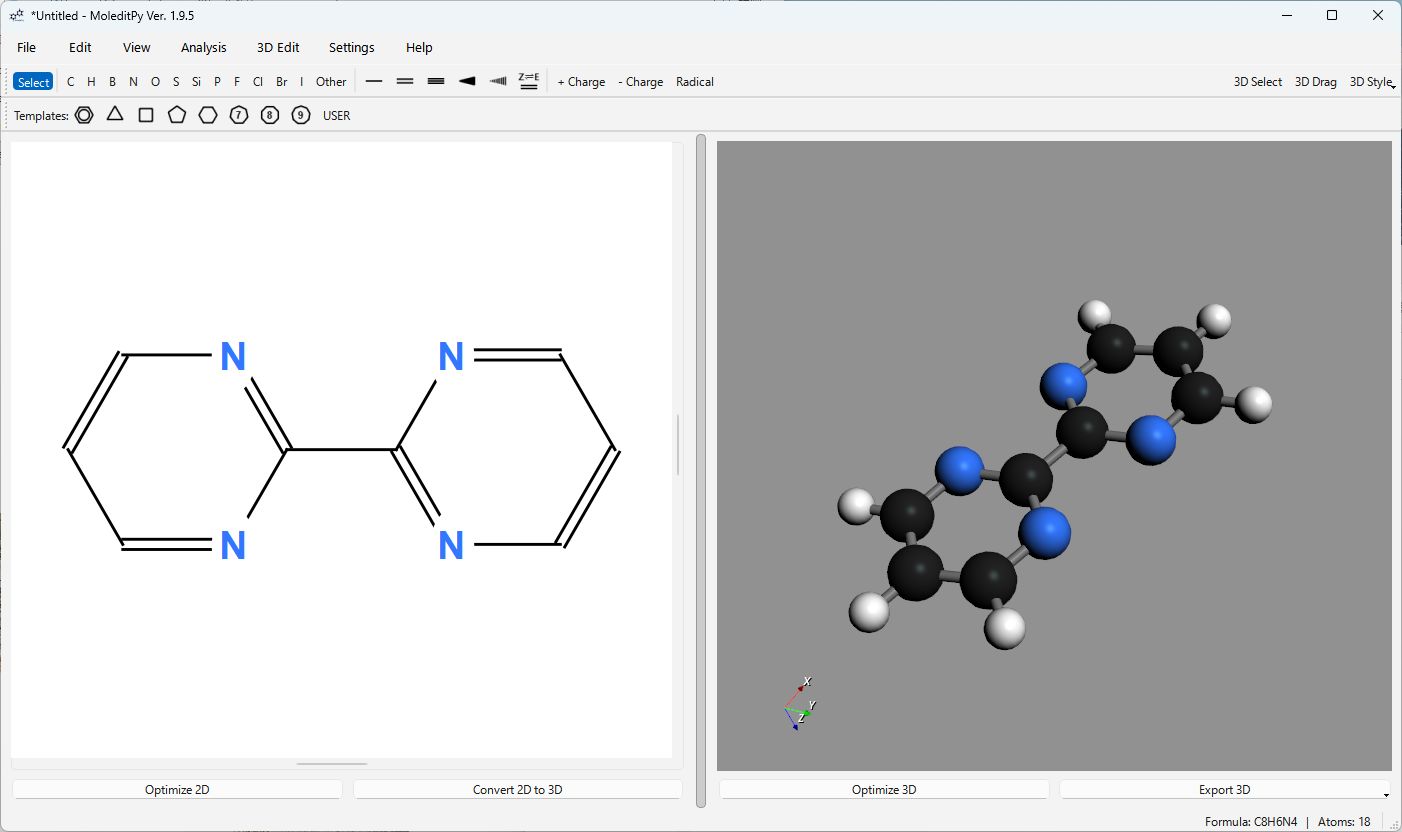
**MoleditPy** is a programmable, cross-platform molecular editor built with PyQt6, RDKit, and PyVista. It takes you from a 2D sketch to an editable 3D structure and out to input files for DFT calculations, and it can be extended with plain Python plugins.
|
|
723
717
|
|
|
724
|
-
**
|
|
725
|
-
|
|
726
|
-
**Author**: HiroYokoyama
|
|
727
|
-
**License**: GPL-v3
|
|
728
|
-
**Repository**: [https://github.com/HiroYokoyama/python\_molecular\_editor](https://github.com/HiroYokoyama/python_molecular_editor)
|
|
729
|
-
|
|
730
|
-
-----
|
|
731
|
-
<p align="center">
|
|
732
|
-
<img src="https://hiroyokoyama.github.io/python_molecular_editor/img/icon.png" width="500" alt="MoleditPy Icon">
|
|
733
|
-
</p>
|
|
718
|
+
**[Website](https://hiroyokoyama.github.io/python_molecular_editor/)** · **[User manual](https://hiroyokoyama.github.io/python_molecular_editor/manual/manual)** ([日本語](https://hiroyokoyama.github.io/python_molecular_editor/manual/manual-JP)) · **[Plugins](https://hiroyokoyama.github.io/moleditpy-plugins/)** · **[Wiki](https://github.com/HiroYokoyama/python_molecular_editor/wiki)**
|
|
734
719
|
|
|
735
720
|
|
|
736
721
|
|
|
722
|
+
## Features
|
|
737
723
|
|
|
738
|
-
|
|
739
|
-
|
|
740
|
-
|
|
741
|
-
|
|
742
|
-
## Key Features
|
|
743
|
-
|
|
744
|
-
Please refer to the [user manual](https://hiroyokoyama.github.io/python_molecular_editor/manual/manual) for details.
|
|
745
|
-
|
|
746
|
-
### 1\. 2D Drawing and Editing
|
|
747
|
-
|
|
748
|
-
* **Intuitive Operations:** Easily add, edit, and delete atoms and bonds with simple mouse controls. Left-click and drag to create, and right-click to delete.
|
|
749
|
-
* **Advanced Templates:** Place templates for benzene or 3- to 9-membered rings with a live preview. Features intelligent logic to automatically adjust the double-bond configuration when fusing a benzene ring to an existing structure.
|
|
750
|
-
* **Alkyl Chain Tool:** Drag to draw a zigzag chain of any length — the bond length stays fixed, the chain axis snaps to 15° steps, and the number of carbons that will be added (`n`) is previewed next to the cursor.
|
|
751
|
-
* **Charges & Radicals:** Quickly set formal charges (`+`/`-`) and radicals (`.`) on any atom using keyboard shortcuts or the toolbar.
|
|
752
|
-
* **Full Element Support:** Select any element from a built-in periodic table dialog.
|
|
753
|
-
* **Clipboard Operations:** Full support for `Cut` (Ctrl+X), `Copy` (Ctrl+C), and `Paste` (Ctrl+V) for molecular fragments.
|
|
754
|
-
|
|
755
|
-
### 2\. 3D Visualization and Advanced Editing
|
|
756
|
-
|
|
757
|
-
* **2D-to-3D Conversion:** Generate a 3D conformation from your 2D drawing using RDKit's powerful algorithms. Includes a robust fallback to Open Babel if the primary method fails.
|
|
758
|
-
* **Interactive 3D Editing:** Perform **comprehensive geometric editing**, including dragging atoms directly in the 3D view to intuitively create specific conformations.
|
|
759
|
-
* **Precise Geometric Control:** A **powerful suite of tools** for precise geometric control:
|
|
760
|
-
* **Translation:** Move the entire molecule or selected atoms to specific coordinates.
|
|
761
|
-
* **Alignment:** Align the molecule by placing two selected atoms along the X, Y, or Z axis.
|
|
762
|
-
* **Planarization:** Force a selection of atoms to lie on a specified plane (XY, XZ, or YZ) or project them onto their **best-fit plane**.
|
|
763
|
-
* **Mirror:** Create a mirror image of the molecule across a selected plane (XY, XZ, or YZ).
|
|
764
|
-
* **Set Bond Length, Angle, & Dihedral Angle:** Set precise numerical values for distances, angles, and torsional angles.
|
|
765
|
-
* **Constrained Optimization:** Perform force field optimization (MMFF/UFF) while applying fixed constraints to specific distances, angles, or dihedral angles.
|
|
766
|
-
* **3D Measurement Tools:** The "Select" mode allows you to click on atoms in the 3D view to instantly measure and display:
|
|
767
|
-
* **Distance** (between 2 atoms)
|
|
768
|
-
* **Angle** (between 3 atoms)
|
|
769
|
-
* **Dihedral Angle** (between 4 atoms)
|
|
770
|
-
* **Structure Optimization:** Perform 3D structure optimization using MMFF94 or UFF force fields.
|
|
771
|
-
* **Multiple Display Styles:** Visualize molecules as "Ball & Stick," "CPK (Space-filling)," "Wireframe," or "Stick" models.
|
|
772
|
-
|
|
773
|
-
### 3\. Analysis and Export
|
|
774
|
-
|
|
775
|
-
* **Molecular Properties Analysis:** A dedicated window displays key molecular properties calculated by RDKit, such as molecular formula, weight, SMILES, LogP, and TPSA.
|
|
776
|
-
* **Stereochemistry Display:** Automatically identifies and displays R/S labels for chiral centers in the 3D view after conversion.
|
|
777
|
-
* **File I/O:**
|
|
778
|
-
* Save and load entire sessions, including 2D/3D data and constraints, with the native `.pmeprj` project file.
|
|
779
|
-
* Import structures from **MOL/SDF/XYZ** files or **SMILES/InChI** strings.
|
|
780
|
-
* Export 3D structures to **MOL** or **XYZ** formats, which are compatible with most DFT calculation software.
|
|
781
|
-
* Export 2D views as high-resolution PNG or SVG images, and 3D views as PNG images.
|
|
782
|
-
* Export the 3D model as **STL** or **OBJ/MTL** files for 3D printing and rendering.
|
|
783
|
-
* **Security note on `.pmeraw`:** the legacy `.pmeraw` project format uses Python pickle, which can execute arbitrary code when loaded. Only open `.pmeraw` files that you created yourself; prefer the JSON-based `.pmeprj` format for sharing.
|
|
784
|
-
|
|
785
|
-
### 4. Programmable & Extensible
|
|
786
|
-
|
|
787
|
-
* **Python Plugin System:** Drop your Python scripts into the plugin folder, and they instantly become part of the application menu.
|
|
788
|
-
* **Downloadable Plugins:** Explore and download specialized plugins from the [Plugin Explorer](https://hiroyokoyama.github.io/moleditpy-plugins/explorer/).
|
|
789
|
-
* **Full API Access:** Plugins have direct access to the `MainWindow`, `RDKit` molecule objects, and the Qt graphics items of the 2D scene, allowing for limitless customization.
|
|
790
|
-
* **Rapid Prototyping:** Ideal for researchers who need to test new algorithms or workflow automations on the fly.
|
|
791
|
-
|
|
792
|
-
## Installation and Execution
|
|
793
|
-
|
|
794
|
-
For detailed instructions, please refer to the project [Wiki](https://github.com/HiroYokoyama/python_molecular_editor/wiki). A [Docker version](https://github.com/HiroYokoyama/python_molecular_editor_docker) is also available. A [Windows installer](https://hiroyokoyama.github.io/python_molecular_editor/windows-installer/windows_installer) and a [macOS app bundle](https://hiroyokoyama.github.io/python_molecular_editor/macos-installer/macos_installer) are also distributed.
|
|
795
|
-
|
|
796
|
-
#### Requirements
|
|
797
|
-
|
|
798
|
-
`PyQt6`, `RDKit`, `NumPy`, `PyVista`, `pyvistaqt`, `openbabel`
|
|
799
|
-
|
|
800
|
-
#### Installation
|
|
801
|
-
|
|
802
|
-
1. **Install the Package**
|
|
803
|
-
This will automatically install the correct `moleditpy` (for Win/Mac) or `moleditpy-linux` (for Linux) as a dependency.
|
|
724
|
+
- **2D drawing** — atoms, bonds, ring templates, alkyl chains, charges, radicals, stereo bonds, and the full periodic table.
|
|
725
|
+
- **3D editing** — 2D-to-3D conversion, dragging atoms in the 3D view, exact bond lengths, angles, and dihedrals, and MMFF94/UFF optimization with constraints.
|
|
726
|
+
- **Analysis and export** — molecular properties, R/S labels, MOL/SDF/XYZ/SMILES/InChI import and export, PNG/SVG images, and STL/OBJ for 3D printing.
|
|
727
|
+
- **Plugins** — drop a Python file into the plugin folder to add menu actions and tools. Browse the official collection in the [Plugin Explorer](https://hiroyokoyama.github.io/moleditpy-plugins/explorer/).
|
|
804
728
|
|
|
805
|
-
|
|
806
|
-
pip install moleditpy-installer
|
|
807
|
-
```
|
|
729
|
+
See the [user manual](https://hiroyokoyama.github.io/python_molecular_editor/manual/manual) for every feature and keyboard shortcut.
|
|
808
730
|
|
|
809
|
-
|
|
810
|
-
After installation, run this command to create the shortcut in your application menu (e.g., Start Menu or Applications folder).
|
|
731
|
+
## Installation
|
|
811
732
|
|
|
812
|
-
|
|
813
|
-
|
|
814
|
-
|
|
733
|
+
```bash
|
|
734
|
+
pip install moleditpy-installer
|
|
735
|
+
python -m moleditpy_installer
|
|
736
|
+
```
|
|
815
737
|
|
|
816
|
-
|
|
738
|
+
The first command installs the right package for your platform (`moleditpy`, or `moleditpy-linux` on Linux); the second creates an application shortcut. Start the app from the shortcut or with:
|
|
817
739
|
|
|
818
740
|
```bash
|
|
819
741
|
moleditpy
|
|
820
742
|
```
|
|
821
743
|
|
|
822
|
-
|
|
823
|
-
|
|
824
|
-
## Keyboard Shortcuts
|
|
825
|
-
|
|
826
|
-
| Key | Action | Notes |
|
|
827
|
-
| :--- | :--- | :--- |
|
|
828
|
-
| `1`/`2`/`3` | Change bond order | Single/Double/Triple bond |
|
|
829
|
-
| `W`/`D` | Change to stereochemical bond | Wedge / Dash bond |
|
|
830
|
-
| `Delete`/`Backspace` | Delete item(s) | Deletes selected or hovered items |
|
|
831
|
-
| `.` | Toggle radical | Cycles through 0, 1, and 2 radicals |
|
|
832
|
-
| `+`/`-` | Increase/Decrease charge | Changes formal charge |
|
|
833
|
-
| `C`, `N`, `O`, etc. | Change atom symbol | Applies to atom under cursor |
|
|
834
|
-
| `4` | Place benzene ring | One-shot placement on atom/bond |
|
|
835
|
-
| `Space` | Toggle select mode / Select all | |
|
|
836
|
-
| `Ctrl+J` | Perform 2D optimization (Clean Up) | |
|
|
837
|
-
| `Ctrl+K` | Perform 2D-to-3D conversion | |
|
|
838
|
-
| `Ctrl+L` | Perform 3D structure optimization | |
|
|
839
|
-
|
|
840
|
-
## Technical Details
|
|
744
|
+
The first launch can take a while as RDKit and the other libraries initialize. A [Windows installer](https://hiroyokoyama.github.io/python_molecular_editor/windows-installer/windows_installer), a [macOS app bundle](https://hiroyokoyama.github.io/python_molecular_editor/macos-installer/macos_installer), and a [Docker image](https://github.com/HiroYokoyama/python_molecular_editor_docker) are also available.
|
|
841
745
|
|
|
842
|
-
|
|
843
|
-
* **Chemical Calculations (RDKit / Open Babel):** RDKit is used to generate molecule objects from 2D data, perform 3D coordinate generation, and calculate properties. Open Babel serves as a fallback for 3D conversion. All heavy computations are run on a separate `QThread` to keep the GUI responsive.
|
|
844
|
-
* **3D Visualization (PyVista / pyvistaqt):** 3D rendering is achieved by generating PyVista meshes (spheres and cylinders) from RDKit conformer coordinates. A custom `vtkInteractorStyle` enables direct drag-and-drop editing of atoms in the 3D view.
|
|
845
|
-
* **Modular Architecture:** The codebase is organized into dedicated packages for `core` logic, `ui` components, and `utils`. The `MainWindow` acts as a composition hub that delegates all work to specialized manager objects (state, I/O, 3D view, dialogs), ensuring long-term maintainability and easier verification.
|
|
846
|
-
|
|
847
|
-
## License & Disclaimer
|
|
848
|
-
|
|
849
|
-
This project is licensed under the GNU General Public License v3.0 (GPLv3) - see the [LICENSE](https://github.com/HiroYokoyama/python_molecular_editor/blob/main/LICENSE) file for details. As open-source software, it is provided 'as is' without warranty of any kind, and the author assumes no responsibility or liability for the results. Although outputs have been carefully verified, users are strongly encouraged to independently check and validate them for critical applications (such as publications). If you encounter any bugs, please open an issue.
|
|
746
|
+
> **Security note:** the legacy `.pmeraw` project format uses Python pickle, which can execute arbitrary code when loaded. Only open `.pmeraw` files you created yourself, and use the JSON-based `.pmeprj` format for sharing.
|
|
850
747
|
|
|
851
748
|
## Citation
|
|
852
749
|
|
|
@@ -856,140 +753,8 @@ If you use this software in your work, please cite it as follows:
|
|
|
856
753
|
Yokoyama, H. (2026). MoleditPy — A Python-based molecular editing software. Zenodo. https://doi.org/10.5281/zenodo.17268532
|
|
857
754
|
```
|
|
858
755
|
|
|
859
|
-
|
|
860
|
-
|
|
861
|
-
-----
|
|
862
|
-
|
|
863
|
-
<div id="japanese"></div>
|
|
864
|
-
|
|
865
|
-
# MoleditPy — A Python Molecular Editor
|
|
866
|
-
|
|
867
|
-
**MoleditPy**は、Pythonで構築された**機能拡張が自由自在な**分子エディタープラットフォームです。2D描画から3Dへの変換により、**DFT計算用インプットの迅速な作成に最適なツール**であると同時に、**Pythonスクリプトを用いて必要な機能をユーザー自身が手軽に追加・開発できる**柔軟な環境を提供します。
|
|
868
|
-
|
|
869
|
-
**作者**: HiroYokoyama
|
|
870
|
-
**ライセンス**: GPL-v3
|
|
871
|
-
**リポジトリ**: [https://github.com/HiroYokoyama/python\_molecular\_editor](https://github.com/HiroYokoyama/python_molecular_editor)
|
|
872
|
-
|
|
873
|
-
-----
|
|
874
|
-
|
|
875
|
-
## 概要
|
|
876
|
-
|
|
877
|
-
このアプリケーションは、**PyQt6**によるモダンなGUI、**RDKit**による強力な化学計算、**PyVista**による高性能な3Dレンダリングを組み合わせ、分子構造の描画と視覚的な確認を容易にするツールです。
|
|
878
|
-
|
|
879
|
-
## 主な機能
|
|
756
|
+
Please also cite the plugins you used; see [Citation in the plugin collection](https://github.com/HiroYokoyama/moleditpy-plugins#citation).
|
|
880
757
|
|
|
881
|
-
|
|
882
|
-
|
|
883
|
-
### 1\. 2D描画と編集
|
|
884
|
-
|
|
885
|
-
* **直感的な操作:** シンプルなマウス操作で原子や結合を簡単に追加、編集、削除できます。左クリック&ドラッグで作成し、右クリックで削除します。
|
|
886
|
-
* **高度なテンプレート機能:** ベンゼン環や3〜9員環のテンプレートをライブプレビューしながら配置できます。既存の構造にベンゼン環を縮環させる際には、二重結合の配置を自動的に調整するインテリジェントなロジックを備えています。
|
|
887
|
-
* **電荷とラジカル:** キーボードショートカット (`+`/`-`/`.`) やツールバーを使って、任意の原子に形式電荷やラジカルを素早く設定できます。
|
|
888
|
-
* **全元素対応:** 内蔵の周期表ダイアログから任意の元素を選択できます。
|
|
889
|
-
* **クリップボード操作:** 分子フラグメントの`カット` (Ctrl+X)、`コピー` (Ctrl+C)、`ペースト` (Ctrl+V) に完全対応しています。
|
|
890
|
-
|
|
891
|
-
### 2\. 3D可視化と高度な編集
|
|
892
|
-
|
|
893
|
-
* **2D-3D変換:** 描画した2D構造から、RDKitの強力なアルゴリズムを用いて3D構造を生成します。主要な手法が失敗した場合は、Open Babelによるフォールバック機能を備えています。
|
|
894
|
-
* **インタラクティブ3D編集:** 3Dビュー内の原子を直接ドラッグ操作でき、分子の形状を**本格的に編集**できます。これにより、理論計算で検討したい特定の配座を直感的に作成できます。
|
|
895
|
-
* **精密な幾何学制御:** **精密な幾何学制御のための強力なツール群**を提供します。
|
|
896
|
-
* **平行移動:** 分子全体または選択原子群を特定の座標へ移動します。
|
|
897
|
-
* **整列:** 選択した2原子をX, Y, Z軸に沿って配置します。
|
|
898
|
-
* **平面化:** 選択した3つ以上の原子を特定の平面(XY, XZ, YZ)上に配置したり、**最適フィット平面に投影**したりできます。
|
|
899
|
-
* **鏡像作成:** 選択した平面 (XY, XZ, YZ) に対して分子の鏡像を作成します。
|
|
900
|
-
* **結合長・角度・二面角:** 原子を選択し、目標値を入力することで、距離、角度、ねじれ角を正確に設定します。
|
|
901
|
-
* **制約付き最適化:** 特定の距離、角度、二面角を固定したまま、力場計算 (MMFF/UFF) による構造最適化を実行します。
|
|
902
|
-
* **3D測定ツール:** 「Select」モードで3Dビュー内の原子をクリックするだけで、以下の値を即座に測定・表示します。
|
|
903
|
-
* **距離** (2原子間)
|
|
904
|
-
* **角度** (3原子間)
|
|
905
|
-
* **二面角** (4原子間)
|
|
906
|
-
* **構造最適化:** MMFF94またはUFF力場を用いて3D構造の最適化を実行できます。
|
|
907
|
-
* **多彩な表示スタイル:** 分子を「ボール&スティック」、「CPK (空間充填)」、「ワイヤーフレーム」、「スティック」モデルで表示できます。
|
|
908
|
-
|
|
909
|
-
### 3\. 解析とエクスポート
|
|
910
|
-
|
|
911
|
-
* **分子特性解析:** 専用ウィンドウに、分子式、分子量、SMILES、LogP、TPSAなど、RDKitによって計算された主要な分子特性を一覧表示します。
|
|
912
|
-
* **立体化学表示:** 3D変換後、キラル中心を自動的に認識し、R/Sラベルを3Dビューに表示します。
|
|
913
|
-
* **ファイル入出力:**
|
|
914
|
-
* 2D/3Dデータや制約情報を含むセッション全体を、独自のプロジェクトファイル (`.pmeprj`) として保存・読み込みできます。
|
|
915
|
-
* **MOL/SDF/XYZ**ファイルや**SMILES/InChI**文字列から構造をインポートできます。
|
|
916
|
-
* 3D構造を**MOL**または**XYZ**形式でエクスポートでき、これらは多くのDFT計算ソフトウェアと互換性があります。
|
|
917
|
-
* 2Dビューを高解像度のPNG・SVG画像として、3DビューをPNG画像としてエクスポートできます。
|
|
918
|
-
* 3Dモデルを**STL**または**OBJ/MTL**ファイルとしてエクスポートでき、3Dプリントやレンダリングに利用できます。
|
|
919
|
-
* **`.pmeraw` に関するセキュリティ上の注意:** 旧形式の `.pmeraw` プロジェクトは Python の pickle を使用しており、読み込み時に任意のコードが実行される可能性があります。自分で作成した `.pmeraw` ファイルのみを開き、共有には JSON ベースの `.pmeprj` 形式を使用してください。
|
|
920
|
-
|
|
921
|
-
### 4. プログラマブルで拡張可能
|
|
922
|
-
|
|
923
|
-
* **Pythonプラグインシステム:** Pythonスクリプトをプラグインフォルダに入れるだけで、即座にアプリケーションメニューの一部として機能します。
|
|
924
|
-
* **プラグインのダウンロード:** [Plugin Explorer](https://hiroyokoyama.github.io/moleditpy-plugins/explorer/) から特化したプラグインを探索・ダウンロードできます。
|
|
925
|
-
* **フルAPIアクセス:** プラグインは `MainWindow`、`RDKit` 分子オブジェクト、2D シーンの Qt グラフィックスアイテムに直接アクセスでき、無限のカスタマイズが可能です。
|
|
926
|
-
* **迅速なプロトタイピング:** 新しいアルゴリズムやワークフローの自動化をその場でテストしたい研究者に最適です。
|
|
927
|
-
|
|
928
|
-
## インストールと実行
|
|
929
|
-
|
|
930
|
-
詳細な手順については、プロジェクトの[Wiki](https://github.com/HiroYokoyama/python_molecular_editor/wiki)を参照してください。[Docker版](https://github.com/HiroYokoyama/python_molecular_editor_docker)も利用可能です。[Windows向けインストーラー](https://hiroyokoyama.github.io/python_molecular_editor/windows-installer/windows_installer-jp)や[macOSアプリバンドル](https://hiroyokoyama.github.io/python_molecular_editor/macos-installer/macos_installer-jp)も使用できます。
|
|
931
|
-
|
|
932
|
-
#### 必要ライブラリ
|
|
933
|
-
|
|
934
|
-
`PyQt6`, `RDKit`, `NumPy`, `PyVista`, `pyvistaqt`, `openbabel`
|
|
935
|
-
|
|
936
|
-
#### インストール
|
|
937
|
-
|
|
938
|
-
1. **パッケージのインストール**
|
|
939
|
-
このコマンドを実行すると、お使いのOS(Windows/macOSまたはLinux)に適した `moleditpy` 本体が自動的にインストールされます。
|
|
940
|
-
|
|
941
|
-
```bash
|
|
942
|
-
pip install moleditpy-installer
|
|
943
|
-
```
|
|
944
|
-
|
|
945
|
-
2. **ショートカットの作成**
|
|
946
|
-
インストール後、このコマンドを実行すると、アプリケーションメニュー(スタートメニューやアプリケーションフォルダなど)にショートカットが作成されます。
|
|
947
|
-
|
|
948
|
-
```bash
|
|
949
|
-
python -m moleditpy_installer
|
|
950
|
-
```
|
|
951
|
-
|
|
952
|
-
#### アプリケーションの起動
|
|
953
|
-
|
|
954
|
-
```bash
|
|
955
|
-
moleditpy
|
|
956
|
-
```
|
|
957
|
-
|
|
958
|
-
**(注:初回起動時は、RDKitなどのライブラリの初期化のため、起動に時間がかかる場合があります。)**
|
|
959
|
-
|
|
960
|
-
## キーボードショートカット
|
|
961
|
-
|
|
962
|
-
| キー | 操作 | 補足 |
|
|
963
|
-
| :--- | :--- | :--- |
|
|
964
|
-
| `1`/`2`/`3` | 結合次数を変更 | 単結合/二重結合/三重結合 |
|
|
965
|
-
| `W`/`D` | 立体化学結合に変更 | Wedge / Dash 結合 |
|
|
966
|
-
| `Delete` / `Backspace` | アイテムの削除 | 選択またはカーソル下のアイテムを削除 |
|
|
967
|
-
| `.` | ラジカルをトグル | 0, 1, 2ラジカルを循環 |
|
|
968
|
-
| `+`/`-` | 電荷を増減 | 形式電荷の変更 |
|
|
969
|
-
| `C`, `N`, `O` など | 原子記号を変更 | カーソル下の原子に適用 |
|
|
970
|
-
| `4` | ベンゼン環の配置 | カーソル下の原子/結合にワンショットで配置 |
|
|
971
|
-
| `Space` | 選択モード切替 / 全選択 | |
|
|
972
|
-
| `Ctrl+J` | 2D最適化を実行 | |
|
|
973
|
-
| `Ctrl+K` | 3D変換を実行 | |
|
|
974
|
-
| `Ctrl+L` | 3D最適化を実行 | |
|
|
975
|
-
|
|
976
|
-
## 技術的な仕組み
|
|
977
|
-
|
|
978
|
-
* **GUIと2D描画 (PyQt6):** `QGraphicsScene`上にカスタムの`AtomItem`(原子)と`BondItem`(結合)を配置し、対話的に操作します。Undo/Redo機能は、アプリケーションの状態をシリアライズしてスタックに保存することで実現しています。
|
|
979
|
-
* **化学計算 (RDKit / Open Babel):** 2DデータからRDKit分子オブジェクトを生成し、3D座標生成や分子特性計算を実行します。RDKitでの3D座標生成が失敗した際は、Open Babelにフォールバックします。重い計算処理は別スレッド (`QThread`) で実行し、GUIの応答性を維持しています。
|
|
980
|
-
* **3D可視化 (PyVista / pyvistaqt):** RDKitのコンフォーマ座標からPyVistaのメッシュ(球や円柱)を生成して描画します。カスタムの`vtkInteractorStyle`を実装し、3Dビュー内での原子の直接的なドラッグ&ドロップ編集を可能にしています。
|
|
981
|
-
* **モジュラーアーキテクチャ:** コードベースは `core` ロジック、`ui` コンポーネント、`utils` の専用パッケージに整理されています。`MainWindow` は、状態管理・ファイル入出力・3D ビュー・ダイアログなどを専門のマネージャーオブジェクトに委譲するコンポジションハブとして機能し、長期的な保守性と検証の容易さを確保しています。
|
|
982
|
-
|
|
983
|
-
## ライセンス & 免責事項
|
|
984
|
-
|
|
985
|
-
このプロジェクトは GNU General Public License v3.0 (GPLv3) のもとでライセンスされています。詳細は [LICENSE](https://github.com/HiroYokoyama/python_molecular_editor/blob/main/LICENSE) ファイルを参照してください。オープンソースソフトウェアとして、本ソフトウェアは「現状のまま」提供され、いかなる明示または黙示の保証も行いません。また、本ソフトウェアを使用した結果について、作者は一切の責任や義務を負いません。出力結果は慎重に検証されていますが、学術論文の作成など重要な用途においては、ユーザーご自身で結果を独立して確認および検証することを強くお勧めします。バグに遭遇した場合は、Issueを作成してください。
|
|
986
|
-
|
|
987
|
-
## 引用
|
|
988
|
-
|
|
989
|
-
本ソフトウェアを研究で使用される場合は、以下の通り引用を明記してください。
|
|
990
|
-
|
|
991
|
-
```
|
|
992
|
-
Yokoyama, H. (2026). MoleditPy — A Python-based molecular editing software. Zenodo. https://doi.org/10.5281/zenodo.17268532
|
|
993
|
-
```
|
|
758
|
+
## License & Disclaimer
|
|
994
759
|
|
|
995
|
-
|
|
760
|
+
This project is licensed under the GNU General Public License v3.0 (GPLv3) - see the [LICENSE](https://github.com/HiroYokoyama/python_molecular_editor/blob/main/LICENSE) file for details. As open-source software, it is provided 'as is' without warranty of any kind, and the author assumes no responsibility or liability for the results. Although outputs have been carefully verified, users are strongly encouraged to independently check and validate them for critical applications (such as publications). If you encounter any bugs, please open an issue.
|
|
@@ -0,0 +1,56 @@
|
|
|
1
|
+
# MoleditPy — A Python Molecular Editor
|
|
2
|
+
|
|
3
|
+
[](https://doi.org/10.5281/zenodo.17268532)
|
|
4
|
+
[](https://badge.fury.io/py/MoleditPy)
|
|
5
|
+
[](https://pypi.org/project/MoleditPy/)
|
|
6
|
+
[](https://www.gnu.org/licenses/gpl-3.0)
|
|
7
|
+
[](https://github.com/HiroYokoyama/python_molecular_editor/actions)
|
|
8
|
+
[](https://codecov.io/gh/HiroYokoyama/python_molecular_editor)
|
|
9
|
+
[](https://pepy.tech/projects/moleditpy)
|
|
10
|
+
[](https://github.com/sponsors/HiroYokoyama)
|
|
11
|
+
|
|
12
|
+
**MoleditPy** is a programmable, cross-platform molecular editor built with PyQt6, RDKit, and PyVista. It takes you from a 2D sketch to an editable 3D structure and out to input files for DFT calculations, and it can be extended with plain Python plugins.
|
|
13
|
+
|
|
14
|
+
**[Website](https://hiroyokoyama.github.io/python_molecular_editor/)** · **[User manual](https://hiroyokoyama.github.io/python_molecular_editor/manual/manual)** ([日本語](https://hiroyokoyama.github.io/python_molecular_editor/manual/manual-JP)) · **[Plugins](https://hiroyokoyama.github.io/moleditpy-plugins/)** · **[Wiki](https://github.com/HiroYokoyama/python_molecular_editor/wiki)**
|
|
15
|
+
|
|
16
|
+

|
|
17
|
+
|
|
18
|
+
## Features
|
|
19
|
+
|
|
20
|
+
- **2D drawing** — atoms, bonds, ring templates, alkyl chains, charges, radicals, stereo bonds, and the full periodic table.
|
|
21
|
+
- **3D editing** — 2D-to-3D conversion, dragging atoms in the 3D view, exact bond lengths, angles, and dihedrals, and MMFF94/UFF optimization with constraints.
|
|
22
|
+
- **Analysis and export** — molecular properties, R/S labels, MOL/SDF/XYZ/SMILES/InChI import and export, PNG/SVG images, and STL/OBJ for 3D printing.
|
|
23
|
+
- **Plugins** — drop a Python file into the plugin folder to add menu actions and tools. Browse the official collection in the [Plugin Explorer](https://hiroyokoyama.github.io/moleditpy-plugins/explorer/).
|
|
24
|
+
|
|
25
|
+
See the [user manual](https://hiroyokoyama.github.io/python_molecular_editor/manual/manual) for every feature and keyboard shortcut.
|
|
26
|
+
|
|
27
|
+
## Installation
|
|
28
|
+
|
|
29
|
+
```bash
|
|
30
|
+
pip install moleditpy-installer
|
|
31
|
+
python -m moleditpy_installer
|
|
32
|
+
```
|
|
33
|
+
|
|
34
|
+
The first command installs the right package for your platform (`moleditpy`, or `moleditpy-linux` on Linux); the second creates an application shortcut. Start the app from the shortcut or with:
|
|
35
|
+
|
|
36
|
+
```bash
|
|
37
|
+
moleditpy
|
|
38
|
+
```
|
|
39
|
+
|
|
40
|
+
The first launch can take a while as RDKit and the other libraries initialize. A [Windows installer](https://hiroyokoyama.github.io/python_molecular_editor/windows-installer/windows_installer), a [macOS app bundle](https://hiroyokoyama.github.io/python_molecular_editor/macos-installer/macos_installer), and a [Docker image](https://github.com/HiroYokoyama/python_molecular_editor_docker) are also available.
|
|
41
|
+
|
|
42
|
+
> **Security note:** the legacy `.pmeraw` project format uses Python pickle, which can execute arbitrary code when loaded. Only open `.pmeraw` files you created yourself, and use the JSON-based `.pmeprj` format for sharing.
|
|
43
|
+
|
|
44
|
+
## Citation
|
|
45
|
+
|
|
46
|
+
If you use this software in your work, please cite it as follows:
|
|
47
|
+
|
|
48
|
+
```
|
|
49
|
+
Yokoyama, H. (2026). MoleditPy — A Python-based molecular editing software. Zenodo. https://doi.org/10.5281/zenodo.17268532
|
|
50
|
+
```
|
|
51
|
+
|
|
52
|
+
Please also cite the plugins you used; see [Citation in the plugin collection](https://github.com/HiroYokoyama/moleditpy-plugins#citation).
|
|
53
|
+
|
|
54
|
+
## License & Disclaimer
|
|
55
|
+
|
|
56
|
+
This project is licensed under the GNU General Public License v3.0 (GPLv3) - see the [LICENSE](https://github.com/HiroYokoyama/python_molecular_editor/blob/main/LICENSE) file for details. As open-source software, it is provided 'as is' without warranty of any kind, and the author assumes no responsibility or liability for the results. Although outputs have been carefully verified, users are strongly encouraged to independently check and validate them for critical applications (such as publications). If you encounter any bugs, please open an issue.
|
|
@@ -5,7 +5,7 @@ build-backend = "setuptools.build_meta"
|
|
|
5
5
|
[project]
|
|
6
6
|
name = "MoleditPy"
|
|
7
7
|
|
|
8
|
-
version = "4.11.
|
|
8
|
+
version = "4.11.2"
|
|
9
9
|
|
|
10
10
|
license = {file = "LICENSE"}
|
|
11
11
|
|
|
@@ -36,8 +36,8 @@ dependencies = [
|
|
|
36
36
|
"numpy",
|
|
37
37
|
"pyqt6 < 6.10; python_version == '3.9'",
|
|
38
38
|
"pyqt6 < 6.12; python_version != '3.9'",
|
|
39
|
-
"pyvista < 0.
|
|
40
|
-
"pyvistaqt < 0.
|
|
39
|
+
"pyvista < 0.50",
|
|
40
|
+
"pyvistaqt < 0.14",
|
|
41
41
|
"rdkit < 2026.4",
|
|
42
42
|
"openbabel-wheel < 3.2"
|
|
43
43
|
]
|