create-openclaw-bot 4.0.1
This diff represents the content of publicly available package versions that have been released to one of the supported registries. The information contained in this diff is provided for informational purposes only and reflects changes between package versions as they appear in their respective public registries.
- package/CHANGELOG.md +121 -0
- package/CHANGELOG.vi.md +116 -0
- package/README.md +211 -0
- package/README.vi.md +215 -0
- package/SETUP.md +532 -0
- package/SETUP.vi.md +439 -0
- package/cli.js +231 -0
- package/docker/openclaw/Dockerfile +14 -0
- package/docker/openclaw/docker-compose.yml +18 -0
- package/docs/browser-automation-guide.md +207 -0
- package/docs/skills-plugins-guide.md +126 -0
- package/index.html +336 -0
- package/package.json +28 -0
- package/setup.js +1991 -0
- package/start-chrome-debug.bat +15 -0
- package/style.css +1347 -0
package/CHANGELOG.md
ADDED
|
@@ -0,0 +1,121 @@
|
|
|
1
|
+
# Changelog (English)
|
|
2
|
+
|
|
3
|
+
All notable changes to this project will be documented in this file.
|
|
4
|
+
|
|
5
|
+
## [4.0.1] — 2026-03-31
|
|
6
|
+
|
|
7
|
+
### ✨ Automation (Auto-create install dir) & NPM CLI
|
|
8
|
+
- **One-Command Install (npx)**: The `create-openclaw-bot` CLI package is now published to NPM. Windows, Linux, and Mac users can simply run `npx create-openclaw-bot` to setup everything via an interactive terminal flow.
|
|
9
|
+
- **Auto Setup & Docker Start**: The deployment script (`.bat` / CLI) is completely overhauled. Once configured, Docker compose automatically builds and spins up the Bot instance seamlessly.
|
|
10
|
+
- **Improved UI Setup**: Cleaned up the Step 4 file previews. Revamped the Zalo Bot API channel UI card to use the official vector SVG (popping blue colors over the frosted glass background).
|
|
11
|
+
- **Safety First**: Removed Antigravity (AG) models from the 9router Proxy Models option to prevent permanent Google AI Ultra abuse bans. Added bright red warnings on the Setup GUI. Updated crediting for thesvg.org.
|
|
12
|
+
|
|
13
|
+
## [4.0.0] — 2026-03-30
|
|
14
|
+
|
|
15
|
+
### ✨ New Features & Updates
|
|
16
|
+
- **Full English Localization** — Completed all English translations for the Setup Wizard (Buttons, Labels, Step 4 Output).
|
|
17
|
+
- **Language Toggle Relocation** — Moved the language toggle (VI/EN) to a more visible and accessible location.
|
|
18
|
+
- **Setup UI/UX Fixes** — Improved the Setup Wizard UI for Browser Automation and resolved display issues (such as the undefined model badge).
|
|
19
|
+
- **Reference Error Fixes** — Fixed several Reference Errors during the setup execution.
|
|
20
|
+
|
|
21
|
+
## [3.0.2] — 2026-03-29
|
|
22
|
+
|
|
23
|
+
### ✨ 9Router Smart Proxy Expansion
|
|
24
|
+
- **9Router db.json Stability** — Updated the `db.json` injection logic for 9Router via entrypoint to prevent "No such file or directory, lstat db.json" errors.
|
|
25
|
+
- **Flagship Fallback Proxy** — Configured "Smart Proxy" with a rotating list of the most powerful flagship LLMs from Codex, Antigravity, Claude Code, and Github Copilot.
|
|
26
|
+
- **Setup Wizard Customization** — The wizard now displays a complete list of providers/models, setting the Smart Proxy as the preferred default to automatically resolve "404 No Active Credentials" errors.
|
|
27
|
+
|
|
28
|
+
## [3.0.1] — 2026-03-29
|
|
29
|
+
|
|
30
|
+
### ✨ New Features
|
|
31
|
+
- **Wizard UI Redesign (Step 2)** — Brought AI Provider/Model selection to the top, followed by Identity, Personality, Security Rules, and Extensions.
|
|
32
|
+
- **User Info Textarea** — Users can input information about themselves → injected into `USER.md` for bot personalization.
|
|
33
|
+
- **Editable Security Rules** — Displays default security rules, users can edit them → injected into `AGENTS.md`.
|
|
34
|
+
- **Section Dividers** — Added icon dividers between config groups (🤖 🔐 🧩).
|
|
35
|
+
|
|
36
|
+
### 🐛 Bug Fixes
|
|
37
|
+
- **Skills Auto-enable** — Selecting a skill now automatically registers it in `openclaw.json` → `skills.entries` (enabled: true). Previously, it only set up the Dockerfile without registering, making the bot ignore the skill.
|
|
38
|
+
- **Skills Env Injection** — Skills requiring API keys (Tavily, SMTP…) now automatically inject env vars into `skills.entries`.
|
|
39
|
+
|
|
40
|
+
### 🎨 UI/UX
|
|
41
|
+
- Identity grid changed to 3 columns (Name, Role, Emoji) — removed Vibe (merged into System Prompt).
|
|
42
|
+
- Emoji input fix: assigned `form-input--emoji` class, matching the height of other inputs.
|
|
43
|
+
- System Prompt label changed to "Personality, Vibe & Response Rules".
|
|
44
|
+
- Responsive mobile: Name is full width, Role + Emoji are side-by-side.
|
|
45
|
+
- Security textarea is readonly by default, equipped with a "✏️ Edit" / "🔒 Lock" toggle button.
|
|
46
|
+
|
|
47
|
+
### 🔧 Technical
|
|
48
|
+
- `state.config.userInfo` — new field, saved from the `cfg-user-info` textarea.
|
|
49
|
+
- `state.config.securityRules` — editable, defaults per language (vi/en).
|
|
50
|
+
- `DEFAULT_SECURITY_RULES` constant established with vi/en templates.
|
|
51
|
+
- `clawConfig.skills.entries` generated dynamically from selected skills.
|
|
52
|
+
- Language toggle now updates both the system prompt and security rules dynamically.
|
|
53
|
+
|
|
54
|
+
---
|
|
55
|
+
|
|
56
|
+
## [3.0.0] — 2026-03-28
|
|
57
|
+
|
|
58
|
+
### ✨ New Features
|
|
59
|
+
- **9Router Integration** — AI proxy, no API key required, multi-container Docker (`docker-compose.yml` 2 services).
|
|
60
|
+
- **Skills System (ClawHub)** — 8 agent capabilities: Web Search, Browser Automation, Memory, RAG, Image Gen, Bot Scheduler, Code Interpreter, Email Assistant.
|
|
61
|
+
- **Plugins System (npm)** — 4 runtime extensions: Voice Call, Matrix, MS Teams, Nostr.
|
|
62
|
+
- **Browser Automation** — Full Chrome Debug Mode support (socat proxy, agent-browser, Playwright engine).
|
|
63
|
+
- **Task Scheduler** — Windows Scheduled Task auto-starts Chrome Debug mode on logon (10s delay).
|
|
64
|
+
- **Skill-aware .env** — `.env` template automatically includes env vars for skills requiring API keys (Tavily, SMTP, Flux...).
|
|
65
|
+
- **Post-setup Management** — Added guide for adding/removing skills/plugins post-setup via `docker exec`.
|
|
66
|
+
|
|
67
|
+
### 🎨 UI/UX
|
|
68
|
+
- Separated Skills (4-column grid) from Plugins — clearer interface layout.
|
|
69
|
+
- Skill cards now show notes (⚙️) for skills that require extra setup.
|
|
70
|
+
- Added Browser Automation notice card in Step 4 featuring `.bat` + `.ps1` scripts.
|
|
71
|
+
- Management guide card (🔧) featuring `docker exec` commands.
|
|
72
|
+
|
|
73
|
+
### 📚 Documentation
|
|
74
|
+
- `docs/browser-automation-guide.md` — Included Browser Automation usage guide for users.
|
|
75
|
+
- `docs/skills-plugins-guide.md` — Synthesized all skills/plugins + setup steps + list of required env vars.
|
|
76
|
+
- README.md / README.vi.md — Updated with 9Router, Skills/Plugins, and new FAQs.
|
|
77
|
+
|
|
78
|
+
### 🔧 Technical
|
|
79
|
+
- `state.config.skills[]` + `state.config.plugins[]` are managed independently.
|
|
80
|
+
- `openclaw.json` dynamically injects `browser` config when Browser skill is selected.
|
|
81
|
+
- Dockerfile conditional logic: socat, agent-browser included only when necessary.
|
|
82
|
+
- docker-compose: added `extra_hosts` block for both 9Router and non-9Router setups.
|
|
83
|
+
|
|
84
|
+
---
|
|
85
|
+
|
|
86
|
+
## [2.0.0] — 2026-03-27
|
|
87
|
+
|
|
88
|
+
### ✨ New Features
|
|
89
|
+
- **Setup Wizard UI** — Interactive web wizard (`index.html`) to configure OpenClaw bots visually.
|
|
90
|
+
- **Multi-Channel Support** — Added support for Telegram, Zalo Bot API, and Zalo Personal channels.
|
|
91
|
+
- **Multi-Provider AI** — Support for Google Gemini, Anthropic Claude, OpenAI/Codex, OpenRouter, and Ollama (local).
|
|
92
|
+
- **Plugin System** — Modular plugin grid supporting Browser Automation, Scheduler, Memory, Web Search, RAG, and Image Gen.
|
|
93
|
+
- **Config Generation** — Automatically generates `openclaw.json`, `agent.yaml`, `Dockerfile`, and `docker-compose.yml`.
|
|
94
|
+
- **Language Toggle** — VI/EN toggle switch utilizing SVG flag icons.
|
|
95
|
+
- **Brand Logos** — Implemented high-quality SVG logos from [thesvg.org](https://thesvg.org) for all providers and channels.
|
|
96
|
+
|
|
97
|
+
### 🎨 Design
|
|
98
|
+
- Dark-themed glassmorphism UI overlaid with animated multi-layer gradients.
|
|
99
|
+
- Provider cards designed with unique colored icon backgrounds (Gemini purple, Claude orange, OpenAI green, OpenRouter violet, Ollama cyan).
|
|
100
|
+
- Auto-expanding System Prompt textarea without internal scroll.
|
|
101
|
+
- Developed a shimmer animation on the title and glow effects on selected cards.
|
|
102
|
+
|
|
103
|
+
### 📚 Documentation
|
|
104
|
+
- `README.md` / `README.vi.md` — Authored full bilingual docs, including a multi-provider comparison table.
|
|
105
|
+
- `SETUP.md` / `SETUP.vi.md` — Provided a technical setup guide specifically intended for AI agents.
|
|
106
|
+
- Security directive notice: Clarified that System Prompt determines personality only, while the framework enforces security rules.
|
|
107
|
+
|
|
108
|
+
### 🔒 Security
|
|
109
|
+
- Enforced a No-credentials-in-UI policy — instructing users to create `.env` files locally.
|
|
110
|
+
- Dynamic credential instructions presented conditionally per provider and channel.
|
|
111
|
+
- OpenClaw framework automatically enforces default system security rules.
|
|
112
|
+
|
|
113
|
+
---
|
|
114
|
+
|
|
115
|
+
## [1.0.0] — 2026-03-26
|
|
116
|
+
|
|
117
|
+
### Initial Release
|
|
118
|
+
- Published basic OpenClaw setup guide.
|
|
119
|
+
- Configured Telegram-only support.
|
|
120
|
+
- Configured Google Gemini single provider support.
|
|
121
|
+
- Included manual configuration file setup instructions.
|
package/CHANGELOG.vi.md
ADDED
|
@@ -0,0 +1,116 @@
|
|
|
1
|
+
# Changelog (Tiếng Việt)
|
|
2
|
+
|
|
3
|
+
Tất cả những thay đổi nổi bật của dự án sẽ được ghi chép trong file này.
|
|
4
|
+
|
|
5
|
+
## [4.0.1] — 2026-03-31
|
|
6
|
+
|
|
7
|
+
### ✨ Tự Động Hoá (Tự tạo thư mục cài đặt gốc) & NPM CLI
|
|
8
|
+
- **One-Command Install (npx)**: Gói CLI `create-openclaw-bot` được tải lên NPM. Người dùng Windows, Linux, Mac chỉ cần mở Terminal gõ lệnh `npx create-openclaw-bot` để setup tự động từ A-Z qua giao diện tương tác.
|
|
9
|
+
- **Tự động Setup & Khởi động Docker**: Quy trình tạo `.bat`/CLI được viết lại, thiết lập xong sẽ mở Docker compose tự động tải và kích hoạt Bot ngay.
|
|
10
|
+
- **Improved UI Setup**: Gọn gàng hoá file preview, đổi layout UI cho Zalo Bot API để dùng official vector SVG, nổi màu xanh chủ đạo Zalo thay vì logo trong suốt.
|
|
11
|
+
- **Safety First**: Lược bỏ tuỳ chọn mô hình Antigravity (AG) khỏi 9router Proxy Models và thêm cảnh báo đỏ trên UI để tránh rủi ro người dùng bị khoá account Google AI Ultra do lạm dụng quá mức. Cập nhật icon credit cho thesvg.org.
|
|
12
|
+
|
|
13
|
+
## [4.0.0] — 2026-03-30
|
|
14
|
+
|
|
15
|
+
### ✨ New Features & Updates
|
|
16
|
+
- **Full English Localization** — Đã hoàn thiện toàn bộ bản dịch tiếng Anh cho Setup Wizard (Button, Label, Step 4 Output).
|
|
17
|
+
- **Language Toggle Relocation** — Di chuyển công tắc ngôn ngữ (VI/EN) sang vị trí dễ nhìn và thao tác hơn.
|
|
18
|
+
- **Setup UI/UX fixes** — Cải thiện giao diện Setup Wizard cho Browser Automation và sửa các lỗi hiển thị (như undefined model badge).
|
|
19
|
+
- **Reference Error Fixes** — Khắc phục một số lỗi Reference Error trong quá trình chạy setup.
|
|
20
|
+
|
|
21
|
+
## [3.0.2] — 2026-03-29
|
|
22
|
+
|
|
23
|
+
### ✨ 9Router Smart Proxy Expansion
|
|
24
|
+
- **9Router db.json Stability** — Cập nhật logic inject db.json của 9router qua entrypoint để tránh lỗi báo mất file "No such file or directory, lstat db.json".
|
|
25
|
+
- **Flagship Fallback Proxy** — Cấu hình "Smart Proxy" để có danh sách luân chuyển các LLMs Flagship mạnh mẽ nhất hiện tại của Codex, Antigravity, Claude Code, và Github Copilot.
|
|
26
|
+
- **Tùy chỉnh Setup Wizard** — Khi cài đặt hiện tại sẽ thấy danh sách provider/model hoàn chỉnh, và Smart Proxy được đặt làm chuẩn ưu tiên để tự fix lỗi "404 No Active Credentials".
|
|
27
|
+
|
|
28
|
+
## [3.0.1] — 2026-03-29
|
|
29
|
+
|
|
30
|
+
### ✨ New Features
|
|
31
|
+
- **Wizard UI Redesign (Step 2)** — AI Provider/Model lên đầu, sau đó Identity, Personality, Security Rules, Extensions
|
|
32
|
+
- **User Info textarea** — User tự nhập thông tin về mình → sinh vào `USER.md` để bot cá nhân hóa
|
|
33
|
+
- **Editable Security Rules** — Hiển thị quy tắc bảo mật mặc định, user có thể sửa → inject vào `AGENTS.md`
|
|
34
|
+
- **Section dividers** — Icon dividers giữa các nhóm config (🤖 🔐 🧩)
|
|
35
|
+
|
|
36
|
+
### 🐛 Bug Fixes
|
|
37
|
+
- **Skills auto-enable** — Khi chọn skill, giờ tự động khai báo trong `openclaw.json` → `skills.entries` (enabled: true). Trước đây chỉ cài Dockerfile nhưng không register → bot không nhận skill
|
|
38
|
+
- **Skills env injection** — Skills cần API key (Tavily, SMTP…) tự động inject env vars vào `skills.entries`
|
|
39
|
+
|
|
40
|
+
### 🎨 UI/UX
|
|
41
|
+
- Identity grid 3 cột (Tên, Vai trò, Emoji) — bỏ Vibe (gộp vào System Prompt)
|
|
42
|
+
- Emoji input fix: `form-input--emoji` class, cùng height với input khác
|
|
43
|
+
- Label System Prompt → "Tính cách, Vibe & Quy tắc trả lời"
|
|
44
|
+
- Responsive mobile: Name full width, Role + Emoji side-by-side
|
|
45
|
+
- Security textarea readonly mặc định, nút "✏️ Sửa" / "🔒 Khóa" toggle
|
|
46
|
+
|
|
47
|
+
### 🔧 Technical
|
|
48
|
+
- `state.config.userInfo` — new field, saved from `cfg-user-info` textarea
|
|
49
|
+
- `state.config.securityRules` — editable, defaults per language (vi/en)
|
|
50
|
+
- `DEFAULT_SECURITY_RULES` constant with vi/en templates
|
|
51
|
+
- `clawConfig.skills.entries` generated from selected skills
|
|
52
|
+
- Language toggle updates both prompt and security rules
|
|
53
|
+
|
|
54
|
+
---
|
|
55
|
+
|
|
56
|
+
## [3.0.0] — 2026-03-28
|
|
57
|
+
|
|
58
|
+
### ✨ New Features
|
|
59
|
+
- **9Router Integration** — AI proxy, không cần API key, multi-container Docker (`docker-compose.yml` 2 service)
|
|
60
|
+
- **Skills System (ClawHub)** — 8 agent capabilities: Web Search, Browser Automation, Memory, RAG, Image Gen, Bot Scheduler, Code Interpreter, Email Assistant
|
|
61
|
+
- **Plugins System (npm)** — 4 runtime extensions: Voice Call, Matrix, MS Teams, Nostr
|
|
62
|
+
- **Browser Automation** — Full Chrome Debug Mode support (socat proxy, agent-browser, Playwright engine)
|
|
63
|
+
- **Task Scheduler** — Windows Scheduled Task auto-starts Chrome Debug khi logon (delay 10s)
|
|
64
|
+
- **Skill-aware .env** — `.env` template tự động thêm env vars cho skills cần API key (Tavily, SMTP, Flux...)
|
|
65
|
+
- **Post-setup Management** — Hướng dẫn thêm/bỏ skills/plugins sau khi setup qua `docker exec`
|
|
66
|
+
|
|
67
|
+
### 🎨 UI/UX
|
|
68
|
+
- Tách Skills (4-column grid) và Plugins (riêng biệt) — rõ ràng hơn
|
|
69
|
+
- Skill cards hiện notes (⚙️) cho skills cần setup thêm
|
|
70
|
+
- Browser Automation notice card ở Step 4 với `.bat` + `.ps1` scripts
|
|
71
|
+
- Management guide card (🔧) với `docker exec` commands
|
|
72
|
+
|
|
73
|
+
### 📚 Documentation
|
|
74
|
+
- `docs/browser-automation-guide.md` — Hướng dẫn sử dụng Browser Automation cho user
|
|
75
|
+
- `docs/skills-plugins-guide.md` — Tổng hợp toàn bộ skills/plugins + setup + env vars
|
|
76
|
+
- README.md / README.vi.md — Thêm 9Router, Skills/Plugins, FAQs mới
|
|
77
|
+
|
|
78
|
+
### 🔧 Technical
|
|
79
|
+
- `state.config.skills[]` + `state.config.plugins[]` quản lý độc lập
|
|
80
|
+
- `openclaw.json` inject `browser` config khi Browser skill selected
|
|
81
|
+
- Dockerfile conditional: socat, agent-browser chỉ khi cần
|
|
82
|
+
- docker-compose: `extra_hosts` cho cả 9Router lẫn non-9Router
|
|
83
|
+
|
|
84
|
+
---
|
|
85
|
+
|
|
86
|
+
## [2.0.0] — 2026-03-27
|
|
87
|
+
|
|
88
|
+
### ✨ New Features
|
|
89
|
+
- **Setup Wizard UI** — Interactive web wizard (`index.html`) to configure OpenClaw bots visually
|
|
90
|
+
- **Multi-Channel Support** — Telegram, Zalo Bot API, Zalo Personal channel selection
|
|
91
|
+
- **Multi-Provider AI** — Google Gemini, Anthropic Claude, OpenAI/Codex, OpenRouter, Ollama (local)
|
|
92
|
+
- **Plugin System** — Modular plugin grid: Browser Automation, Scheduler, Memory, Web Search, RAG, Image Gen
|
|
93
|
+
- **Config Generation** — Auto-generates `openclaw.json`, `agent.yaml`, `Dockerfile`, `docker-compose.yml`
|
|
94
|
+
- **Language Toggle** — VI/EN toggle switch with SVG flag icons
|
|
95
|
+
- **Brand Logos** — Real SVG logos from [thesvg.org](https://thesvg.org) for all providers and channels
|
|
96
|
+
|
|
97
|
+
### 🎨 Design
|
|
98
|
+
- Dark-themed glassmorphism UI with animated multi-layer gradients
|
|
99
|
+
- Provider cards with unique colored icon backgrounds (Gemini purple, Claude orange, OpenAI green, OpenRouter violet, Ollama cyan)
|
|
100
|
+
- Auto-expanding System Prompt textarea (no internal scroll)
|
|
101
|
+
- Shimmer animation on title, glow effects on selected cards
|
|
102
|
+
|
|
103
|
+
### 📚 Documentation
|
|
104
|
+
- `README.md` / `README.vi.md` — Full bilingual docs with multi-provider table
|
|
105
|
+
- `SETUP.md` / `SETUP.vi.md` — Technical setup guide for AI agents
|
|
106
|
+
- Security notice: System Prompt = personality only, framework enforces security rules
|
|
107
|
+
|
|
108
|
+
---
|
|
109
|
+
|
|
110
|
+
## [1.0.0] — 2026-03-26
|
|
111
|
+
|
|
112
|
+
### Initial Release
|
|
113
|
+
- Basic OpenClaw setup guide
|
|
114
|
+
- Telegram-only configuration
|
|
115
|
+
- Google Gemini single provider support
|
|
116
|
+
- Manual config file instructions
|
package/README.md
ADDED
|
@@ -0,0 +1,211 @@
|
|
|
1
|
+
<div align="center">
|
|
2
|
+
|
|
3
|
+
# 🦞 OpenClaw Setup
|
|
4
|
+
|
|
5
|
+
**Create your own free AI Bot on Telegram or Zalo in minutes.**
|
|
6
|
+
|
|
7
|
+
[](CHANGELOG.md)
|
|
8
|
+
[](https://openclaw.ai)
|
|
9
|
+
[](https://www.docker.com/)
|
|
10
|
+
[](https://t.me/BotFather)
|
|
11
|
+
[](#supported-channels)
|
|
12
|
+
|
|
13
|
+
<img src="https://flagcdn.com/24x18/gb.png" alt="English" width="24" height="18"> **English** · <img src="https://flagcdn.com/24x18/vn.png" alt="Tiếng Việt" width="24" height="18"> [Tiếng Việt](README.vi.md)
|
|
14
|
+
|
|
15
|
+
</div>
|
|
16
|
+
|
|
17
|
+
---
|
|
18
|
+
|
|
19
|
+
## ✨ Features
|
|
20
|
+
|
|
21
|
+
- 🤖 **Multi-channel** — Telegram, Zalo Bot API, or Zalo Personal
|
|
22
|
+
- 🧠 **Multi-provider AI** — Google Gemini, Claude, GPT-4o/Codex, OpenRouter, Ollama, 9Router
|
|
23
|
+
- 🧩 **Skills** — Web Search, Browser Automation, Memory, RAG, Code Interpreter, Image Gen...
|
|
24
|
+
- 🔌 **Plugins** — Voice Call, Matrix, MS Teams, Nostr
|
|
25
|
+
- 🔀 **9Router Proxy** — No API key needed! OAuth login via dashboard
|
|
26
|
+
- 🧙 **Setup Wizard** — Beautiful dark-themed web UI with SVG brand logos
|
|
27
|
+
- 🆓 **100% Free** — Google Gemini API free tier + Docker
|
|
28
|
+
- 🔒 **Secure** — API keys stay on your machine, never exposed
|
|
29
|
+
- ⚡ **3 minutes** — From zero to working AI bot
|
|
30
|
+
|
|
31
|
+
---
|
|
32
|
+
|
|
33
|
+
## 📋 Prerequisites
|
|
34
|
+
|
|
35
|
+
You need **3 things** (all free):
|
|
36
|
+
|
|
37
|
+
| # | What | How to get |
|
|
38
|
+
|---|------|------------|
|
|
39
|
+
| 1 | **Docker Desktop** | Download → [docker.com](https://www.docker.com/products/docker-desktop/) |
|
|
40
|
+
| 2 | **AI API Key** | See [Supported Providers](#-supported-providers) — Gemini is free! |
|
|
41
|
+
| 3 | **Bot Token** | See [Supported Channels](#-supported-channels) below |
|
|
42
|
+
|
|
43
|
+
---
|
|
44
|
+
|
|
45
|
+
## 🧠 Supported Providers
|
|
46
|
+
|
|
47
|
+
| Provider | Models | Price | Get API Key |
|
|
48
|
+
|----------|--------|-------|-------------|
|
|
49
|
+
| **Google Gemini** | Gemini 2.5 Flash/Pro, 3.0 Flash | 🆓 Free | [aistudio.google.com/apikey](https://aistudio.google.com/apikey) |
|
|
50
|
+
| **Anthropic Claude** | Claude Sonnet 4, Opus 4, Haiku 3.5 | 💰 Paid | [console.anthropic.com](https://console.anthropic.com/settings/keys) |
|
|
51
|
+
| **OpenAI / Codex** | GPT-4o, o3, Codex Mini | 💰 Paid | [platform.openai.com/api-keys](https://platform.openai.com/api-keys) |
|
|
52
|
+
| **OpenRouter** | Many free & paid models | 🆓/💰 | [openrouter.ai/keys](https://openrouter.ai/keys) |
|
|
53
|
+
| **Ollama** | Qwen 3, DeepSeek, Llama, Gemma... | 🏠 Local | Install [ollama.com](https://ollama.com) |
|
|
54
|
+
| **9Router** | Auto-route to best provider | 🔀 Proxy | No API key — [github.com/decolua/9router](https://github.com/decolua/9router) |
|
|
55
|
+
|
|
56
|
+
> 🔀 **9Router** runs alongside OpenClaw in Docker. After `docker compose up`, open `localhost:20128/dashboard` to login via OAuth. No API keys needed!
|
|
57
|
+
|
|
58
|
+
---
|
|
59
|
+
|
|
60
|
+
## 🔌 Supported Channels
|
|
61
|
+
|
|
62
|
+
| Channel | Type | How to get token |
|
|
63
|
+
|---------|------|-----------------|
|
|
64
|
+
| **Telegram** | ✅ Official Bot API | Open Telegram → Search **@BotFather** → `/newbot` → Copy token |
|
|
65
|
+
| **Zalo Bot API** | ✅ Official Bot API | Go to [developers.zalo.me](https://developers.zalo.me) → Create bot → Copy token |
|
|
66
|
+
| **Zalo Personal** | ⚠️ Unofficial | Login via QR code after setup (no token needed) |
|
|
67
|
+
|
|
68
|
+
> ⚠️ **Zalo Personal** uses an unofficial API. Your account may be restricted. Use a secondary account.
|
|
69
|
+
|
|
70
|
+
---
|
|
71
|
+
|
|
72
|
+
## 🚀 Quick Start
|
|
73
|
+
|
|
74
|
+
### Option A — Setup Wizard (Recommended)
|
|
75
|
+
|
|
76
|
+
1. **Clone this repo:**
|
|
77
|
+
```bash
|
|
78
|
+
git clone https://github.com/tuanminhhole/openclaw-setup.git
|
|
79
|
+
cd openclaw-setup
|
|
80
|
+
```
|
|
81
|
+
|
|
82
|
+
2. **Open `index.html`** in your browser — the Setup Wizard will guide you through:
|
|
83
|
+
- Choose your channel (Telegram / Zalo)
|
|
84
|
+
- Configure bot name, personality, AI model
|
|
85
|
+
- Get credential instructions
|
|
86
|
+
- Generate all config files
|
|
87
|
+
|
|
88
|
+
3. **Create your `.env` file** (as instructed by the wizard)
|
|
89
|
+
|
|
90
|
+
4. **Build & Run:**
|
|
91
|
+
```bash
|
|
92
|
+
cd docker/openclaw
|
|
93
|
+
docker compose build
|
|
94
|
+
docker compose up -d
|
|
95
|
+
```
|
|
96
|
+
|
|
97
|
+
5. **Test your bot** — send a message on Telegram or Zalo! 🎉
|
|
98
|
+
|
|
99
|
+
### Option B — AI Agent (Antigravity)
|
|
100
|
+
|
|
101
|
+
1. Open [Antigravity IDE](https://antigravity.dev/)
|
|
102
|
+
2. Open this repo as workspace
|
|
103
|
+
3. Create `docker/openclaw/.env` with your keys
|
|
104
|
+
4. Paste into chat:
|
|
105
|
+
```
|
|
106
|
+
Read SETUP.md in this repo and set up OpenClaw for me.
|
|
107
|
+
I already created the .env file with my API key and Bot token.
|
|
108
|
+
My project folder: <YOUR_PATH>
|
|
109
|
+
```
|
|
110
|
+
|
|
111
|
+
---
|
|
112
|
+
|
|
113
|
+
## 📁 Repo Structure
|
|
114
|
+
|
|
115
|
+
```
|
|
116
|
+
index.html ← Setup Wizard UI
|
|
117
|
+
style.css ← Wizard styles
|
|
118
|
+
setup.js ← Wizard logic
|
|
119
|
+
CHANGELOG.md ← Version history
|
|
120
|
+
README.md ← You're here (English)
|
|
121
|
+
README.vi.md ← Hướng dẫn tiếng Việt
|
|
122
|
+
SETUP.md ← Technical guide for AI (English)
|
|
123
|
+
SETUP.vi.md ← Hướng dẫn kỹ thuật cho AI (Tiếng Việt)
|
|
124
|
+
```
|
|
125
|
+
|
|
126
|
+
---
|
|
127
|
+
|
|
128
|
+
## ❓ FAQ
|
|
129
|
+
|
|
130
|
+
<details>
|
|
131
|
+
<summary><b>Is it really free?</b></summary>
|
|
132
|
+
Yes. Docker, Google Gemini API (free tier), and Telegram/Zalo bots are all free.
|
|
133
|
+
</details>
|
|
134
|
+
|
|
135
|
+
<details>
|
|
136
|
+
<summary><b>Where does the bot run?</b></summary>
|
|
137
|
+
On your computer inside a Docker container. When your PC is off, the bot is off.
|
|
138
|
+
</details>
|
|
139
|
+
|
|
140
|
+
<details>
|
|
141
|
+
<summary><b>How do I stop/restart?</b></summary>
|
|
142
|
+
|
|
143
|
+
```bash
|
|
144
|
+
docker compose down # Stop
|
|
145
|
+
docker compose up -d # Start
|
|
146
|
+
```
|
|
147
|
+
</details>
|
|
148
|
+
|
|
149
|
+
<details>
|
|
150
|
+
<summary><b>Can I customize the bot?</b></summary>
|
|
151
|
+
Yes! Use the Setup Wizard to configure name, personality, and language. Or edit the YAML files directly.
|
|
152
|
+
</details>
|
|
153
|
+
|
|
154
|
+
<details>
|
|
155
|
+
<summary><b>Is it safe?</b></summary>
|
|
156
|
+
Your API keys stay on your machine only. SETUP.md includes strict security rules that the AI must follow.
|
|
157
|
+
</details>
|
|
158
|
+
|
|
159
|
+
<details>
|
|
160
|
+
<summary><b>Can I switch channels later?</b></summary>
|
|
161
|
+
Yes! Re-run the Setup Wizard or manually edit <code>.openclaw/openclaw.json</code> to change the channel config.
|
|
162
|
+
</details>
|
|
163
|
+
|
|
164
|
+
<details>
|
|
165
|
+
<summary><b>What is 9Router?</b></summary>
|
|
166
|
+
9Router is a community open-source AI proxy that runs in Docker alongside your bot. Instead of API keys, you login via OAuth on the 9Router dashboard (<code>localhost:20128</code>). It auto-routes requests to the best available AI provider.
|
|
167
|
+
</details>
|
|
168
|
+
|
|
169
|
+
<details>
|
|
170
|
+
<summary><b>What's the difference between Skills and Plugins?</b></summary>
|
|
171
|
+
<strong>Skills</strong> add agent capabilities (Web Search, Browser, Memory, etc.) — installed via <code>openclaw skills install</code> from ClawHub.<br>
|
|
172
|
+
<strong>Plugins</strong> add channels or runtime extensions (Voice Call, Matrix, etc.) — installed via <code>openclaw plugins install</code> from npm.
|
|
173
|
+
</details>
|
|
174
|
+
|
|
175
|
+
---
|
|
176
|
+
|
|
177
|
+
## 🔗 Links
|
|
178
|
+
|
|
179
|
+
- [OpenClaw Docs](https://openclaw.ai/docs)
|
|
180
|
+
- [Google AI Studio](https://aistudio.google.com/)
|
|
181
|
+
- [Telegram BotFather](https://t.me/BotFather)
|
|
182
|
+
- [Zalo Bot Platform](https://developers.zalo.me)
|
|
183
|
+
- [Docker Desktop](https://www.docker.com/products/docker-desktop/)
|
|
184
|
+
|
|
185
|
+
---
|
|
186
|
+
|
|
187
|
+
## 📈 Star History
|
|
188
|
+
|
|
189
|
+
<div align="center">
|
|
190
|
+
|
|
191
|
+
[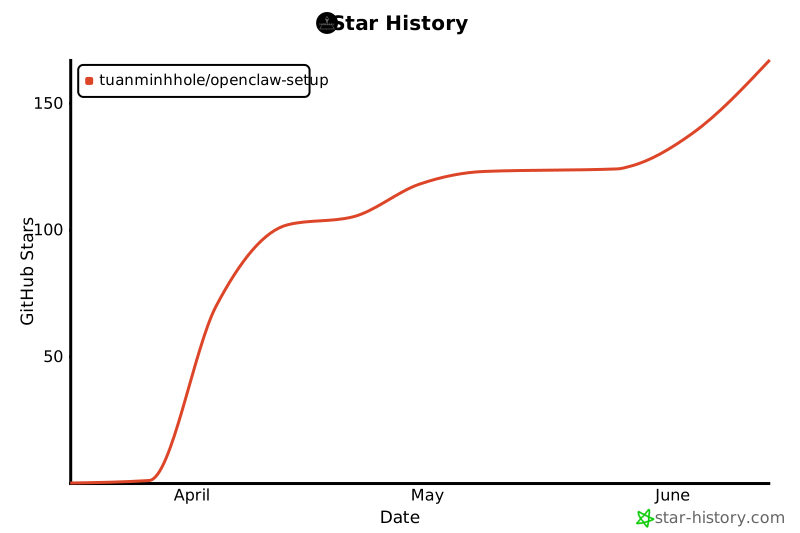](https://star-history.com/#tuanminhhole/openclaw-setup&Date)
|
|
192
|
+
|
|
193
|
+
</div>
|
|
194
|
+
|
|
195
|
+
---
|
|
196
|
+
|
|
197
|
+
## 🙏 Acknowledgments
|
|
198
|
+
|
|
199
|
+
- [OpenClaw](https://openclaw.ai) — AI Gateway framework
|
|
200
|
+
- [9Router](https://github.com/decolua/9router) — Open-source AI proxy (OAuth-based, no API keys)
|
|
201
|
+
- [Playwright](https://playwright.dev) — Browser automation engine
|
|
202
|
+
- [ClawHub](https://clawhub.com) — Skills registry
|
|
203
|
+
- [TheSVG](https://thesvg.org) — High-quality SVG brand icons
|
|
204
|
+
|
|
205
|
+
---
|
|
206
|
+
|
|
207
|
+
<div align="center">
|
|
208
|
+
|
|
209
|
+
Made with 🦞 by [Kent](https://github.com/tuanminhhole)
|
|
210
|
+
|
|
211
|
+
</div>
|
package/README.vi.md
ADDED
|
@@ -0,0 +1,215 @@
|
|
|
1
|
+
<div align="center">
|
|
2
|
+
|
|
3
|
+
# 🦞 OpenClaw Setup
|
|
4
|
+
|
|
5
|
+
**Tạo AI Bot miễn phí trên Telegram hoặc Zalo chỉ trong vài phút.**
|
|
6
|
+
|
|
7
|
+
[](CHANGELOG.vi.md)
|
|
8
|
+
[](https://openclaw.ai)
|
|
9
|
+
[](https://www.docker.com/)
|
|
10
|
+
[](https://t.me/BotFather)
|
|
11
|
+
[](#kênh-hỗ-trợ)
|
|
12
|
+
|
|
13
|
+
<img src="https://flagcdn.com/24x18/vn.png" alt="Tiếng Việt" width="24" height="18"> **Tiếng Việt** · <img src="https://flagcdn.com/24x18/gb.png" alt="English" width="24" height="18"> [English](README.md)
|
|
14
|
+
|
|
15
|
+
</div>
|
|
16
|
+
|
|
17
|
+
---
|
|
18
|
+
|
|
19
|
+
## ✨ Tính năng
|
|
20
|
+
|
|
21
|
+
- 🤖 **Đa kênh** — Telegram, Zalo Bot API, hoặc Zalo Cá nhân
|
|
22
|
+
- 🧠 **Đa model AI** — Google Gemini, Claude, GPT-4o, Ollama, OpenRouter, 9Router
|
|
23
|
+
- 🧩 **Skills** — Web Search, Browser Automation, Memory, RAG, Code Interpreter, Image Gen...
|
|
24
|
+
- 🔌 **Plugins** — Voice Call, Matrix, MS Teams, Nostr
|
|
25
|
+
- 🔀 **9Router Proxy** — Không cần API key! Đăng nhập OAuth qua dashboard
|
|
26
|
+
- 🧙 **Setup Wizard** — Giao diện web đẹp, cấu hình mọi thứ trong 4 bước
|
|
27
|
+
- 🆓 **100% Miễn phí** — Google Gemini API free tier + Docker
|
|
28
|
+
- 🔒 **An toàn** — API key lưu trên máy bạn, không bao giờ bị lộ
|
|
29
|
+
|
|
30
|
+
---
|
|
31
|
+
|
|
32
|
+
## 📋 Chuẩn bị
|
|
33
|
+
|
|
34
|
+
Bạn cần **3 thứ** (miễn phí hết):
|
|
35
|
+
|
|
36
|
+
| # | Cần gì | Cách lấy |
|
|
37
|
+
|---|--------|----------|
|
|
38
|
+
| 1 | **Docker Desktop** | Tải tại [docker.com](https://www.docker.com/products/docker-desktop/) |
|
|
39
|
+
| 2 | **API Key AI** | Tùy model — xem [Nhà cung cấp AI](#-nhà-cung-cấp-ai) bên dưới |
|
|
40
|
+
| 3 | **Bot Token** | Xem [Kênh hỗ trợ](#-kênh-hỗ-trợ) bên dưới |
|
|
41
|
+
|
|
42
|
+
---
|
|
43
|
+
|
|
44
|
+
## 🧠 Nhà cung cấp AI
|
|
45
|
+
|
|
46
|
+
| Nhà cung cấp | Models | Giá | Cách lấy API Key |
|
|
47
|
+
|--------------|--------|-----|-------------------|
|
|
48
|
+
| **Google Gemini** | Gemini 2.5 Flash/Pro, 3.0 Flash | 🆓 Miễn phí | [aistudio.google.com/apikey](https://aistudio.google.com/apikey) |
|
|
49
|
+
| **Anthropic Claude** | Claude Sonnet 4, Opus 4, Haiku 3.5 | 💰 Trả phí | [console.anthropic.com](https://console.anthropic.com/settings/keys) |
|
|
50
|
+
| **OpenAI / Codex** | GPT-4o, o3, Codex Mini | 💰 Trả phí (cần Plus/Pro) | [platform.openai.com/api-keys](https://platform.openai.com/api-keys) |
|
|
51
|
+
| **OpenRouter** | Rất nhiều model miễn phí & trả phí | 🆓/💰 | [openrouter.ai/keys](https://openrouter.ai/keys) |
|
|
52
|
+
| **Ollama** | Qwen 3, DeepSeek, Llama, Gemma... | 🏠 Local (miễn phí) | Cài [ollama.com](https://ollama.com) |
|
|
53
|
+
| **9Router** | Tự động route tới provider tốt nhất | 🔀 Proxy | Không cần API key — [github.com/decolua/9router](https://github.com/decolua/9router) |
|
|
54
|
+
|
|
55
|
+
> 🔀 **9Router** chạy cùng OpenClaw trong Docker. Sau khi `docker compose up`, mở `localhost:20128/dashboard` để đăng nhập OAuth. Không cần API key!
|
|
56
|
+
|
|
57
|
+
---
|
|
58
|
+
|
|
59
|
+
## 🔌 Kênh hỗ trợ
|
|
60
|
+
|
|
61
|
+
| Kênh | Loại | Cách lấy token |
|
|
62
|
+
|------|------|----------------|
|
|
63
|
+
| **Telegram** | ✅ Bot API chính thức | Mở Telegram → Tìm **@BotFather** → `/newbot` → Copy token |
|
|
64
|
+
| **Zalo Bot API** | ✅ Bot API chính thức | Vào [developers.zalo.me](https://developers.zalo.me) → Tạo bot → Copy token |
|
|
65
|
+
| **Zalo Cá nhân** | ⚠️ Unofficial | Login bằng QR code sau khi setup (không cần token) |
|
|
66
|
+
|
|
67
|
+
> ⚠️ **Zalo Cá nhân** dùng unofficial API. Tài khoản Zalo có thể bị hạn chế. Chỉ nên dùng tài khoản phụ.
|
|
68
|
+
|
|
69
|
+
---
|
|
70
|
+
|
|
71
|
+
## 🚀 Bắt đầu nhanh
|
|
72
|
+
|
|
73
|
+
### Cách A — Setup Wizard (Khuyến nghị)
|
|
74
|
+
|
|
75
|
+
1. **Clone repo:**
|
|
76
|
+
```bash
|
|
77
|
+
git clone https://github.com/tuanminhhole/openclaw-setup.git
|
|
78
|
+
cd openclaw-setup
|
|
79
|
+
```
|
|
80
|
+
|
|
81
|
+
2. **Mở `index.html`** trên trình duyệt — Setup Wizard sẽ hướng dẫn bạn:
|
|
82
|
+
- Chọn kênh (Telegram / Zalo)
|
|
83
|
+
- Chọn AI model và plugins
|
|
84
|
+
- Cấu hình tên bot, tính cách
|
|
85
|
+
- Lấy hướng dẫn tạo API key
|
|
86
|
+
- Tự động generate tất cả config files
|
|
87
|
+
|
|
88
|
+
3. **Tạo file `.env`** (làm theo hướng dẫn trong wizard)
|
|
89
|
+
|
|
90
|
+
4. **Build & Chạy:**
|
|
91
|
+
```bash
|
|
92
|
+
cd docker/openclaw
|
|
93
|
+
docker compose build
|
|
94
|
+
docker compose up -d
|
|
95
|
+
```
|
|
96
|
+
|
|
97
|
+
5. **Test bot** — gửi tin nhắn trên Telegram hoặc Zalo! 🎉
|
|
98
|
+
|
|
99
|
+
### Cách B — Dùng AI Agent (Antigravity)
|
|
100
|
+
|
|
101
|
+
1. Mở [Antigravity IDE](https://antigravity.dev/)
|
|
102
|
+
2. Mở repo này làm workspace
|
|
103
|
+
3. Tạo `docker/openclaw/.env` với API key của bạn
|
|
104
|
+
4. Paste vào chat:
|
|
105
|
+
```
|
|
106
|
+
Read SETUP.md in this repo and set up OpenClaw for me.
|
|
107
|
+
I already created the .env file with my API key and Bot token.
|
|
108
|
+
My project folder: <THƯ_MỤC_CỦA_BẠN>
|
|
109
|
+
```
|
|
110
|
+
|
|
111
|
+
---
|
|
112
|
+
|
|
113
|
+
## 📁 Cấu trúc repo
|
|
114
|
+
|
|
115
|
+
```
|
|
116
|
+
index.html ← Setup Wizard UI
|
|
117
|
+
style.css ← Giao diện wizard
|
|
118
|
+
setup.js ← Logic wizard
|
|
119
|
+
CHANGELOG.md ← Lịch sử phiên bản
|
|
120
|
+
README.md ← Hướng dẫn (English)
|
|
121
|
+
README.vi.md ← Hướng dẫn (Tiếng Việt) — Bạn đang đọc file này
|
|
122
|
+
SETUP.md ← Hướng dẫn kỹ thuật cho AI Agent
|
|
123
|
+
SETUP.vi.md ← Hướng dẫn kỹ thuật cho AI Agent (Tiếng Việt)
|
|
124
|
+
```
|
|
125
|
+
|
|
126
|
+
---
|
|
127
|
+
|
|
128
|
+
## ❓ Câu hỏi thường gặp
|
|
129
|
+
|
|
130
|
+
<details>
|
|
131
|
+
<summary><b>Thật sự miễn phí?</b></summary>
|
|
132
|
+
Đúng. Docker, Google Gemini API (free tier), và Telegram/Zalo bot đều miễn phí. Nếu bạn muốn dùng Claude hoặc GPT-4o thì cần trả phí riêng cho nhà cung cấp AI đó.
|
|
133
|
+
</details>
|
|
134
|
+
|
|
135
|
+
<details>
|
|
136
|
+
<summary><b>Bot chạy ở đâu?</b></summary>
|
|
137
|
+
Trên máy tính của bạn trong Docker container. Khi tắt máy, bot cũng tắt.
|
|
138
|
+
</details>
|
|
139
|
+
|
|
140
|
+
<details>
|
|
141
|
+
<summary><b>Làm sao tắt/khởi động lại?</b></summary>
|
|
142
|
+
|
|
143
|
+
```bash
|
|
144
|
+
docker compose down # Tắt
|
|
145
|
+
docker compose up -d # Bật
|
|
146
|
+
```
|
|
147
|
+
</details>
|
|
148
|
+
|
|
149
|
+
<details>
|
|
150
|
+
<summary><b>Có thể đổi model AI sau không?</b></summary>
|
|
151
|
+
Có! Chỉ cần sửa <code>.openclaw/openclaw.json</code> → đổi trường <code>model.primary</code> → <code>docker compose restart</code>.
|
|
152
|
+
</details>
|
|
153
|
+
|
|
154
|
+
<details>
|
|
155
|
+
<summary><b>Có thể đổi kênh chat sau không?</b></summary>
|
|
156
|
+
Có! Chạy lại Setup Wizard hoặc sửa <code>.openclaw/openclaw.json</code> → phần <code>channels</code>.
|
|
157
|
+
</details>
|
|
158
|
+
|
|
159
|
+
<details>
|
|
160
|
+
<summary><b>An toàn không?</b></summary>
|
|
161
|
+
API key chỉ lưu trên máy bạn. SETUP.md có các quy tắc bảo mật nghiêm ngặt mà AI Agent phải tuân thủ (không xóa file, không truy cập thư mục nhạy cảm, không lộ key...).
|
|
162
|
+
</details>
|
|
163
|
+
|
|
164
|
+
<details>
|
|
165
|
+
<summary><b>9Router là gì?</b></summary>
|
|
166
|
+
9Router là AI proxy mã nguồn mở chạy cùng Docker với bot. Thay vì dùng API key, bạn đăng nhập OAuth trên dashboard 9Router (<code>localhost:20128</code>). Nó tự động route request tới AI provider tốt nhất.
|
|
167
|
+
</details>
|
|
168
|
+
|
|
169
|
+
<details>
|
|
170
|
+
<summary><b>Skills và Plugins khác nhau thế nào?</b></summary>
|
|
171
|
+
<strong>Skills</strong> thêm kỹ năng cho bot (Web Search, Browser, Memory...) — cài qua <code>openclaw skills install</code> từ ClawHub.<br>
|
|
172
|
+
<strong>Plugins</strong> thêm kênh chat hoặc tính năng runtime (Voice Call, Matrix...) — cài qua <code>openclaw plugins install</code> từ npm.
|
|
173
|
+
</details>
|
|
174
|
+
|
|
175
|
+
---
|
|
176
|
+
|
|
177
|
+
## 🔗 Link hữu ích
|
|
178
|
+
|
|
179
|
+
- [OpenClaw Docs](https://openclaw.ai/docs)
|
|
180
|
+
- [Google AI Studio](https://aistudio.google.com/)
|
|
181
|
+
- [Telegram BotFather](https://t.me/BotFather)
|
|
182
|
+
- [Zalo Bot Platform](https://developers.zalo.me)
|
|
183
|
+
- [Docker Desktop](https://www.docker.com/products/docker-desktop/)
|
|
184
|
+
- [Ollama](https://ollama.com)
|
|
185
|
+
- [OpenRouter](https://openrouter.ai)
|
|
186
|
+
- [9Router](https://github.com/decolua/9router)
|
|
187
|
+
- [ClawHub (Skills)](https://clawhub.com)
|
|
188
|
+
|
|
189
|
+
---
|
|
190
|
+
|
|
191
|
+
## 📈 Lịch sử Star
|
|
192
|
+
|
|
193
|
+
<div align="center">
|
|
194
|
+
|
|
195
|
+
[](https://star-history.com/#tuanminhhole/openclaw-setup&Date)
|
|
196
|
+
|
|
197
|
+
</div>
|
|
198
|
+
|
|
199
|
+
---
|
|
200
|
+
|
|
201
|
+
## 🙏 Ghi công
|
|
202
|
+
|
|
203
|
+
- [OpenClaw](https://openclaw.ai) — AI Gateway framework
|
|
204
|
+
- [9Router](https://github.com/decolua/9router) — AI proxy mã nguồn mở (OAuth, không cần API key)
|
|
205
|
+
- [Playwright](https://playwright.dev) — Engine trình duyệt tự động
|
|
206
|
+
- [ClawHub](https://clawhub.com) — Skills registry
|
|
207
|
+
- [TheSVG](https://thesvg.org) — Bộ icon SVG vector chất lượng cao (miễn phí)
|
|
208
|
+
|
|
209
|
+
---
|
|
210
|
+
|
|
211
|
+
<div align="center">
|
|
212
|
+
|
|
213
|
+
Made with 🦞 by [Kent](https://github.com/tuanminhhole)
|
|
214
|
+
|
|
215
|
+
</div>
|