@groupdocs/groupdocs.watermark 25.7.0 → 26.1.0
This diff represents the content of publicly available package versions that have been released to one of the supported registries. The information contained in this diff is provided for informational purposes only and reflects changes between package versions as they appear in their respective public registries.
- package/End User License Agreement.html +7 -5
- package/README.md +122 -24
- package/index.js +2 -2
- package/lib/groupdocs.watermark.js +1 -1
- package/package.json +33 -31
|
@@ -1,10 +1,12 @@
|
|
|
1
1
|
<html>
|
|
2
2
|
<head>
|
|
3
|
-
<title>GroupDocs - End User License Agreement (EULA)</title>
|
|
4
|
-
<meta http-equiv="refresh" content="0; url=https://
|
|
3
|
+
<title>GroupDocs - End User License Agreement (EULA)</title>
|
|
4
|
+
<meta http-equiv="refresh" content="0; url=https://about.groupdocs.com/legal/eula/" />
|
|
5
5
|
</head>
|
|
6
6
|
<body>
|
|
7
|
-
<p>Please wait. You
|
|
8
|
-
<p>If
|
|
7
|
+
<p>Please wait. You’ll be redirected to the online version of the EULA.</p>
|
|
8
|
+
<p>If the redirection does not occur automatically, please visit the following link:
|
|
9
|
+
<a href="https://about.groupdocs.com/legal/eula/">https://about.groupdocs.com/legal/eula/</a>
|
|
10
|
+
</p>
|
|
9
11
|
</body>
|
|
10
|
-
</html>
|
|
12
|
+
</html>
|
package/README.md
CHANGED
|
@@ -1,6 +1,17 @@
|
|
|
1
|
-
|
|
1
|
+
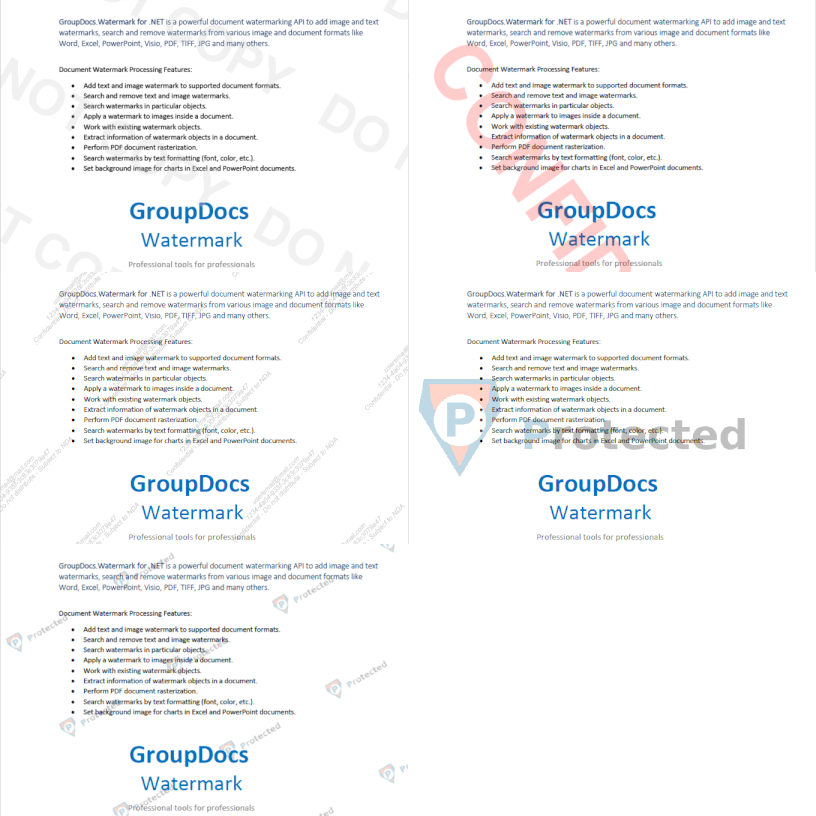
Powerful document watermarking API for Node.js (powered by Java) designed to help developers seamlessly add, detect, customize, and remove watermarks in 40+ file formats, including PDFs, Word documents, Excel spreadsheets, PowerPoint presentations, images, Visio diagrams, and more.
|
|
2
2
|
|
|
3
|
-
|
|
3
|
+
|
|
4
|
+
|
|
5
|
+
### Quick links
|
|
6
|
+
|
|
7
|
+
- [Release Notes](https://releases.groupdocs.com/watermark/nodejs-java/release-notes/)
|
|
8
|
+
- [Documentation](https://docs.groupdocs.com/watermark/nodejs-java/)
|
|
9
|
+
- [System Requirements](https://docs.groupdocs.com/watermark/nodejs-java/system-requirements/)
|
|
10
|
+
- [Installation Guide](https://docs.groupdocs.com/watermark/nodejs-java/installation/)
|
|
11
|
+
- [Support](https://forum.groupdocs.com/)
|
|
12
|
+
- [Pricing](https://purchase.groupdocs.com/pricing/watermark/nodejs-java/)
|
|
13
|
+
|
|
14
|
+
## Key Features
|
|
4
15
|
- Add text and image watermark to supported document formats.
|
|
5
16
|
- Search and remove text and image watermarks.
|
|
6
17
|
- Search watermarks in particular objects.
|
|
@@ -13,7 +24,10 @@
|
|
|
13
24
|
- Set background image for charts in Excel and PowerPoint documents.
|
|
14
25
|
- Work with PDF and email attachments.
|
|
15
26
|
|
|
16
|
-
|
|
27
|
+
|
|
28
|
+
## Supported Formats
|
|
29
|
+
|
|
30
|
+
### Supported File Formats
|
|
17
31
|
**Microsoft Word:** DOC, DOT, DOCX, DOCM, DOTX, DOTM, RTF
|
|
18
32
|
**Microsoft Excel:** XLSX, XLSM, XLTM, XLT, XLTX, XLS
|
|
19
33
|
**Microsoft PowerPoint:** PPTX, PPTM, PPSX, PPSM, POTX, POTM, PPT, PPS
|
|
@@ -23,49 +37,133 @@
|
|
|
23
37
|
**Fixed Layout:** PDF
|
|
24
38
|
**Image:** BMP, GIF, JPG/JPEG/JPE, JP2, PNG, TIFF, WEBP
|
|
25
39
|
|
|
26
|
-
|
|
40
|
+
### Supported Watermark Types
|
|
27
41
|
- Text stamps
|
|
28
42
|
- Text labels
|
|
29
43
|
- Text as an image watermark
|
|
30
44
|
- Image watermark
|
|
31
45
|
|
|
32
|
-
## Getting Started
|
|
46
|
+
## Getting Started
|
|
47
|
+
|
|
48
|
+
### Prerequisites
|
|
49
|
+
|
|
50
|
+
- Node.js (LTS recommended)
|
|
51
|
+
- Java Runtime Environment (JRE) 8 or later
|
|
52
|
+
- Windows, Linux, or macOS
|
|
53
|
+
|
|
33
54
|
### Installation
|
|
34
55
|
|
|
35
|
-
|
|
56
|
+
To install the package, check the [System Requirements](https://docs.groupdocs.com/watermark/nodejs-java/system-requirements/) and [Installation](https://docs.groupdocs.com/watermark/nodejs-java/installation/) documentation topics for platform-specific instructions.
|
|
57
|
+
|
|
58
|
+
### Use cases
|
|
36
59
|
|
|
37
|
-
|
|
60
|
+
Here are some typical use cases:
|
|
38
61
|
|
|
39
|
-
### Adding text watermak to the PDF document
|
|
62
|
+
### Adding text watermak to the PDF document
|
|
63
|
+
|
|
64
|
+
This example shows how to compare two DOCX files and save a diff file.
|
|
40
65
|
|
|
41
66
|
```js
|
|
42
|
-
|
|
43
|
-
|
|
67
|
+
'use strict';
|
|
68
|
+
|
|
69
|
+
const groupdocs = require('@groupdocs/groupdocs.watermak');
|
|
44
70
|
|
|
45
|
-
|
|
46
|
-
|
|
47
|
-
|
|
71
|
+
// Apply license, required for non-evaluation usage
|
|
72
|
+
const license = new groupdocs.License();
|
|
73
|
+
license.setLicense("GroupDocs.Watermark.lic");
|
|
48
74
|
|
|
49
|
-
|
|
75
|
+
// Create watermarker
|
|
76
|
+
const watermarker = new groupdocs.Watermarker("source.pdf");
|
|
77
|
+
const watermark = new groupdocs.TextWatermark('Test watermark', new groupdocs.Font('Arial', 36, groupdocs.FontStyle.Bold | groupdocs.FontStyle.Italic));
|
|
78
|
+
watermark.setHorizontalAlignment(groupdocs.HorizontalAlignment.Center);
|
|
79
|
+
watermark.setVerticalAlignment(groupdocs.VerticalAlignment.Center);
|
|
50
80
|
|
|
51
|
-
|
|
81
|
+
watermarker.add(watermark);
|
|
82
|
+
watermarker.save("result.pdf");
|
|
83
|
+
|
|
84
|
+
// Exit
|
|
85
|
+
process.exit(0);
|
|
52
86
|
```
|
|
53
87
|
|
|
54
|
-
|
|
88
|
+
The output file 'result.pdf', is the watermarked version of the original.
|
|
89
|
+
|
|
90
|
+
### Search for watermarks in the document
|
|
55
91
|
|
|
56
92
|
```js
|
|
93
|
+
'use strict';
|
|
94
|
+
|
|
95
|
+
const groupdocs = require('@groupdocs/groupdocs.watermak');
|
|
96
|
+
|
|
97
|
+
// Apply license, required for non-evaluation usage
|
|
98
|
+
const license = new groupdocs.License();
|
|
99
|
+
license.setLicense("GroupDocs.Watermark.lic");
|
|
100
|
+
|
|
57
101
|
// Create watermarker
|
|
58
|
-
|
|
102
|
+
const watermarker = new groupdocs.Watermarker("source.pdf");
|
|
103
|
+
|
|
104
|
+
// Search by exact string
|
|
105
|
+
const textSearchCriteria = new groupdocs.TextSearchCriteria("2017");
|
|
59
106
|
|
|
60
|
-
|
|
61
|
-
|
|
107
|
+
// Find all possible watermarks containing some specific text
|
|
108
|
+
const possibleWatermarks = watermarker.search(textSearchCriteria);
|
|
62
109
|
|
|
63
|
-
|
|
64
|
-
|
|
110
|
+
// Output the results
|
|
111
|
+
console.log(`Found ${possibleWatermarks.getCount()} possible watermark(s)`);
|
|
65
112
|
|
|
66
|
-
|
|
67
|
-
|
|
113
|
+
// Exit
|
|
114
|
+
process.exit(0);
|
|
115
|
+
```
|
|
116
|
+
|
|
117
|
+
## Troubleshooting
|
|
118
|
+
|
|
119
|
+
- Download during installation fails (corporate proxy/firewall): Ensure your environment allows downloading the required JAR during `postinstall`. If needed, download the file manually to the `lib/` directory as described in the [Installation Guide](https://docs.groupdocs.com/watermark/nodejs-java/installation/).
|
|
120
|
+
- Java not found: Make sure Java (JRE 8+) is installed and available on your system `PATH`.
|
|
121
|
+
- Permission issues when writing output files: Verify your process has write access to the target directory.
|
|
122
|
+
|
|
123
|
+
## Licensing
|
|
124
|
+
|
|
125
|
+
For testing without trial limitations, you can request a 30-day Temporary License:
|
|
68
126
|
|
|
127
|
+
* Visit the [Get a Temporary License](https://purchase.groupdocs.com/temporary-license/) page
|
|
128
|
+
* Follow the instructions to request your temporary license
|
|
129
|
+
* Copy the license file and apply it using the code example
|
|
130
|
+
|
|
131
|
+
```javascript
|
|
132
|
+
'use strict';
|
|
133
|
+
|
|
134
|
+
const groupdocs = require('@groupdocs/groupdocs.watermark');
|
|
135
|
+
|
|
136
|
+
// Apply license
|
|
137
|
+
const license = new groupdocs.License();
|
|
138
|
+
license.setLicense("GroupDocs.Watermark.lic");
|
|
69
139
|
```
|
|
70
140
|
|
|
71
|
-
|
|
141
|
+
This product is licensed under the GroupDocs End User License Agreement (EULA). For pricing information, visit the [GroupDocs.Watermark for Node.js via Java pricing page](https://purchase.groupdocs.com/pricing/watermark/nodejs-java/).
|
|
142
|
+
|
|
143
|
+
## Support
|
|
144
|
+
|
|
145
|
+
GroupDocs provides unlimited free technical support for all of its products. Support is available to all users, including evaluation. The support is provided at [Free Support Forum](https://forum.groupdocs.com/), [Paid Support Helpdesk](https://helpdesk.groupdocs.com/) and [Paid Consulting](https://consulting.groupdocs.com/).
|
|
146
|
+
|
|
147
|
+
### Free Support Forum
|
|
148
|
+
|
|
149
|
+
The [GroupDocs Free Support Forum](https://forum.groupdocs.com/) is available to all users and provides:
|
|
150
|
+
- Direct access to the GroupDocs.Total development team
|
|
151
|
+
- Community-driven support and knowledge sharing
|
|
152
|
+
- No time limitations on support requests
|
|
153
|
+
- Access to historical solutions and discussions
|
|
154
|
+
|
|
155
|
+
### Paid Support Helpdesk
|
|
156
|
+
|
|
157
|
+
The [Paid Support Helpdesk](https://helpdesk.groupdocs.com/) offers:
|
|
158
|
+
- Higher priority response times
|
|
159
|
+
- Dedicated support team
|
|
160
|
+
- Extended support hours
|
|
161
|
+
- Priority issue resolution
|
|
162
|
+
|
|
163
|
+
### Paid Consulting
|
|
164
|
+
|
|
165
|
+
We can work together with you on your project and develop a part or complete application. If you need new features in the existing GroupDocs product or to create API for new file formats, send us a request at [consulting.groupdocs.com/contact](https://consulting.groupdocs.com/contact/).
|
|
166
|
+
|
|
167
|
+
---
|
|
168
|
+
|
|
169
|
+
[Home](https://www.groupdocs.com/) | [Product Home](https://products.groupdocs.com/watermark/nodejs-java/) | [Documentation](https://docs.groupdocs.com/watermark/nodejs-java/) | [Blog](https://blog.groupdocs.com/categories/groupdocs.watermark-product-family/) | [Code Samples](https://github.com/groupdocs-watermark/GroupDocs.Watermark-for-Node.js-via-Java) | [Free Support](https://forum.groupdocs.com/c/watermark/12) | [Temporary License](https://purchase.groupdocs.com/temporary-license) | [Pricing](https://purchase.groupdocs.com/pricing/watermark/nodejs-java/)
|
package/index.js
CHANGED
|
@@ -11,8 +11,8 @@ const path = require('path');
|
|
|
11
11
|
}
|
|
12
12
|
}
|
|
13
13
|
|
|
14
|
-
if (!checkFileExists(path.join(__dirname, 'lib/groupdocs-watermark-nodejs-25.
|
|
15
|
-
console.warn('\x1b[33m%s\x1b[0m', `File groupdocs-watermark-nodejs-25.
|
|
14
|
+
if (!checkFileExists(path.join(__dirname, 'lib/groupdocs-watermark-nodejs-25.9.jar'))) {
|
|
15
|
+
console.warn('\x1b[33m%s\x1b[0m', `File groupdocs-watermark-nodejs-25.9.jar not found in the lib directory.\nPlease navigate to the package directory:`);
|
|
16
16
|
console.log('\n cd node_modules/@groupdocs/groupdocs.watermark\n');
|
|
17
17
|
console.warn('\x1b[33m%s\x1b[0m', `Then download the JAR file using the command:`);
|
|
18
18
|
console.log('\n npm run postinstall\n');
|
package/package.json
CHANGED
|
@@ -1,46 +1,48 @@
|
|
|
1
1
|
{
|
|
2
2
|
"name": "@groupdocs/groupdocs.watermark",
|
|
3
|
-
"version": "
|
|
3
|
+
"version": "26.1.0",
|
|
4
4
|
"description": "Create and apply watermarks on PDF, Word, Excel, PowerPoint, and image files, including JPG and PNG. Fast, powerful, and easy-to-use watermarking tool.",
|
|
5
5
|
"scripts": {
|
|
6
|
-
"postinstall": "curl -H 'Cache-Control:no-cache' https://releases.groupdocs.com/java/repo/com/groupdocs/groupdocs-watermark-nodejs/25.
|
|
6
|
+
"postinstall": "curl -H 'Cache-Control:no-cache' https://releases.groupdocs.com/java/repo/com/groupdocs/groupdocs-watermark-nodejs/25.9/groupdocs-watermark-nodejs-25.9.jar --ssl-no-revoke > lib/groupdocs-watermark-nodejs-25.9.jar"
|
|
7
7
|
},
|
|
8
8
|
"main": "index.js",
|
|
9
9
|
"keywords": [
|
|
10
10
|
"watermark",
|
|
11
|
-
"
|
|
12
|
-
"
|
|
13
|
-
"
|
|
14
|
-
"
|
|
15
|
-
"
|
|
16
|
-
"
|
|
17
|
-
"
|
|
18
|
-
"
|
|
19
|
-
"
|
|
20
|
-
"
|
|
21
|
-
"
|
|
22
|
-
"
|
|
23
|
-
"
|
|
24
|
-
"
|
|
25
|
-
"
|
|
26
|
-
"
|
|
27
|
-
"
|
|
28
|
-
"
|
|
29
|
-
"
|
|
30
|
-
"
|
|
31
|
-
"
|
|
32
|
-
"
|
|
33
|
-
"
|
|
34
|
-
"
|
|
35
|
-
"
|
|
36
|
-
"
|
|
37
|
-
"
|
|
38
|
-
"
|
|
11
|
+
"watermarks",
|
|
12
|
+
"watermarking",
|
|
13
|
+
"document watermark",
|
|
14
|
+
"pdf watermark",
|
|
15
|
+
"word watermark",
|
|
16
|
+
"excel watermark",
|
|
17
|
+
"powerpoint watermark",
|
|
18
|
+
"ppt watermark",
|
|
19
|
+
"image watermark",
|
|
20
|
+
"text watermark",
|
|
21
|
+
"add watermark",
|
|
22
|
+
"remove watermark",
|
|
23
|
+
"search watermark",
|
|
24
|
+
"clean watermark",
|
|
25
|
+
"document processing",
|
|
26
|
+
"document automation",
|
|
27
|
+
"file formats",
|
|
28
|
+
"pdf",
|
|
29
|
+
"docx",
|
|
30
|
+
"xlsx",
|
|
31
|
+
"pptx",
|
|
32
|
+
"tiff",
|
|
33
|
+
"png",
|
|
34
|
+
"jpg",
|
|
35
|
+
"nodejs",
|
|
36
|
+
"node.js",
|
|
37
|
+
"javascript",
|
|
38
|
+
"library",
|
|
39
|
+
"sdk",
|
|
40
|
+
"groupdocs"
|
|
39
41
|
],
|
|
40
42
|
"author": "Aspose",
|
|
41
43
|
"license": "SEE LICENSE IN End User License Agreement.html",
|
|
42
44
|
"dependencies": {
|
|
43
|
-
"java": "^0.
|
|
45
|
+
"java": "^0.18.0"
|
|
44
46
|
},
|
|
45
47
|
"directories": {
|
|
46
48
|
"lib": "lib"
|